




Dwarrowdelf · forges lit
Pick the power you need
Choose the CPU, memory and NVMe storage your server runs on, and add more when your halls get bigger.

Run your own Lord of the Rings: Return to Moria server. It stays up without a host, and up to 8 dwarves mine, build and fight in the same world.
Powering
Find your plan
Tell us about your server and we'll recommend a plan.
Let's find your plan
No per-slot fees. Choose your own slot limit. To help us recommend the right plan for you, tell us how many friends are joining you!

Best fit
The Lower Deeps6 GB RAM, 150% CPU
$15.99/mo
Pick your plan
Or build your own. Then choose where it runs and deploy.
 CustomChoose your own plan!
Billing
Secure Backups Included
The Lower Deeps
Billed monthly. Cancel any time.
Switch your Return to Moria server to any of 445 other games, right from the panel, whenever you want!*
Included with
every plan
Your world, your difficulty and your rules, on a server that stays up without a host.
Choose the CPU, memory and NVMe storage your server runs on, and add more when your halls get bigger.
Your world stays online when the host logs off, so the whole company can dig in whenever they like. It is protected from DDoS attacks.
Your server deploys itself the moment you order, ready for your company to join.
Your difficulty, part by part
Choose Custom difficulty and set each part yourself: combat, enemy aggression, survival, ore and loot drops, and how often hordes, sieges and patrols come for you.
 MoriaServerConfig.ini - Physgun VS Code main
For the power users
Connect with real developer tools to edit your server config, join message and permissions directly. Or skip it and use the panel.
Pick the difficulty and whether a new world plays the campaign or a sandbox, and set a seed to recreate a layout you liked.
Type a new world name and the server starts a fresh Moria. Your old world stays saved, so you can go back to it.
Choose how many areas of Moria stay loaded at once. More areas use more memory and CPU, and you size the box for it.
One place for your whole Moria: world name, password, difficulty, world type and seed in the startup settings, a config editor for custom difficulty, expansions and loaded areas, scheduled restarts and backups, subusers for your company, a file manager with SSH and VS Code, and every other universal tool.

Accurate, blazing-fast output piped directly from the container. Paired with complete SSH access inside the Panel!
1 / 10
New to Return to Moria?
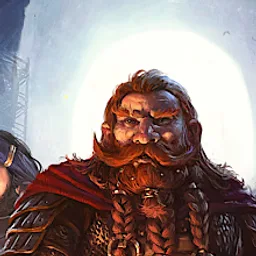
The Lord of the Rings: Return to Moria is a survival crafting game set in the Fourth Age of Middle-earth. Summoned by Lord Gimli Lockbearer, you lead the Dwarves back into Moria to reclaim it. Mine ore, hunt and gather food, manage sleep, warmth and noise, and fight the orcs that lurk in the dark. Moria is procedurally generated, so no two expeditions are alike, and you restore its great forges and landmarks as the story moves from the Western Halls to Dwarrowdelf and beyond.
Dig for ore, rebuild legendary forges and craft the armor, weapons and tools you need to go deeper.
Clear new halls and build on a grand scale, from scratch or on top of the ruins you find.

Why rent a server?
A Return to Moria dedicated server is a world your company shares that stays online whether or not anyone is playing. When a player hosts from the game, the world is only open while they are online. A dedicated server keeps it open, so friends can join with the invite code at any time and pick up where the group left off. You choose the world, the difficulty and the password. With us it deploys in minutes, and you size the CPU, memory and storage yourself.
Your world stays up around the clock, so nobody waits for the host to come online.
Pick the world, difficulty, seed and password, and set custom difficulty part by part.
Straight answers before you order. Still stuck? Real people are here around the clock.
 Physgun
Keep Moria open for your company, whether or not anyone is hosting.