

Minecraft Server Hosting
Vanilla or modded, Java or Bedrock. Minecraft servers with 1-click modpacks and unlimited player slots.
- 1,000+ modpacks & plugins in one click
- Forge, Fabric, NeoForge, Paper & Spigot
- Unlimited player slots at no extra cost
Starting at $4.87/mo
3-day money-back guaranteeEvery plan gives you raw hardware resources with no per-slot costs. Not sure how much RAM you need? Try our Minecraft Server RAM Calculator
Powering

Overworld
Best for vanilla & light modpacks
- Intel Xeon E5-2666v3
- DDR4 Memory [4GB, up to 12GB]
- SSD Storage [Fair use]


Ocean
Best for modpacks & plugin servers
- Overclocked Ryzen 7 5700X
- DDR4 Memory [8GB, up to 24GB]
- NVMe Storage [Fair use]

Nether
Best for large modpacks & high-pop servers
- Overclocked Ryzen 9 5900X/5950X
- DDR4 Memory [8GB, up to 32GB]
- NVMe Storage [Fair use]
- Free Dedicated IP
Not every server needs a full plan
Development boxes, smaller servers and custom hardware, for when one of these fits better than a main plan.
networks & the largest communities
Dedicated Minecraft Server
Custom bare metal: a whole machine to yourself, configured to your spec, set up with you.
- White Glove Support
- Full Hardware Control
All Physgun servers instantly deploy on the fastest hardware available with dedicated resources.
Included with
every plan
Minecraft Hosting for Every Kind of Server
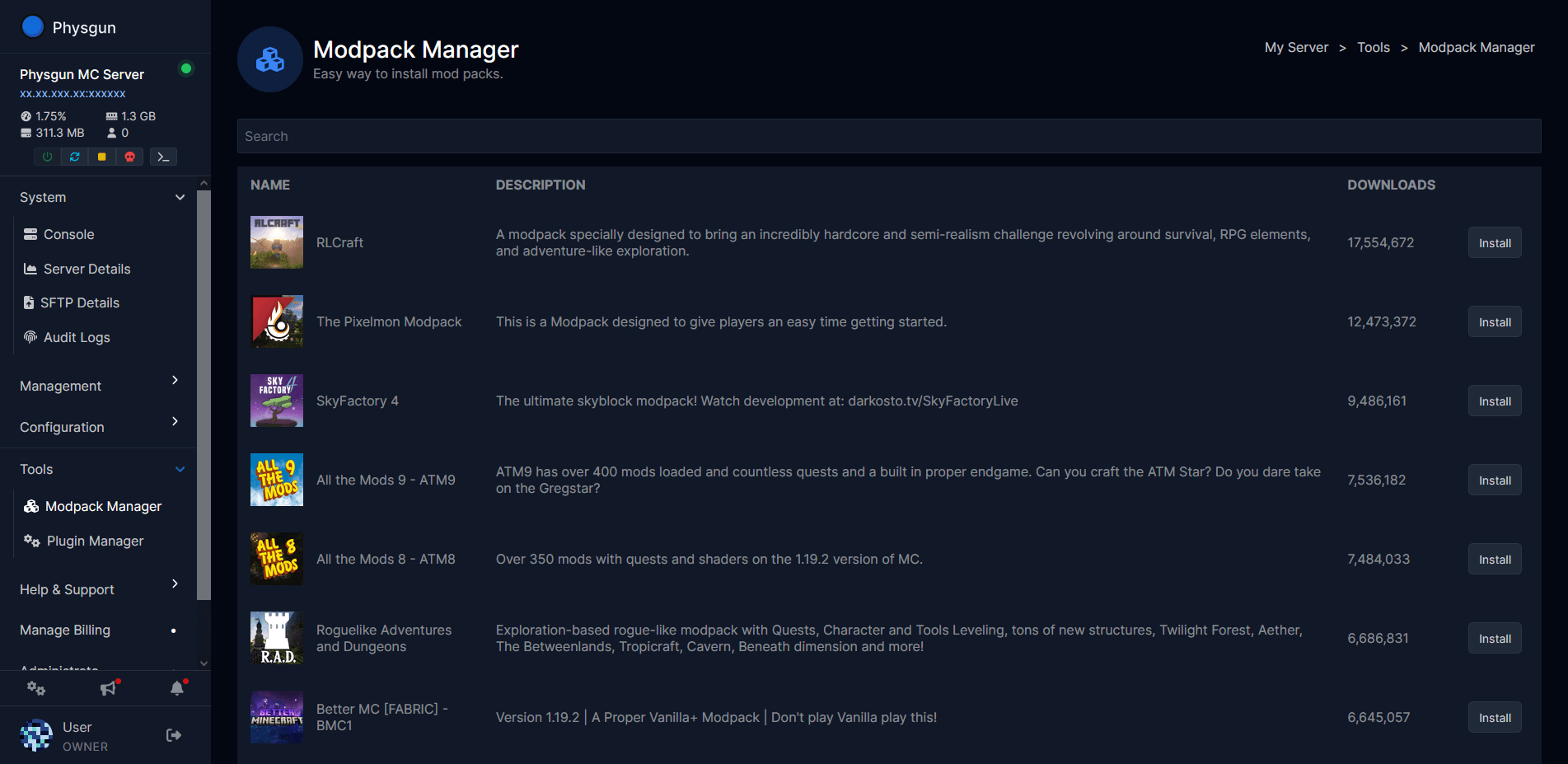
1,000+ packs from CurseForge, one click
Modded Minecraft Server Hosting
Modded Minecraft server hosting without the setup night. Pick All the Mods, SkyFactory, RLCraft, Pixelmon, Better Minecraft, Craftoria, Cobblemon, Prominence, or any of 1,000+ CurseForge packs and the panel installs the right loader, the right Java version, and the pack itself. Forge, Fabric, NeoForge, and Quilt all run on every plan. Add mods from Modrinth or upload your own jars over SFTP.
The Packs People Actually Play.
SkyFactory 4, All the Mods 10, RLCraft, Pixelmon, Cobblemon, Craftoria, Vault Hunters, Create: Astral. Search, click, play.
The RAM Modpacks Need.
Ocean scales to 24GB and Nether to 32GB on Ryzen hardware with NVMe storage, so big packs load fast and stay smooth.

Java Edition, Bedrock Edition, or both
Java or Bedrock, Your Call
Java Edition servers run every mod and plugin and are what the plans on this page deploy. Console and mobile players need Bedrock, and Minecraft Bedrock server hosting has its own plans. Want your whole friend group on one server? Install GeyserMC and Floodgate from the plugin installer and Bedrock players join your Java server from Xbox, PlayStation, Switch, and phones.
Every Server Type in the Jar Manager.
Vanilla, Paper, Purpur, Spigot, Bukkit, Sponge, Forge, Fabric, NeoForge, BungeeCord, and Velocity. Switch versions in one click.
Crossplay With GeyserMC.
One Java server, every platform. Our GeyserMC guide gets Bedrock players in within a few minutes.
Pick by player count, not by slot
What is Minecraft Server Hosting?
Minecraft server hosting gives you a dedicated server that stays online 24/7 so friends can build while you sleep. You get full control: server.properties, game rules, whitelist, ops, plugins, and mods are all yours. Unlike home hosting there is no port forwarding, no exposed home IP, and no PC left running. Every Physgun plan rents hardware, not slots. Overworld covers a vanilla or Paper server for you and 10+ friends. Ocean handles modpacks and 40+ players. Nether runs large communities and networks on an overclocked Ryzen 9.
No Slot Limits.
Set max-players to whatever your RAM handles. A private server for friends or a public network, same price per plan.
Size It Right.
The Minecraft RAM Calculator turns your player count, mods, and plugins into a plan recommendation.
Easy, Seamless Minecraft Hosting
The Physgun Gamepanel does the setup so you can get on with the server.
Install modpacks instantly
Modpack Installer
Install modpacks straight from CurseForge with one click. The panel picks the loader and Java version for you. No manual setup, no mismatched mods.
One Click.
All it takes is one click to completely install a modpack. Our intelligent hamsters will figure out the rest.
Over 1,000 Modpacks.
SkyFactory, All the Mods, Pixelmon, RLCraft, and every other CurseForge pack, ready to install.
Install plugins instantly
Plugin Installer
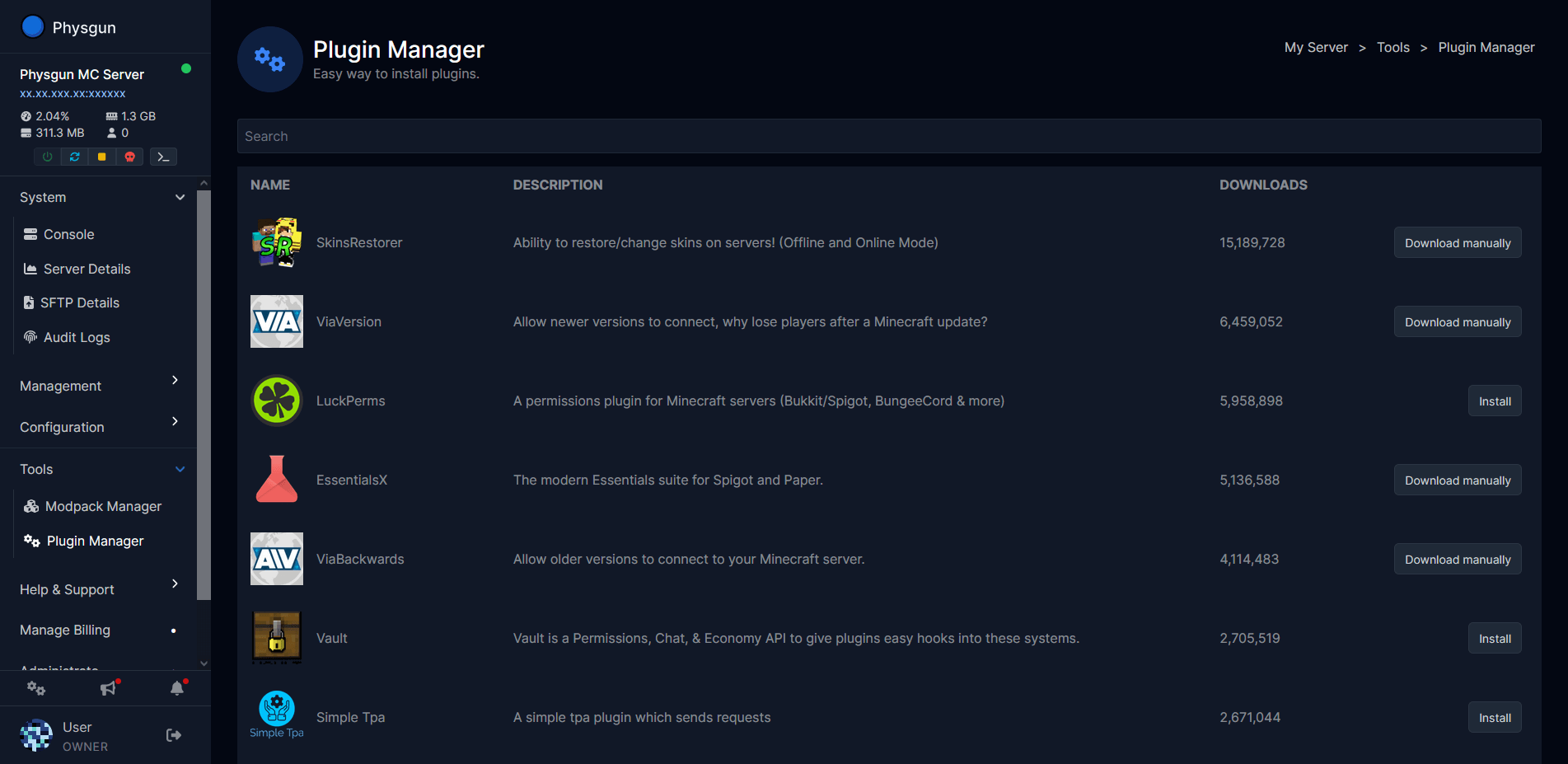
Search a vast library of plugins from inside the panel and install them to your Minecraft server in one click. No more juggling download sites and FTP.
Multiple Platforms.
Bukkit, Spigot, Paper, Purpur, Sponge. If your plugin runs on it, we support it.
Jar Installer.
Install Forge, Fabric, NeoForge, Paper, Spigot, Bukkit, or Sponge from Server Actions in one click.
File editing made easy
Advanced File Manager
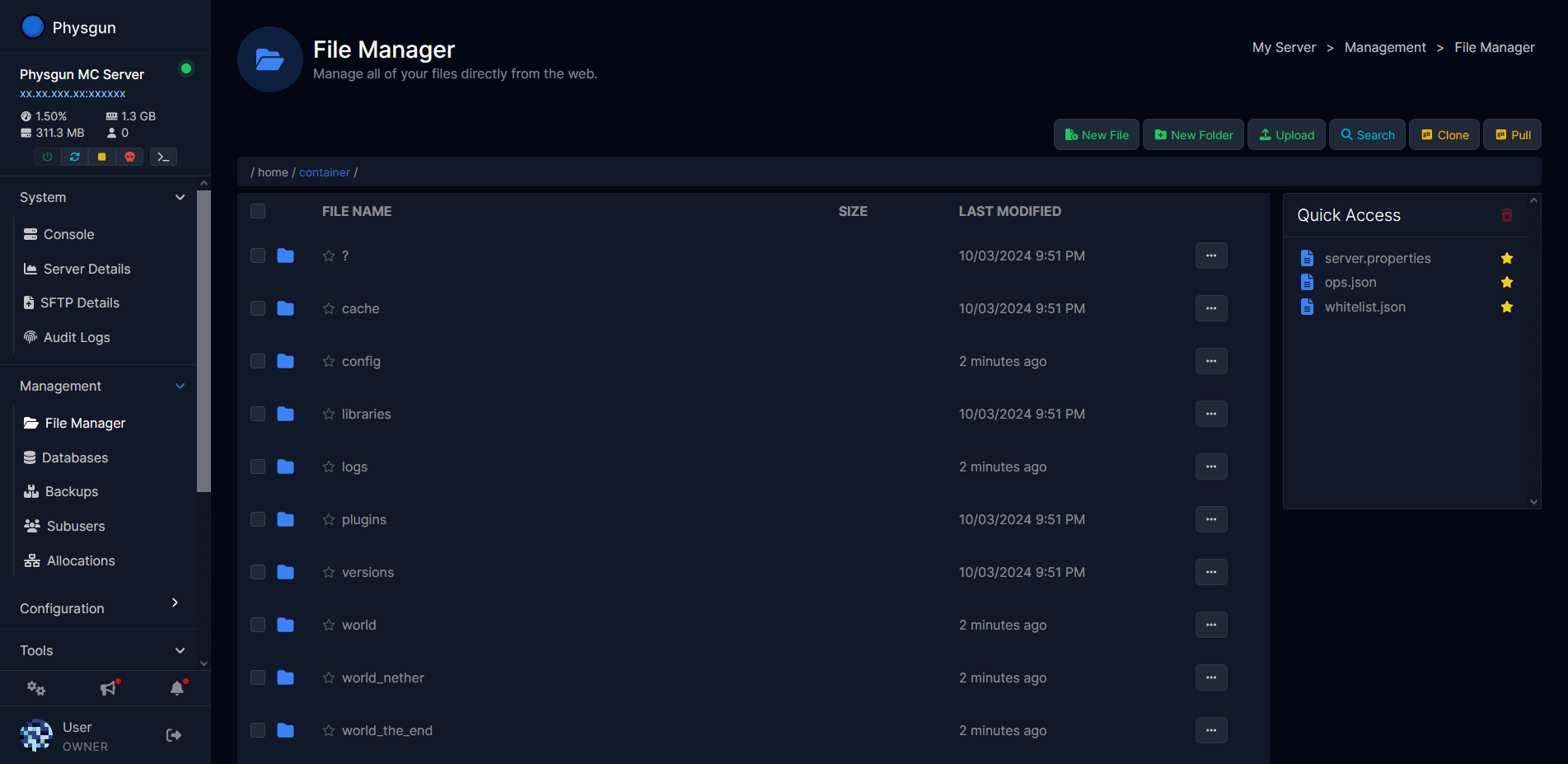
Edit configs, worlds, and mods from the browser. Bookmark the files you touch most so you never lose your spot.
Bookmark and never lose your spot.
Star files and folders for quick access. No more roaming through countless folders to find that one config.
Advanced Searching.
Need a specific line or setting? Search finds anything in your File Manager.
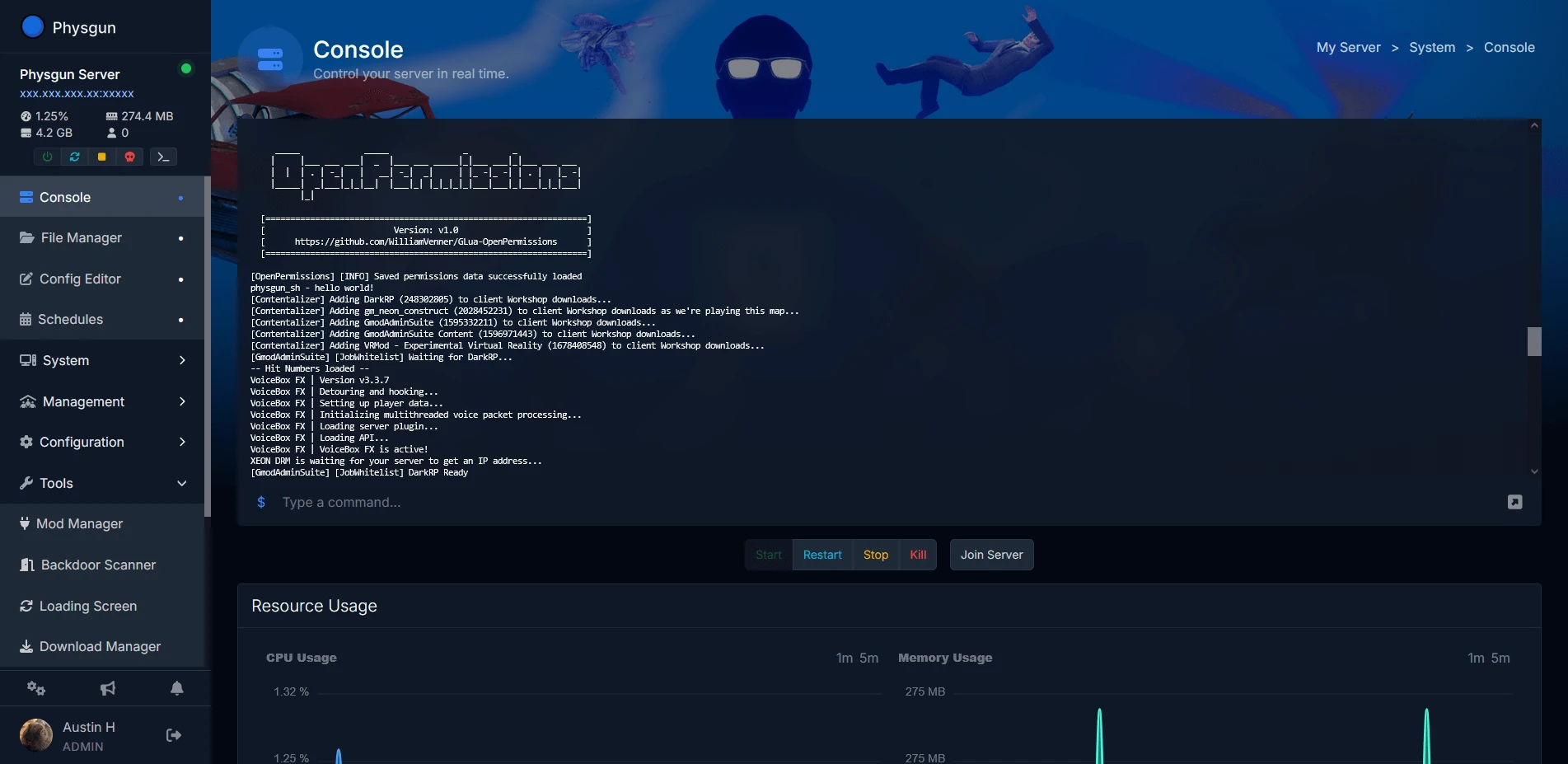
Here she is. The Physgun Panel.
Packed to the brim with real features, and yes we do mean real features dedicated to your Minecraft server.
Plugin Installer
Install any plugin such as CoreProtect/WorldEdit for your server in just 1-click!
Modpack Installer
Install modpacks like RLCraft in just 1-click, no more time consuming setups!
Jar Manager
Installing Forge/Paper/Fabric has never been easier with our Jar Manager!
Unlimited Player Slots
No more paying for slots, at Physgun you get everything you paid for, nothing less.
Audit Logs
Track every panel action made on your server with detailed logs, offering complete transparency and accountability.
File Manager
Manage your server files efficiently with an intuitive interface, complete with bookmarking to get to those deep rooted config files!
Backups
Automated and manual backup options to keep your data safe and recoverable, ensuring you never lose critical files.
SFTP Access
Secure file transfers with SFTP access, ensuring a safe and encrypted method to upload and download server files.
Subusers
Making a server with friends or a team? Our panel allows you to have precise permission control over subusers!
Config Editor
Easily edit your server config files without the hassle of having to look up the options yourself!
Databases
Easily create, manage, and maintain databases for your server, optimizing your performance and data integrity.
Scheduler
Schedule tasks like auto restarts or server maintenance, automating essential processes to keep your server running smoothly.
What Minecraft server owners say
The host Minecraft communities trust
4.6/5from 130+ reviews on TrustpilotMinecraft guides
Setup walkthroughs and server know-how from the Physgun help center.
How to Change Game Rules in Minecraft
Learn how to change Minecraft game rules using commands, world creation settings, or the server console. Covers keepInventory, mobGriefing, doDaylightCycle, and more.
Read guideHow to Change Java Version of a Minecraft Server
Running the wrong Java version will prevent your Minecraft server from starting. Learn how to check Java requirements and change your Java version on Physgun or a self-hosted server.
Read guideHow to Change Minecraft Server Version
Learn how to upgrade or downgrade your Minecraft server version safely. Step-by-step guide for both Physgun panel users and manual jar file installs.
Read guideHow to Change the Seed of a Minecraft Server
Learn how to change your Minecraft server seed safely. Update server.properties, delete the old world folder, and generate a fresh world without losing player data.
Read guideHow to Change Server Spawn Point in Minecraft
Learn how to set the world spawn point on your Minecraft server using /setworldspawn, verify it works, and understand how it interacts with bed spawns and plugins like EssentialsX.
Read guideHow to Change Spawn Chunks in Minecraft
Learn how spawn chunks work in Minecraft and how to move them, resize them, and emulate them on Bedrock Edition using ticking areas. Server admin guide for Java and Bedrock.
Read guideFAQ · Frequently. Asked. Questions.
New to owning a Physgun server? No problem — we got you covered with a helpful FAQ to get you started. If you have more questions, don't hesitate to reach out — we're happy to help!
Ready to launch your Minecraft server?
Launch a no lag, high performance Minecraft server in seconds.