
Terraria Server Hosting

Dig, fight, explore, build. Keep your Terraria world online for the whole group, with its size, difficulty and seed set from the panel.

  • World size, difficulty and seed in the panel
  • Pick your server version
  • Play vanilla, with tModLoader or with TShock
  • Switch between 446 games for free, anytime*
From, per month
$4.99
Player slots
Unlimited
Uptime
99.9%
Money-back
3 days

Powering

1

Find your plan

Tell us about your server and we'll recommend a plan.

8

No per-slot fees. Choose your own slot limit. To help us recommend the right plan for you, tell us how many friends are joining you!

0

No modded server is the same, and all games vary in how heavily modding can affect performance. We ask this to further estimate which plan is right for you. You can always upgrade or downgrade at any time.

Best fit

Skeletron4 GB RAM, 150% CPU

$10.99/mo

2

Pick your plan

Or build your own. Then choose where it runs and deploy.

Recommended
CustomChoose your own plan!
150%


4 GB


40 GB


Billing

Secure Backups Included

Skeletron

$10.99/mo

Billed monthly. Cancel any time.

  • Skeletron plan $10.99
  • Secure Backups 30 GBFree
3-day money-back guarantee
Part of the Gamebox

Switch your Terraria server to any of 445 other games, right from the panel, whenever you want!*

Included with

every plan

99.9%+ Uptime
Server Console
MySQL Database
(S)FTP Access
Secure Backups
Auto Restarts
DDoS Protected
No Player Slot Limits
US & UK Locations
Instant Setup

Why host your Terraria server with Physgun?

A world that stays online for your whole group, with the settings Terraria hosts actually change one click away.

Blood Moon rising · no lag

Smooth through bosses and events

Pick the CPU and memory your world needs, on NVMe storage, and size up as your world grows.

99.9% uptime · DDoS protected

Always online, always protected

99.9% uptime with enterprise DDoS protection on every Terraria server.

Deploying server Installing Terraria Server online

Online in minutes

Your server deploys itself the moment you order. No setup, no waiting.

World SetupStartup settings
World NamePhysgun Hallow
World Seed20110516
World SizeSmallMediumLarge
DifficultyClassicExpertMasterJourney
Physgun Hallow.wldold worlds kept

Set up your world

Size, Difficulty and Seed

Name your world and pick its size, difficulty and seed in the panel, secret seeds included. Give the server a new world name to start fresh, and your old worlds stay in the worlds folder.

  • Classic, Expert, Master or Journey
  • Small, medium or large worlds
VS Codeserverconfig.txt - Physgun VS Code main
serverconfig.txt banlist.txt
1234
# your world, your rules
secure=1
slowliquids=1
worldrollbackstokeep=10
Terminal
$ ssh server@physgun.com
✓ Connected, Terraria container ready
$ physgun status
● running · Physgun Hallow · Hardmode

For the power users

SSH Access & VSCode

Connect with real developer tools and edit serverconfig.txt or your ban list directly. Or skip it entirely and use our simple panel.

  • Full SSH access included
  • Edit files live in VSCode
Terraria Version
versionlatest
Re-install
Now running latest

Any Terraria Version

Run the server on the version your group plays, so everyone can join. Or leave it on latest.

Pick your server
TerrariaVanilla
Terraria (tModLoader)Mods
Terraria (TShock)Admin tools

Vanilla, tModLoader or TShock

Pick the server when you order, or switch to another one later and keep your files.

Schedules3 active
Save Worldin 47s ran
Nightly Restartin 2h 14m
Daily Backupin 1h 14m

Scheduled Saves

The server saves on its own only at dawn. Schedule saves, restarts and backups, and the panel runs them on time.

The panel every Terraria server deserves.

One place for your whole Terraria world: a config editor for serverconfig.txt, scheduled restarts and backups, subusers for your group, a file manager with SSH and VS Code for your mods, and every other universal tool.

gamecp.physgun.com/true-console-ssh-access
True Console & SSH Access - Physgun Panel

True Console & SSH Access

Accurate, blazing-fast output piped directly from the container. Paired with complete SSH access inside the Panel!

1 / 10
Terraria Server Hosting, Explained

What is Terraria?

New to Terraria?

What is Terraria?

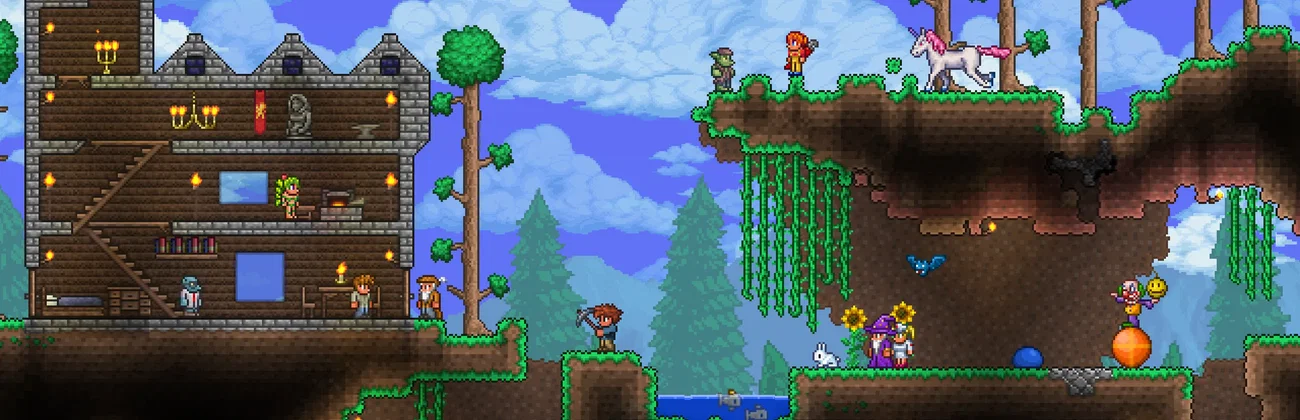
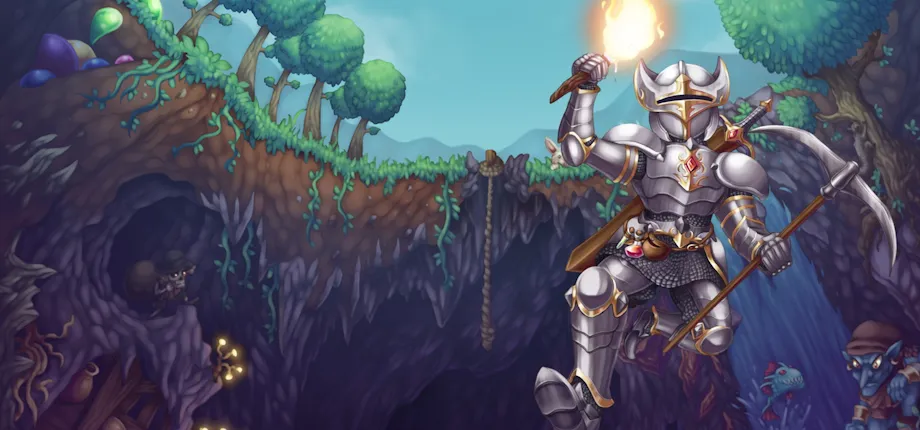
Terraria is a 2D sandbox action-adventure game from Re-Logic. You dig through a randomly generated world, gather ore and wood, craft tools and armor, and build houses so town NPCs move in. Then you head into caves, the Underworld and the Dungeon to fight bosses, each one unlocking the gear for the next. Beating the Wall of Flesh starts Hardmode and changes the whole world. Some players come for the bosses, some to build, and co-op makes both faster.

Boss Progression.

From the Eye of Cthulhu to the Moon Lord, every boss you beat unlocks the gear for the next.

Build Together.

Bases, farms and arenas go up faster with friends, and town NPCs move into the houses you build.

What is Terraria Server Hosting?

Why rent a server?

What is Terraria Server Hosting?

With Host & Play, the world closes when the host leaves. A dedicated Terraria server keeps the world online on its own, so anyone in your group can log in to build or push the next boss on their own schedule. Nobody has to leave a PC running, and there is no router or port forwarding to set up. With Physgun it deploys in minutes, with world settings, version and password in the panel, a choice of vanilla, tModLoader or TShock, and full file access over SFTP and SSH.

Always-On World.

Your world stays online when the host logs off, so the group can play whenever they like.

Full Control.

Set world size, difficulty, seed and version, and play vanilla, with tModLoader or with TShock.

Questions, answered

Straight answers before you order. Still stuck? Real people are here around the clock.

Physgun

A Terraria server at Physgun is a Gamebox: pick a plan, or set the CPU, memory and storage yourself, and pay for the size, not for players. Eye of Cthulhu suits a few friends starting a world, Skeletron a regular group, and Wall of Flesh modded and large worlds. There is no setup fee or per-player charge, and billing is month to month.

Less than most games. A vanilla server with a small or medium world uses well under a gigabyte, and a large world can climb toward 2GB. CPU use stays low until a boss fight, a big event or a base full of NPCs and liquids, where fast single cores matter more than many of them. Every plan starts at 2GB. A tModLoader server needs more, since mods load into memory: we recommend at least 4GB there. The panel shows live CPU and memory graphs, so you can size up when your world needs it.

As many as you set. Max Players is a setting in the panel, and we never charge per slot, so a plan costs the same with two or twenty people online. Bosses and events scale with the world, not the player count, so a bigger group mostly adds load from the extra players exploring and building at once.

Yes. Set World Size to Small, Medium or Large, Difficulty to Classic, Expert, Master or Journey, and any World Seed, secret seeds included, right in the panel. These shape the next world the server creates and do not change a world that already exists. To start a new world, give it a new World Name: your old worlds stay in the worlds folder, so you can switch back by name. In a Journey world you also choose who can use each Journey power, like god mode or freezing time: nobody, the host, or everyone.

Yes. Besides vanilla Terraria, you can pick a Terraria (tModLoader) or a Terraria (TShock) server when you order, or switch your server to one later and keep your files. On tModLoader, players need the same mods to join, you choose the tModLoader version, and Update on Start keeps your Workshop mods up to date. TShock adds logins, a whitelist, PvP and spawn protection settings and its own auto saves and backups, all in the config editor, and its web API lets the panel show who is online. Each TShock version works with one Terraria version, and players need that one.

Yes. On Windows your worlds are .wld files in Documents\My Games\Terraria\Worlds. Upload yours to the server's worlds folder with SFTP or the file manager, set World Name to the file's name without .wld, and start the server. The server picks up where your world left off. Characters are saved on each player's own PC, so everyone keeps their gear.

Yes. Players need the same version as the server to join, so you can run an older version while your group catches up. Set it back to latest to get updates again.

Yes. Physgun runs scheduled backups of your whole server, worlds included, and you can restore any snapshot in a single click from the panel. On top of that, the server can keep older copies of the world each time it saves (World backups to keep, in the config editor). Terraria saves on its own only at dawn. Stopping the server from the panel saves the world first, and you can schedule the save command as often as you like.

Set a Server Password so only your group can join. On a vanilla server, turn on Cheat protection in the config editor, which kicks players who send suspicious data such as spawned items. A TShock server adds logins and a whitelist. From the server console you can kick or ban players, and banned players are kept in the ban list file, which you can edit in the file manager.

Yes. Terraria is part of the Gamebox, so you can switch your server to another Gamebox game from the panel, as long as your server meets that game's minimum CPU, memory and storage. Switching installs the new game from scratch and wipes the old game's files, and the panel offers to take a backup first.

Yep! Every Physgun server is protected from brute force attacks and even small advanced game-specific attacks. We specialize in DDoS Protection and Network Security, your server has never been in better hands than ours.

Chicago, USA and London, UK. Pick the one closest to most of your players when you order.

Yes. Every Physgun server comes with a 3 day refund guarantee: if the server is not right for your group, contact support within three days of ordering for a full refund. Billing is month to month with no setup fee.
Still stuck?

Ready to launch your Terraria server?

Launch a Terraria world that stays online for your whole group.
  • 3-day money-back guarantee
  • Online in minutes
  • Real people, around the clock