Move your co-op world to a dedicated server, or bring a server world back to co-op. Your character, pals, guild, and bases all come with you.
Runs 100% in your browser, your save never leaves your PC
Updated for the latest Palworld save format. See what's new
1 Add your co-op save
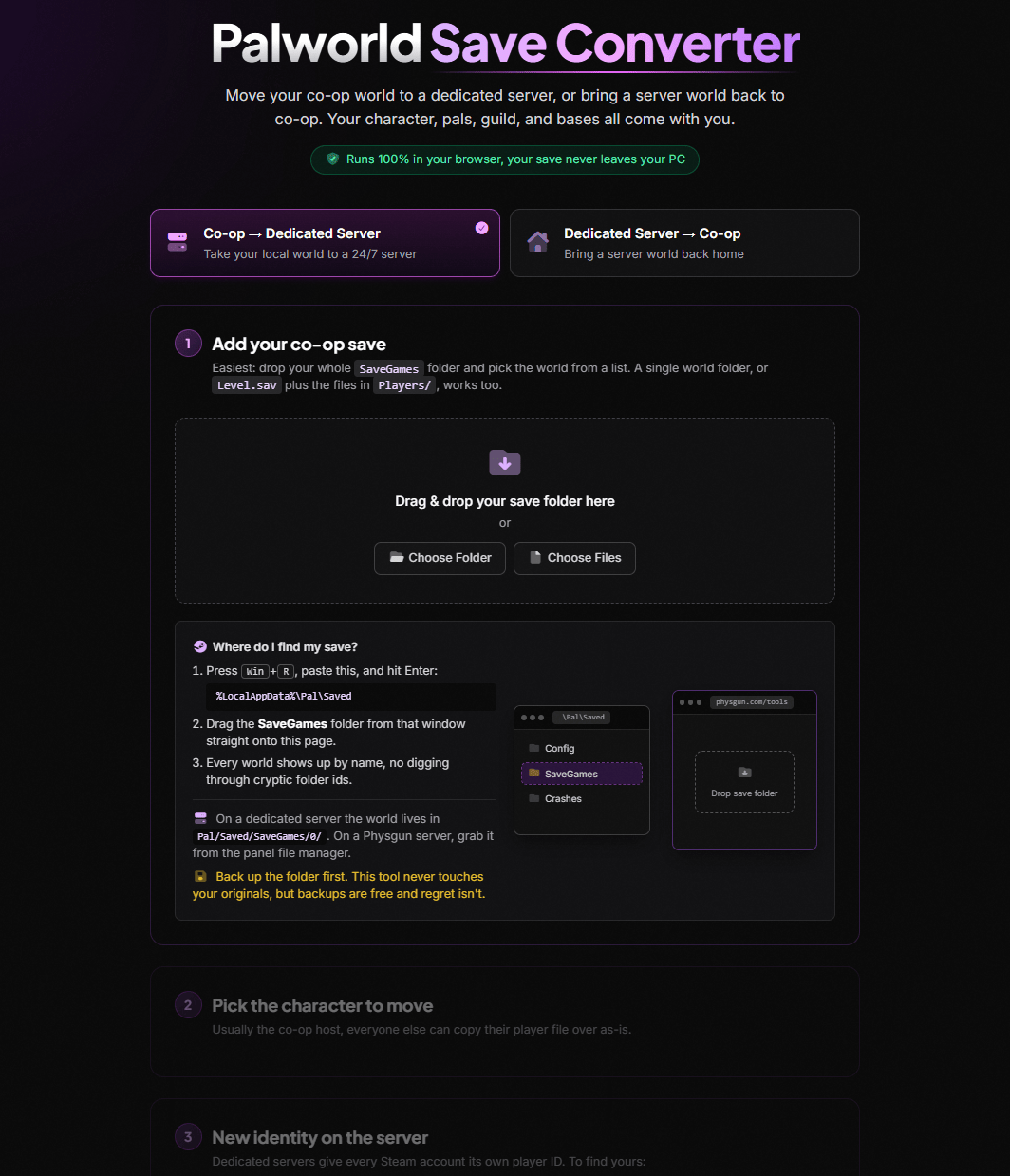
Easiest: drop your whole SaveGames folder and pick the world from a list. A single world folder, Level.sav plus the files in Players/, or an Xbox Game Pass wgs folder all work too.
Please take your Pals out of Expedition Mode before importing your save, otherwise they will be stuck in Expedition Mode!
Drag & drop your save folder here
or
Where do I find my save?
Press Win+R, paste this, and hit Enter: %LocalAppData%\Pal\Saved
Drag the SaveGames folder from that window straight onto this page.
Every world shows up by name, no digging through cryptic folder ids.
On a dedicated server the world lives in Pal/Saved/SaveGames/0/. On a Physgun server, grab it from the panel file manager.
Xbox Game Pass (PC)? Drop the wgs folder from %LocalAppData%\Packages\PocketpairInc.Palworld_…\SystemAppData. Close Palworld and the Xbox app first.
Back up the folder first. This tool never touches your originals, but backups are free and regret isn't.
…\Pal\Saved
Config
SaveGames
Crashes
physgun.com/tools
Drop save folder
SaveGames
2 Pick the character to move
Usually the co-op host. Your friends get their own section after this one converts.
3 New identity on the server
Dedicated servers give every Steam account its own player ID. Enter the Steam profile of whoever should own this character and we compute it instantly, no need to join the server first.
Only the profile link or ID is sent to Physgun's lookup service. Your save files never leave your browser.
Steam accounts only. Xbox, PlayStation, and Mac crossplay players should use the fallback below.
No Steam profile? Use the throwaway-character method instead
Start your dedicated server and join it once with the account that should own the character.
Create a throwaway character and quit as soon as you're in-game.
A new file appears in the server's Players/ folder, that's your ID. For example: Pal/Saved/SaveGames/0/3F2B8C41A97D4E06B5D1C0A47E92F158/Players
No dedicated server yet? Physgun Palworld servers deploy in minutes, and this converter is built right into the panel.
Palworld identifies your character by a player ID that changes between co-op (the host is always …0001) and dedicated servers (each Steam account gets its own ID). Move the world without fixing that ID and the server greets your level-50 character with a fresh spawn on the beach.
This tool unpacks your save right in your browser and rewrites every reference to that ID: your character entry, guild membership, admin rights, storage locks, and even pal ownership records that most converters skip (the reason migrated pals famously stand around confused at base). It computes your new server ID straight from your Steam profile, no throwaway character needed, and reads Steam, dedicated server, and Xbox Game Pass saves alike. Your friends come along too: every other character in the world can be downloaded for the move, or given its own new server ID. Nothing is uploaded, nothing is installed, and your original files are never touched.
Three steps: drop your co-op save folder from %LocalAppData%\Pal\Saved\SaveGames into the converter, pick your world and character, then enter the Steam profile of whoever should own the character on the server. The converter computes the new player ID, rewrites the save, and you upload the downloaded files to the server. Your character, pals, guild, and bases all survive the trip.
Not anymore. Enter your Steam profile link or SteamID64 and the converter computes your server player ID directly, using the same hash the game itself uses. The throwaway-character method still works as a fallback, and it's the way to go for Xbox, PlayStation, and Mac crossplay players whose IDs aren't Steam-derived. There's also a -nosteam option for servers running without Steam authentication.
In co-op, Palworld hardcodes the host's player ID to …0001. Dedicated servers instead assign an ID tied to your Steam account. When you copy the world over, the server doesn't recognize the old ID, so it treats you as a brand-new player and spawns a fresh character. The fix is rewriting that ID everywhere in the save, exactly what this converter does.
No. The entire conversion runs in your browser using WebAssembly and native compression APIs, and your save never leaves your PC. The only network request is the optional Steam profile lookup, which sends just the profile link or ID you typed to Physgun's resolver, never any save data.
Yes. Newer Palworld builds (v0.6 and later, including 1.0) compress saves with Oodle in the PlM format, which broke most older converter scripts. This tool reads PlZ, PlM, and Xbox CNK saves and writes output in the PlZ format that every game version accepts.
Yes, this converter rewrites pal ownership records (OwnerPlayerUId), palbox and party container slots, and the Dimensional Pal Storage sidecar file, all the places the classic community scripts skip. That's why migrated pals elsewhere famously stand around at base or vanish from storage.
Yes. Tower boss defeats, fast travel unlocks, and your other progression records live inside your player file (RecordData), which this converter carries over intact rather than regenerating. If a tool loses your boss progress, it rebuilt your character instead of migrating it.
The discovered-map overlay is stored on each player's own PC in LocalData.sav, keyed per server, so it isn't part of the world save at all. To bring your map back: join the new server once, quit the game, then copy LocalData.sav from your old world's folder over the new server's folder under %LocalAppData%\Pal\Saved\SaveGames\<your steam id>\. Same story for your Global Palbox: it follows your Steam account on your own PC and needs no migration.
Yes, as input. Drop the wgs folder from %LocalAppData%\Packages\PocketpairInc.Palworld_…\SystemAppData and the converter rebuilds the save from Microsoft's container format right in your browser, then converts it for any Steam dedicated server. Close Palworld and the Xbox app first so the files aren't mid-sync. Game Pass hides everyone's player files inside that container, so grab your friends' files from the converter's friends list, it's the only place they exist in usable form. Converting back into the Game Pass format isn't supported (by any tool).
Yes. After converting your own character, the friends list shows everyone else in the world. Friends on Steam keep the same ID on a dedicated server, so their files just need to land in the server's Players/ folder, download them from the list (or grab the all-in-one zip). Friends on Xbox, PlayStation, or Mac can be handed a fresh ID by the server: have them join once to create a throwaway character, then use "New server ID" on their row to move their real character onto it, and re-upload.
Converter Changelog
The save format moves fast and so do we. Last updated .
Friends' characters carry over too
New friends list after every conversion: download each remaining player's file, or everything at once as a zip in the server's folder layout
Essential for Game Pass worlds, where friends' player files only exist inside the console container format and could never be copied by hand
Friends on Xbox, PlayStation, and Mac can be moved onto the fresh ID a crossplay server hands them: convert as many characters as you need in one session, each remap chains onto the same world file
Friend files are re-encoded to the universally readable PlZ format on the way out (Game Pass blobs are CNK-wrapped, which dedicated servers cannot read)
Steam profile lookup, Game Pass saves, and dimensional pal storage
No more throwaway characters: enter a Steam profile link or SteamID64 and the converter computes the server player ID instantly (with a -nosteam option for servers without Steam authentication)
Xbox Game Pass (PC) support: drop the wgs folder and the converter rebuilds the save right in your browser
Dimensional Pal Storage now converts too: the _dps sidecar file is renamed and every pal ownership record inside is rebound
Chest, cooler, and booth privacy locks, death chest ownership, and signboard records carry over to the new identity
Clearer finish-the-move instructions, including the WorldOption.sav tip for rented servers
Initial release
Convert Palworld co-op worlds to dedicated servers and back, entirely in your browser with nothing uploaded
Full identity rewrite: character entry, pal ownership, palbox and party slots, guild roster and admin, built structures, and door lock records
Reads PlZ, Oodle (PlM), and Xbox CNK save formats, updated for Palworld 1.0
World browser: drop your whole SaveGames folder and pick your world by name, host, level, and in-game day