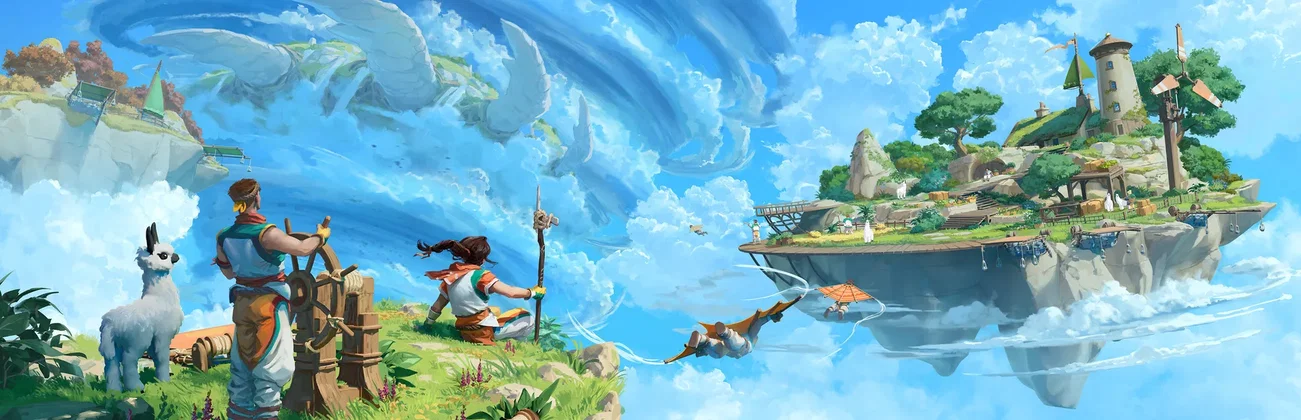












































Skyship under sail
Pick the power you need
Choose the CPU, memory and NVMe storage your world runs on, and add more as your crew and your islands grow.

Keep your floating islands in the sky for your whole crew. Shape a new world with more islands, more corruption or creative mode, and sail in whenever you like.
Powering
Find your plan
Tell us about your server and we'll recommend a plan.
Let's find your plan
No per-slot fees. Choose your own slot limit. To help us recommend the right plan for you, tell us how many friends are joining you!

Best fit
Alpaca8 GB RAM, 250% CPU
$21.99/mo
Pick your plan
Or build your own. Then choose where it runs and deploy.
 CustomChoose your own plan!
Billing
Secure Backups Included
Alpaca
Billed monthly. Cancel any time.
Switch your Aloft server to any of 610 other games, right from the panel, whenever you want!*
Included with
every plan
Your floating islands stay in the sky for your whole crew, on a server you run from one panel.
Choose the CPU, memory and NVMe storage your world runs on, and add more as your crew and your islands grow.
Your world stays up when you log off, and it is protected from DDoS attacks.
Order and the server installs Aloft on its own, then fetches game updates each time it starts.
Set before the first start
Pick how many islands a new world gets, how much corruption it starts with, and whether it is made in creative mode, with all recipes and unlimited resources.
 ServerRoomCode.txt - Physgun VS Code main
For the power users
Connect with real developer tools to read the server log, find the room code or look through your world saves. Or skip it and use the panel.
Set the server name, max players and your admins in the startup settings, and restart to apply them.
Show your server in the in-game server browser, or keep it off the list and share its room code with your crew.
Stopping or restarting the server saves your world first, so your crew keeps every island they built.
One place for your whole sky: server name, max players, admins and the server browser listing in the startup settings, island count, corruption and creative mode for a new world, schedules you set for restarts and backups, subusers for your crew, a file manager with SSH and VS Code, and every other universal tool.
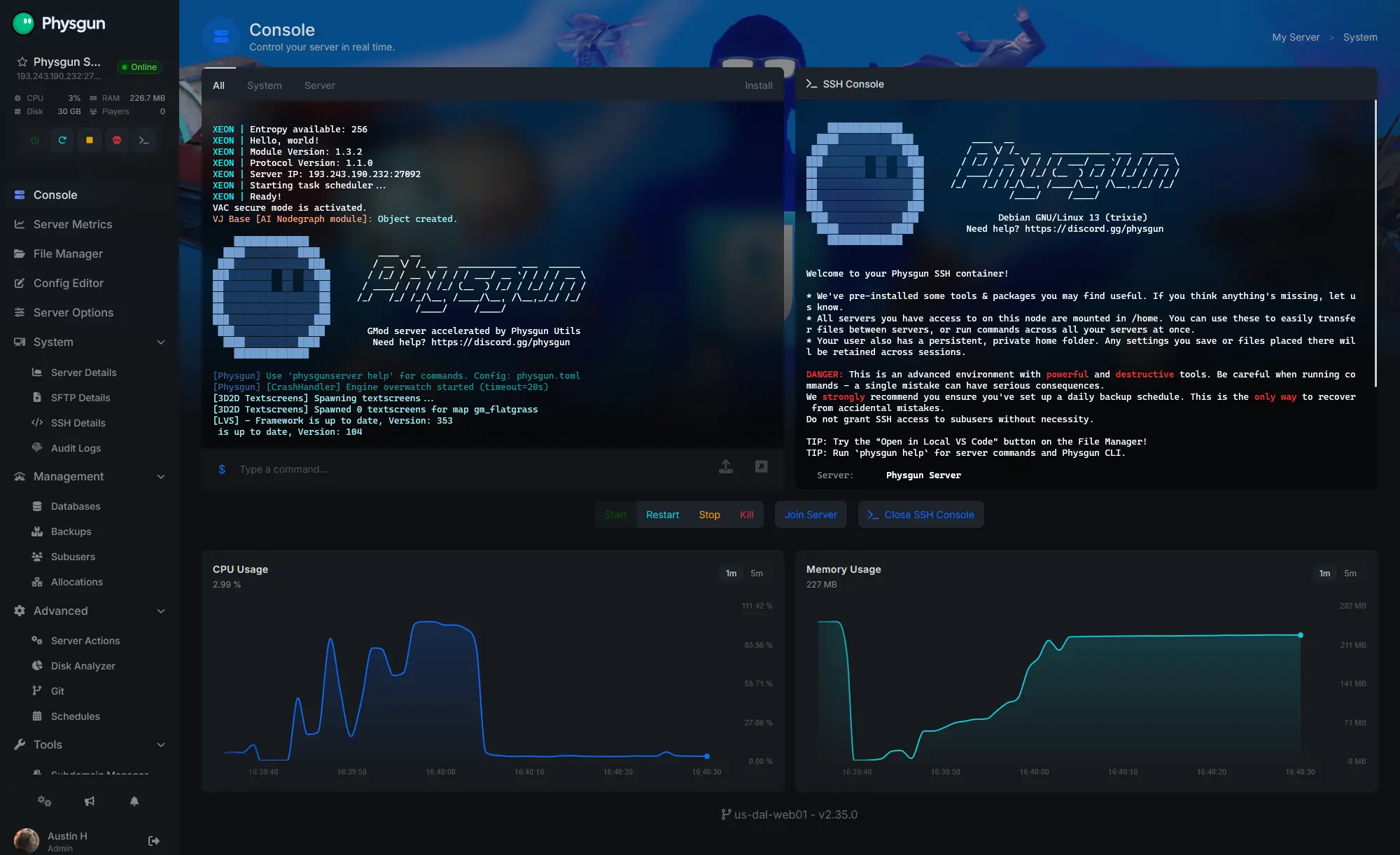
Accurate, blazing-fast output piped directly from the container. Paired with complete SSH access inside the Panel!
1 / 10
New to Aloft?
Aloft is a cozy co-op survival sandbox from Astrolabe Interactive, set in a world of floating islands. Build any island into a skyship, fit it with a helm, rudder and sails, and ride the wind to new islands. Gather resources, grow crops, cook meals for buffs and care for your animals. Along the way you fight the fungal corruption, brew cures and restore each island's ecosystem.
Build and decorate your home, then add sails and steer it through the clouds.
Strong winds speed up your sailing and crafting, and windmills power your machines.

Why rent a server?
An Aloft dedicated server keeps your world in the sky without a PC left on at home, so your crew can sail in whenever they like and bring their home islands along. With Physgun you name the server, set max players and admins, pick the island count, corruption and creative mode for a new world, and choose between the server browser and a private room code, all in the panel. The server saves your world every time it stops.
Your world stays up when you log off, so your crew can join any time.
More islands, more corruption or creative mode, chosen before the first start.
Straight answers before you order. Still stuck? Real people are here around the clock.
 Physgun
Keep your floating islands in the sky for your whole crew, with the world you shape and a save on every stop.