Move Your Palworld Co-op World To A Dedicated Server (Without Losing Anything)
Move your Palworld co-op world to a dedicated server (or back) without losing your character, pals, guild, or bases. Our free converter runs entirely in your browser - no downloads, nothing uploaded, fully updated for Palworld 1.0.
Moving a Palworld world between co-op and a dedicated server has always been one of those things that sounds simple. Copy the save folder over, start the server, done, right? Then you join, and the game hands your level 50 character a fresh spawn on the beach like you’ve never met.
The reason is buried in how Palworld identifies players. In co-op, the host’s player ID is hardcoded. On a dedicated server, every Steam account gets its own unique ID. Copy the world across and the server simply has no idea who you are - your character, your pals, your guild, all still in the save, all unreachable.
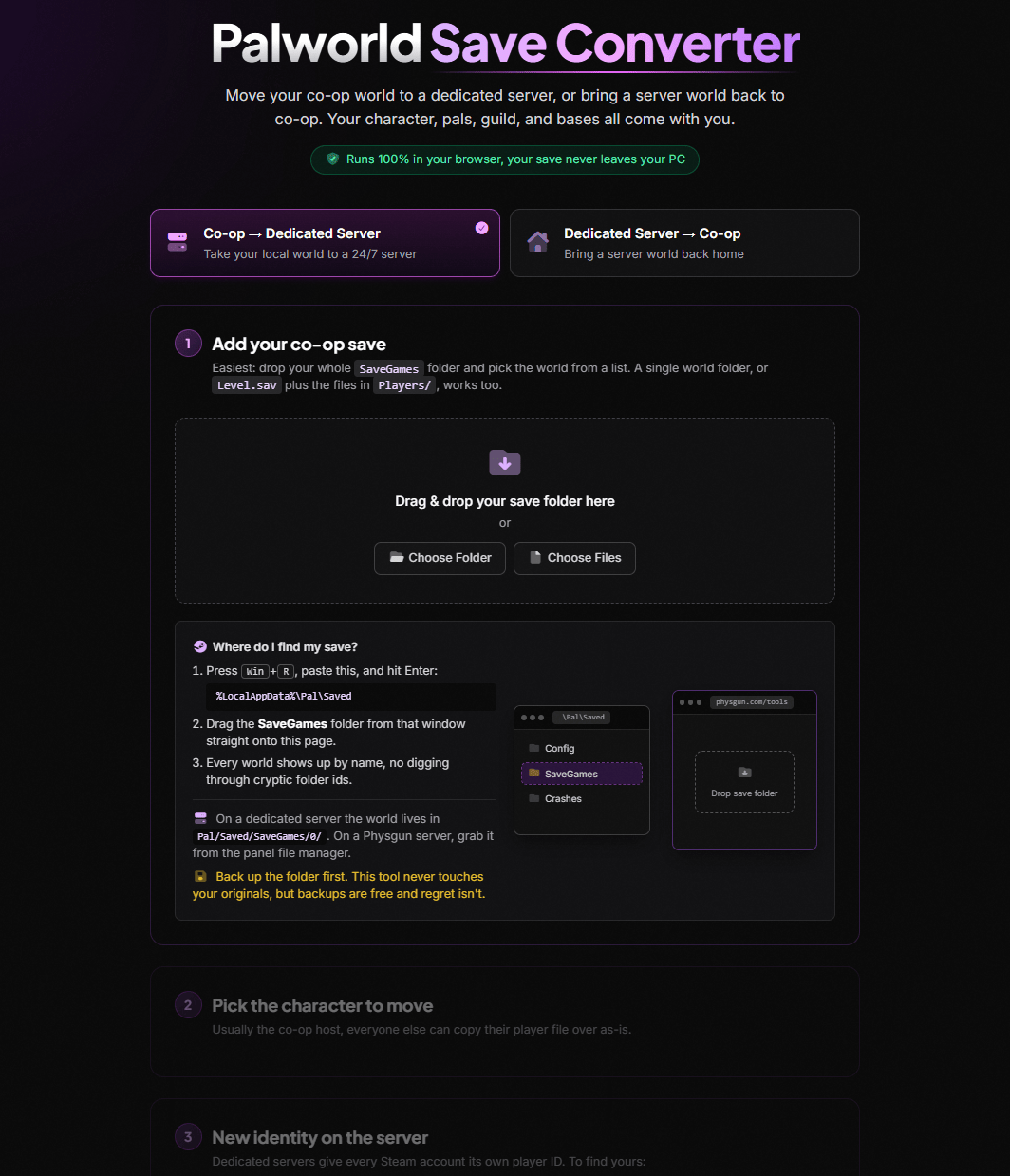
That’s the gap this tool closes. The Palworld Save Converter is live at physgun.com/tools/palworld-save-converter, it’s free, and it runs entirely in your browser.
Everything Stays In Your Browser
No downloads, no Python scripts, no README walls, and critically: your save never leaves your PC. The whole conversion - decompressing the save, rewriting your identity, repacking it - happens locally in your browser using WebAssembly. Nothing is uploaded to us or anyone else. It even works offline once the page loads.
Using Physgun? Need a server to move to?
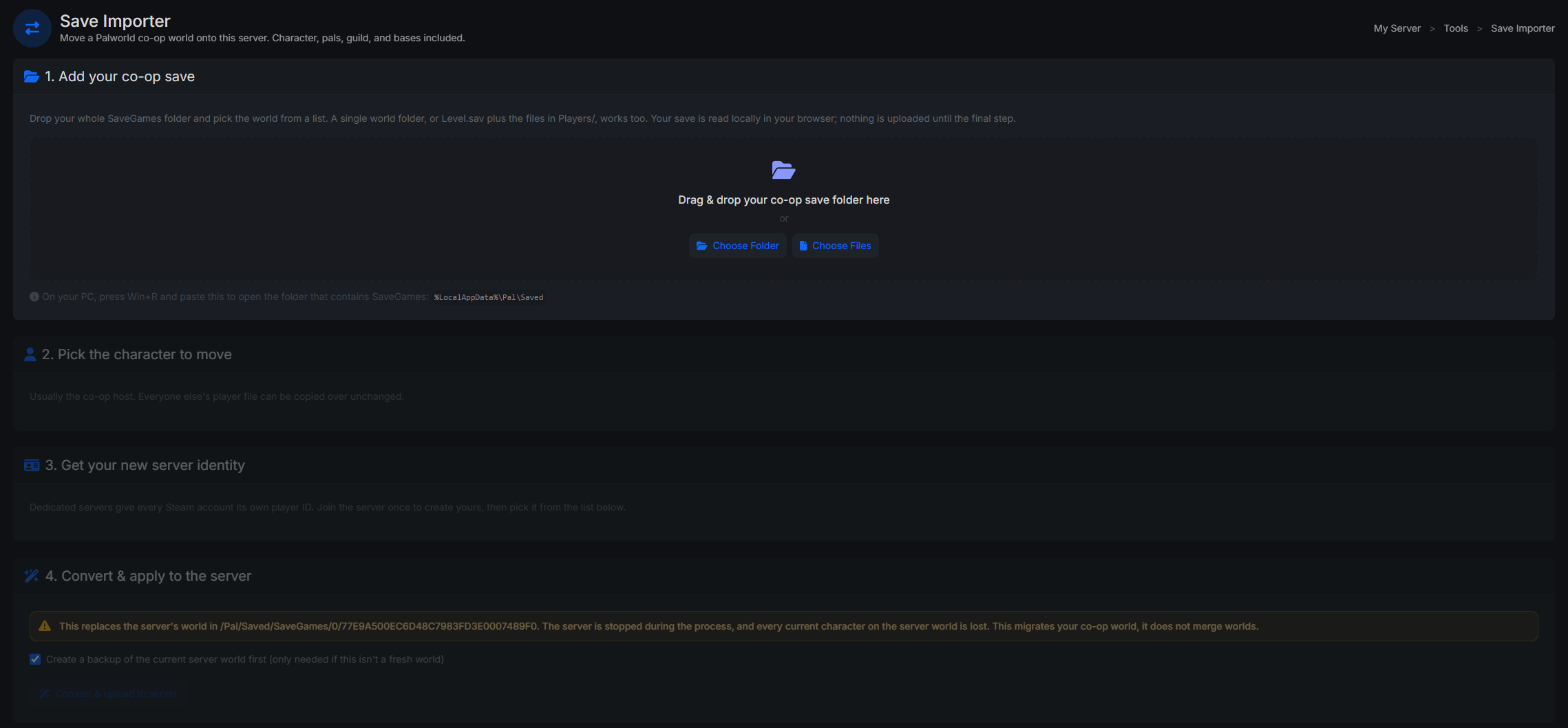
At Physgun, we actually built the full tool into the panel and this makes it even easier. You don’t need to dig through any files period. You genuinely just drag and drop. That’s it. Check out our Palworld Server Hosting page for more information!
Drop In Your Whole SaveGames Folder
Palworld save folders are a maze of random 32-character names. Which world is 9D12AB34CD56EF78...? No idea? Neither did we.
So you don’t have to care. Drag your entire SaveGames folder onto the page and the converter reads every world’s metadata and shows you a proper list: world name, host character, level, in-game day, last played. Click the one you want. That’s it.
It Fixes Everything, Not Just Your Character
Your player ID is referenced in way more places than you’d think, and missing any of them causes one of those weird post-migration bugs the community knows all too well. The converter rewrites all of them:
- Your character entry - no more beach respawn
- Pal ownership records - pals actually work at your base instead of standing around confused
- Palbox and party slots - your pals come with you instead of vanishing
- Guild data - membership, admin rights, the full roster
- Structure ownership - every wall, chest, and foundation you built
- Door locks - yes, even the bug where your own door asks you for a password
And it works in both directions. Take your co-op world to a 24/7 dedicated server, or bring a server world back home to co-op when the season winds down.
Updated For Palworld 1.0
Palworld 1.0 changed the save format (again), which quietly broke most of the community migration scripts. The converter reads both the old PlZ format and the newer Oodle-compressed saves, handles the 1.0 data layout changes, and writes output every game version accepts. Older saves from way back work too.
How To Use It
- Grab your co-op save folder from
%LocalAppData%\Pal\Saved(the page shows you exactly how) - Join your dedicated server once with a throwaway character - this generates your new player ID
- Drop both into the converter, hit convert, upload the two downloaded files to your server
Your character, pals, guild, and bases are exactly where you left them.
Standing On The Shoulders Of Giants
This tool wouldn’t exist without the open-source community’s reverse-engineering of Palworld’s save format - projects like xNul’s palworld-host-save-fix and cheahjs’ palworld-save-tools did the hard research. We built on that work to make something anyone can use without touching a terminal. Thank you 💙
Why This Matters
Palworld worlds are hundreds of hours of catching, building, and breeding. The idea that moving your world to a proper server means abandoning your character - or wrestling with Python scripts that may or may not work on the current patch - has kept a lot of people stuck hosting co-op off their own PC, with their world only alive while they’re online.
Now it’s three steps in a browser. And if you’re moving to a dedicated server anyway, ours are pretty good - every Physgun Palworld plan runs on overclocked Ryzen hardware with automatic restarts that tame the memory leak, and this converter is built right into the experience.
Go move your world. Your pals are waiting.
Was this article helpful?
Thanks for the feedback!