Managing resource production in Rust requires moving beyond the manual hassle of dragging stacks into furnaces. The Furnace Splitter plugin automates this by evenly distributing ores and fuel across available slots the moment a player interacts with an oven. It’s essential for players who want to maximize smelting speed without over-calculating stack limits or inventory space.
The plugin allows your players to:
- Automate Splitting: Instantly divides materials into multiple slots so every available furnace tick is productive.
- Customize Smelting: Adjust settings like max smelt slots and smelted output slots to go beyond vanilla restrictions.
- Manage Charcoal: Fine-tune charcoal overrides to prevent inventory clutter during long smelting sessions.
Step 1: Install Furnace Splitter
-
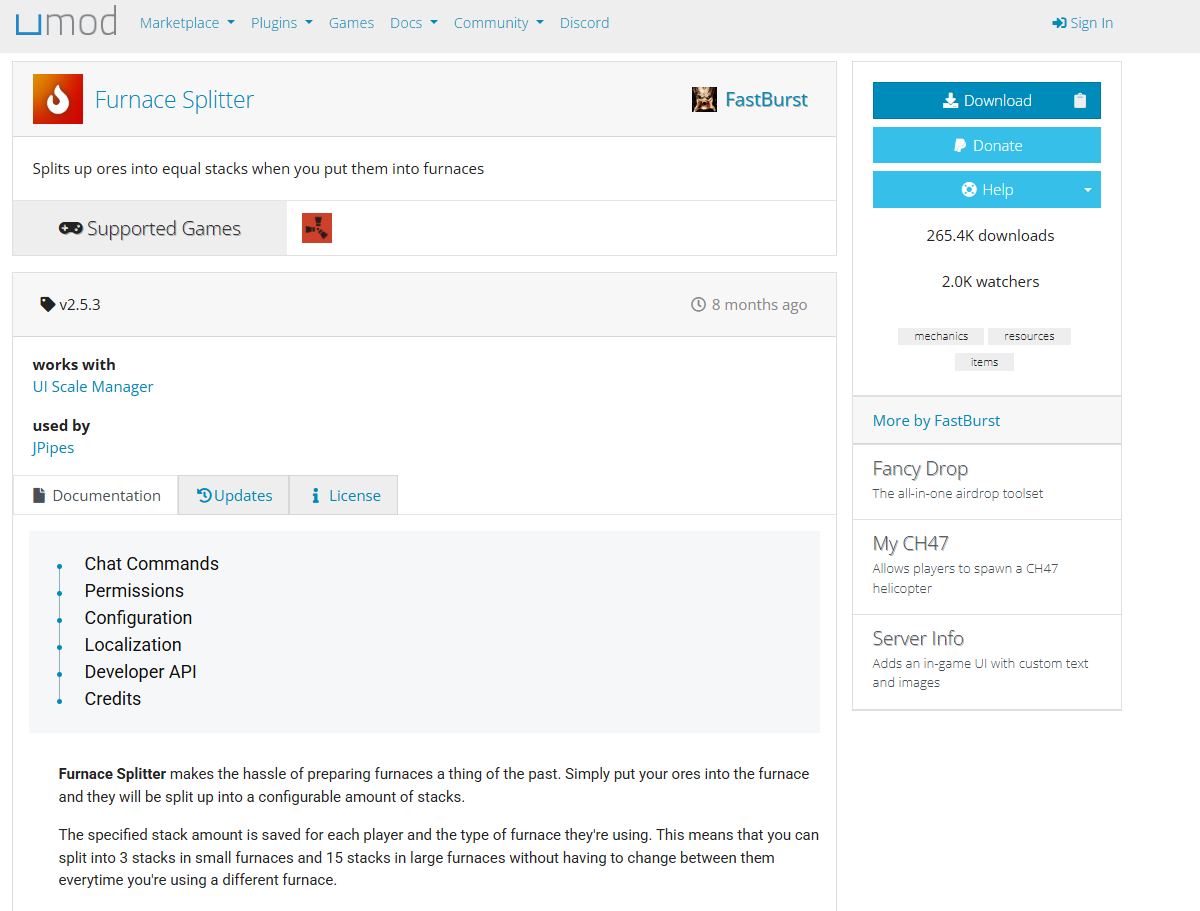
Download the Furnace Splitter plugin from uMod.
-
Open your server panel or connect via FTP.
-
Navigate to
/oxide/plugins/and upload the.csplugin file. -
Restart your server.
The plugin will automatically generate its config file (FurnaceSplitter.json) on first load.
Step 2: Verify the Plugin Loaded
After the server restarts, check the console or RCON output for:
Loaded plugin FurnaceSplitterIf it fails to load, confirm the file is in /oxide/plugins/ and that Oxide is up to date. To reload manually:
oxide.reload FurnaceSplitter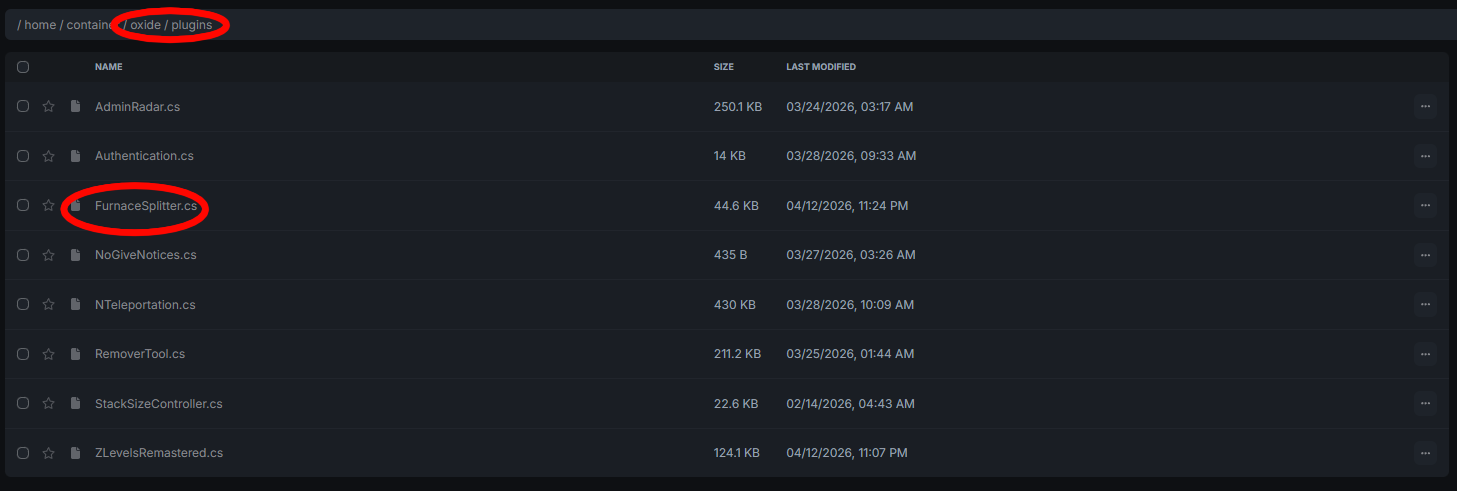
Step 3: Basic Usage
Once installed, players don’t need to do anything special. When a player places items like iron ore into a furnace, the plugin automatically splits them into equal stacks based on the configured settings:
- No manual sorting required.
- Splitting happens instantly on item placement.
- Works across all supported furnace types (furnaces, campfires, refineries, and electric ovens if enabled).
Step 4: Permissions
Assign the following permission to allow players to use the splitter:
furnacesplitter.useGrant it to your default group:
oxide.grant group default furnacesplitter.useOr to a specific player:
oxide.grant user <steamid64> furnacesplitter.useWithout this permission, the splitter will not activate for that player.
Step 5: Configuration
Open the config file at /oxide/config/FurnaceSplitter.json and adjust the following settings:
Smelting Behavior
- Split amount — How many equal stacks each furnace type creates.
- Max smelt slots — Maximum slots that can be filled simultaneously.
- Ore processed per tick — Controls how much ore is processed per server tick.
Fuel & Charcoal
- Charcoal output multipliers — Adjust charcoal produced from smelting.
- Fuel burned per tick — Sets the rate of fuel consumption.
Speed & Timing
- Smelt speed (tick delay) — Lower values mean faster processing.
- Time scaling — Scale smelting speed (e.g.,
1.5for quicker progression).
Entity Support
Enable or disable support for specific entities:
- Electric furnaces
- Campfires
- Refineries
- Composters (may require manual setup)
After editing, save the file and reload the plugin:
oxide.reload FurnaceSplitter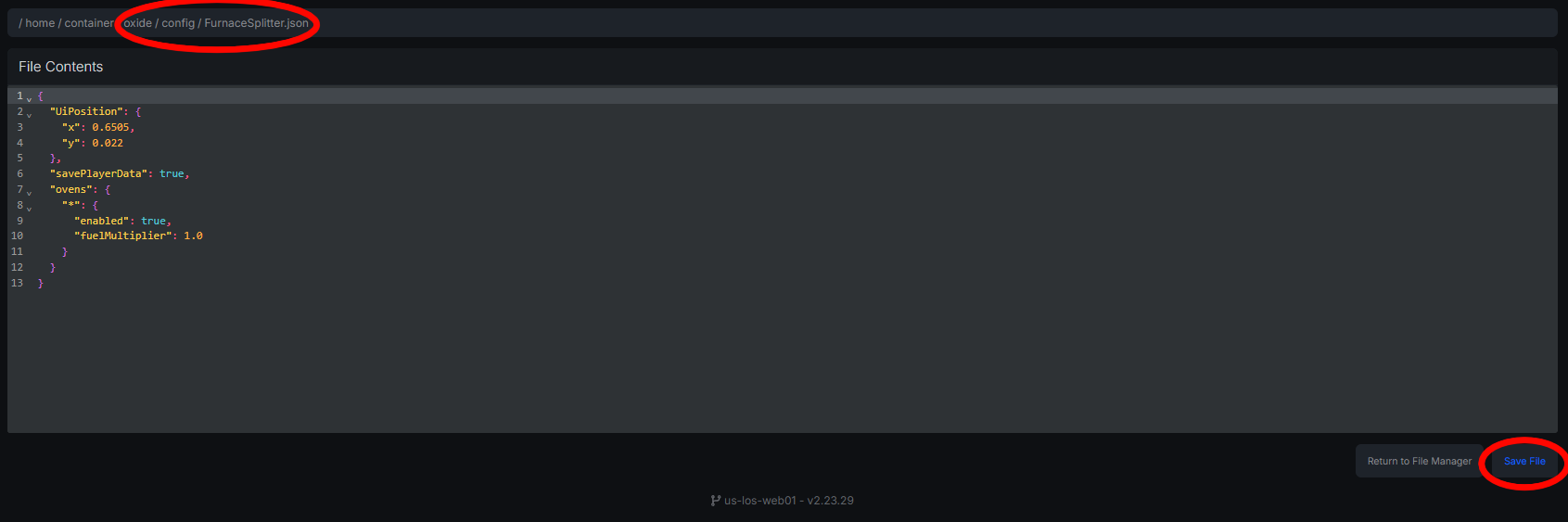
Multi Fuel Speed Bonus
When enabled, smelting speed increases based on the amount of fuel in a stack — a stack of 10 fuel smelts faster than a stack of 1.
- Enabled — Best for PvE or modded servers that want faster progression.
- Disabled — Matches vanilla Rust behavior; recommended for PvP servers to prevent exploits.
QuickSmelt Compatibility
- If QuickSmelt is enabled, Furnace Splitter controls smelt speed.
- If QuickSmelt is disabled, the splitter handles item splitting only, allowing independent use of other smelting plugins.
This prevents overlap in smelting logic and avoids conflicting behavior.
Troubleshooting
Plugin not loading
- Confirm the
.csfile is in/oxide/plugins/. - Ensure Oxide is properly installed and updated.
- Restart the server fully.
Items not splitting
- Verify
furnacesplitter.useis assigned to the player or group. - Confirm the plugin is enabled in the config.
- Check for plugin conflicts.
Lost items or unexpected behavior
- Often caused by stacking smelting plugins (e.g., StacksExtended, QuickSmelt).
- Disable conflicting plugins to isolate the issue.
Config not applying
- Check for JSON syntax errors (missing commas, quotes, or brackets).
- Always reload the plugin after editing the config.
Known Conflicts
- StacksExtended or similar inventory plugins
- QuickSmelt or other smelting speed mods
- Any plugin that modifies furnace contents or inventory logic
Best practice: Only run one smelting system per server to avoid conflicts.
FAQ
Does this change stack sizes? No — it only redistributes items within the furnace. Stack sizes remain unchanged.
Can I keep vanilla smelting speed? Yes. Disable the multi fuel speed bonus and adjust timing settings to match vanilla behavior.
What furnace types does it support? Furnaces, campfires, refineries, and electric furnaces based on config. Composters are supported but may need manual setup.