The save interval decides how often your Rust server writes the world to disk. If the server crashes or stops unexpectedly, anything built or looted since the last save is gone. Save more often and a crash costs your players less progress. Save less often and you’ll see fewer of the short hitches a big, busy map can get during a save, so if players notice a hitch at every save, raise the interval.
Your server saves every 60 seconds by default. You change it in the Physgun Gamepanel, and the new value takes effect after a restart, so pick a moment when a short restart won’t bother your players.
Set the save interval
- Open your server in the Physgun Gamepanel and select Server Options in the menu on the left. The Startup Parameters page opens.
- Type
Save Intervalin the search box at the top of the page. - In the Save Interval field, enter the number of seconds between saves. For example,
300saves every five minutes. - Click outside the field or press Tab. A Startup variable successfully saved. message appears in the top right corner.
The field accepts whole numbers only and can’t be left empty. To go back to the default, enter 60.
Once the value is saved, the Startup Command box on the same page includes +server.saveinterval 300 (or whatever number you entered). The command is one long line, so the setting is near the end.
Restart and check the new value
- Select Console in the menu on the left.
- Click Restart at the top of the page. If your server is offline, click Start and skip the next step.
- Click Yes, Restart Server to confirm.
- Wait for the status next to your server’s name to change to Starting, then back to Online. Lines from before the restart stay in the console, so watch the status, not the log.
- Type
server.saveintervalin the Type a command… box. - Press Enter. The console prints the current value:
server.saveinterval: "300"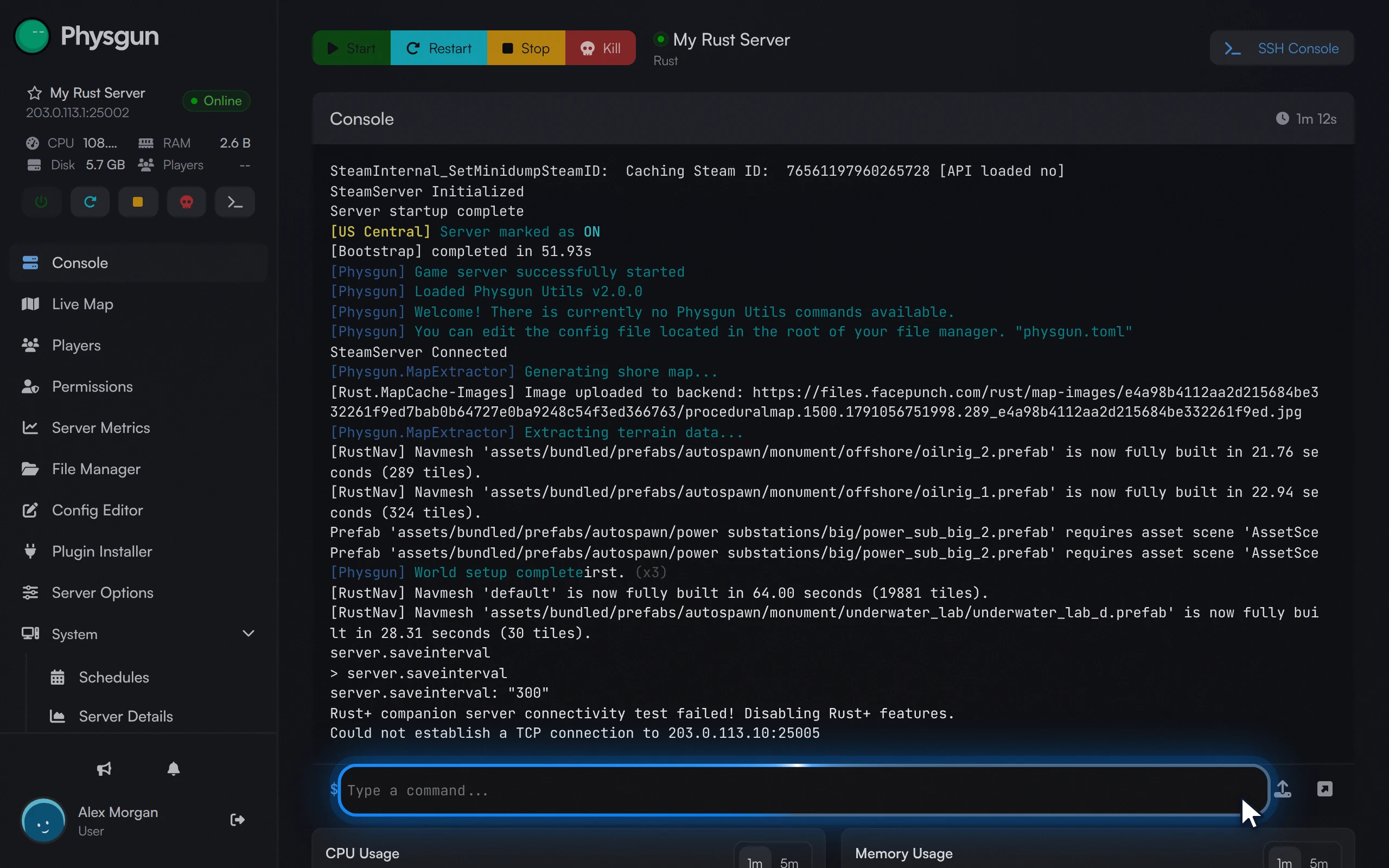 Check the valuePress Enter, and the console shows your new interval, here 300.
If you’re an admin on the server, you can also check the value in game. Open the F1 console and run the same server.saveinterval command.
Changing it without the panel
Need the change to apply right now, without a restart, or running Rust somewhere other than Physgun? You can set the interval manually from the console or the launch command instead. On a Physgun server, the Save Interval setting above is still what makes the change permanent.
Temporary change from the console
With the server running, enter the command with the number of seconds you want in the console (or in the F1 console as an admin):
server.saveinterval 120The console confirms it with server.saveinterval: "120", and the new interval applies straight away. This only lasts until the server restarts. Running server.writecfg afterwards does not keep it: on the next start, the server goes back to the value in your Save Interval setting.
Launch option on any server
Rust reads the save interval from its launch command. If you start the server yourself, add the option to the command line with the number of seconds:
+server.saveinterval 300Some guides also suggest putting a server.saveinterval 300 line in server.cfg, in the cfg folder inside your server’s identity folder (for example server/rust/cfg/). Create the file if it doesn’t exist. We haven’t tested this, and a launch option may set the value again on every start. If you use both, check the value with server.saveinterval after a restart.
If it doesn’t work
- The console still shows the old value. The setting applies on the next start. Make sure you restarted after saving it, and that you ran the check after the server showed Online again.
- No saved message appeared. The value isn’t stored until you click out of the field or press Tab. Go back to Server Options, search for
Save Intervalagain, and check the number. The field accepts whole numbers only, so remove any letters, spaces or decimals.