Vanilla Rust has no setting for crafting speed, so on a 2x, 3x or 10x server you set it with the Crafting Controller plugin. Faster crafting goes well with higher gather rates and means players spend less time waiting on their queue after a wipe. The speed applies as soon as you set it, with no restart or wipe.
Switch to Oxide
Plugins only run on a modded server. A new server runs vanilla, so switch it first. If your server already runs Oxide, skip to the next section.
- In the Physgun Gamepanel, select Server Options in the menu on the left.
- Type
Moddingin the Search box. - Select the Modding Framework box. On a new server it shows vanilla.
- Pick oxide. The setting saves on its own.
- Select Start (or restart the server if it is running) and wait until the status shows Online.
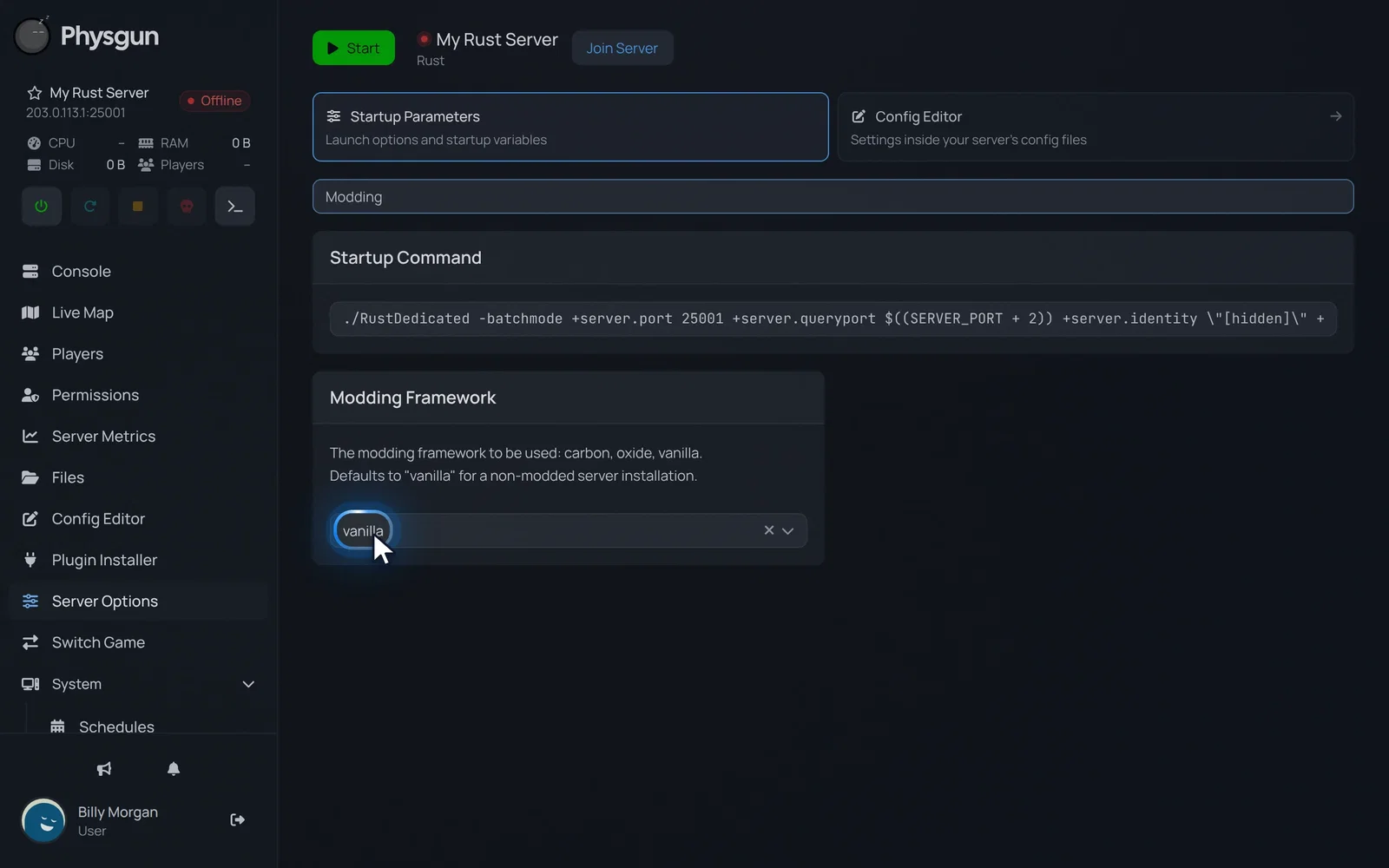 Open the framework listSelect the Modding Framework box, which shows vanilla on a new server.
Oxide sets itself up on the first start, so this one takes a few minutes. Wait until the server is Online before you install the plugin. If you install it while that first start is still running, Oxide can fail to load.
Install Crafting Controller
- Select Plugin Installer in the menu on the left.
- Select uMod.
- Type
Crafting Controllerin the search box. - Select Install on the CraftingController card by Whispers88.
- Open the Installed tab and check that CraftingController is listed.
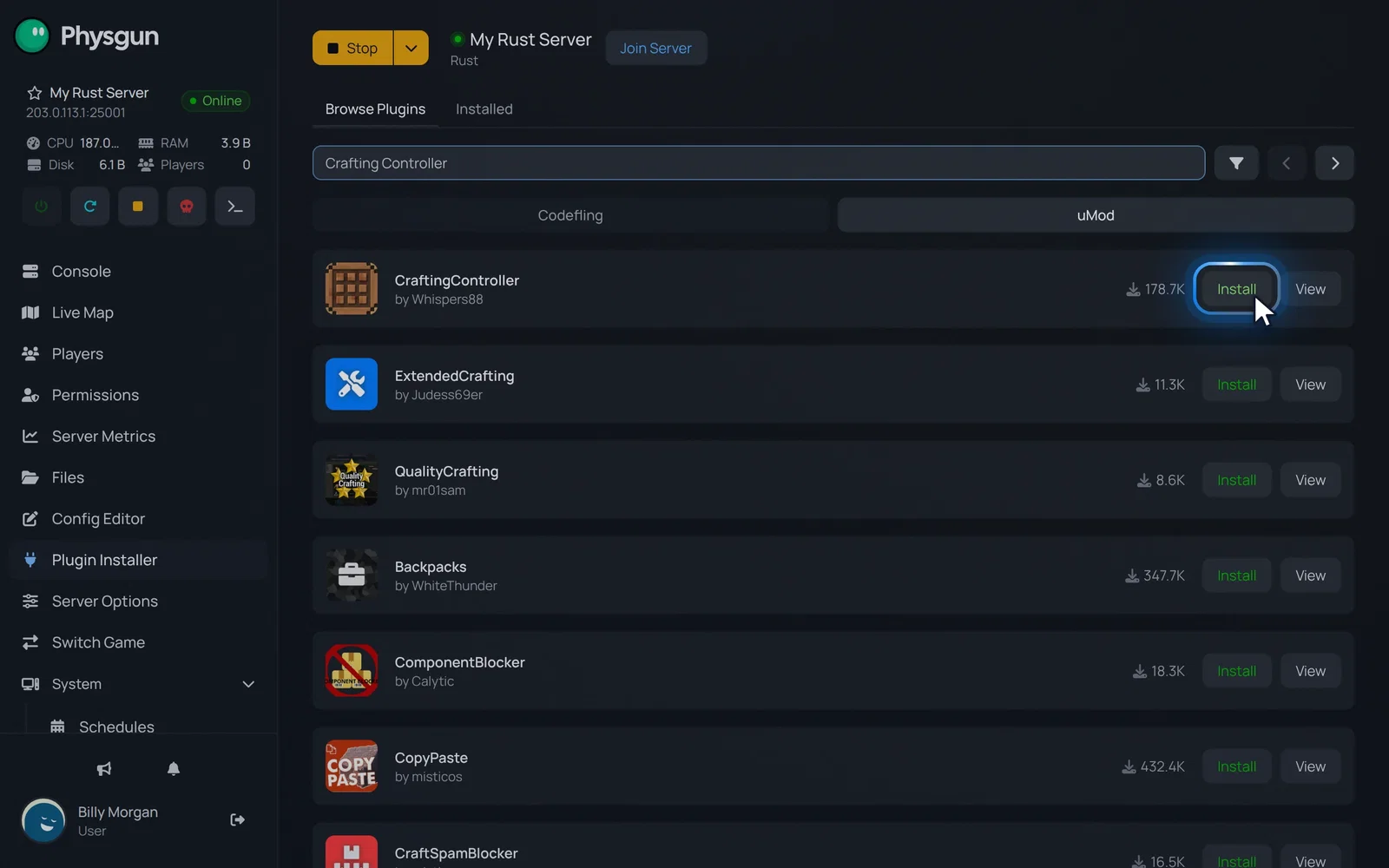 Install CraftingControllerSelect Install on the CraftingController card.
You only need CraftingController here, even though the search also lists other crafting plugins.
Set the crafting speed
- Select Console in the menu on the left and wait for the line
Loaded plugin Crafting Controller. - Type
craftratefollowed by the speed you want, for examplecraftrate 2for 2x. - Press Enter.
You should get The crafting speed multiplier was updated to 2 in reply, and the plugin saves the new speed to its config. It applies straight away and stays set after a restart.
Use the speed itself as the number, so it matches what you advertise:
| Speed | Command |
|---|---|
| Vanilla | craftrate 1 |
| 2x | craftrate 2 |
| 3x | craftrate 3 |
| 5x | craftrate 5 |
| 10x | craftrate 10 |
| Instant | craftrate 0 |
Older guides use a percentage, where 50 means 2x. The current plugin does not work that way: craftrate 50 makes crafting 50 times faster.
Check the saved setting
- Select Files in the menu on the left.
- Open the oxide folder.
- Open the config folder.
- Select CraftingController.json.
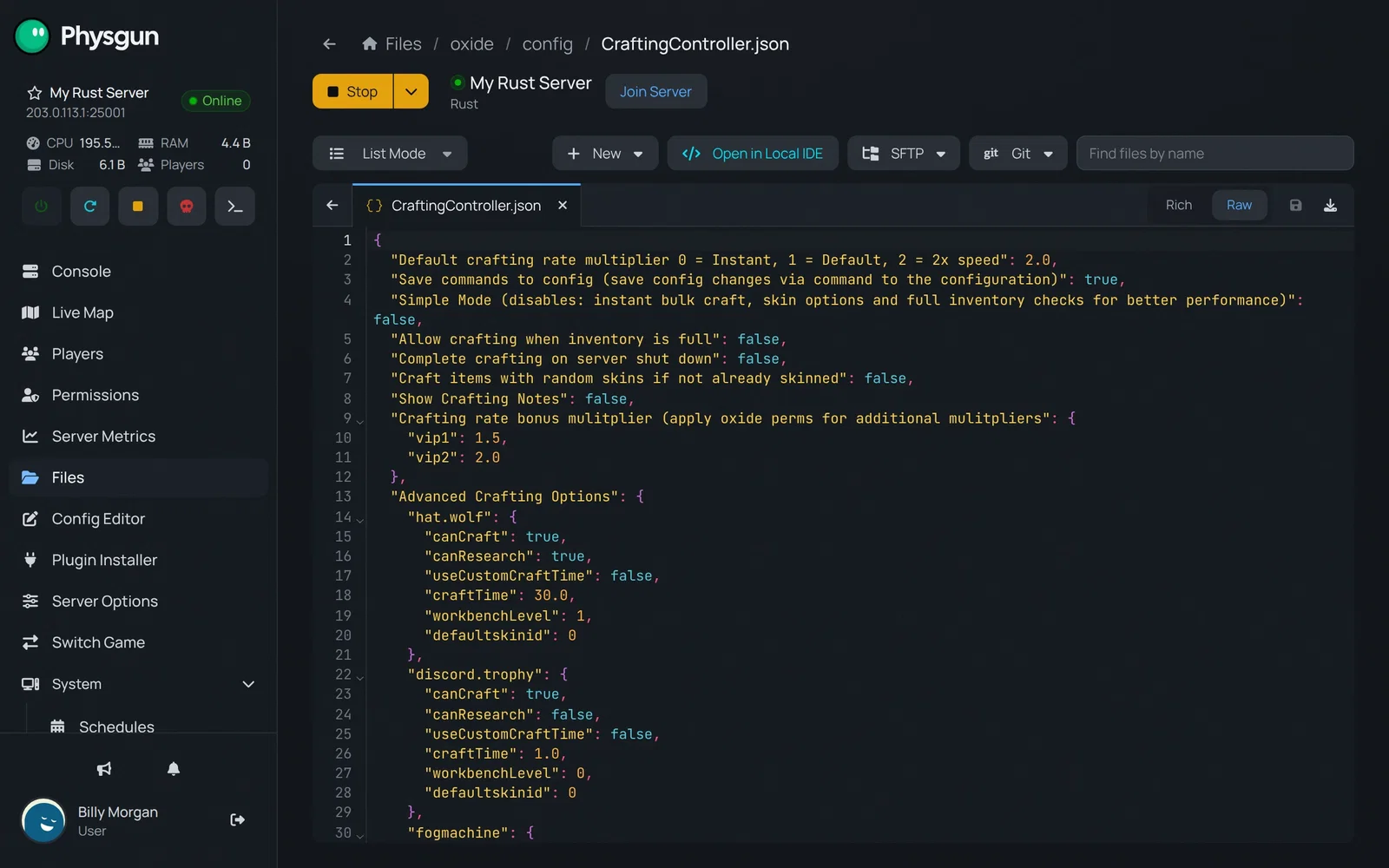 Open the plugin settingsSelect CraftingController.json to see your speed on the first line.
At the top of the file, Default crafting rate multiplier 0 = Instant, 1 = Default, 2 = 2x speed shows the speed you set. Below it is a list of every item. Each one has "useCustomCraftTime": false, which means it follows your global speed.
Set the speed without the panel
You can also set the speed by hand by editing the plugin’s config. This works on any Rust server running Oxide. The console command above is quicker, but the result is the same.
- Download Crafting Controller from uMod and upload
CraftingController.csto theoxide/pluginsfolder. - Wait for
Loaded plugin Crafting Controllerin the console. The plugin createsoxide/config/CraftingController.jsonthe first time it loads. - Open
CraftingController.jsonand change the first value to your multiplier, for example 3 for 3x:
"Default crafting rate multiplier 0 = Instant, 1 = Default, 2 = 2x speed": 3.0,- Save the file.
- Reload the plugin from the console:
oxide.reload CraftingControllerAfter the reload, the console shows the plugin unloading and loading again, with no errors.
On a server running Carbon, the plugin goes in carbon/plugins and its config is in carbon/configs. The steps are otherwise the same.
Test it in game
Join your server as a regular player, because admins can have crafting perks that hide the change, and craft an item whose craft time you know, such as a Bandage. At 2x it should take about half its usual time, and at 10x about a tenth.
If the speed does not change
- Plugin not loaded: Check the console for
Loaded plugin Crafting Controller. If it is missing, check that Modding Framework is set to oxide and restart the server. - “Access to the path … oxide/config is denied”: The plugin was installed before Oxide finished setting up. Stop the server, delete the
oxidefolder in Files, start the server and wait for Online, then uninstall and install Crafting Controller again. - One item ignores the speed: Open
CraftingController.jsonand check that item’suseCustomCraftTime. When it istrue, the item uses its owncraftTimeinstead of the global speed. - Speed applies to nobody: Check that
Simple Modeisfalsein the config. That is its default.