How to Set Up a Raid Alarm in Rust
Learn how to set up a raid alarm in Rust to boost your security. Safeguard your base and stay one step ahead. Read our step-by-step guide now!
How to Set Up a Raid Alarm in Rust
Protecting your base is one of the most important aspects of surviving in Rust. Whether you’re playing solo or as part of a large clan, knowing when your base is under attack can make the difference between successfully defending your loot and logging in to find everything gone. That’s where raid alerts come in.
If you’re wondering how to setup a raid alarm in Rust, the process is surprisingly straightforward thanks to the game’s electrical system and Rust+. A properly configured alarm can notify you instantly when raiders attack, helping you react before significant damage is done. For many players, these systems provide additional peace of mind and help ensure they never miss an important attack.
What Is a Raid Alarm?
A raid alarm is an electrical circuit designed to notify players when their base is being attacked. Depending on how it’s configured, a raid alarm can:
-
Activate lights or sirens
-
Trigger warning speakers
-
Flash alarms throughout a compound
-
Send notifications through connected Rust+ devices
-
Alert teammates that a raid is in progress
Most players combine multiple warning methods to ensure they don’t miss an attack.
What You’ll Need
The exact setup may vary, but a basic raid alarm typically requires:
-
HBHF Sensor or Smart Alarm
-
Electrical Branch
-
Power Source (Solar Panel, Wind Turbine, or Battery)
-
Wire Tool
-
Rust+ App (optional)
More advanced systems may include additional sensors, speakers, warning lights, and automated defensive circuits.
Method 1: Rust Companion App Smart Alarm
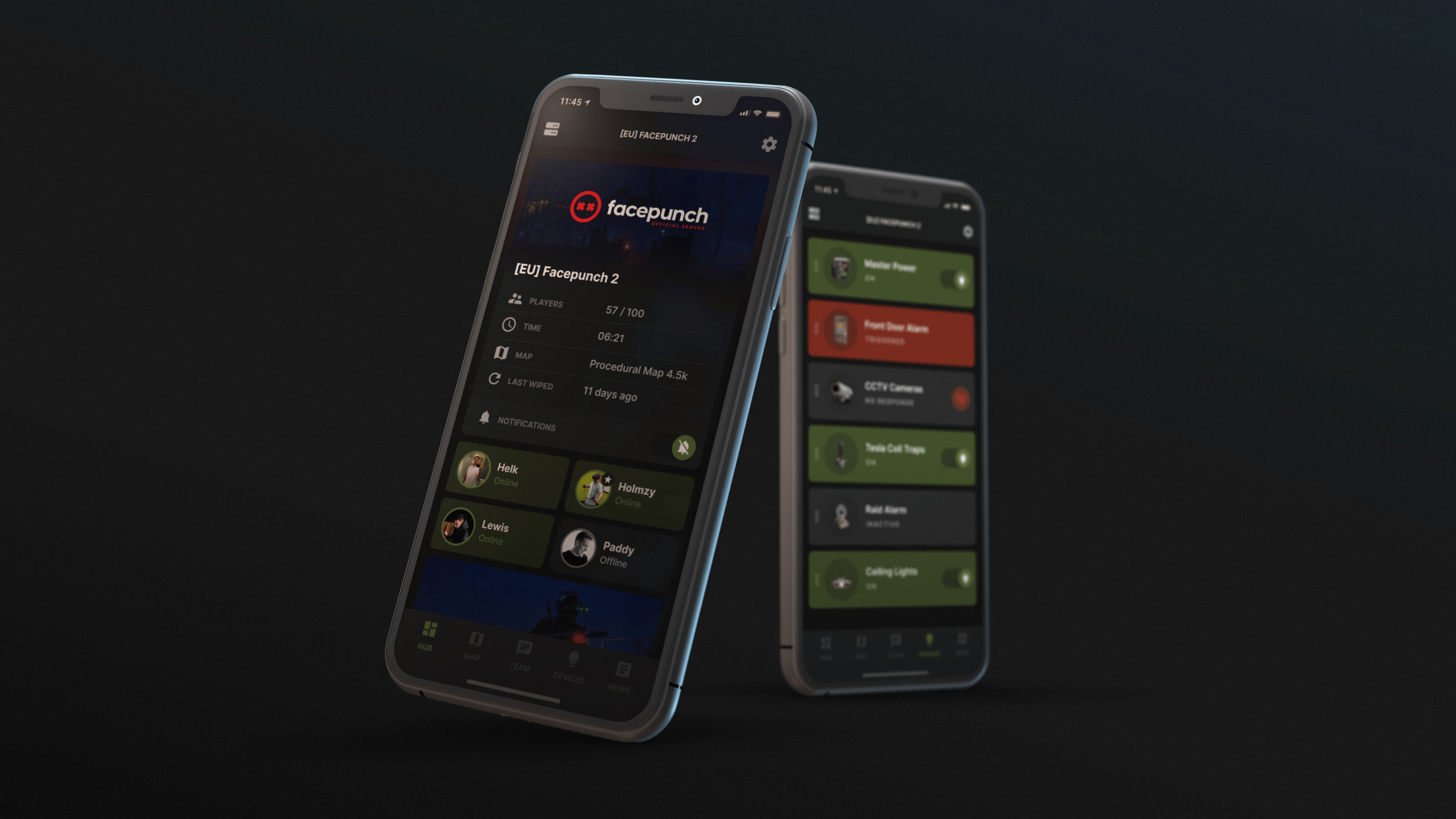
The easiest and most popular method is using a Smart Alarm connected to Rust+.
Step 1: Power the Smart Alarm
Place a Smart Alarm inside your base and connect it to a power source. A small battery is often sufficient for a basic alarm system.
Step 2: Connect a Trigger
Connect the Smart Alarm to a trigger source. Common options include:
-
Door Controllers
-
Heartbeat Sensors
-
Turret circuits
-
Custom electrical logic
The alarm will activate whenever the connected trigger sends power.
Step 3: Pair With Rust+
Open the Rust+ app and pair it with your server. We have a guide on how to use Rust+ here.
Once paired, the Smart Alarm can send notifications directly to your phone whenever the alarm activates.
Before relying on Rust+ notifications, make sure notification permissions are enabled on your phone. Depending on your device, you may also want to allow notifications to wake the screen, play a sound, or trigger vibration alerts.
If you’ve disabled notifications in the background, the app may not alert you properly when you’re offline. Double-check your settings after you download the app from Google Play or the Apple App Store.
Step 4: Test the System
Trigger the sensor manually and verify that the notification appears in Rust+.
Testing your setup before relying on it is important, especially after making electrical changes.
Method 2: Turret-Based Raid Alarm
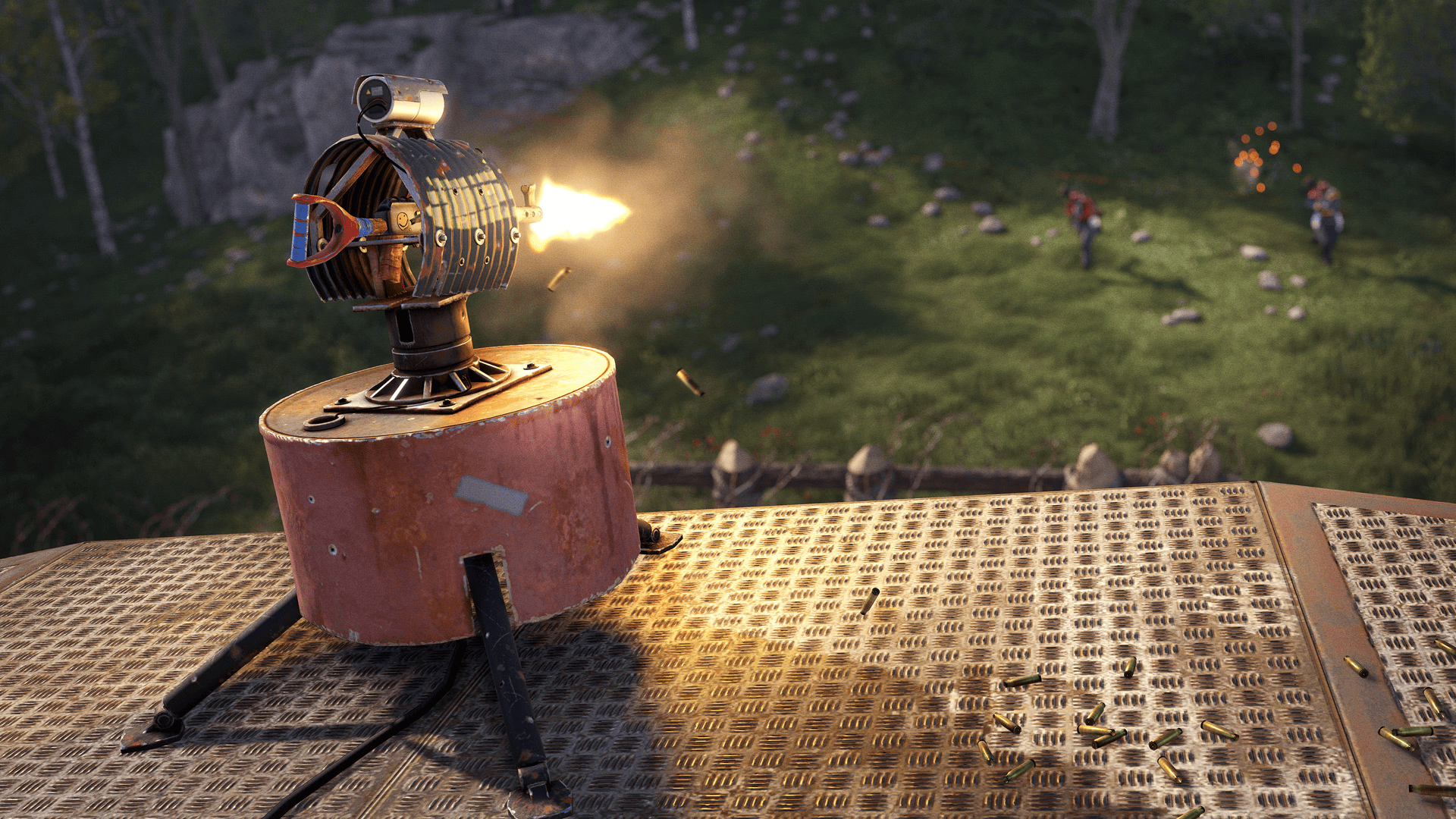
Many players use Auto Turrets as an early warning system.
Step 1: Place Your Turret
Install an Auto Turret covering likely raid approaches.
Step 2: Connect the Turret Output
Auto Turrets provide outputs that can be connected to electrical components.
When a turret detects or engages an enemy, it can activate warning systems elsewhere in your base.
Step 3: Connect Warning Devices
Attach:
-
Sirens
-
Flashing lights
-
Smart Alarms
-
Audio systems
This creates an immediate alert whenever hostile players enter the turret’s detection range.
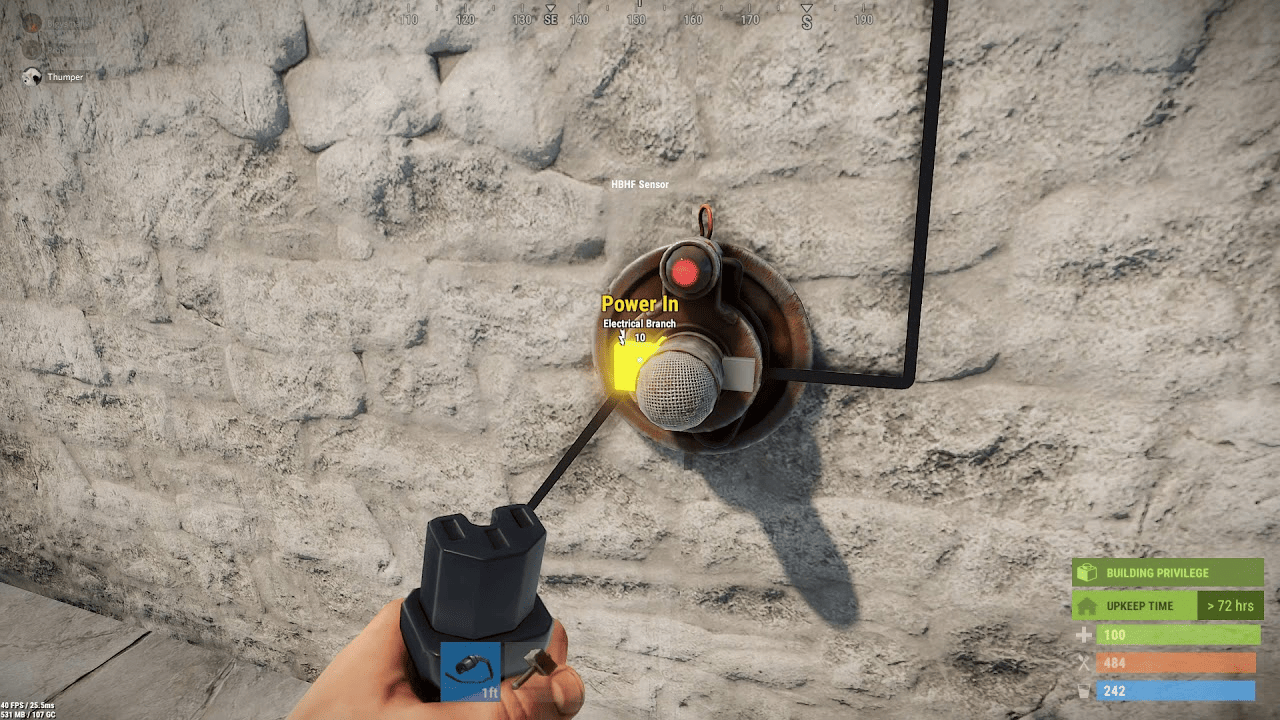
Method 3: HBHF Sensor Alarm
HBHF Sensors detect nearby players and can be used as a simple perimeter alarm.
Step 1: Place Sensors
Position sensors near entrances, breach points, external walls, or compound gates.
Step 2: Connect to an Alarm
Run wiring from the sensor output to:
-
Smart Alarms
-
Sirens
-
Flashing lights
-
Industrial warning systems
Step 3: Configure Detection
Adjust the sensor settings to prevent unnecessary triggers from authorized teammates.
This reduces false alarms and improves reliability.
How Rust+ Raid Alerts Work
Rust+ uses a connection between your server and mobile device to deliver notifications. When an alarm is triggered, data is sent through Rust’s companion services and forwarded to your phone.
This process typically happens almost instantly, allowing players to receive alerts even when they aren’t actively online. While occasional delays can occur, the system generally works reliably when configured correctly.
To maintain secure access, make sure your Rust account details are protected and avoid choosing weak passwords. Some players choose to share account information with teammates, but doing so increases the risk of unauthorized access.
Advanced Raid Alarm Ideas
Once you’re comfortable with Rust’s electrical system, you can build more sophisticated alarms.
Popular upgrades include:
Multi-Layer Detection
Use multiple sensors throughout your compound to determine where attackers are approaching from.
Compound-Wide Warning Network
Connect sirens and warning lights across the entire base so all teammates know a raid has started.
Automatic Defense Activation
Trigger:
-
Additional turrets
-
Door controls
-
Lighting systems
-
Defensive traps
when an alarm is activated.
Mobile Notifications
Combine Smart Alarms with Rust+ so you receive alerts even when you’re not actively playing.
Alarm Loops
Advanced builders sometimes create a warning loop that continues triggering lights and sirens until manually disabled. This makes it much harder to overlook an incoming raid.
Common Mistakes
Not Testing the Circuit
Always test every component after installation. A single disconnected wire can prevent the entire system from functioning.
Some players assume their alarm is working only to discover a problem at the worst possible moment. Always verify that every component is operating correctly before trusting it with your base security.
Insufficient Power
Many electrical failures occur because players underestimate their power requirements.
Ensure your batteries and generators can support all connected devices.
Poor Sensor Placement
Sensors placed too close to authorized areas may generate constant false alarms.
Take time to position them where hostile players are most likely to appear.
Poor placement can also create fake alarms that repeatedly trigger notifications. Frequent false alerts can disturb players and eventually cause them to ignore legitimate warnings.
Additional Tips
If you frequently play with a group, make sure everyone understands how the alarm system functions. Good communication can improve the overall raid defense experience and ensure important information reaches the right people quickly.
Some teams even establish dedicated response procedures, assigning specific members to defend key areas whenever raid alerts are triggered. This reduces confusion and allows everyone to stay focused during an attack.
While Rust+ notifications are excellent for receiving alerts, they should not completely replace in-game defenses. Walls, traps, turrets, and strong building designs remain your primary line of defense against determined raiders.
Is a Raid Alarm Worth It?
For most players, absolutely.
Even a simple raid alarm can provide valuable warning during an attack. While no system guarantees you’ll successfully defend your base, receiving early notice gives you significantly more time to react, organize teammates, and protect your resources.
Players who regularly invest in electrical systems often find that raid alarms become one of the most useful quality-of-life additions to their base.
Final Thoughts
Setting up a raid alarm in Rust is one of the best ways to improve your base security. Whether you use a simple Smart Alarm connected to Rust+ or build a complex network of sensors, lights, and automated defenses, an effective alarm system can provide critical warning when attackers strike.
By combining proper sensor placement, reliable power, and Rust+ notifications, you can create a raid alarm that helps keep you informed and ready to defend your base whenever danger arrives.
With proper configuration, reliable power, and correctly configured notification permissions, you’ll be able to stay informed, protect your loot, and respond to raiders the moment they begin attacking. Thanks to Rust+‘s mobile integration, players can receive alerts almost instantly, helping them never miss a raid and giving them the best possible chance to defend what they’ve built.
Was this article helpful?
Thanks for the feedback!