How To Go Third Person In Garry’s Mod
Learn how to change your camera POV from first to third-person in Garry's Mod.
If you are wondering how to go in third person in Garry’s Mod, the idea is simple: you move the camera from the default first person view to a view behind your player model. Instead of seeing only your weapon, toolgun, or hands, you can see your full character and more of the world around you.
Garry’s Mod was built on Valve’s Source engine, and the game normally starts in first person. That means third person is partly extra functionality, not always a standard feature on every server. In Sandbox it is often useful, but on public servers it may be restricted for fairness, immersion, or anti-cheat reasons.
This guide covers the main ways to use third person in GMod, including:
-
Built-in console commands
-
Key binds for quick switching
-
Camera settings like distance and offset
-
Steam Workshop third person mod options
-
Common server problems and fixes
How To Enable Third Person Quickly
The fastest way to enable third person is to open the developer console, type:
thirdpersonThen press Enter.
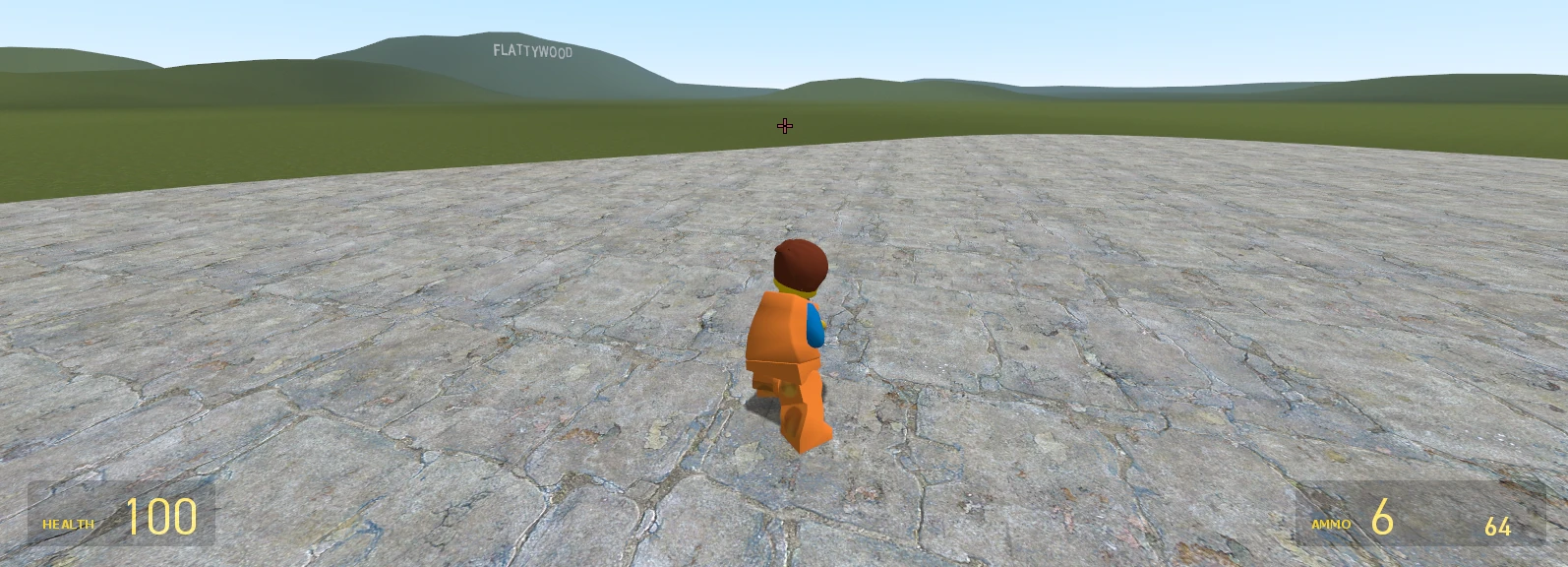
If it works, the camera will move behind your character model. You should be able to see your player from the back, with a wider view of nearby props, walls, and the area around you. Third-person view in Garry’s Mod provides a wider viewing area compared to first-person, allowing players to see their surroundings more effectively.
To open the developer console:
-
Launch Garry’s Mod from Steam.
-
Click Options in the main menu.
-
Go to Keyboard.
-
Click Advanced.
-
Tick the box for Enable developer console.
-
Hit OK or Apply.
-
Press the ~ key on your keyboard. It is usually under Esc.
-
At the console prompt, type thirdperson and press Enter.
If the console does not appear, check that your keyboard layout uses the tilde key correctly. On some layouts, you may need to change the console key in the game options.
Note: On many multiplayer servers, the thirdperson command will literally do nothing if the server blocks it.
Using third-person view may require admin permissions on certain servers, and the command sv_cheats 1 must be enabled for it to work. The command sv_cheats must be enabled on the server to access third-person mode in Garry’s Mod when the server treats the camera command as cheat-protected. To use third-person mode in Garry’s Mod, players must have admin permissions on the server they are playing on if that server requires admin access for sv_cheats 1 or camera commands.
Third-person mode in Garry’s Mod is not available on all servers, as it depends on the server’s settings and permissions.
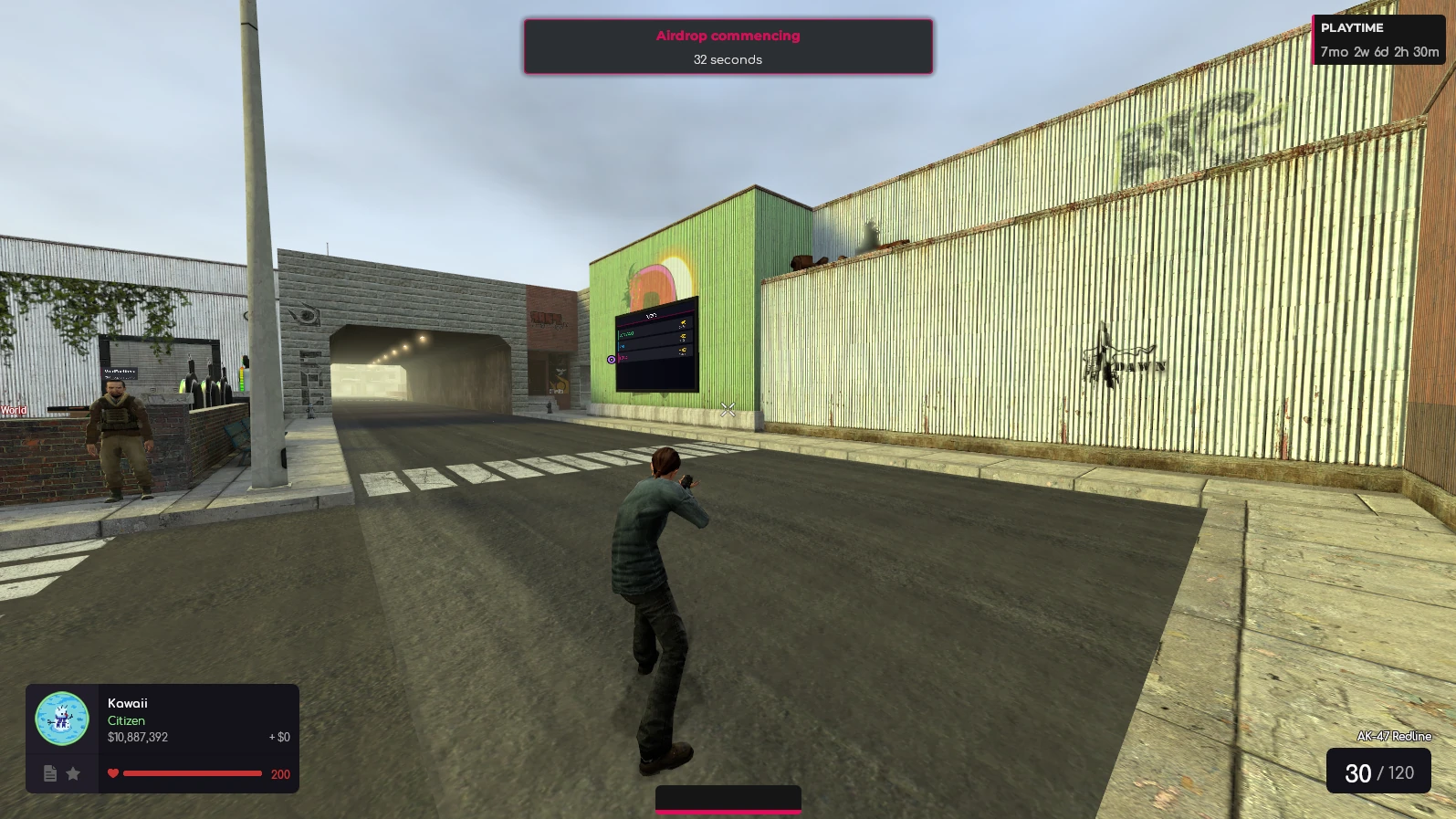
Using Console Commands: Third Person And First Person
Garry’s Mod has separate console commands for moving between third person and first person. You can also change the camera’s distance, angle, side offset, height, and smoothing.
According to the Valve Developer Community list of Garry’s Mod console commands and variables, several camera settings are controlled by Source engine cvars.
Here are the most useful commands:
| Command | What it does |
|---|---|
| thirdperson | Switches from first person to third person. |
| firstperson | Returns to the normal first person view. |
| sv_cheats 1 | Enables cheat-protected commands on a local server or server where you have permission. |
| cam_idealdist [number] | Changes how far the camera sits behind the player. |
| cam_idealyaw [number] | Rotates the camera horizontally. |
| cam_idealpitch [number] | Tilts the camera up or down. |
| cam_idealdistup [number] | Moves the camera up or down. |
| cam_idealdistright [number] | Moves the camera to the side. |
| cam_ideallag [number] | Controls how much the camera lags behind the player’s movement. |
Camera distance from the player can be adjusted using cam_idealdist [number] command in console. For example:
cam_idealdist 100This brings the camera closer than the common default distance of 150. A higher number, such as cam_idealdist 200, moves the camera farther away.
The command cam_idealdistup [number] moves the camera up or down, and cam_idealdistright [number] moves it to the side. For example:
cam_idealdistup 10
cam_idealdistright 20
This raises the camera slightly and moves it toward the right shoulder. A negative side value moves it left:
cam_idealdistright -20The cam_ideallag [number] command controls how much the camera lags behind the player’s movement. A higher value can make movement feel smoother or more cinematic, but too much lag can feel floaty.
A simple single-player setup might look like this:
sv_cheats 1
thirdperson
cam_idealdist 120
cam_idealdistright 20
cam_idealdistup 5
cam_ideallag 2
This setup turns cheats enabled on for your local session, switches to third person, brings the camera a little closer, shifts it slightly to the right, raises it a bit, and reduces camera lag.
To go back at any time, type:
firstpersonRegular players usually cannot enable sv_cheats 1 on public servers. It is a server-side command, which means only the host, owner, or admin can turn it on.
Binding A Key To Toggle Third Person
Key binds are useful because you do not want to type a command into the console every time you change views. A bind tells the game to run a command when you press a specific key.
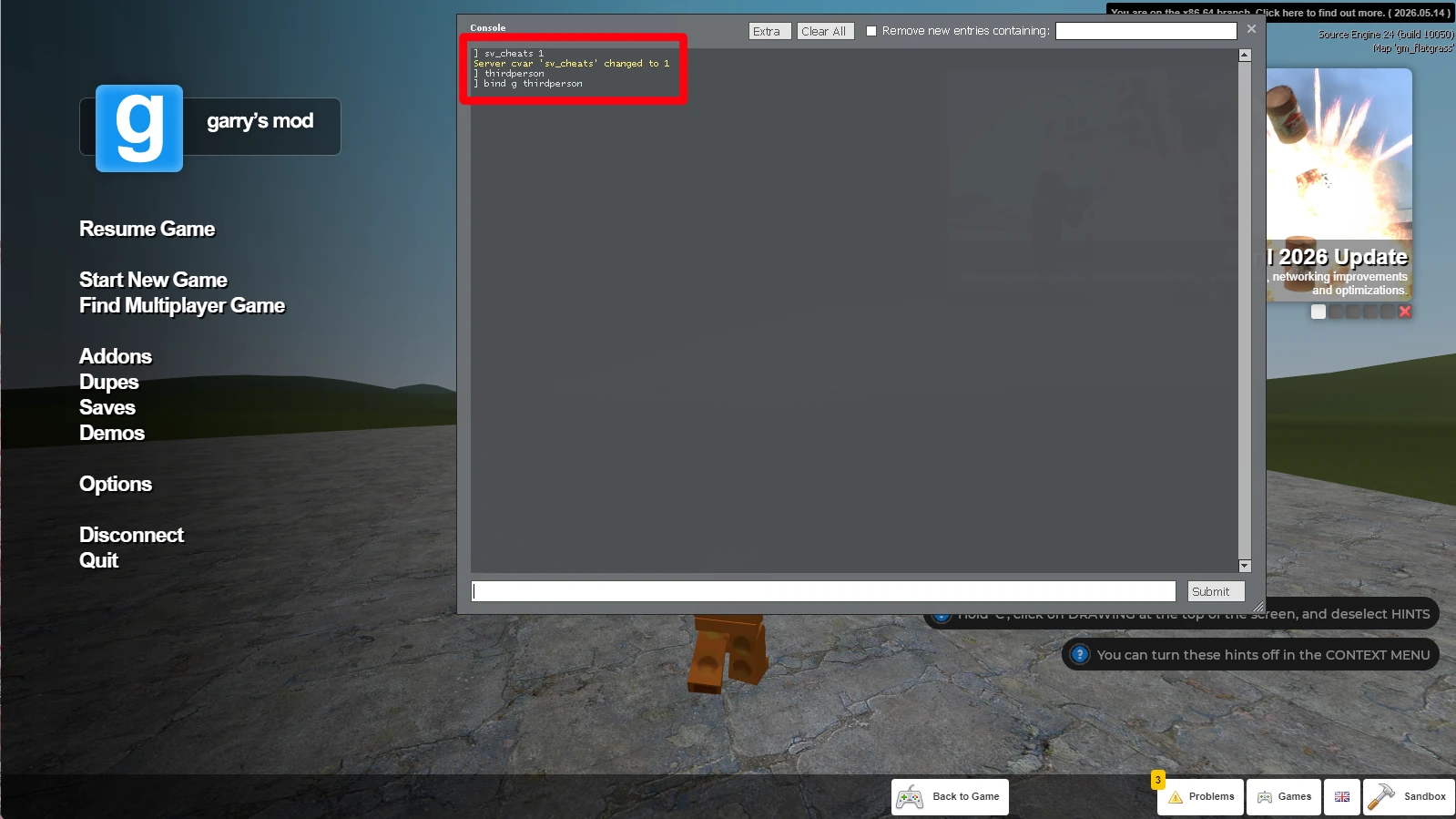
To enable third-person view in Garry’s Mod, you can access the developer console by pressing the ~ key and then type the command bind (key) thirdperson to bind it to a specific key.
For example, to bind V to third person:
bind v thirdpersonNow pressing V will run thirdperson.
You can also bind a different key to return to first person:
bind c firstpersonThat setup means:
-
Pressing V turns on third person.
-
Pressing C returns to first person.
You can use other keys too:
bind mouse4 thirdperson
bind mouse5 firstperson
This works well if your mouse has side buttons. Just avoid overwriting keys you already use, especially if you have played on servers where C, V, or mouse buttons are already used for menus, voice chat, or addon controls.
If you want one key to switch between views, use an alias:
alias pov_firstperson "firstperson; alias pov pov_thirdperson"
alias pov_thirdperson "thirdperson; alias pov pov_firstperson"
alias pov "pov_thirdperson"
bind v "pov"
Now pressing V once switches to third person, and pressing V again switches back to first person.
Binds are usually saved in your Garry’s Mod config, so once added, they should work the next time you launch the game. If you get an error or the bind stops working, check whether another addon, server script, or config file has changed the same key.
Installing A Third Person Mod From The Steam Workshop
Built-in commands are enough for basic use, but a dedicated third person mod or person mod from the Steam Workshop often gives you more control. Addons can provide better camera control and easier toggling without the need for cheats.
To find one:
-
Open Steam.
-
Go to Library.
-
Select Garry’s Mod.
-
Click Workshop.
-
Search for terms like third person, thirdperson view, camera mod, or over the shoulder third person.
-
Open an addon page.
-
Click subscribe.
-
Launch or restart Garry’s Mod.
A typical third person addon may include:
-
A smoother camera
-
Shoulder camera options
-
Scroll wheel zoom
-
Better camera collision around walls
-
Per-game-mode options
-
A menu for changing settings without typing every line manually
For example, some Workshop addons such as Third Person++ on Steam Workshop focus on easier toggling, zoom controls, and camera collision. Other addons offer rotating or over-the-shoulder behavior for screenshots, roleplay, or cinematic work.
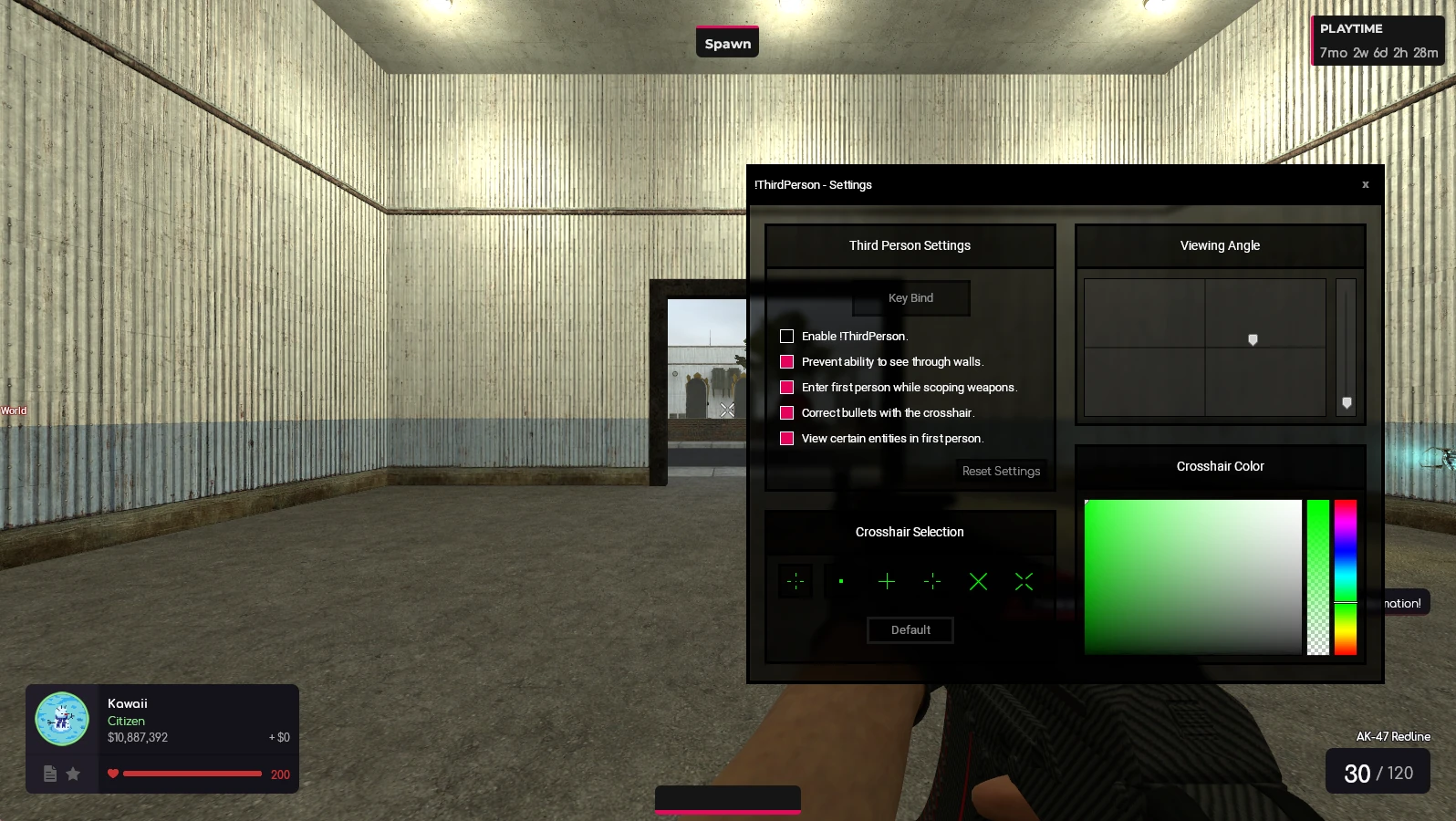
However, there are limitations. You must be subscribed to the addon, and the server must allow custom addons or run the same third person mod for it to function correctly. Some servers block client-side camera scripts because they can affect
Key Takeaways
-
The fastest way to enable third person in Garry’s Mod is to open the developer console, type thirdperson, and press Enter.
-
Many third person commands only work when the server allows them; on some servers, sv_cheats 1 must be active and you may need admin permissions.
-
You can bind a key such as V, C, or mouse4 to switch camera views without reopening the console every time.
-
Steam Workshop addons can provide better camera control, easier toggling, and over-the-shoulder views without always needing cheats enabled.
-
Third person is useful for building, roleplay, screenshots, and youtube videos, while first person is usually better for aiming and competitive play.
Was this article helpful?
Thanks for the feedback!