The Physgun Firewall Portal is used to manage and secure the IP addresses assigned to your Physgun services. It provides multiple layers of protection that help control incoming traffic and reduce unwanted access. The firewall has multiple layers of protection that we will go over, including why it exists, how it works, and how it can apply to your specific hosting situation.
Why Should I Use The Physgun Firewall Portal?
You gain access to the Physgun Firewall Portal as soon as you are assigned an IP address in the billing panel after purchasing a plan. The IP you are assigned is automatically added to the portal, allowing you to manage firewall rules immediately.
The portal gives you direct control over what traffic is allowed to reach your services, helping improve security while maintaining flexibility for a wide range of hosting setups.
You can find the portal at https://portal.physgun.com/
How Does The Firewall Portal Work?
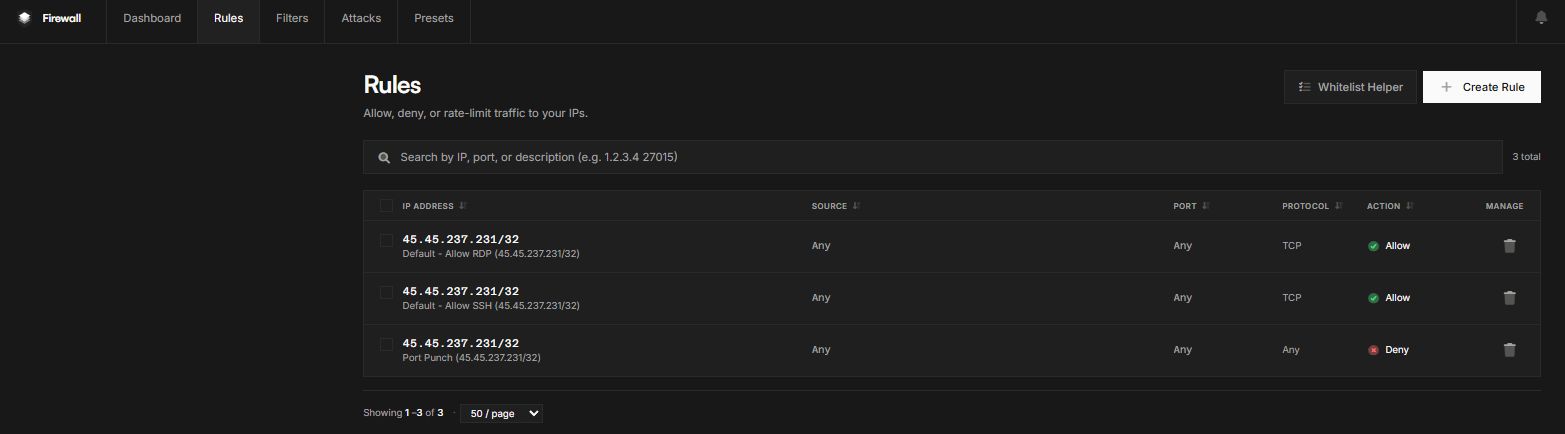
Every newly provisioned IP address starts with a default deny policy. This means all traffic is blocked until you create rules that explicitly allow the connections your services require. This approach helps minimize unnecessary exposure and reduces potential attack vectors.
Firewall rules determine what traffic is allowed, denied, or rate-limited. When creating IP-based rules, use a /32 CIDR whenever possible to target a single IP address rather than a larger subnet such as /24.
Common rule options include:
- Source IP – Allow traffic from specific IP addresses.
- Source ASN – Allow traffic from specific network providers.
- Source Country – Allow traffic from selected countries.
- Source Port / Destination Port – Control traffic based on port numbers.
- Allow, Deny, and Rate Limit Actions – Define how matching traffic is handled.
The Whitelist Helper can simplify creating rules for trusted IP addresses.
Rules vs. Filters
Rules act as the first layer of protection by deciding whether traffic is allowed to reach a service.
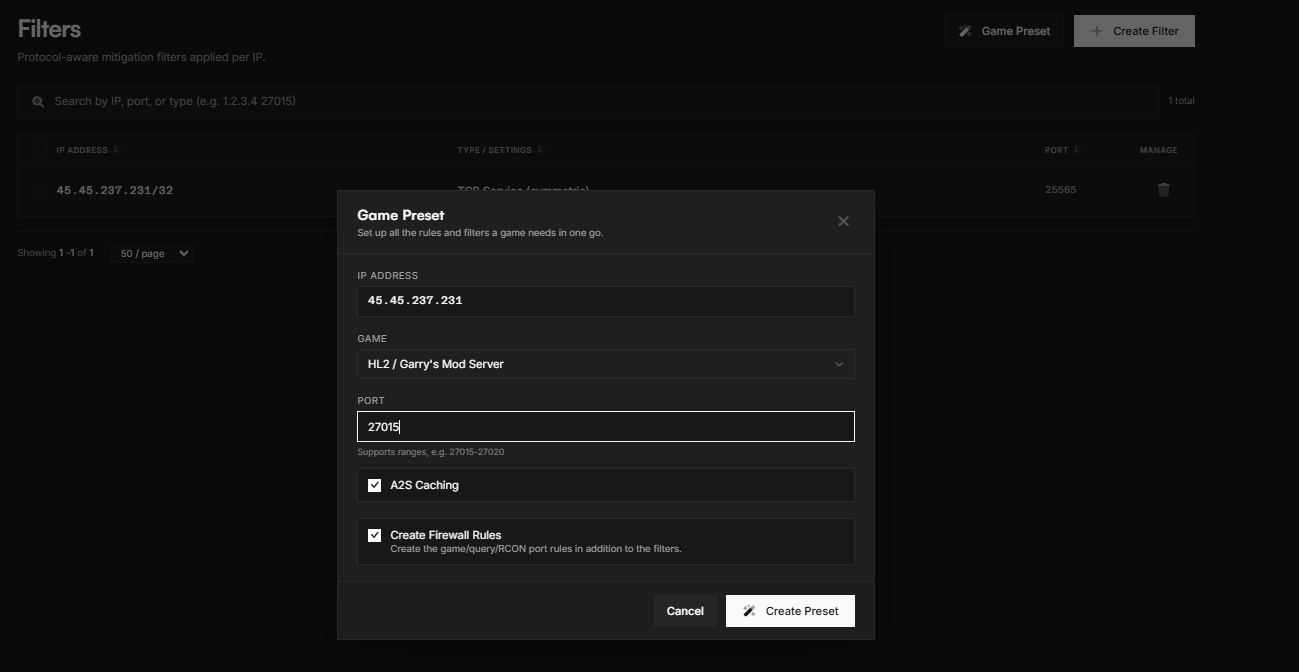
Filters provide a second layer of inspection for traffic that has already been allowed. For example, if SSH traffic is allowed on port 22, a filter can be used to apply additional inspection or protection to that traffic.
The portal also includes game and service presets that automatically configure common rules and filters for supported applications.
API Access
The Physgun Firewall API allows developers to integrate firewall management into their own applications and workflows.
API documentation is available through the portal. All API requests should be sent to:
https://portal.physgun.com/api/v1
When creating API keys, use clear and descriptive names to make key management easier as your integrations grow.
How Can I Use the Firewall Portal for My Hosting Setup?
When you host on Physgun, the Firewall Portal gives you the ability to expose only the services you actually need. Game server owners can take advantage of built-in presets to quickly configure common titles, while website and application hosts can create custom rules and filters tailored to their environment.
Whether you’re hosting a game server, website, or custom application, the Firewall Portal makes it easier to control what can access your services while keeping your firewall configuration manageable.