
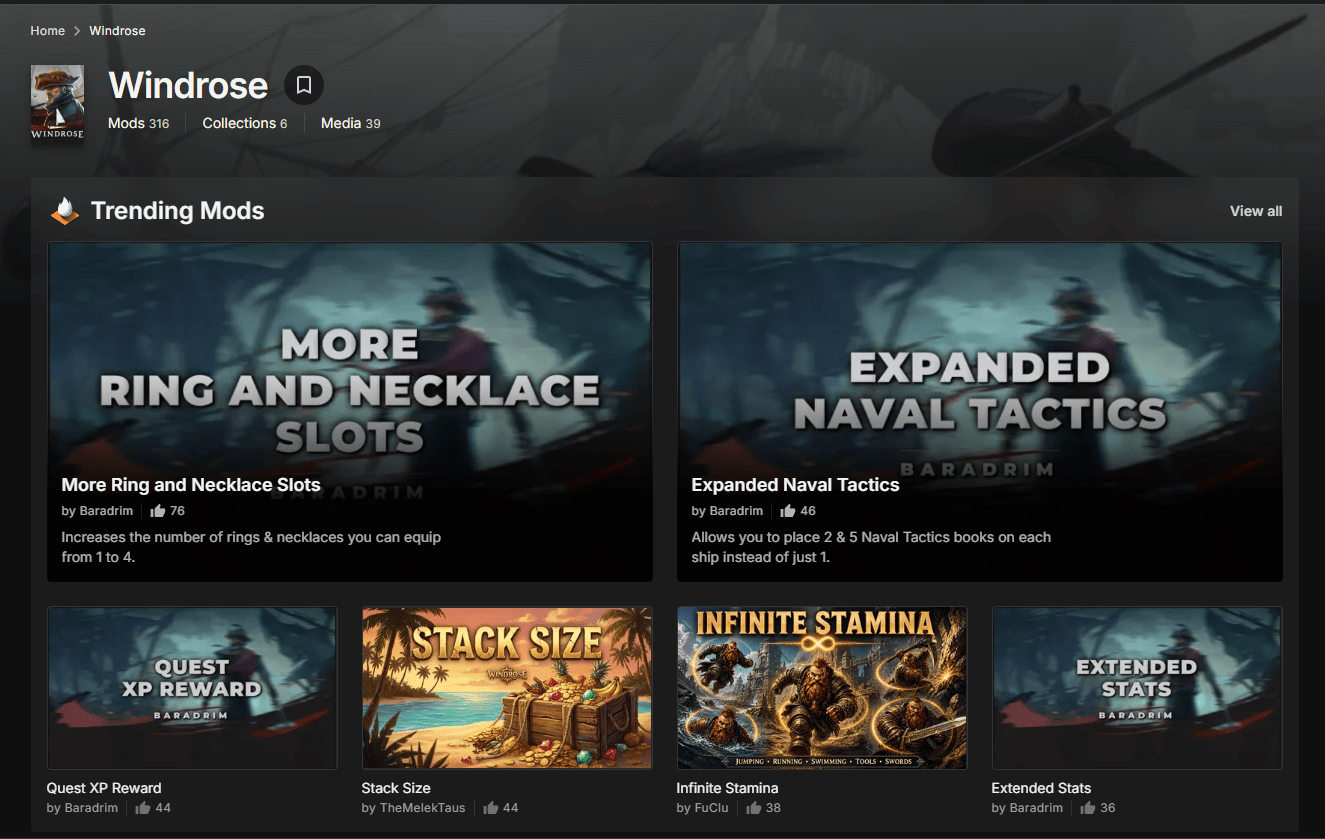
Modding a Windrose server works differently depending on the mod type. Pak mods and Lua mods each land in different folders, and client mods don’t always need to be on the server at all. Most Windrose mods come as pak files sourced from Nexus Mods or similar sites, and installing them means placing them in the right spot inside the r5/Content/Paks/Mods directory on your dedicated server. Get the file structure wrong and the mods either won’t load or will cause problems when a player connects. This guide covers how to install mods on a Windrose server, including server-side only mods, pak mods, and Lua mods.
Accessing the Server Files
-
Log in to the Physgun Gamepanel.
-
Select your Windrose instance.
-
Open File Manager or connect via SFTP.
-
Browse to the game root, then to
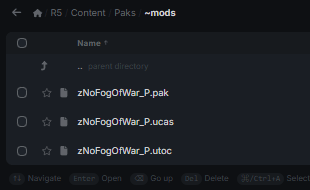
R5/Content/Paks/~modsIf the ~mods directory is missing, create it exactly as shown—the leading tilde is required.
Note: Physgun’s file browser lets you upload, rename, and delete files without leaving the panel, which saves a lot of back‑and‑forth with local copies.
Installing a Typical .pak Mod
-
Stop the server from the panel – changes won’t be read while it’s running.
-
Download the mod archive from Nexus Mods (or a trusted Discord link).
-
Extract the zip on your computer. You should see a set of files such as
MyMod.pak
MyMod.ucas
MyMod.utoc-
Drag the extracted files into R5/Content/Paks/~mods. Keep the three files together; moving one out will cause a crash on launch.
-
Start the server again.
Tip: If the server fails to start, double‑check that no file is missing and that the folder contains only the three related files.
Self‑Hosted Server Workflow
If you run the server on your own machine or a VPS:
-
Locate the server folder (usually ~/windrose_server).
-
Open R5/Content/Paks.
-
Create ~mods if it isn’t present.
-
Copy the extracted mod files into that folder.
-
Restart the server process.
The file layout mirrors the Physgun setup, so you can copy the same mod packs between hosting providers.
UE4SS and Lua Mods
Some enhancements rely on the UE4SS runtime or Lua scripts rather than plain .pak files. These typically use a custom directory, for example:
Windrose/Mods/MyLuaMod/Installation steps:
-
Upload the entire folder exactly as provided.
-
Do not split files into the ~mods directory unless the author says so.
-
Follow any README instructions; many Lua mods need a config.json placed alongside the script.
Server‑Side vs. Client‑Side Requirements
-
Server‑only mods (e.g., inventory stack changes) live in ~mods and affect every player automatically.
-
Client‑side mods (UI overlays, visual tweaks) must be installed on each player’s local game folder, usually under Windrose/Mods.
Mismatched versions cause the classic “failed to join” screen, endless loading, or desynchronisation warnings. Communicate the required client files to your community ahead of time.
Warning: A server that expects a client‑side mod will reject players who lack it, even if the server itself runs fine.
Backing Up Before Changes
The world data lives in:
R5/Saved/SaveProfilesCreate a copy of that folder (or use Physgun’s Backup button) before any mod upload. Restoring a backup is as simple as overwriting the current SaveProfiles with the saved copy and restarting the server.
Common Issues & Quick Fixes
-
Startup crash – check for missing .ucas/.utoc files, misplaced folders, or outdated mod versions.
-
Players can’t connect – verify that every required client mod is present and matches the server version.
-
Mod stops working after a game update – look for an updated release on Nexus Mods or the author’s Discord; until then, consider disabling the mod temporarily.
Typical Beginner Mistakes
| Mistake | Why it hurts | Fix |
|---|---|---|
| Uploading the original zip | Server reads the zip as a single file, causing “missing .pak” errors | Always extract first |
| Forgetting companion files | .pak without its .ucas/.utoc leads to load failures | Keep the three files together |
| Installing many mods at once | Hard to pinpoint which one crashes the server | Add one, test, repeat |
| Editing files while the server runs | Changes are ignored or overwritten on restart | Stop the server before any file work |
FAQ
Do all Windrose mods need to be installed on players’ PCs?
Not all. Server‑only mods work solely on the host. UI or visual mods usually require a matching client install.
Where exactly do .pak mods belong?
Inside the R5/Content/Paks/~mods directory on the server. Client‑side files go into the player’s own Windrose/Mods folder.
Can I use the same mod folder for both Physgun and a self‑hosted server?
Yes. The folder structure is identical; just copy the files over to the corresponding path on your own machine.
Following this workflow lets you experiment with Windrose’s growing mod library while keeping server stability under control. Happy modding!