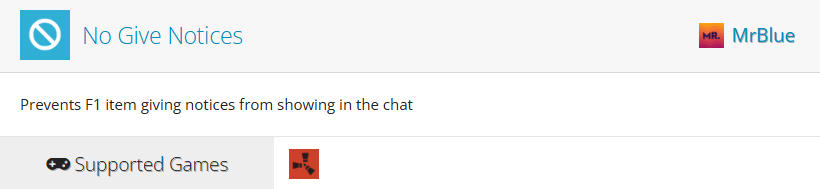
The No Give Notices plugin is a simple but incredibly useful quality-of-life plugin for Rust server administrators. By default, Rust announces when an admin uses the give command to spawn stuff, displaying a message in global chat for all players to see. In theory, this is a nice security measure to tell when admins are abusing their abilities, but in practice, this can quickly become annoying on community, modded, or development servers where admins frequently test items, spawn equipment, or manage events. Players who suspect that admins are abusing their power for unfair advantages tend to step away from the server, and in turn, hurt your growth.
With No Give Notices, those global notifications are automatically suppressed, allowing administrators to work behind the scenes without filling the chat with give command messages. In this guide, we’ll walk through how to install the plugin and explain how it works once it’s loaded on your server.
Installing the No Give Notices Plugin
The first thing you need to do is install the plugin. To do so:
-
Start by heading over to umod.org/plugins/no-give-notices.
-
Click download on the plugin’s page. You’ll receive a CS file on your computer.
-
Open your server files using your Physgun File Manager, SFTP/FTP, or Windows File Explorer, depending on how the server is hosted.
-
Navigate to oxide/plugins/ and drop the CS file in the folder.
-
Either restart your server or run
oxide.reload NoGiveNoticesin your console to update the plugin.
Using the Plugin In-Game
No Give Notices is possibly the easiest plugin to use in Rust. That’s because it works all by itself! There’s absolutely no additional configuration needed, no permissions to grant, and nothing special you have to do in-game.
The plugin’s features are apparent when you or any admin spawns items. Normally, it would print a global message in the chat, snitching on whatever you’re doing. Now, that message is removed!
Conclusion
No Give Notices is one of those plugins that does exactly what it promises without requiring any extra setup. Once installed, it automatically prevents global chat notifications from appearing when admins use give commands, helping keep your server’s chat clean and uncluttered.
Whether you’re running a modded server, hosting events, testing plugins, or simply managing your community, No Give Notices provides a quick and hassle-free way to hide unnecessary admin give messages. Install the plugin, reload it, and it’s ready to work immediately.
If you’d like to know more about managing admin abilities, feel free to reference this article, or take the time to watch the corresponding video, where we cover hiding more than just give notices.