Server Rewards is one of the most popular economy plugins available for Rust servers. Created by k1lly0u, the plugin allows server owners to reward players with points that can be spent on items, kits, commands, permissions, and other server benefits. Whether you’re running a PvE community, a heavily modded server, or a competitive PvP environment, Server Rewards provides a flexible way to encourage player activity and create long-term progression systems.
This guide explains how to install Server Rewards, configure its settings, and use the plugin in-game.
Installation Instructions
To install the Server Rewards Rust plugin:
-
Visit uMod and search for Server Rewards, or use this link.
-
Download the latest version of the plugin.
-
Upload the files to your server’s oxide/plugins folder using the File Manager on Physgun, SFTP/FTP file transfer, or manually in your dedicated server files depending on how your server is hosted.
-
Restart your server or use the oxide.reload command.
-
Your plugin should be running and operational now! After loading for the first time, it will automatically generate its data and config folders.
Config Options for the Server Rewards Plugin
Assigning Permissions
The first thing you need to do is assign your admin permissions. This will allow you and other administrators to actually access special menus and commands in-game.
In your server console, type in the following command:
oxide.grant [user or group] [group name or player Steam ID] serverrewards.adminFor example:
oxide.grant group moderator serverrewards.adminAdditional Configuration Options
Alongside permission options, the plugin comes with a big array of configuration options in the config file. You can find this in oxide/config/ServerRewards.json. Some of these available settings include:
-
Showing or hiding item categories
-
Enabling or disabling Kits
-
Enabling or disabling Command rewards
-
Exchange menu settings
-
Player-to-player transfers
-
Sell-back functionality
-
Custom store commands
-
Administrative RP commands
-
Transaction logging
-
NPC dealer support
-
Economics integration
-
Exchange rates
-
UI color customization
-
Playtime display settings
Using the Server Rewards Plugin In-Game
Chat Commands
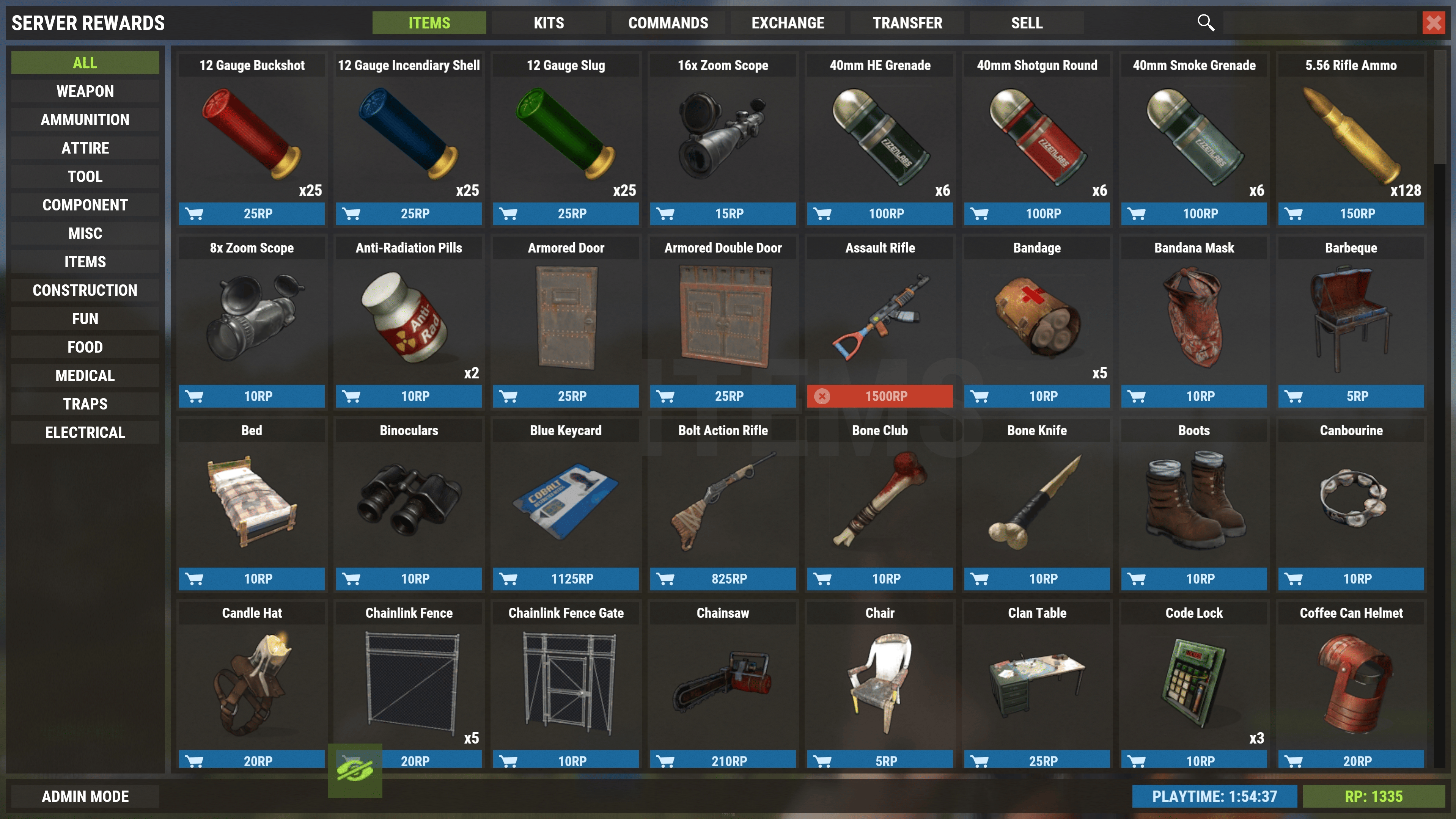
Regular players have access to just one command: The “/s” command. This command will open the store so players can buy, sell, and trade their reward items. This command can be changed in the config options.
Admins, however, have access to a much wider array of chat and console commands:
-
/rp add [username or steamID or *] [amount] - Add the specified amount of RP to a player
-
/rp take [username or steamID or *] [amount] - Deduct the specified amount of RP from a player
-
/rp clear [username or steamID or *] - Reset the specified player’s RP to 0
-
/rp check [username or steamID] - Show the amount of RP a player has
These commands can also be put into the console if you prefer it that way. Just remove the forward slash.
Adding, Editing, and Removing Products
The rest of your setup is done in-game using the plugin’s user interface. Open the shop using the /s command and select the “ADMIN MODE” button in the bottom left. You need to have the serverrewards.admin permission to actually access this.
With admin mode enabled, the purchase buttons for each product will be replaced with an “EDIT” and “DELETE” button, and an “ADD PRODUCT” button will appear at the very bottom for each category.
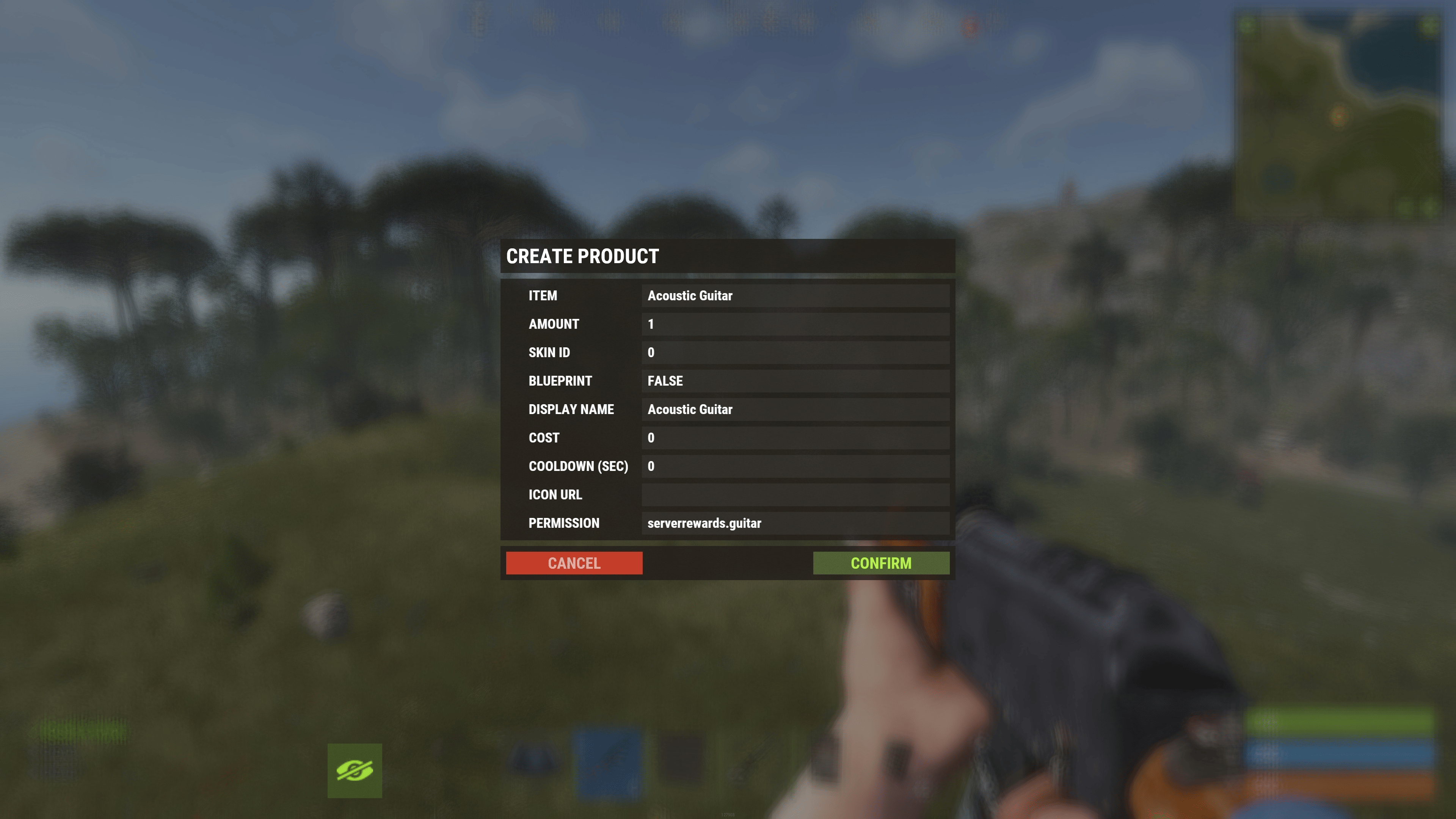
Both the edit and add product buttons will open the same menu to either create or edit a product. Here you can change the item name, the amount, skins, price, cooldown, and permission restrictions for each product. Once you’re done editing your package, click the “CONFIRM” button to save your changes.
Additionally, there are also command products. These allow players to run pre-defined server commands upon purchase. You can place specific variables into these commands, which will be replaced with proper values prior to the command being run. The variables include:
-
$player.name - The purchasing player’s display name
-
$player.id - The purchasing player’s user ID
-
$player.x, $player.y, $player.z - The purchasing player’s world position
For example, you can set up the command: inventory.giveto $player.id wood 100. The variable will be replaced with the purchasing player’s steamID, and the command will give them 100 wood.
Conclusion
Server Rewards is one of the most versatile economy plugins available for Rust. By allowing players to earn points and exchange them for rewards, the plugin creates additional progression systems that can keep players engaged long after they’ve established their base.
Whether you’re rewarding playtime, event participation, NPC kills, or voting activity, Server Rewards gives server owners complete control over how players earn and spend points. With proper configuration and thoughtful reward design, it can become a central part of your server’s economy and long-term player retention strategy.