Reinstalling your Rust server is super easy with the Physgun Gamepanel
Please do note: this action is irreversible, make sure you take backups
Not on Physgun yet? Rust server hosting from Physgun gives you a clean, easy-to-use panel where reinstalling your server takes just a few clicks.
Reinstalling all server files
Simply follow the steps below to completely wipe and reinstall all the base Rust server files
- Head to Your Gamepanel > Your Physgun Rust Server
- Turn your server off
- Head to the
File Manager - Click the first
Checkboxin the top left of the File Manager to select everything - At the bottom of your screen, click
Deleteand delete everything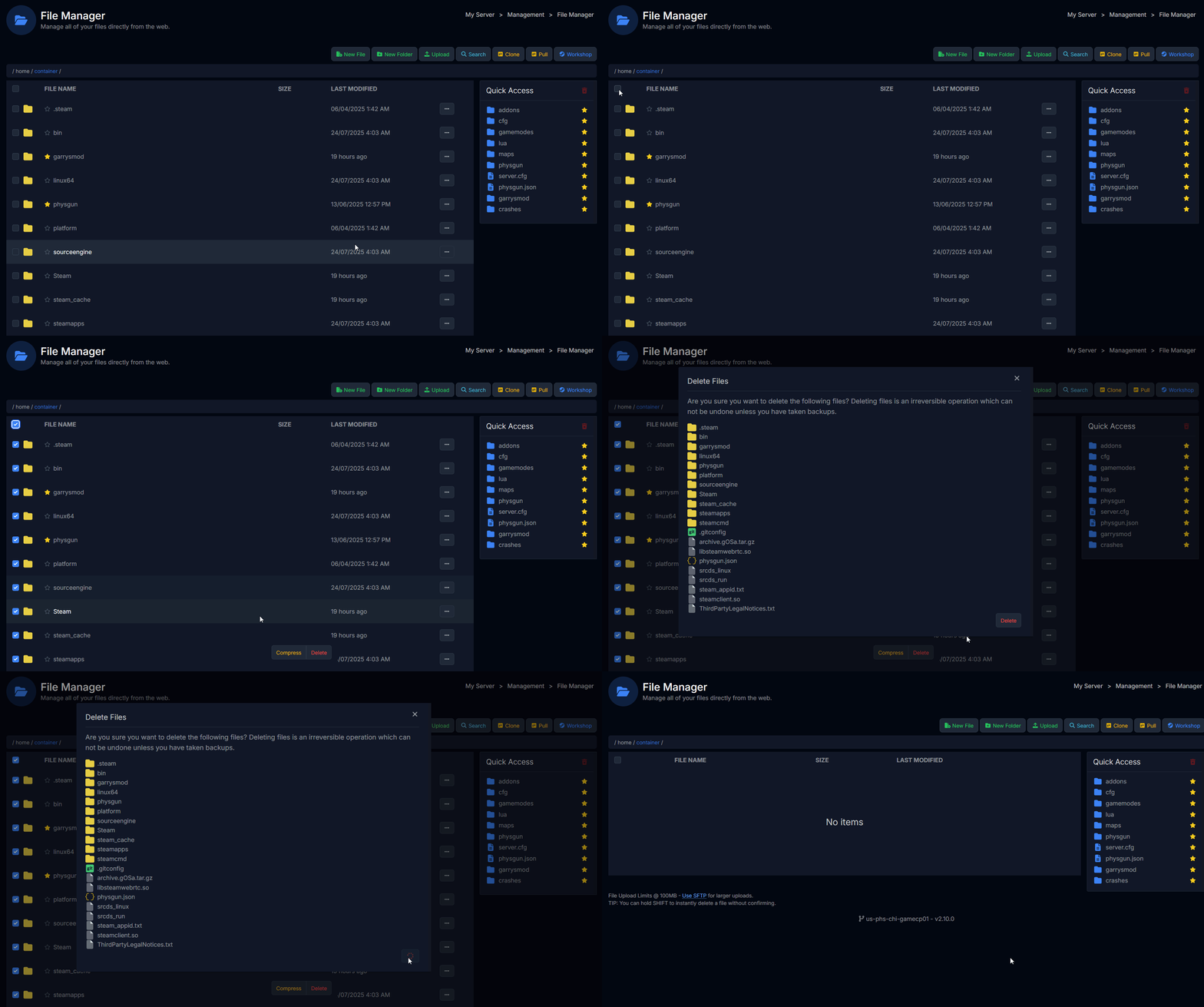
- Head to
Server Actions>Reinstall - Wait for the install to complete and you’re done!
Do note: Clicking
Reinstallsimply validates the core files, it will not remove any files.
“Why does it work like this?”
Simple answer: because it allows you to validate core files without resetting all your progress