
Adding yourself as an admin
Adding yourself as an admin is super easy to do on the Physgun gamepanel, there are a few gatchas you have to be aware of though.
Simply follow the steps below and you’ll be an admin in no time! 
- Head to the Physgun Gamepanel
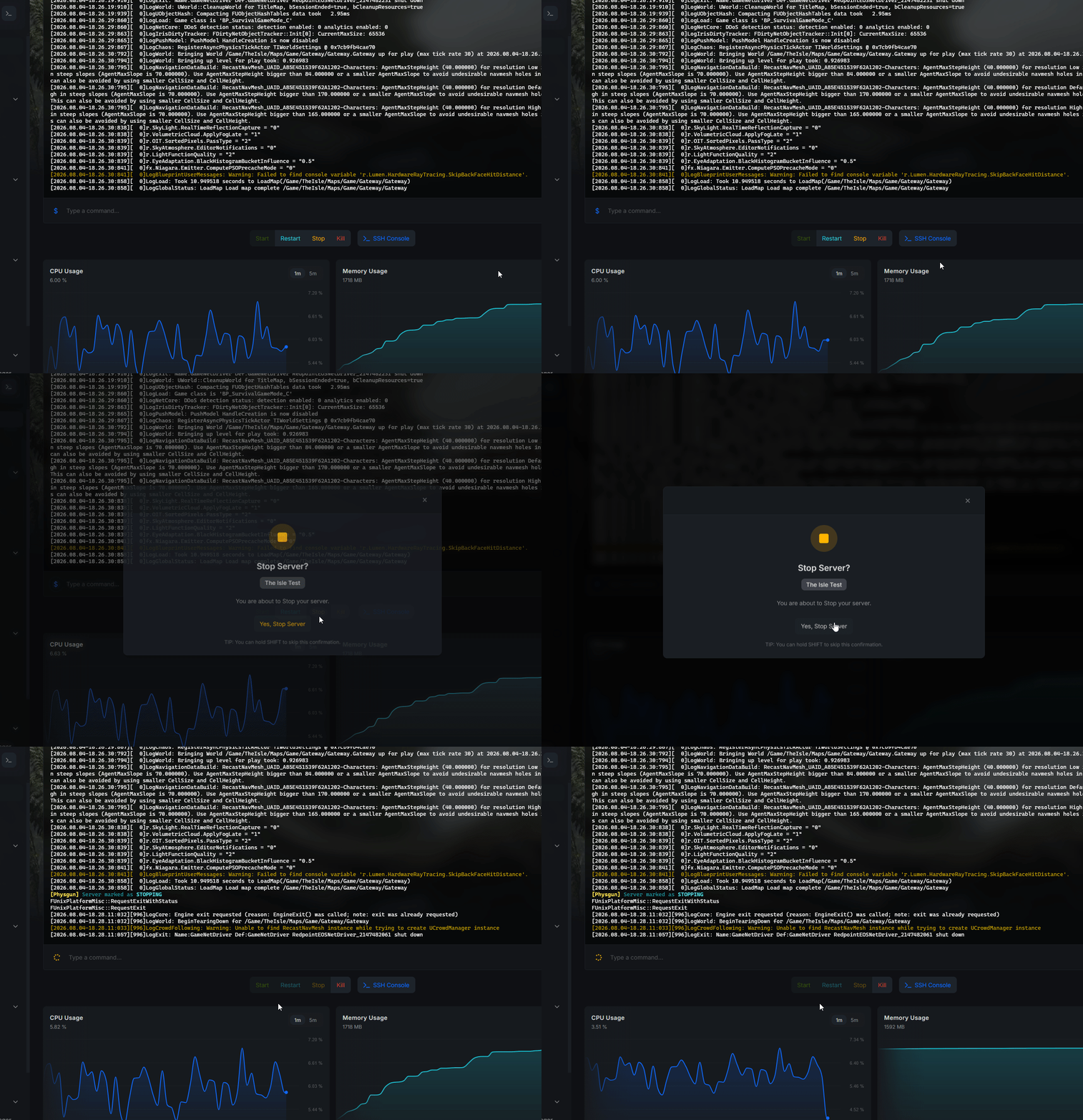
- Navigate to your server and turn it off (the server MUST be offline or the config file will ignore any changes)
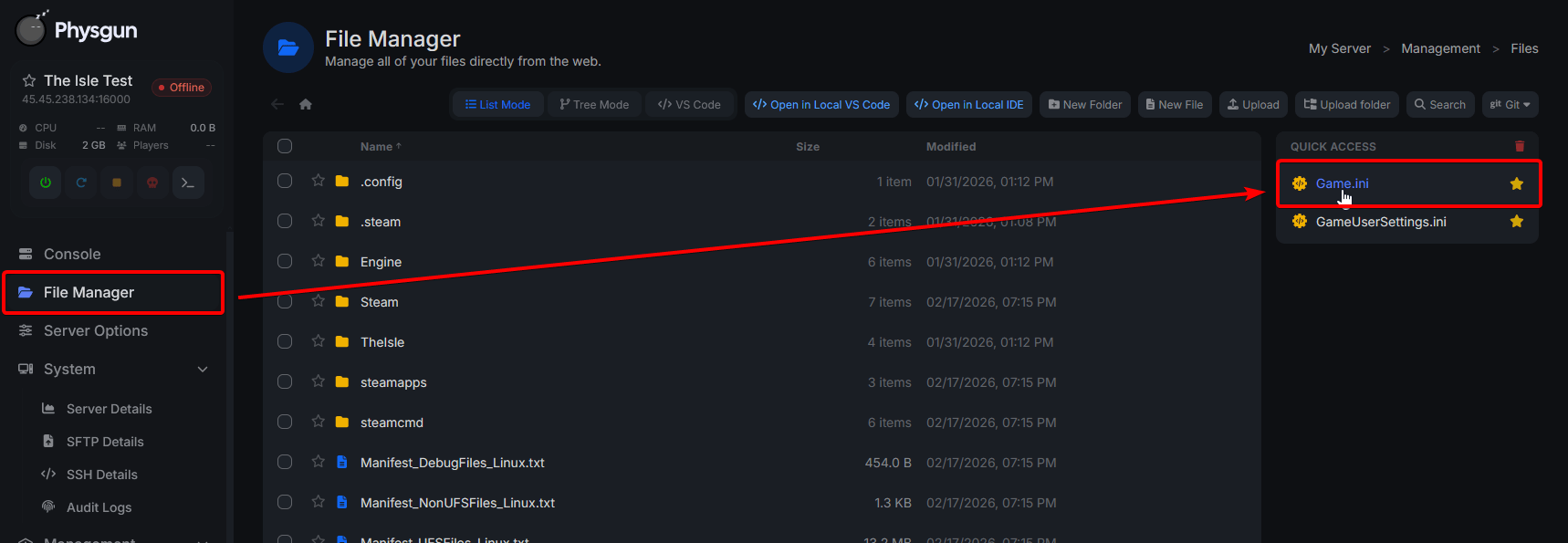
- Now navigate to the
File Manager > Game.ini
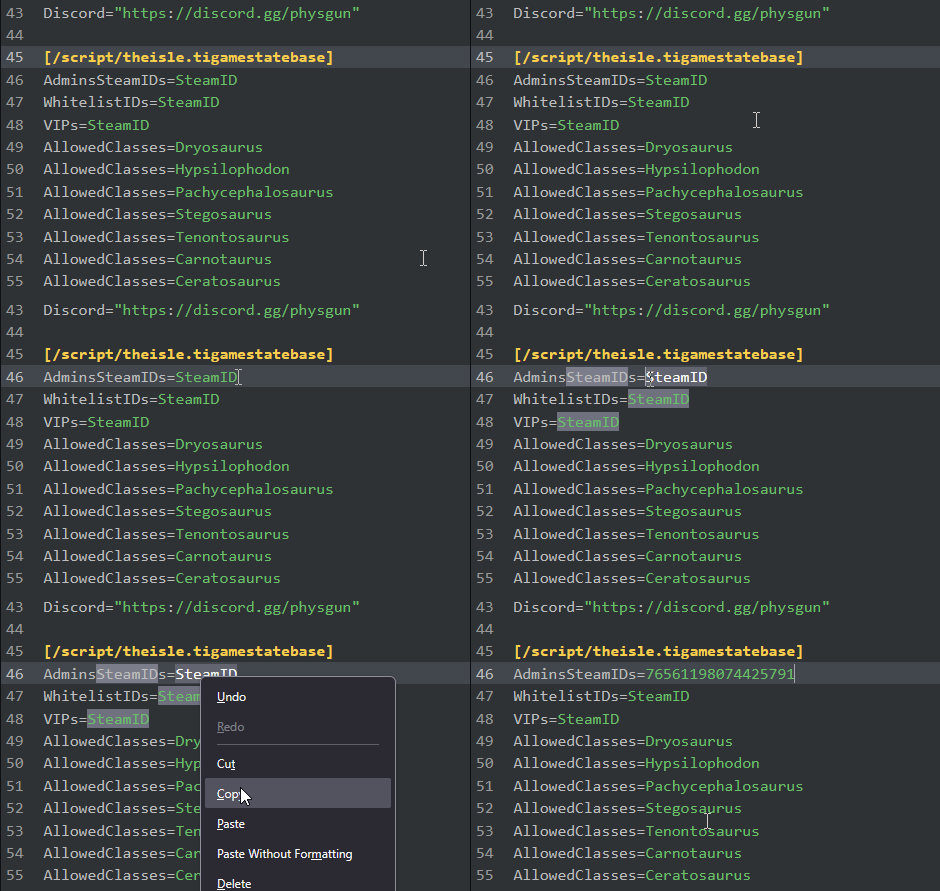
- Once inside scroll down till you see
AdminSteamIDs=SteamID - Use a SteamID Finder website to obtain your SteamID 64 (starts with 76…)
- Paste your SteamID 64 over the
SteamIDtext
- Finally on the bottom-right click
Save - Start your server back up, and you’re an admin!
That’s it! Adding an admin is super duper easy  once the server is started back up you should be-able to access all the admin commands in-game!
If you notice the AdminsSteamIDs field is resetting make sure the server is turned off when editing the Game.ini file.
Adding Multiple Admins
Adding multiple admins is pretty simple as-well, although a bit unorthodox compared to other games.
Simply follow the same steps above but copy & paste the AdminsSteamIDs= fields to a new line per-admin.
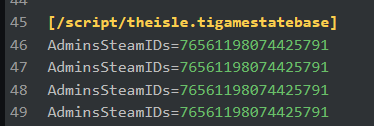
Obviously each SteamID should be different per-admin, this is also how you add multiple Whitelisted IDs and VIP IDs as-well.