
Changing your The Isle server name is a one-line edit, but finding the correct file—and saving it properly—can trip up even experienced server admin users. The server name is stored inside a config file buried in your server directory, and if you edit the wrong string, skip a step, or don’t restart correctly, nothing changes, or the server may fail to start.
Whether you’re using a control panel on a website or managing several files on a desktop dedicated server, this guide shows exactly how to configure your server name, apply the desired changes, and safely log in and restart so everything works as expected.
 Changing Server Name on the Physgun Panel
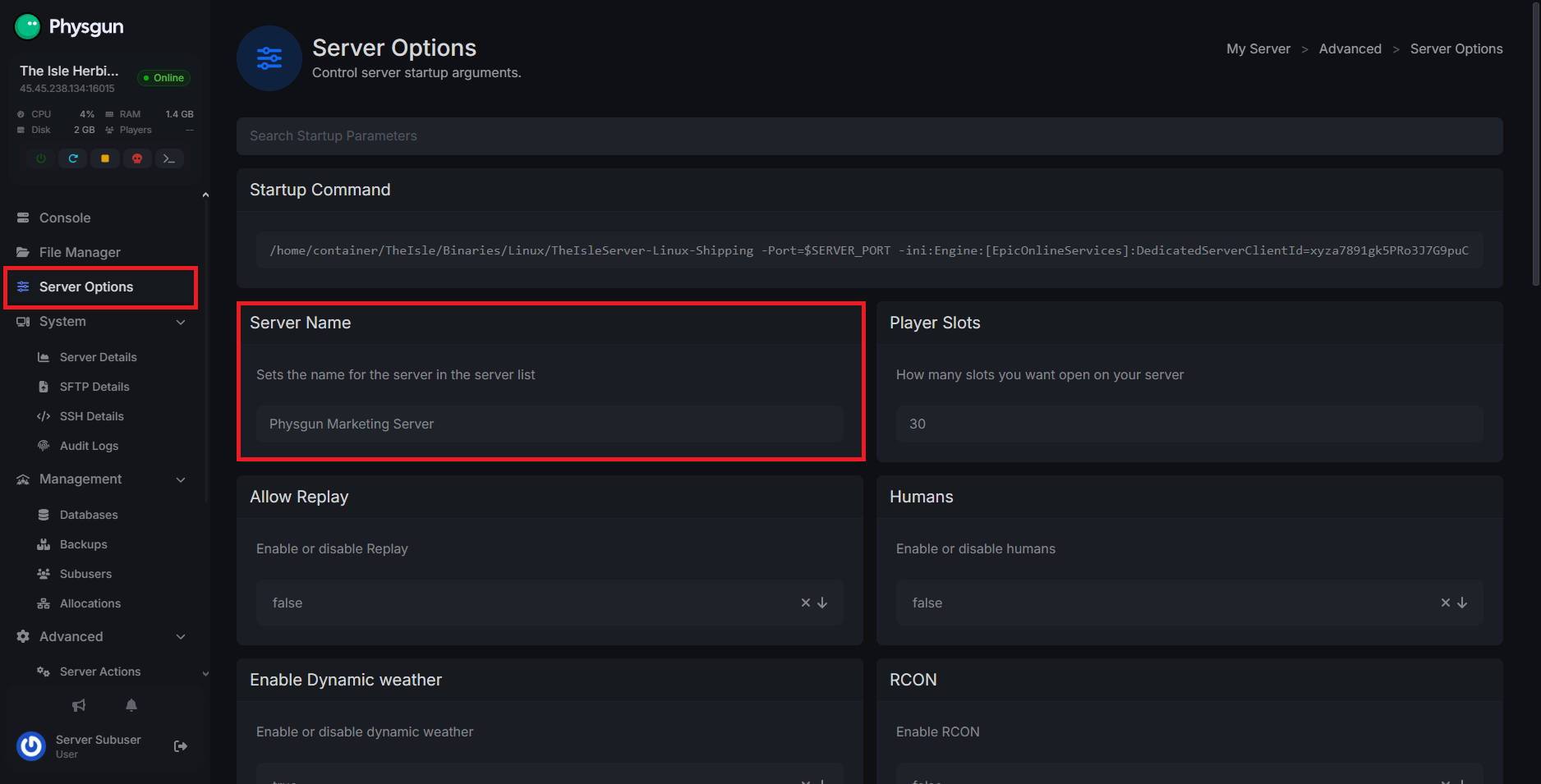
Physgun makes changing your server settings, such as your hostname, easy. To change your server name on the Physgun panel:
-
Login to your The Isle game server panel
-
Navigate to the Server Options tab in the left navbar
-
Find the Server Name parameter
-
Change it to represent your server
-
Physgun will save it automatically
-
Restart your server
Changing Server Name with the Settings File (Dedicated Server)
If you’re not a Physgun Client, the process is a little more complicated, but once you know what you’re doing, it’s as easy as pie. To do so:
-
Access your server files using your File Manager, FTP/SFTP, or your computer’s file explorer, depending on how your server is hosted
-
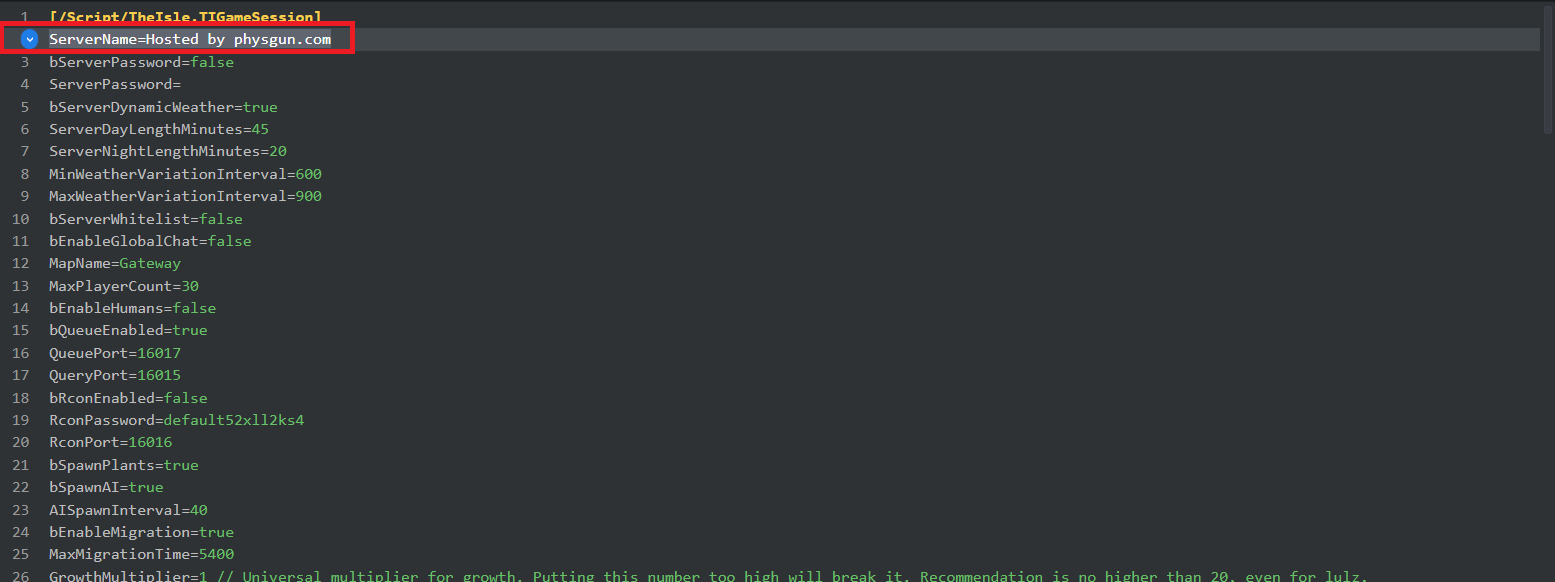
Open the TheIsle/Saved/Config/ directory. Then open the folder labeled either Windows Server or Linux Server
-
Open the Game.ini file
-
Change the ServerName option to your desired name
-
Click Save and restart your server
Conclusion
Changing the name of your The Isle server only takes a few minutes once you know where the setting is located. Whether you’re using the Physgun control panel or editing the configuration files manually on a dedicated server, the process ultimately comes down to updating the ServerName value and restarting the server so the changes apply properly.
After the restart, your new server name should appear in the server browser, making it easier for players to recognize your community and join the correct server. If the name does not update immediately, double-check that you edited the correct file and fully restarted the server instead of performing a quick reload.
If you have any questions about running a server, check out other articles here on our help center or ask around in our Discord server. We’ll be happy to help!