Missing textures and error models showing up on your Garry’s Mod server usually trace back to the same cause: Source game content that hasn’t been mounted. Half-Life 2 assets power a huge portion of GMod’s maps, props, and gamemodes, so when the server can’t find those VPK files, players see purple checkerboards and missing models instead. Mounting Half-Life 2 means editing a cfg file that tells the server where to find the game’s content in your SteamApps directory. This guide walks through the full process, including how to mount additional Source games like Counter-Strike: Source and Team Fortress 2.
Locating and Relocating Half-Life 2 Files
It should go without saying that you need to own Half-Life 2 in order to mount it to your server. Open Steam and go to your Library. Locate Half-Life 2 and right-click the game. Select Manage > Browse Local Files.
In the Half-Life files, you will find 3 important folders: hl2, ep2, and episodic. These are the content files for Half-Life 2, so you can mount any missing game content, as well as episodes 1 and 2, if you want to load and play around in the campaign missions in Garry’s Mod.
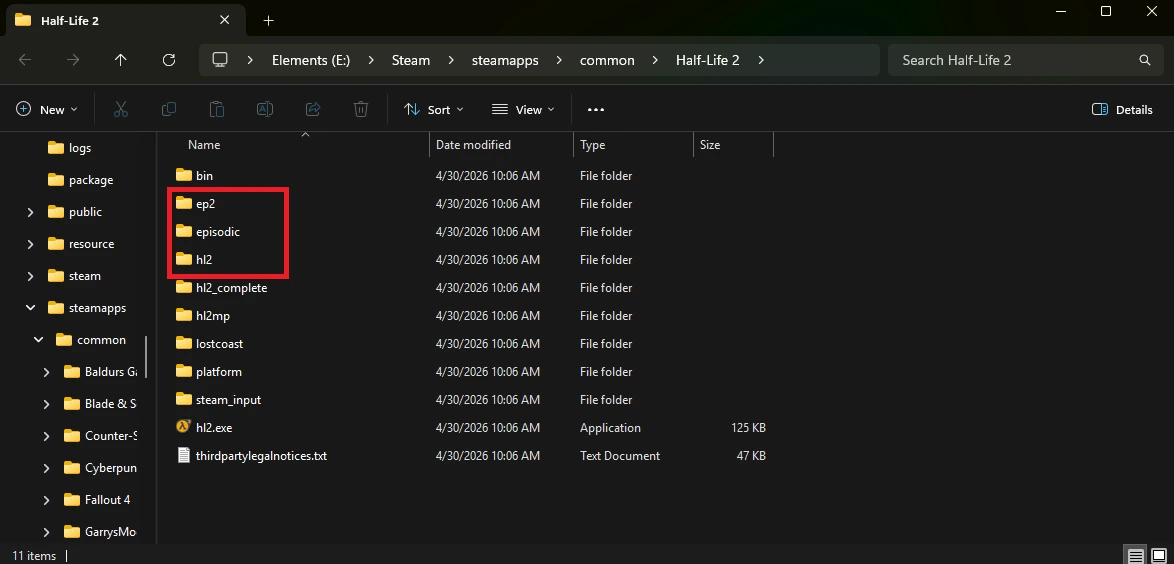
Copy all 3 of these folders into your server directory. You can just put them in your root folder, but we recommend making a “SharedContent” folder or something along those lines.
How To Find Your Garry’s Mod Server Config Folder
Before mounting any of these files, you need to locate your server’s configuration files. You can very easily find it in the garrysmod/cfg/ directory. In this folder, you can find the mount.cfg file. If you don’t see it, you may have to create a new file.
How To Edit the Mount.cfg File
Open your mount.cfg file using a text editor like Notepad++ or Visual Studio Code. The file should look something like this:
//
// Use this file to mount additional paths to the filesystem
// The folder you provide must contain either one or more *_dir.vpk files or the usual models/materials/etc folders
// Lines starting with // are comments and are ignored by the game
// This file will also affect Hammer Editor (hammer.exe)
//

// DO NOT add a slash to the end of the filename
// DO NOT start lines with // in between { and }, the 2 lines there are commented out examples and will be ignored by the game

"mountcfg"
{
	"cstrike"	"/cstrike"
}

// DO NOT start lines with // in between { and }, the 2 lines there are commented out examples and will be ignored by the game
Add a new line in the “mountcfg” list for each thing you want to mount:
"hl2" "/hl2""episodic" "/episodic""ep2" "/ep2"The directory should include all folders AFTER your server’s root folder. For example, if your hl2 folder is located in MyServer/SharedContent/hl2, you would write it as:
"hl2" "/SharedContent/hl2"With all of these files mounted, the list should look like this:
"mountcfg"
{
	"cstrike"	"/cstrike"
	"hl2"	"/hl2"
	"episodic"	"/episodic"
	"ep2"	"/ep2"
}
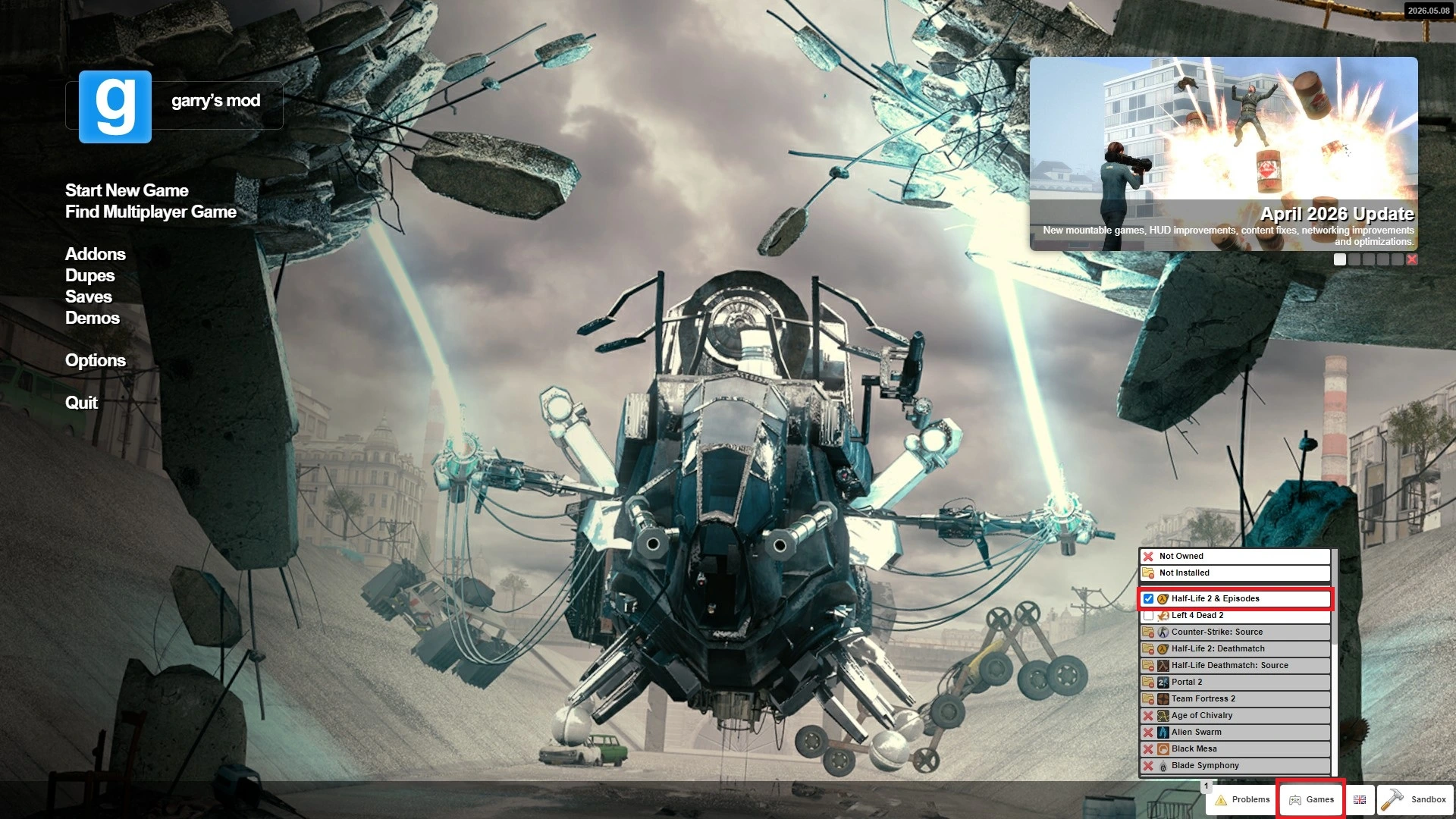
Save your file and launch your server! Make sure you have the game mounted on the client side too. You can do this in the GMod main menu.
How To Mount Additional Source Games to Your GMod Server
You can use this very same method to mount other source games on your Garry’s Mod server! Some popular options include:
"cstrike" "/cstrike" // For Counter Strike:Source"tf" "/tf" // For Team Fortress 2"portal2" "/portal2" // For Portal 2"left4dead2" "/left4dead2" // For Left 4 Dead 2How To Verify Mounted Content Is Working
Load into your server and check for these signs:
-
Missing Textures (Black and Purple Checkerboard)
-
Red Error models
-
Out of place wireframe textures
-
Assets missing entirely
If you don’t see any of these telltale signs, your content should be mounted! You can also check whether new maps have been added to your menu. When a game is mounted, most of their maps get added as well.
Conclusion
Mounting content is one of the most important steps in setting up a stable Garry’s Mod server. Once configured properly, it eliminates missing textures and ensures players see the game exactly as intended.
At its core, you’re simply telling the Source engine where to find assets from games like Half-Life 2, but that small step makes a massive difference in how your server runs.