Attack notifications are one of the easiest ways to keep track of what’s happening on your network without constantly monitoring the Firewall Portal. By connecting a webhook to Discord or Slack, Physgun can automatically send alerts whenever attacks are detected, allowing you and your team to stay informed in real time.
In this guide, we’ll show you how to create a webhook in Discord or Slack and connect it to your Physgun Firewall Portal so attack notifications can be delivered directly to your preferred communication platform.
 Creating a Webhook in Discord
To create a webhook in Discord:
This part assumes you either own a Discord guild or have webhook permissions in one.
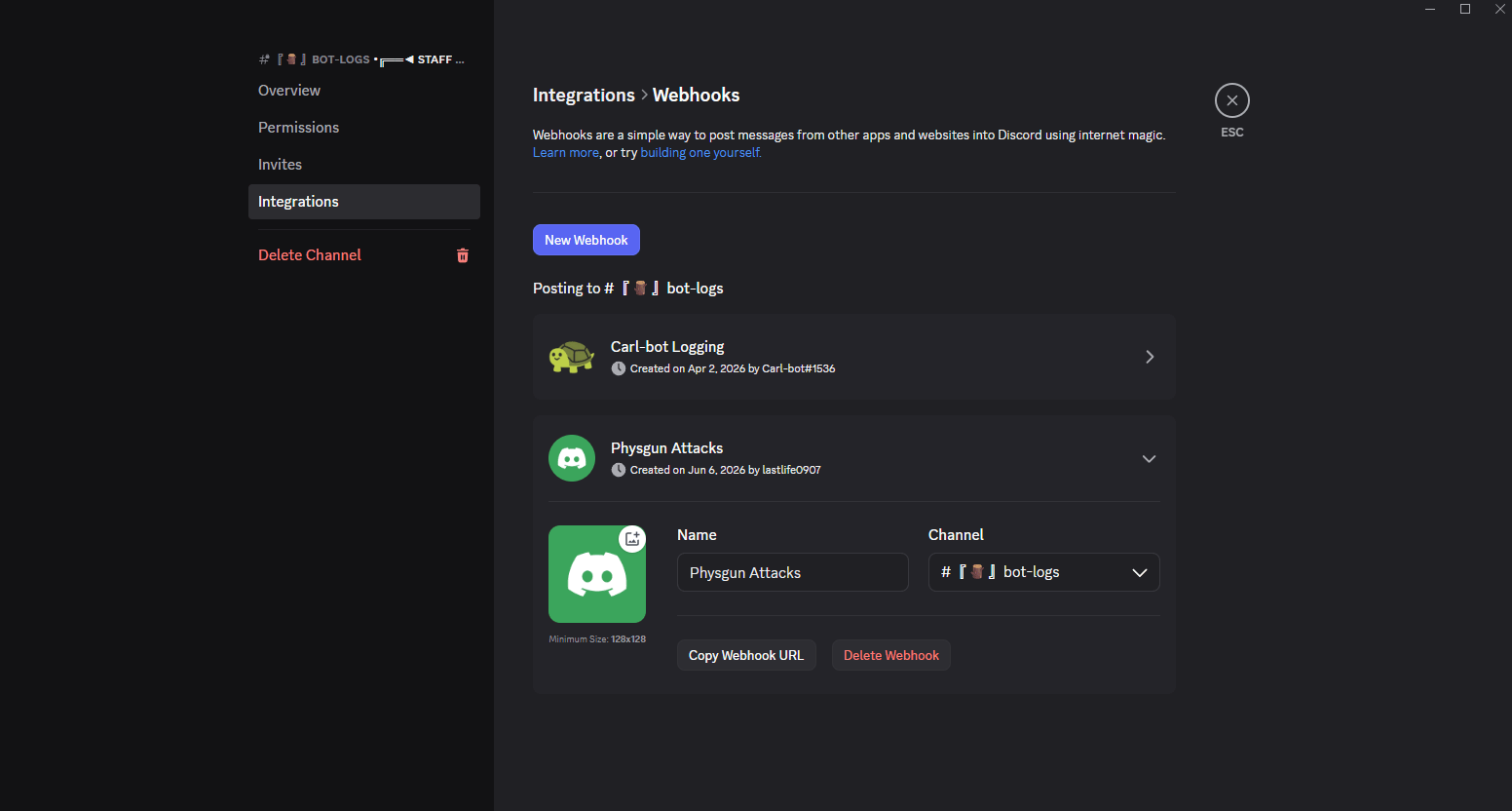
- Open Discord.
- Right-click on the channel you want to send attack logs to.
- Click Edit Channel and go to Integrations.
- Click Webhooks.
- Create a new Webhook.
- Give your webhook a name and copy the URL.
Creating a Webhook in Slack
To create a webhook in Slack:
This part assumes you own a Slack workspace or have Channel Manager permissions in one.
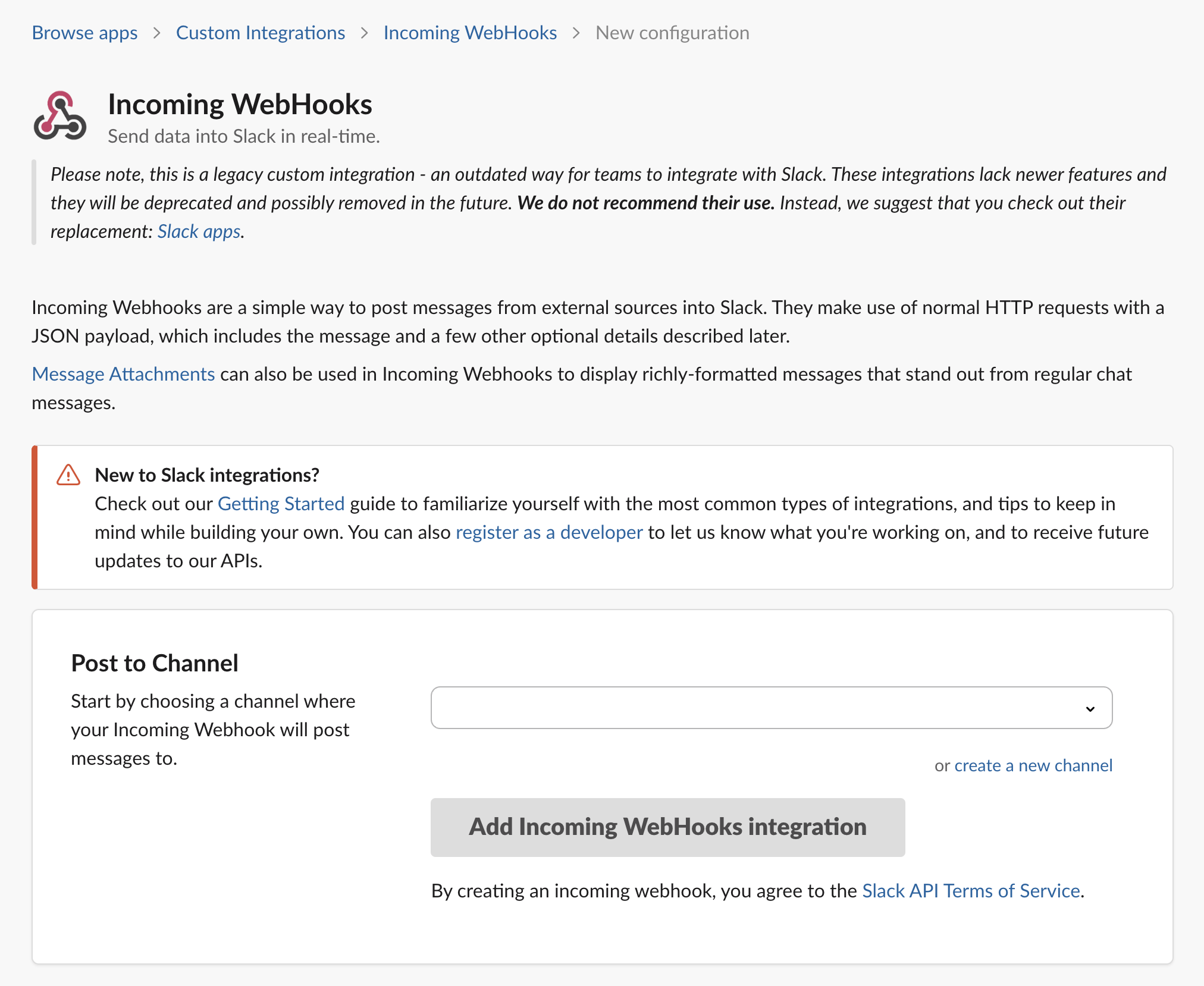
- Navigate to https://slack.com/marketplace/A0F7XDUAZ-incoming-webhooks
- Click the “Add to Slack” button and add it to your desired workspace.
- In the Incoming WebHooks configuration, select a channel (or create a new one) that you want attack logs to be sent.
- Copy the provided URL.
Adding the Webhook to your Firewall Portal
Now that you’ve set up your webhook on the Discord/Slack side of things, all you have to do is set it up on the portal side. To do so:
- Visit your Firewall portal at https://portal.physgun.com
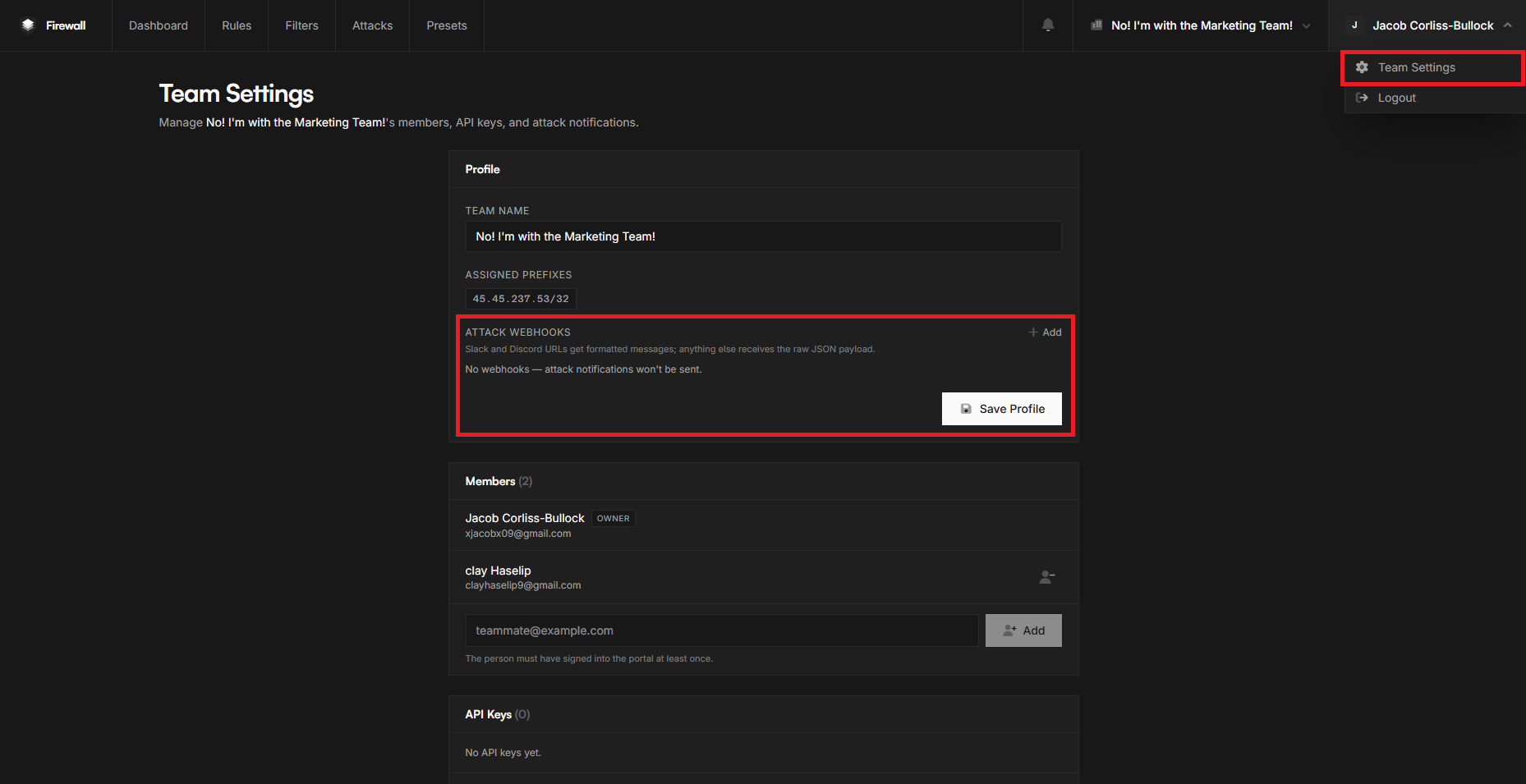
- Navigate to your name in the top-right corner and select Team Settings.
- Near the top of the settings you should see “Attack Webhooks”. Click Add.
- In the box, paste your webhook URL and hit Save Profile.
- You’re done!
Conclusion
Attack webhooks provide a simple way to stay informed whenever your firewall detects and mitigates suspicious traffic. By connecting your Physgun Firewall portal to Discord or Slack, you can receive real-time notifications directly where your team already communicates, making it easier to monitor attacks, respond quickly, and keep track of your network’s security.