The Physgun Firewall Portal provides a powerful API that allows you to integrate firewall management into your own applications, scripts, and automation workflows. Whether you’re a seasoned developer, a server administrator looking to automate routine tasks, or simply interested in learning how APIs work, generating an API key is the first step. Fortunately, creating a new API key takes only a few moments and can be done directly from the dashboard with just a couple of clicks.
Creating an API Key
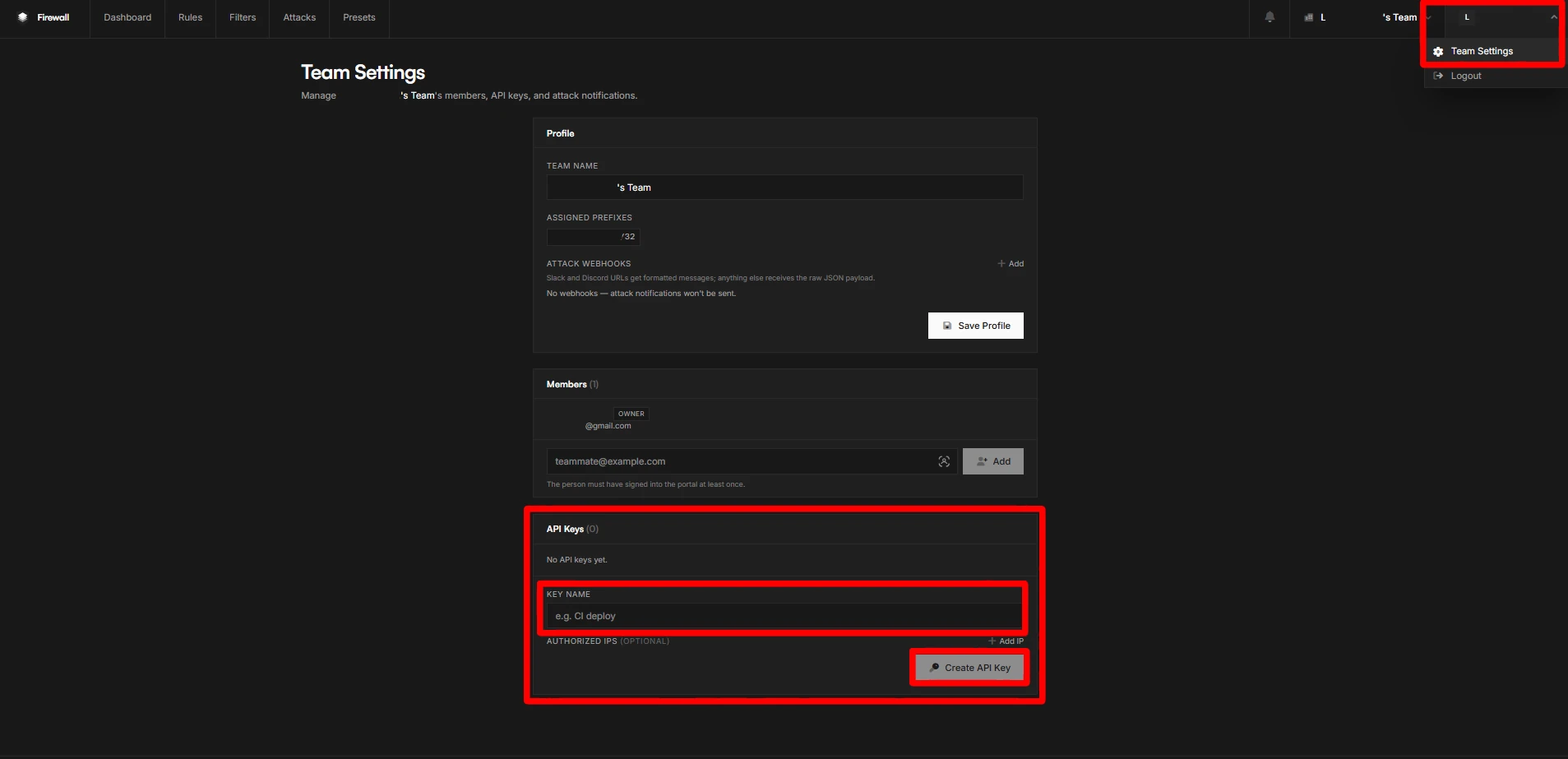
To create an API key in the Physgun Firewall Portal:
- Navigate to and login the portal at https://portal.physgun.com/ and login with your Physgun billing panel credentials.
- Once logged in, in the top-right of the page, hover over your name and click the Team Settings option.
- Scroll down to the API keys section. In this section, you will find any API keys you may have created, as well as a small section to add a new API key.
- Enter in the name you would like for the API key you are about to create, and optionally, set any authorized IP addresses you would like to access the key.
- Once you are finished, click the Create API Key button.
The API key that you have created will now show in a green box at the top of your screen.

Make sure to write down the API key you have created before leaving or refreshing the page, as it will not be able to be shown again.
Deleting an API Key
- Navigate to and login the portal at https://portal.physgun.com/ and login with your Physgun billing panel credentials.
- Once logged in, in the top-right of the page, hover over your name and click the Team Settings option.
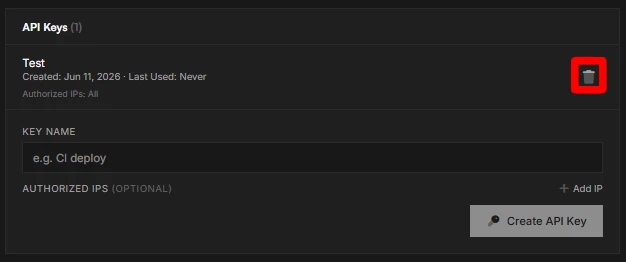
- Scroll down to the API keys section. In this section, you will find any API keys you may have created.
- Find your API key in the list of API keys via the name you set for it when it was created.
- Select the trash can icon on the right of the API key.
- A warning confirmation message will appear. If you are sure you would like to delete this key, press the big red Revoke button and the API key will be deleted.
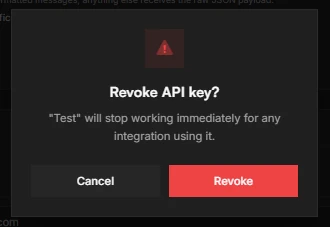
Once an API key is deleted, it can no longer be recovered. Make sure you select the correct API key to delete, and make sure it is not attached to any critical projects you might have it on.