Changing the map on your S&Box server is one of the easiest ways to refresh gameplay, rotate experiences, or switch between different gamemodes. Whether you want to load a roleplay city, a sandbox testing map, or a custom environment, S&Box makes it possible through the workshop and a little server configuration.
In this guide, you’ll learn:
- How to obtain a map ID
- How to change your server’s map on a hosted server or VPS
Obtaining Your Map’s ID from the Workshop
First, you need to get the ID of the map you want to use. To do so:
- Visit the S&Box Workshop.
- Find the map you want to put on your server.
- Copy everything in the map’s link after sbox.game.
- Now, swap the slashes in the link for periods.
- You have your ID!

Changing the Map on Physgun
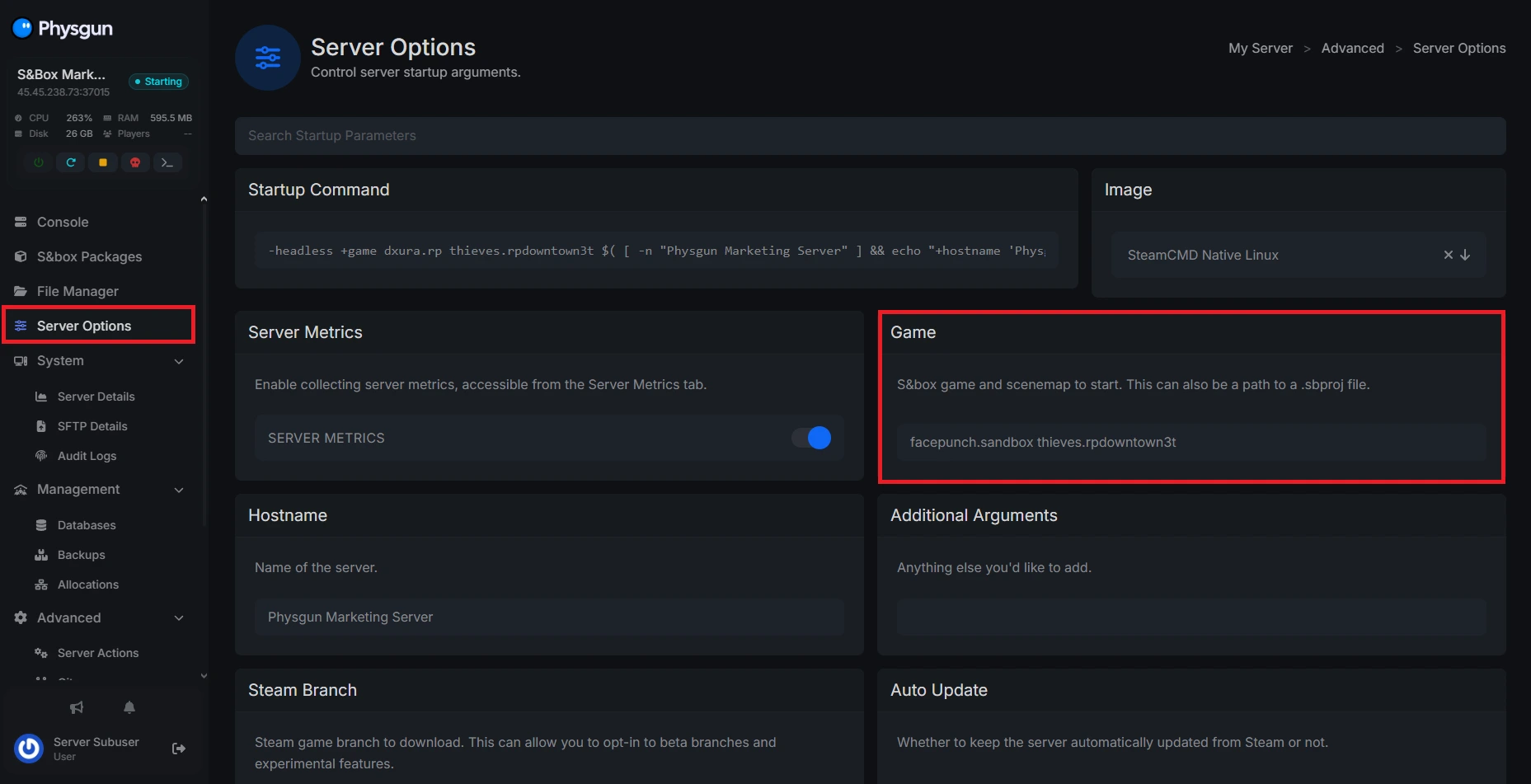
If you’re running a Physgun server, open your server panel and navigate to the Server Options tab. Find the “Game” option and paste the map ID immediately after the game ID. For example, it should look something like this: “facepunch.sandbox yourmap.id”
Restart your server to apply the changes.
Changing the Map on a VPS
If you’re not a Physgun client, you can still change your map on a VPS or dedicated server. To do so:
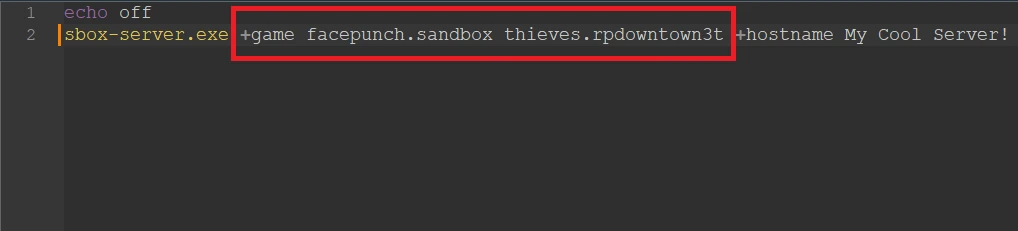
- Open up your batch file.
- Paste the map ID after the game ID, labeled by the +game argument
- Save the file and restart your server.
- You’re done!
Conclusion
Changing the map on a S&Box server is a quick process once you understand how map IDs work. Whether you’re using Physgun or running your own VPS, all it takes is adding the correct map ID to your server’s startup configuration and restarting the server. From sandbox build maps to full roleplay cities, switching maps is one of the easiest ways to customize your server and keep gameplay feeling fresh for your players.