Hosting your own server on Palworld is totally pointless if you can’t play with friends, but fortunately, there are a few straightforward ways to get them connected, depending on how your server or world is set up. Whether you’re running a dedicated server, using a hosted Palworld game server, or just playing a private co-op world, the joining process changes slightly, and knowing the right method saves a lot of confusion.
This article is intended for the PC build of Palworld; other platforms may differ.
 Inviting Friends to a Palworld Server Using IP Address
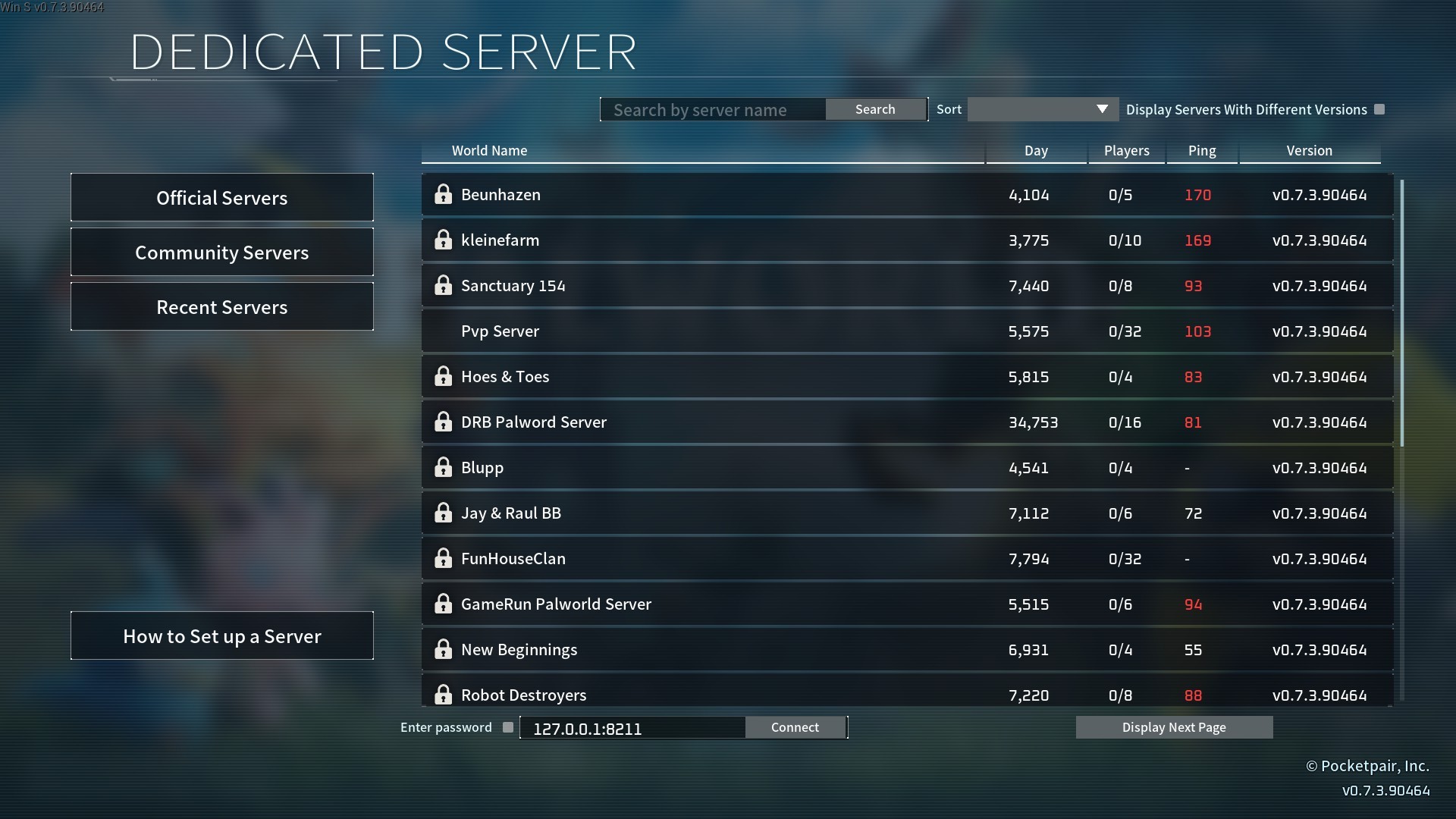
The best way for your friends to directly connect to your server is using the IP Address and Port. Once they’re in the Palworld main menu, they can:
-
Select
Join Multiplayer Game. -
Navigate to the text box at the bottom of the screen.
-
Delete any placeholder text and paste your server’s IP address, followed by the port number in this format:
ipaddress:port. -
Alternatively, they can find your server by name in the community server list and join from there!
Play with Friends on a Palworld Multiplayer World
If you aren’t running a Palworld dedicated server or Physgun-hosted server, but you still want to know how to play Palworld with your friends on your own world, this part will cover that.
-
Create or select an existing Palworld world.
-
Open the World Settings and make sure that Multiplayer is on. This is usually off by default.
-
Press OK to save your settings.
-
Load into the world.
-
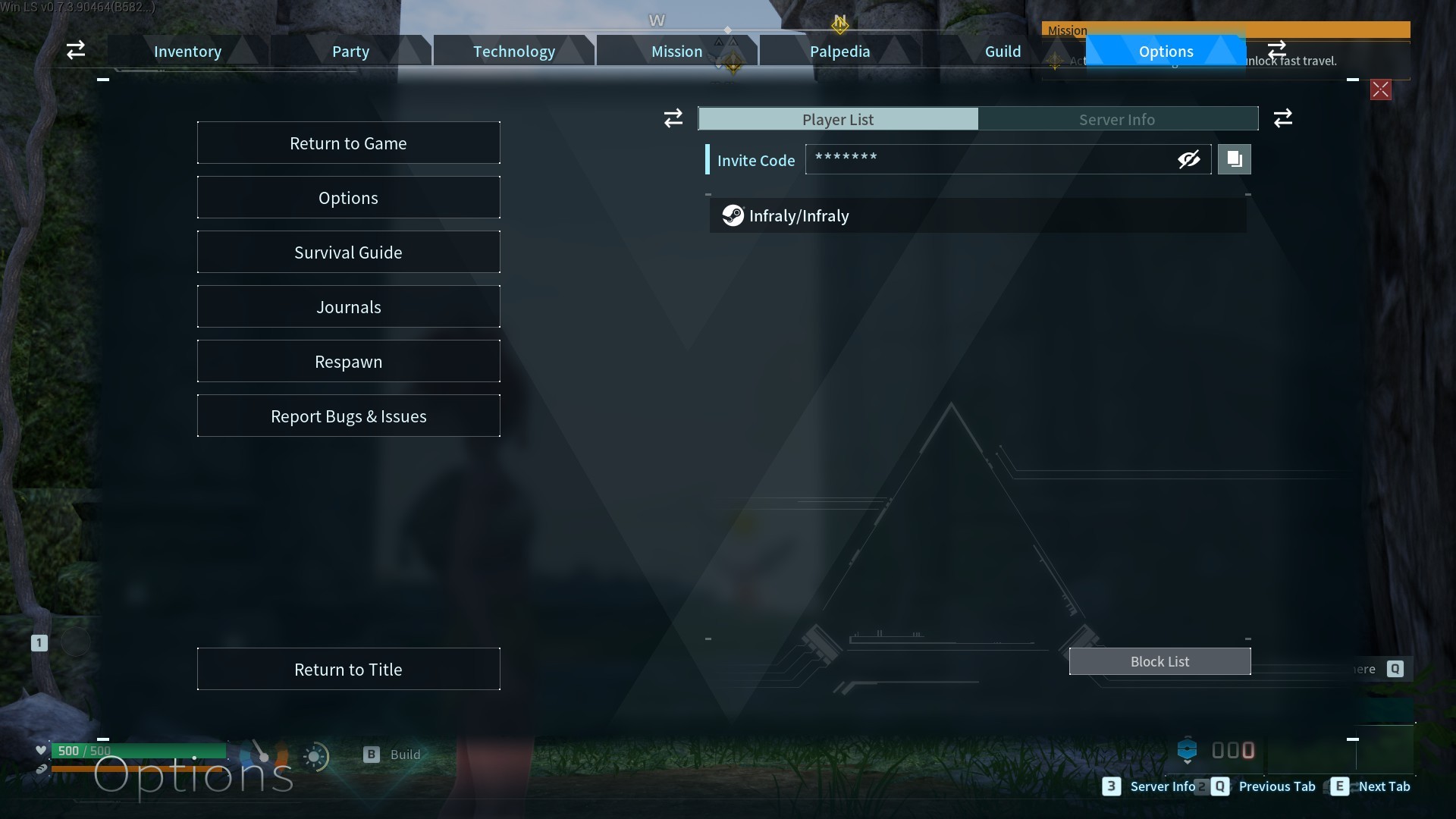
Open the pause menu and navigate to the Options tab.
-
You’ll see a box that says Invite Code. Click the copy button.
-
Send the code to your friends.
To have your friends join, they need to navigate to “Join Multiplayer game (Using Invite Code)” in the main menu. Then, they just have to paste the code in the box and hit OK.
Conclusion
Once you understand how Palworld handles connections, inviting other players becomes pretty simple. IP addresses are the most reliable option for dedicated servers, while invite codes are the easiest method for private worlds.
If one method doesn’t work, it usually just means your setup is using a different connection type, not that something is broken.
If you’re still experiencing issues, make sure to check the following:
-
Your server is properly port forwarded and online.
-
You don’t have any mods getting in the way.
-
Your friends are on the correct game version.
-
Your friends are entering your server password correctly if you have a private server.
-
Your friends aren’t looking at the official servers list.
-
Your world is set to Multiplayer.
These are some common hiccups that may stop your friends from joining your server.