







Palworld’s default egg hatch time can leave players waiting real hours for a single Pal, especially with a Huge egg. Whether you’re hosting with Physgun or managing your own dedicated server, shortening that wait only takes one configuration change and no mods. This guide walks through both methods and explains what the setting does before you touch it.
Changing Egg Hatch Time in Physgun Server Settings
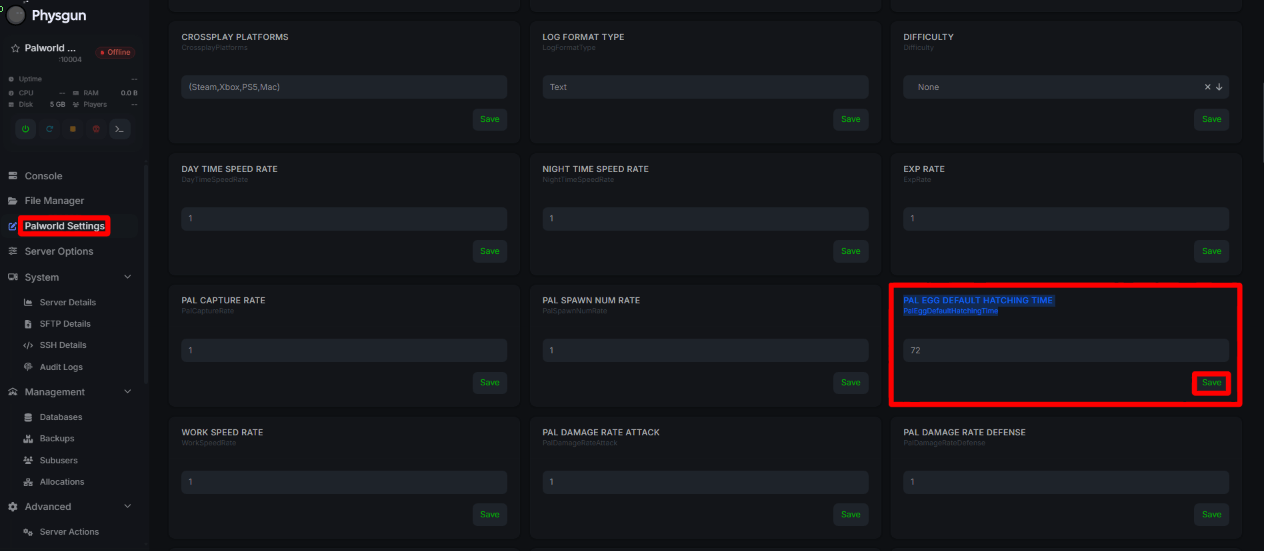
If you’re a Physgun client, the Gamepanel displays all of your world settings under the Palworld Settings tab. To change the egg hatch time in the Physgun panel:
-
Visit your Physgun Panel.
-
Stop your server.
-
Find the Palworld Settings tab in the left navbar.
-
Locate the PalEggDefaultHatchingTime field and set it to the number of hours you want the longest eggs to take.
-
Restart your server.
Changing Egg Hatch Time on Your Palworld Server Using the Config File
If you aren’t hosting with Physgun, are self-hosted, or are using a VPS, you can still change egg hatch time using the configuration file. To change it in the config file:
-
Stop your server.
-
Navigate to your server files.
-
Open the Pal/Saved/Config/ directory and select either LinuxServer or WindowsServer, depending on how you’re hosted.
-
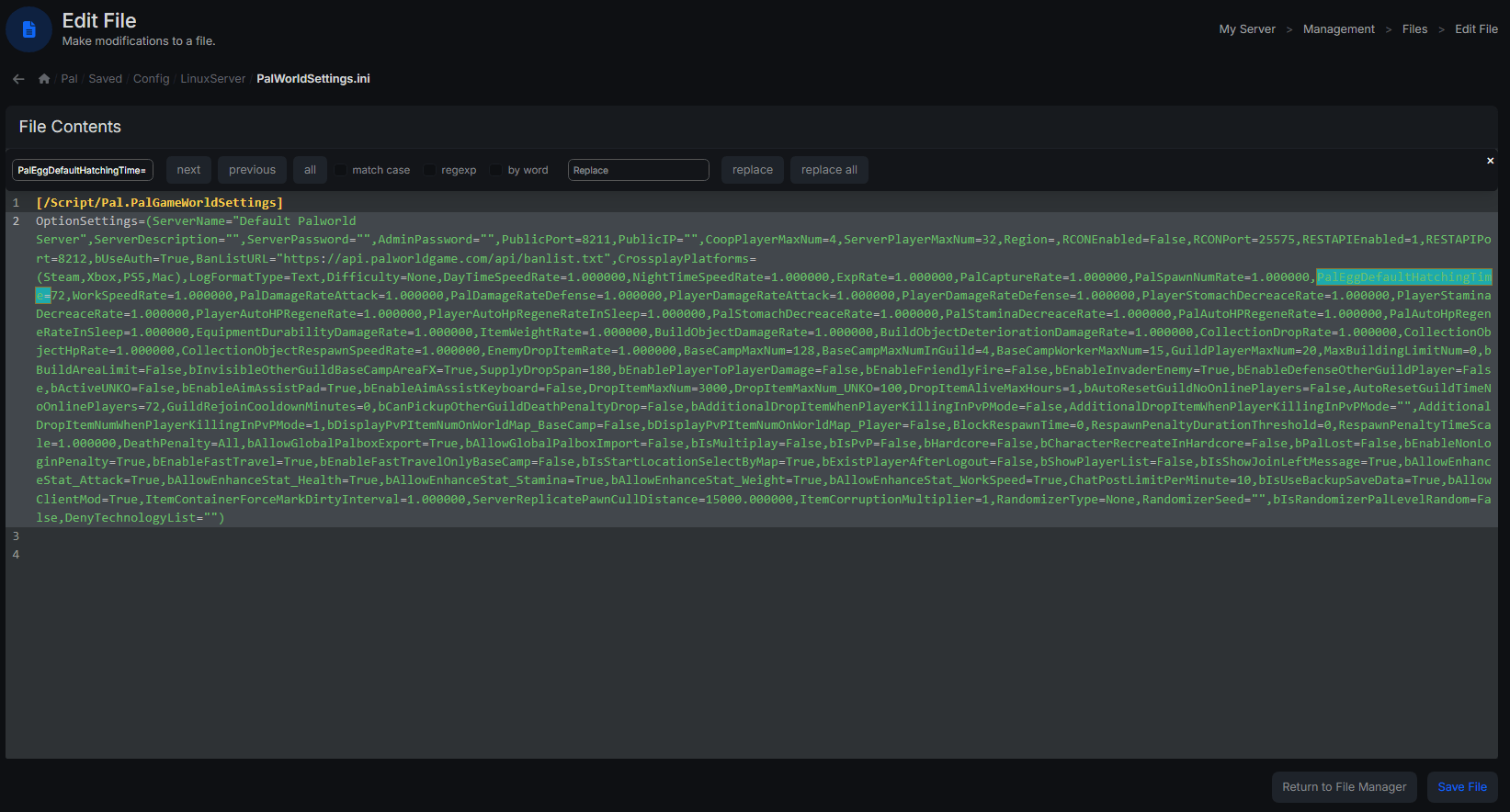
Open PalWorldSettings.ini.
-
Find PalEggDefaultHatchingTime= inside the settings line and change its value.
-
Restart your server.
Palworld packs nearly every setting into a single OptionSettings=(…) line rather than giving each its own line, so search for PalEggDefaultHatchingTime= inside that block rather than scrolling for a standalone entry, and be careful not to disturb the surrounding commas and parentheses. A dropped comma or a mismatched quotation mark anywhere in the line can stop the file from loading.
Understanding the Egg Hatch Setting
There’s no separate setting per egg size. PalEggDefaultHatchingTime governs the hatch time for the longest tier, Huge eggs, and every smaller egg scales down from that same value automatically. Change the one setting and every incubator on the server speeds up together.
The value is a duration in hours, not a multiplier. Set it to 1 and a Huge egg takes about an hour. Set it to 0 and eggs hatch instantly. There’s nothing to calculate; the number you enter is close to the number of hours you’ll wait.
Defaults have shifted across difficulty presets and patches. Huge eggs commonly defaulted to 72 hours on the standard config, though Normal difficulty’s built-in preset historically ran closer to 2 hours. With the version 1.0 update on July 10, 2026, Pocketpair lowered the shipped default to 1 hour. Check the current value on your server before assuming it matches any of those numbers.
Picking a Target Value
-
Active breeding servers: around 1, roughly an hour for Huge eggs and proportionally less for everything smaller.
-
Casual, low-time-commitment servers: 0.1 or lower, down to 0 for instant hatching.
-
Servers preserving some vanilla pacing: somewhere in the 8 to 24 hour range instead of the original 72.
Verifying the Change In Game
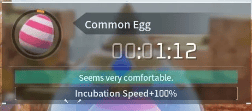
Join the server and place an egg in an incubator. The incubator UI shows a countdown in hours, which should land close to your new value for a Huge egg and proportionally lower for smaller ones. In-world temperature around the incubator still nudges the timer up or down, so don’t expect an exact match to the second.
One catch worth knowing before you assume something’s broken: eggs already sitting in an incubator when you make the change keep their original timer. Pull them out and place them back in after the restart to pick up the new setting.
Troubleshooting
Setting not taking effect - The single most common cause is editing DefaultPalWorldSettings.ini instead of the live PalWorldSettings.ini. Confirm you’re in the right file, then check the settings line for syntax errors: a missing comma, a stray quotation mark, or incorrect capitalization on the key name will get the whole line rejected.
Eggs still hatching slowly after a restart - Take the affected eggs out of their incubators and place them back in. Eggs read their hatch timer when they’re placed, not continuously, so ones already incubating won’t shorten just because the server restarted.
Setting reverts after restart - Verify the server was fully stopped before you edited and fully restarted after; a live server can overwrite your edit with its own in-memory state on the next autosave.