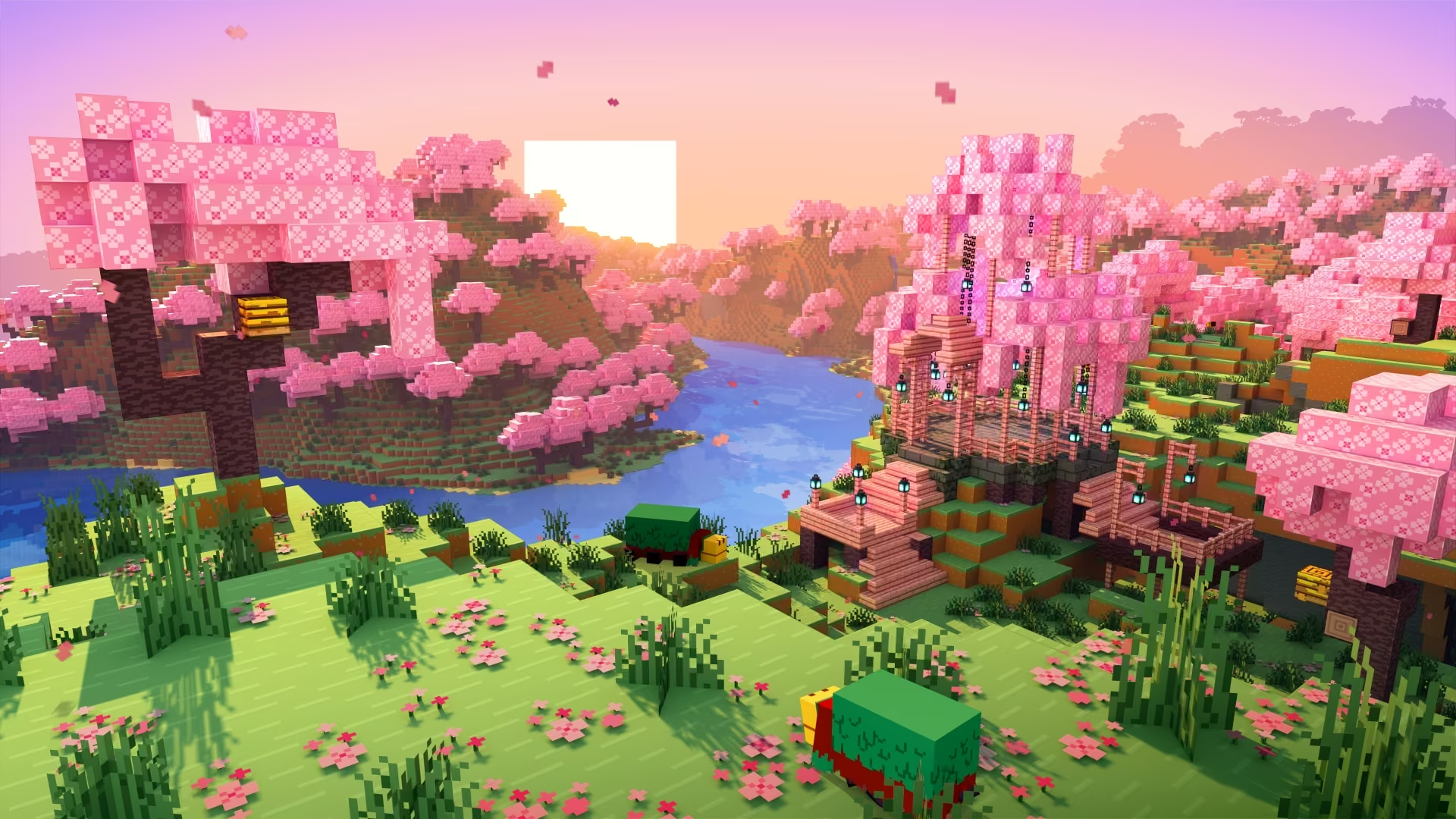
A void world in Minecraft is exactly what it sounds like: nothing. No terrain, no biomes, no structures getting in the way — just empty sky and a single block to stand on. For builders and server admins, that blank canvas is the whole point. You get full creative control over every layer and every space without any dirt to clear or unwanted spawn conditions to fight.
Getting there means selecting the right world type during setup, and the steps differ slightly between singleplayer and server configurations. This guide walks through both so you can start your void project the right way.
Need a server to host your void world on? Physgun’s Minecraft server hosting gives you full file manager access so importing your void world takes just a couple of minutes.
What Is A Void World?
A void world is a world with special configurations that removes all blocks (except one) from your world, leaving you with nothing but infinite empty space — the same endless void you’d find below bedrock or in The End. It’s a perfect blank slate for large-scale builds, custom maps, or creative servers where terrain would only get in the way.
Step 1: Create the Void World in Singleplayer
-
Launch Minecraft and select Singleplayer from the main menu.
-
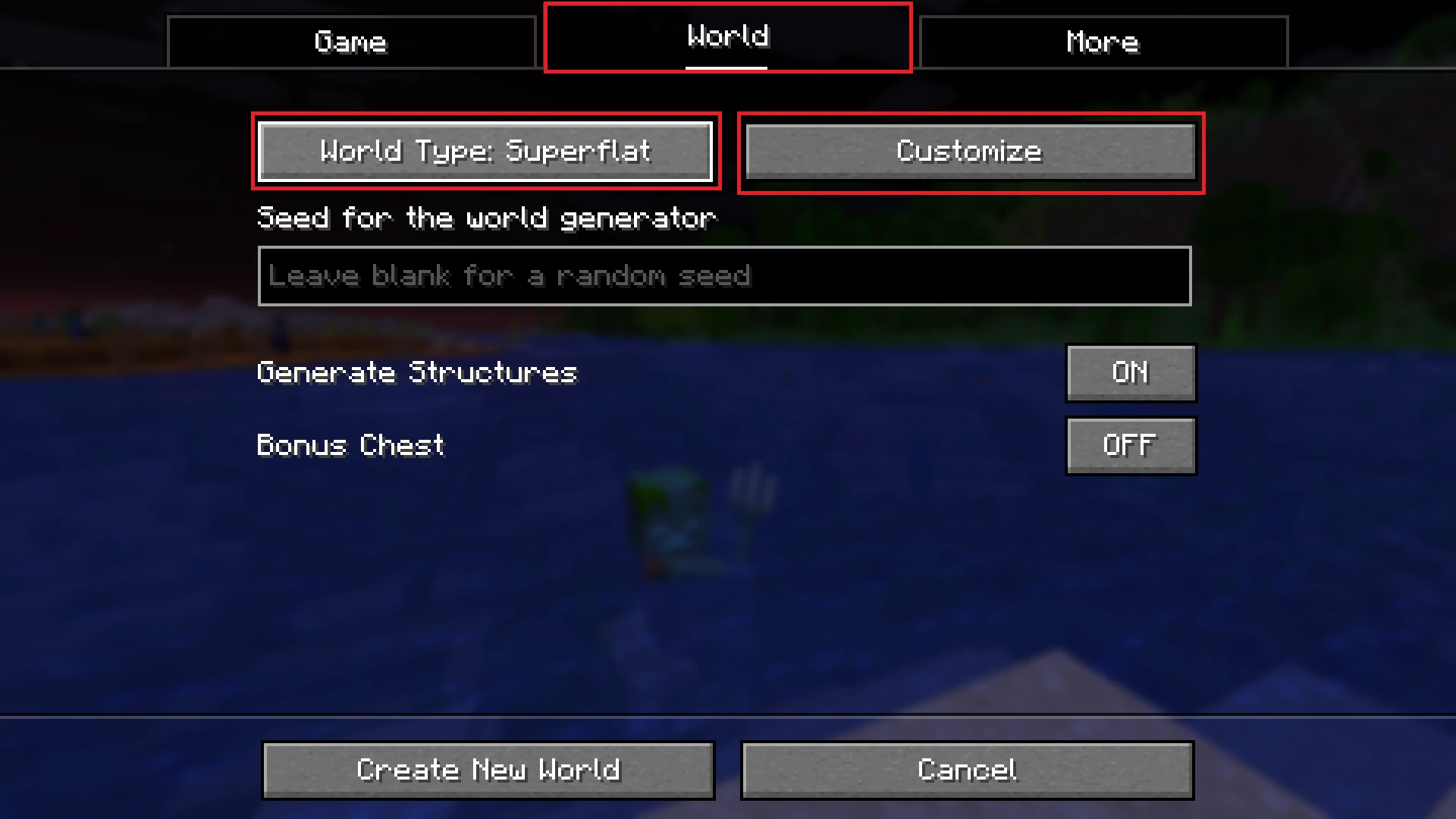
Click Create World and navigate to the World tab.
-
Set the World Type to Superflat, then click Customize.
-
Click Presets at the bottom of the screen.
-
Scroll to the bottom and select “The Void” — represented by a no-symbol or Air block.
-
Create the world, then exit Minecraft.
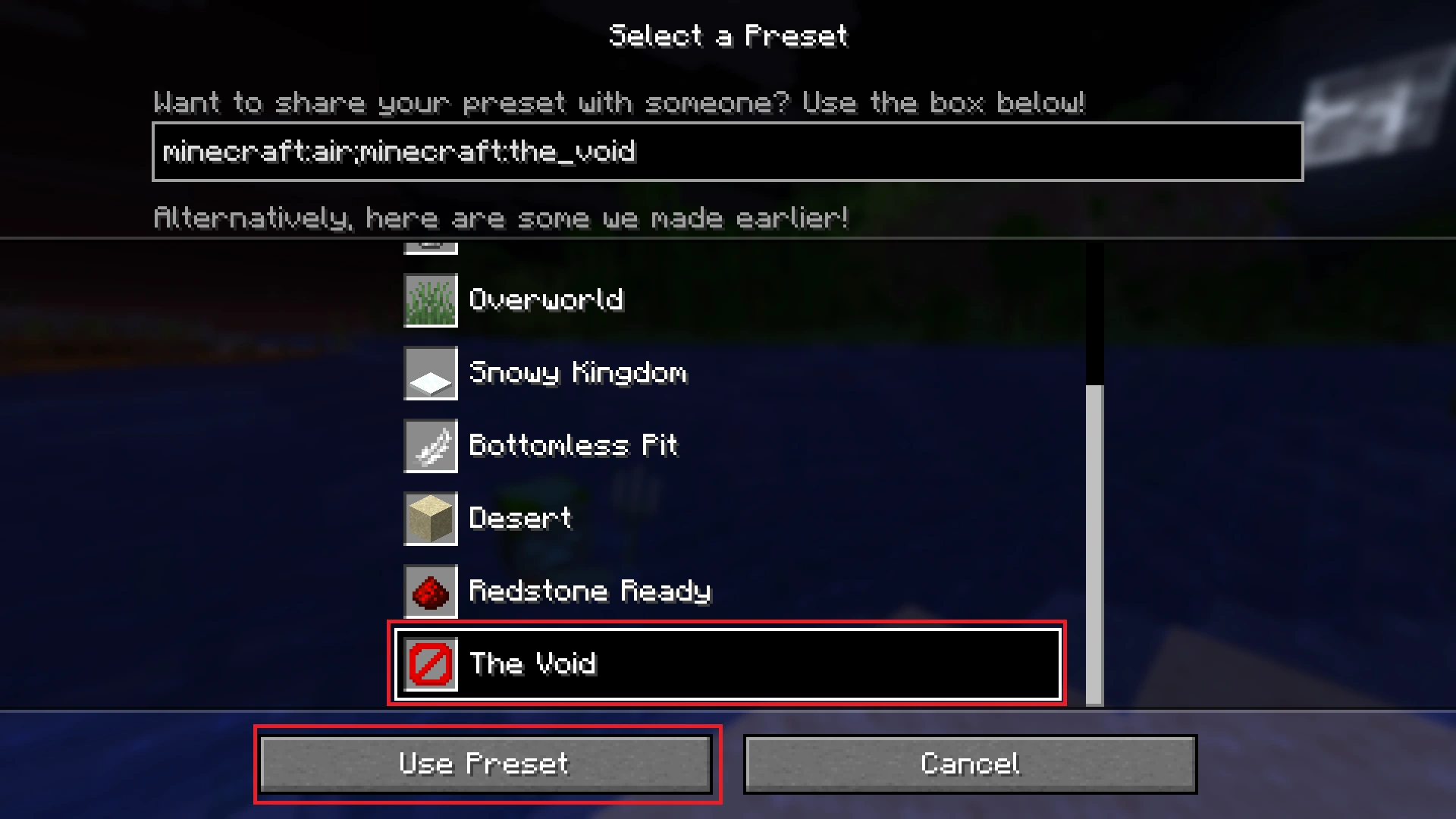
The Void preset won’t generate structures like villages or strongholds, won’t spawn natural resources like trees, and won’t spawn mobs that would get in your way. It’s just you and the endless void.
Step 2: Locate Your World Files
-
Open File Explorer.
-
Navigate to your Minecraft saves folder:
C:\Users\yourname\AppData\Roaming\.minecraft\saves -
Copy the folder named after the void world you just created.
Step 3: Import the World to Your Server
- Open your server panel’s File Manager (or your server files directly if hosting locally).
- Delete your existing world folder.
- Paste the void world folder into your server’s main directory.
- Rename the folder to match your old world’s name, or update the
level-namevalue inserver.propertiesto match the new folder name. - Restart your server.
When you connect, your server will load the void world as a completely empty space ready to build in.
Conclusion
Creating a void world comes down to using the right preset in singleplayer and transferring the files to your server. Once it’s set up, the lack of terrain removes every limitation and lets your ideas define the space entirely — whether you’re running a creative server, designing custom maps, or just want a clean canvas for a large-scale project.