
The Isle server lag is a known frustration: rubber banding, high ping, and performance issues that turn survival gameplay into an absolutely unplayable hell. Evrima in particular puts real demand on server resources, and lag can stem from several different places: player count, server settings, control panel configuration, or just an underpowered host machine struggling to keep up. The tricky part is that lag doesn’t always point to one obvious cause, so fixing it usually means working through a few checks. This guide covers the most common reasons The Isle dedicated servers lag and what you can actually do to fix them.
 What Causes Performance Issues on The Isle: Evrima?
Before throwing fixes at a wall and hoping it sticks, it helps to understand where the lag is coming from. In most cases, lag falls under two categories:
-
Client-side lag - Where the player’s computer or internet connection is struggling.
-
Server-side lag - Where the server itself is having a hard time keeping up with the workload.
Evrima is far more demanding than Legacy because of its enhanced systems, AI, mechanics, and more detailed map work. As player counts increase, the server has to constantly process what’s going on, and on Evrima, there’s a lot more than an older legacy server.
Some of the most common causes for performance issues include:
-
Too many players for the server hardware
-
Insufficient RAM allocation
-
CPU bottlenecks (when your CPU can’t keep up with what’s going on)
-
Excessive AI spawns
-
Improper server settings
-
Poor networking or high ping
-
Outdated server files
-
Background applications consuming PC resources
-
Mods or custom configuration conflicts
Fixing Client-Side Lag
If only one or two players are experiencing performance tanks, while everybody else is fine, the issue is probably client-side.
Lower Graphics Settings
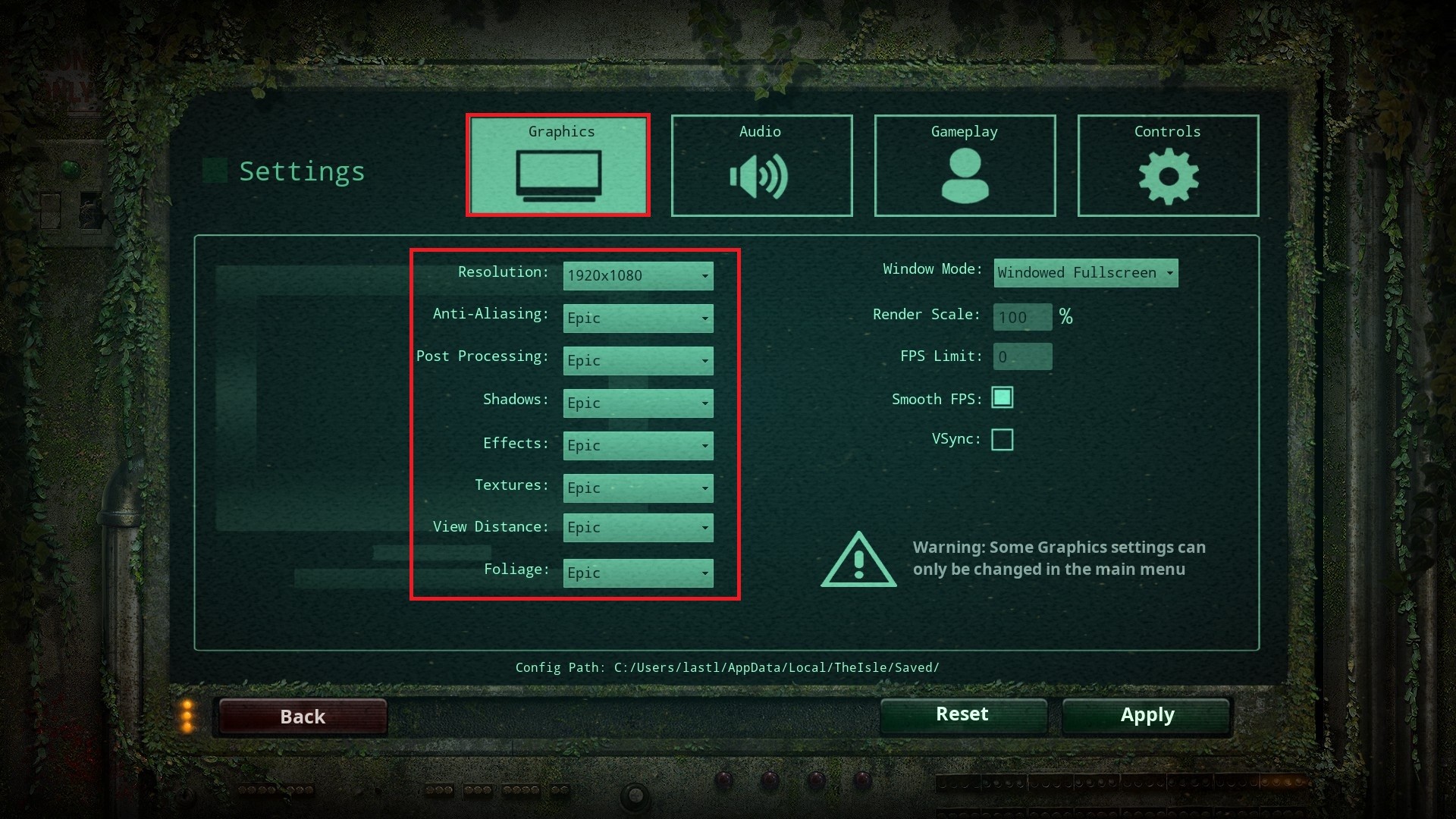
The Isle can get pretty demanding on your hardware, especially in densely populated areas with a lot of extra rendering to do. Try lowering settings such as:
-
Shadows
-
Foliage
-
View Distance
-
Effects
-
Textures
-
Resolution Scaling
This can drastically increase your FPS at the cost of the game looking slightly worse. It sucks, but it’s a fair trade-off.
Switch to a Wired Connection
Wi-Fi instability is one of the biggest causes of rubber banding and packet loss. Switching to a wired Ethernet connection can help improve your online connection to the server.
If players are experiencing:
-
Random teleporting
-
Delayed actions
-
Failed interactions
-
Random disconnects
then unstable internet is likely the problem.
Close Background Applications
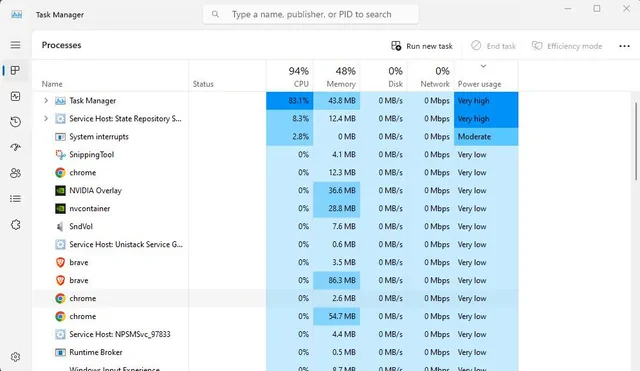
A very common cause for your game chugging is background applications. If you’ve got The Isle running with spotify in the background, a youtube video running, and cookie clicker open for waiting through loading screens, you’re going to have some issues. This can consume a lot of CPU, RAM, and bandwidth. Open your Task Manager and close out of any applications you don’t absolutely need open.
Verify Game Files
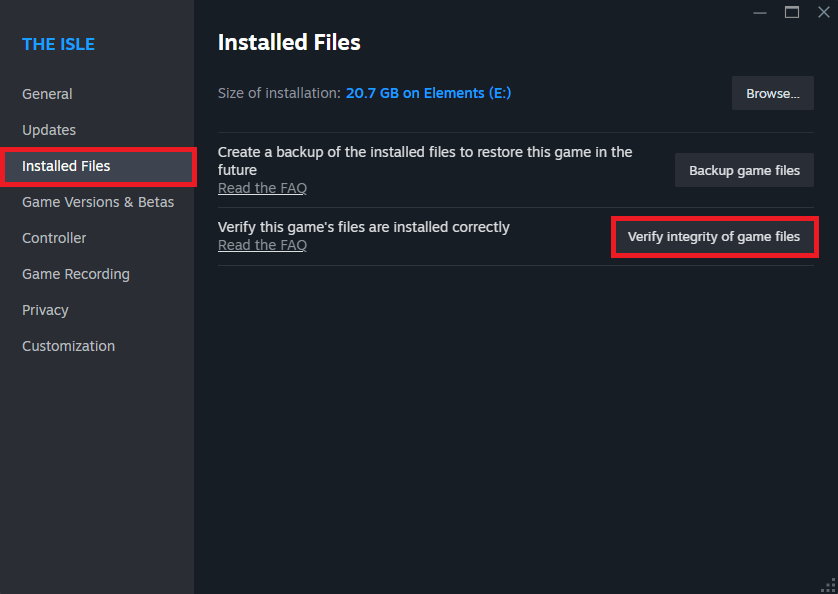
Sometimes your game files can get corrupted, outdated, or missing and will throw out some silent errors, causing the game to function improperly. This can manifest itself as heavy lag or crashes. The simplest fix to this is verifying your game files. Here’s how to do it:
-
Open your Steam Library.
-
Right-click on The Isle.
-
Go to Properties → Installed Files.
-
Click Verify integrity of game files.
-
Wait for Steam to do its thing.
Steam will check for any missing or damaged files and replace them with the latest version of the file.
Connect to a Closer Server Region
High ping is unavoidable when players are connecting to servers across the world from them. Someone connecting from Europe to a Chicago server will naturally experience high latency. Even if it’s your favorite server, you’re simply going to have to join a different server that’s hosted closer to you.
Fixing Server-Side Lag
If everybody is experiencing lag, the problem is most definitely server-side.
Reduce Player Slots
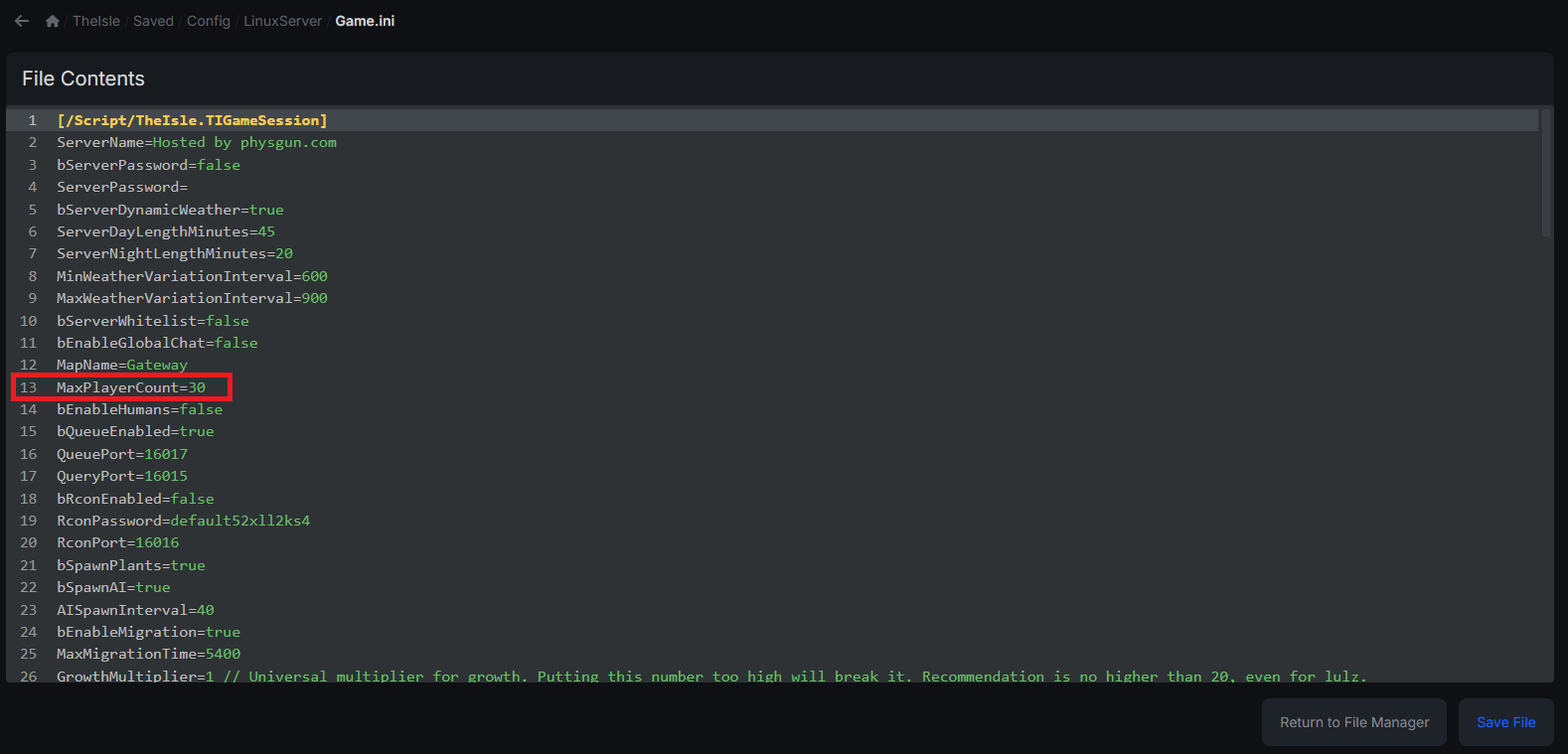
An incredibly simple fix to high server latency is to reduce the amount of foot traffic on the server. Reducing your player slots in your Game.ini file will likely increase server performance if your server is constantly full. The downside is that not everybody can join your server.
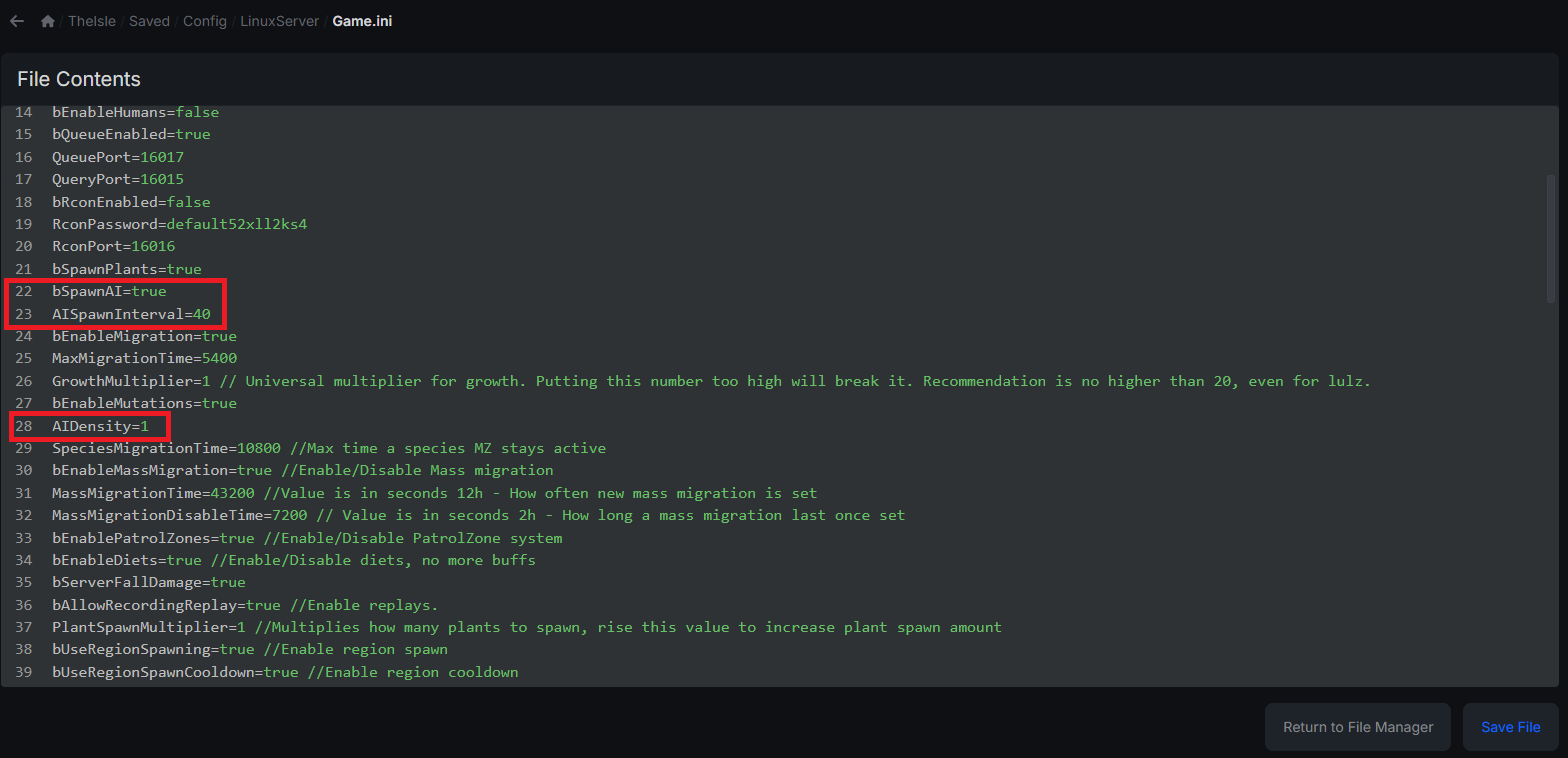
You can find your Game.ini file in the TheIsle/Saved/Config/Linux (or Windows) Server directory.
Upgrade Server Hardware
The Isle relies heavily on strong CPU performance. Weak CPUs struggle to keep up once player populations rise.
When upgrading or purchasing a server, be sure to prioritize:
-
High clock-speed CPUs
-
SSD Storage
-
RAM Capacity
Running The Isle on weak or outdated hardware will almost definitely cause problems.
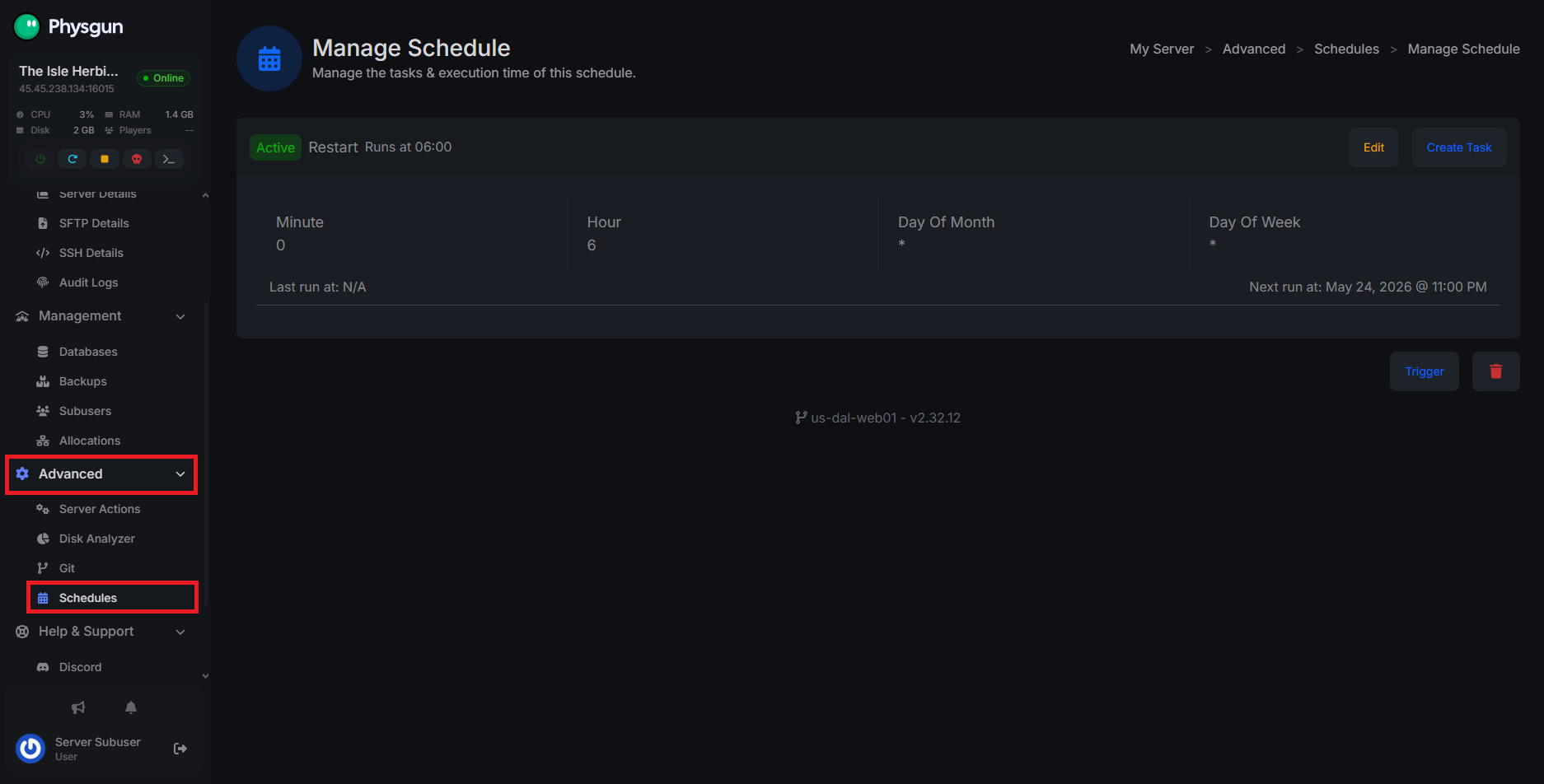
Schedule Restarts
If your server has been up for a while, it can gradually degrade performance due to:
-
Memory leaks
-
AI buildup
-
Excessive entity accumulation
-
General resource exhaustion
On Physgun, you can automatically schedule restarts so your server will never have this problem. If you’re self-hosted, you’ll probably need to do it manually.
Reduce AI Counts
On any game, NPCs and AI are some of the most demanding entities and consume a surprising amount of server resources. If your server is heavily populated with dinosaur AI while also supporting large user counts, performance can suffer dramatically.
You can lower AI spawn rates and AI density in the Game.ini file we mentioned earlier.
Remove Unoptimized Mods
Custom mods can take a hit to your server performance if the creator didn’t optimize it enough, if it’s outdated, or if it’s conflicting with other mods. Go through your Pak folder and remove all of your mods to see if performance increases, then slowly add them back until you see problems.
Conclusion
Fixing The Isle server lag usually comes down to identifying whether the problem is client-side or server-side first. If only a few players are struggling, lowering graphics settings, improving connection quality, or verifying files may solve the issue. If the entire server is lagging, focus on hardware performance, player counts, AI limits, and overall server optimization.
Evrima is resource-intensive by design, so some level of performance tuning is normal for active servers. With the right setup and regular maintenance, though, you can dramatically reduce rubber banding, improve stability, and create a much smoother survival experience for your players.
If you’re still experiencing problems after reading this post, come join our Discord or contact support, someone will be more than happy to help!