Adding mods to a The Isle server comes down to two things: getting the SIG and PAK files onto your server, and knowing where to obtain said files. The process is straightforward, but small mistakes, a wrong file path or a version mismatch, can stop mods loading entirely. Some mods also require matching dependencies, so the steps vary slightly depending on what you’re installing. This guide covers how to add mods to a The Isle dedicated server, including downloading the correct files, adding them to your server, and making sure everything loads correctly on restart.
Note that The Isle: Evrima can be pretty limited when it comes to modding. If you want a full modded experience, you may want to switch to the Legacy branch.
 Downloading Mod Files
Unfortunately, ever since the Steam Workshop for The Isle was dissolved, you can no longer install mods using the mod ID. A byproduct of this is that mods are also harder to obtain in the first place since there’s no central modding hub for The Isle.
Obtaining mods for The Isle ultimately comes down to knowing where to search. Usually in community Discords, forums, or GitHub pages. Your best bet is to join The Isle Official Discord server and ask around there. Check for any developers advertising their communities, or get some answers in the discussion chats.
You’ll need to download the PAK and SIG files for the mods you want added so you can add them to your server’s files.
Installing Mods to Your Server
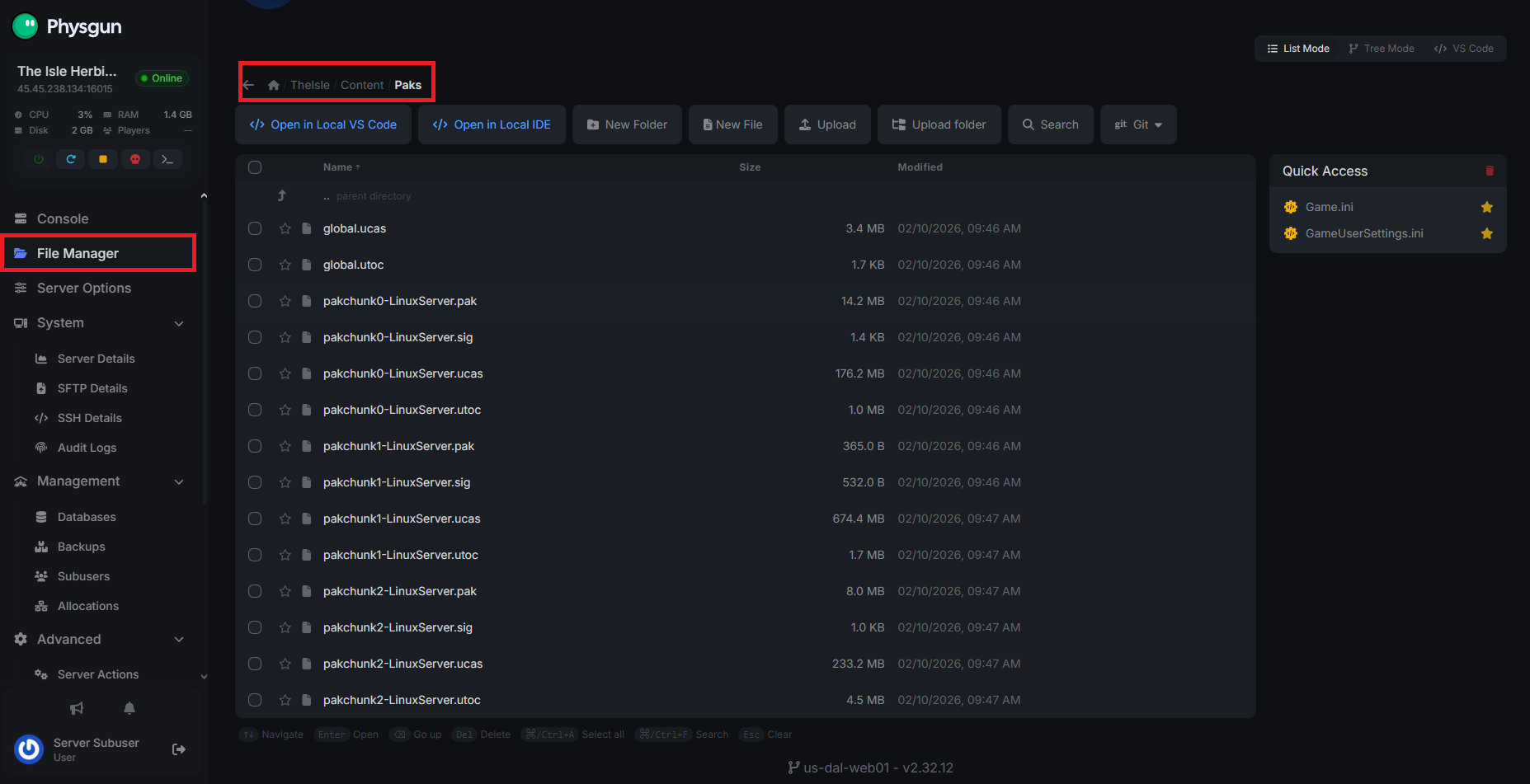
Once you’ve found the PAK and SIG files for the mods you want to install, visit your game server panel or open your server files if you’re self-hosted. Installing the files is a simple process:
-
In your server files, go to the TheIsle/Content/Paks directory.
-
Paste the PAK and SIG files in the directory.
-
Start up your server.
-
Depending on the type of mod you downloaded, there may be additional setup. Modded skins, gameplay features, or interface mods usually work right away, but maps require you to change some settings in your server configuration.
Conclusion
Installing mods on a The Isle server is mostly about placing the correct PAK and SIG files in the right directory and making sure every file matches the version your server is running. Once the files are added and the server is restarted, the mods should load automatically. If something goes wrong, double-check the file paths, confirm all dependencies are installed, and make sure clients are using the same mod versions as the server. While Evrima has limited mod support compared to Legacy, mods can still add new content, mechanics, and quality-of-life features that help make your server stand out from the rest.