

Changing the gamemode on your Hytale server is one of the easiest ways to customize the player experience. Whether you want to give players the freedom of Creative Mode, the challenge of Adventure Mode, or the thrill of Exploration, adjusting gamemodes lets you control how your world is played.
With a few simple Hytale commands, you can switch a player’s gamemode, manage your server settings, and even set specific spawn locations or tweak world time and weather to match the experience you want. This guide walks you through the steps to take control of your own server and create the perfect environment for your players.
Hytale Game Modes Explained
| Game Mode | Description | Ideal For |
|---|---|---|
| Creative | Focused on building and creation with minimal restrictions. | Creative servers, test worlds, building communities. |
| Adventure | Standard gameplay with progression, survival mechanics, and combat. | Public servers, co-op play, progression-based servers. |
Changing The Game Mode In Game
On a public server, you will need to have admin access to change the game mode of your Hytale server in-game.
To change the game mode of a Hytale server in-game type the command /gamemode (gamemode) (player) in game, set the game mode to the desired type and specify the target player.
Changing The Game Mode On Your Hytale Server
Note: This method only affects the game mode for new players. To change the mode for existing players, use the appropriate command.
Uploaded saves store files in a different location. See the next section for instructions on changing their modes.
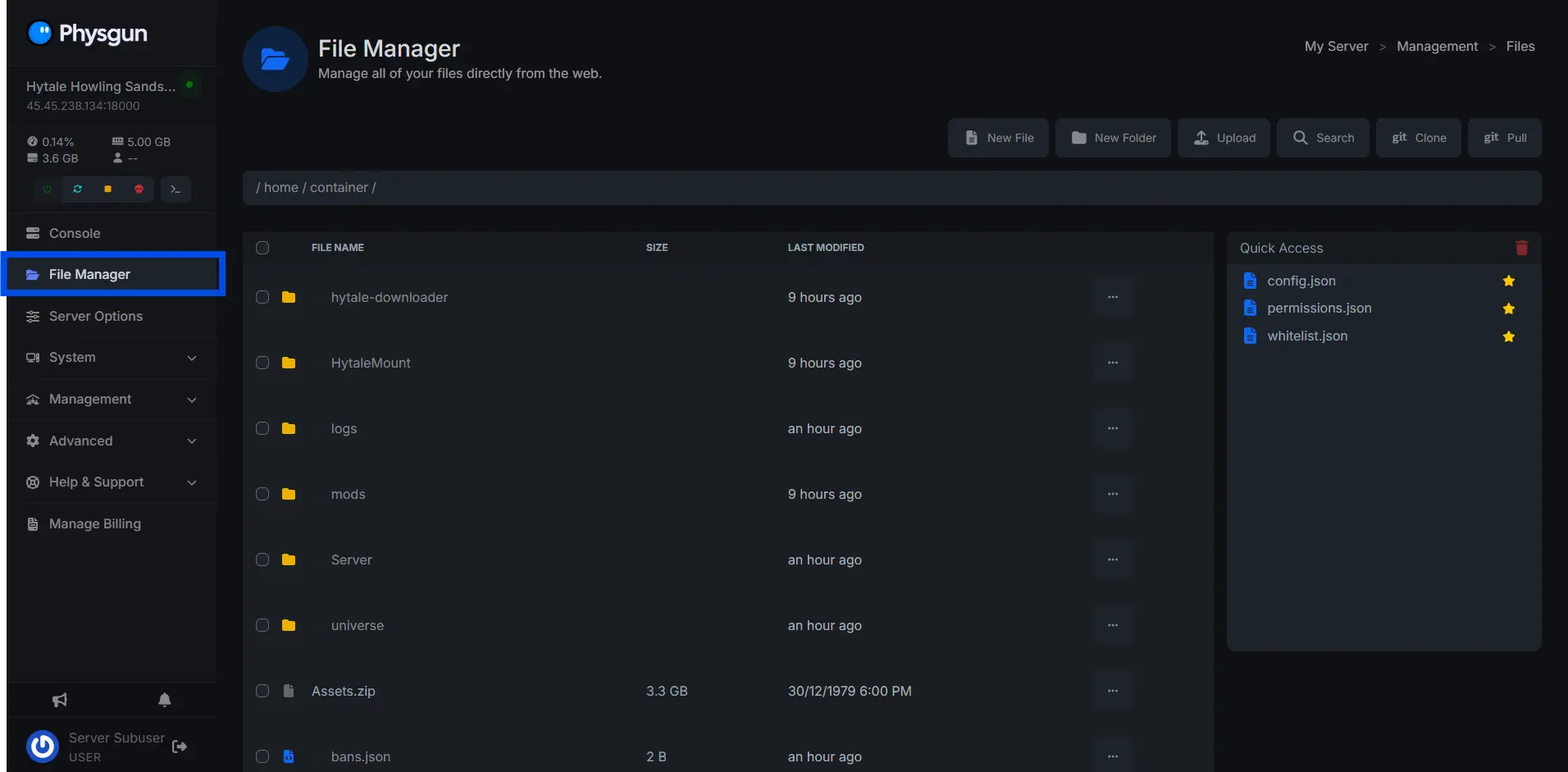
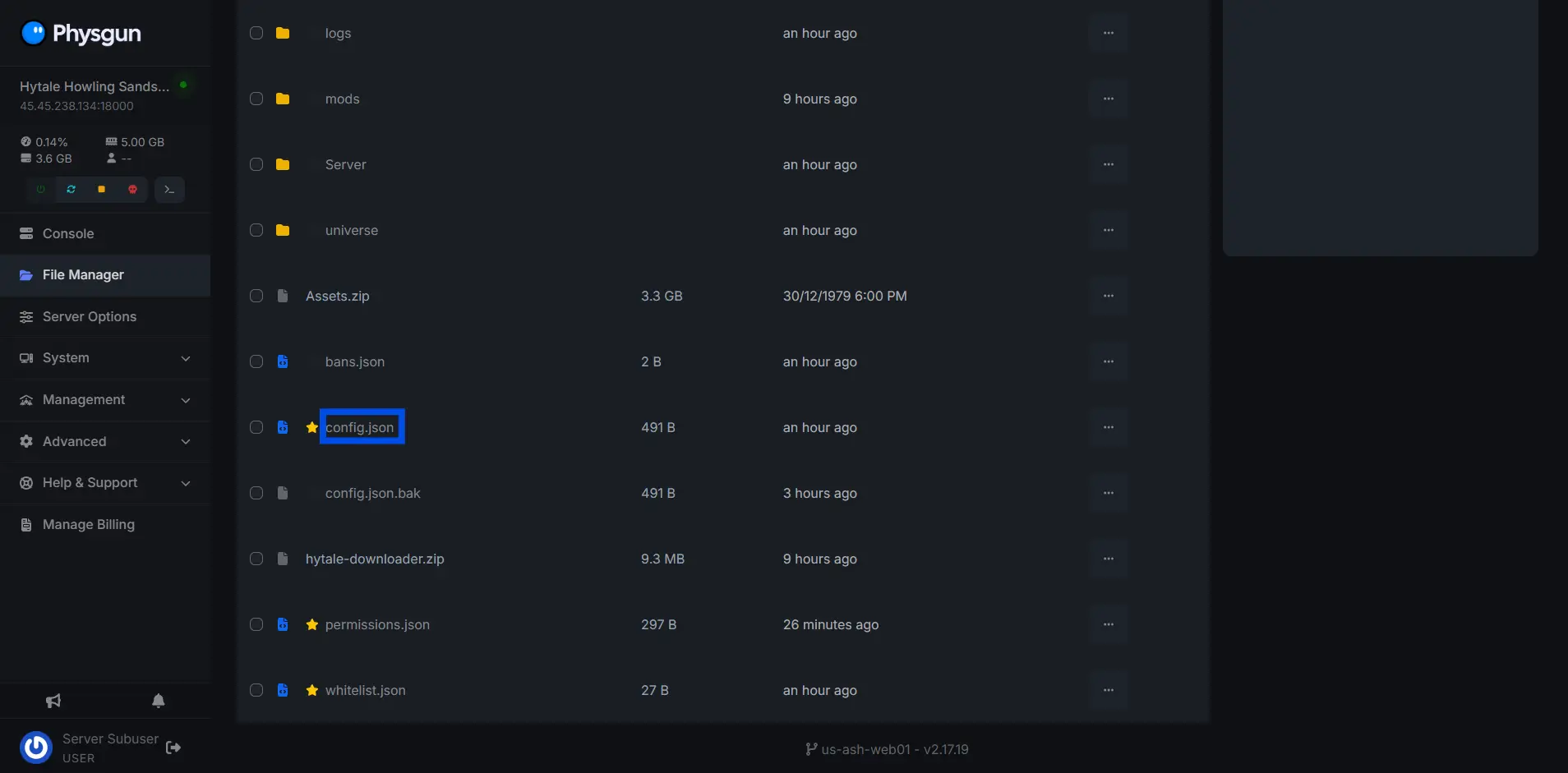
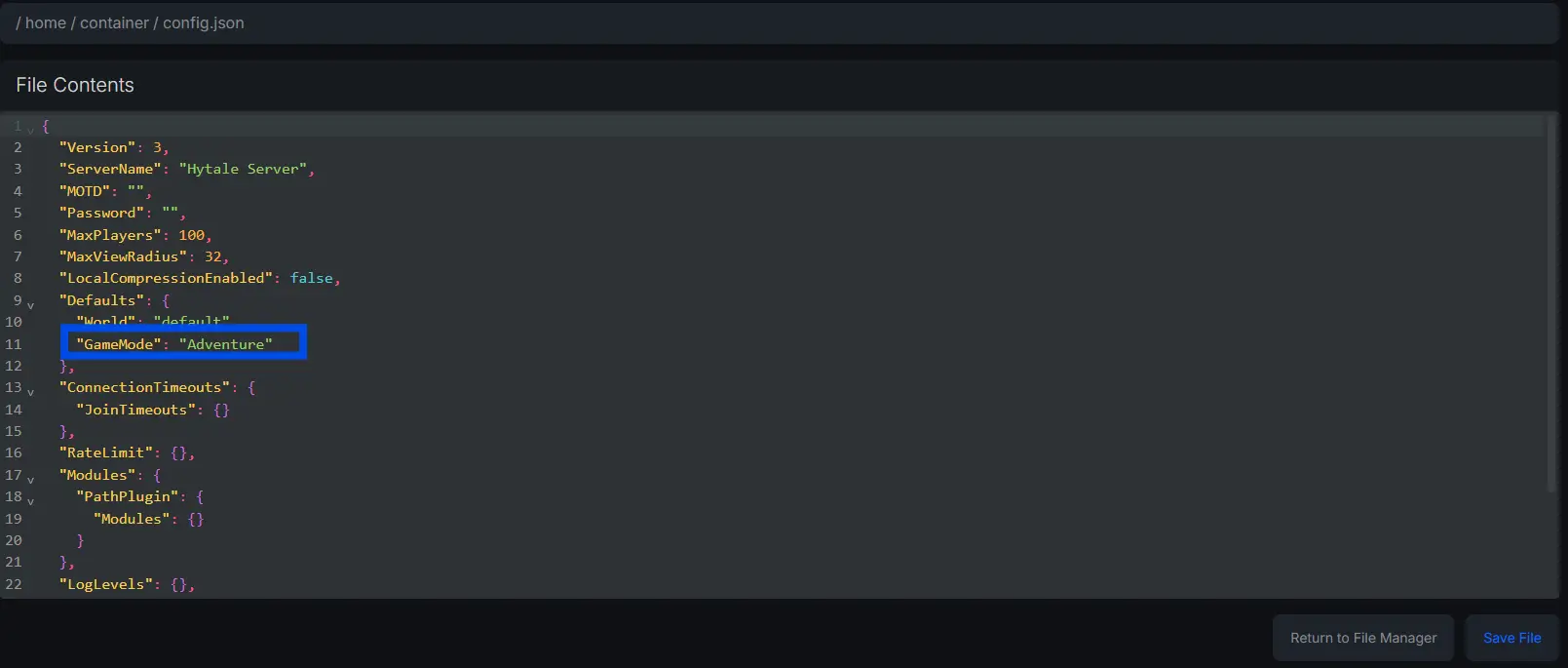
To change the gamemode on a Hytale server:
-
Navigate to the “File Manager”
-
Open the config.json file
-
Change the “GameMode” variable, set the value to either Creative or Adventure.
Changing The Game Mode On An Uploaded Hytale Save
To change the gamemode on an uploaded Hytale save:
-
Navigate to the “File Manager”.
-
Navigate to the following directory:
/home/container/universe/worlds/default -
Open the config.json file.
-
Change the value in the GameMode section to Creative or Adventure.
Need Help Changing The Game Mode On Your Hytale Server?
Contact our support team for 24/7 assistance!