How to fix “Download Failed! Timed Out!”
As of recent (December 2025) there has been a surge in issues with Steam Workshop CDN showing timeouts for addons. This issue unfortunately seems to span to any game using the workshop with SteamCMD, not just GMod so the solution here will be pretty universal.
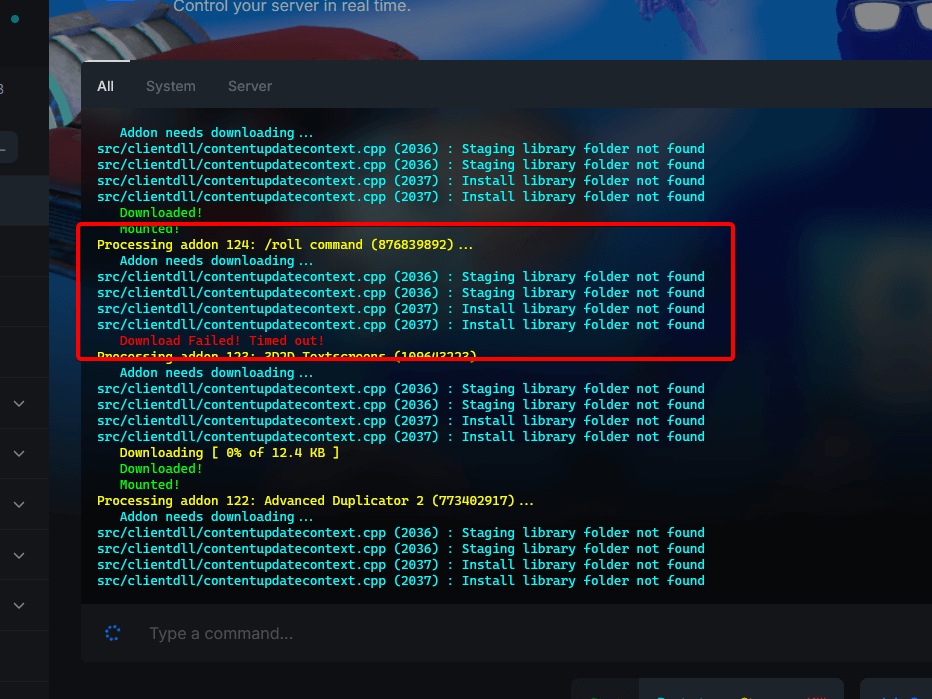
What is the fix? It’s pretty simple, you need to download the addon manually and drag & drop it into your /addons folder.
In this guide we will go over how to download workshop items quickly.
Installing workshop addons manually
There are many tools for downloading workshop addons, we recommend not using downloader websites as they will
download your workshop items as a .gma. For Garry’s Mod .gma files are currently broken when installing manually until this issue is resolved.
gmpublisher
gmpublisher is the easiest way of bulk downloading everything you need quickly and effectively.
- Visit the gmpublisher releases and download the latest
.msiif you are on Windows. - After setup open gmpublisher and head to
Downloader - Downloading the failed addon (or optionally, downloading your entire collection)
- Find a failed addon, copy the ID and paste it into the downloader input
- Or optionally you can paste your collection id into the input, this will download all your addons.
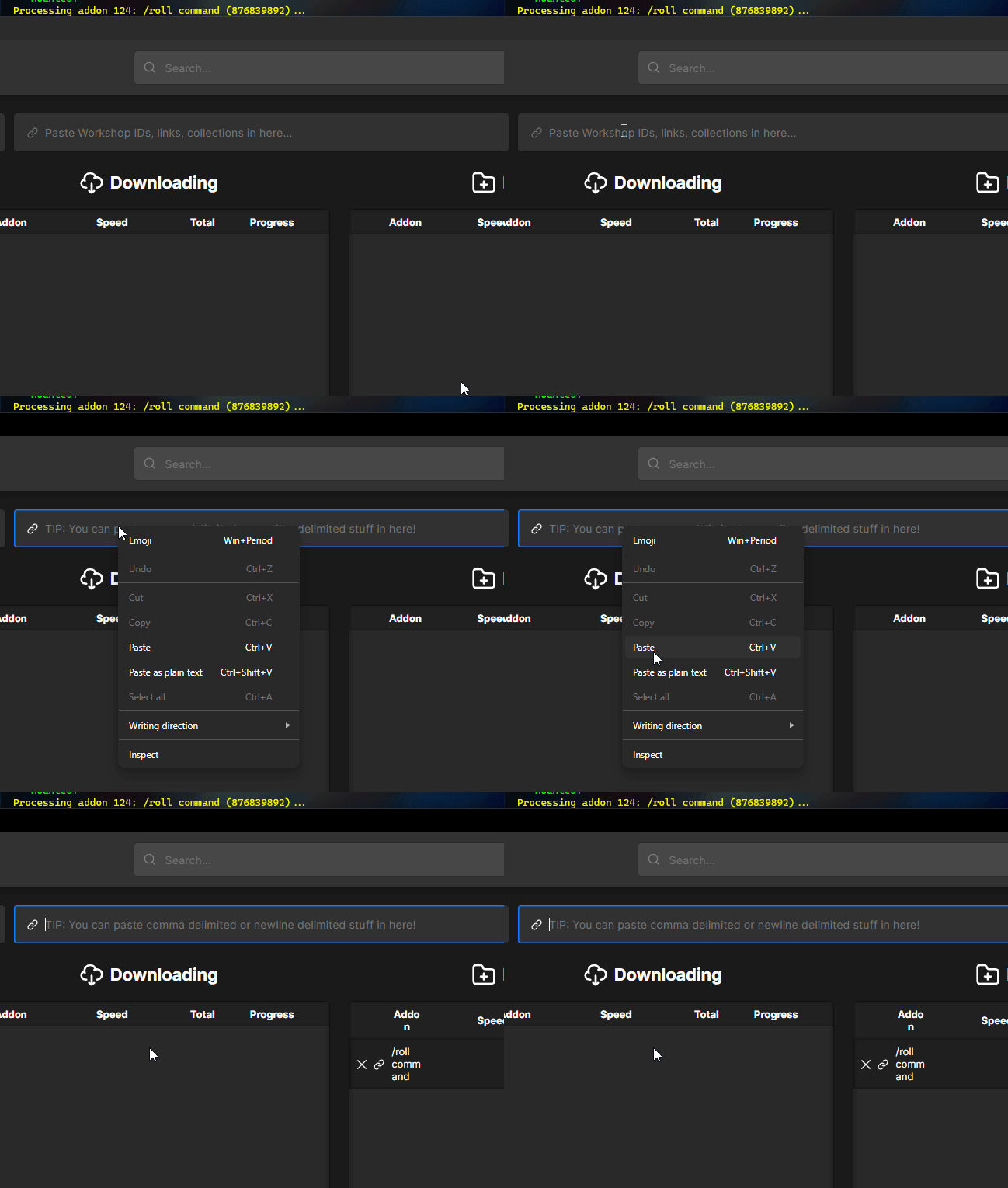
- Once downloaded click
Opento jump to the directory - Head to your Physgun Gamepanel then to the
File Manager - Drag and drop the addon folder onto your
addons/, then you’re done!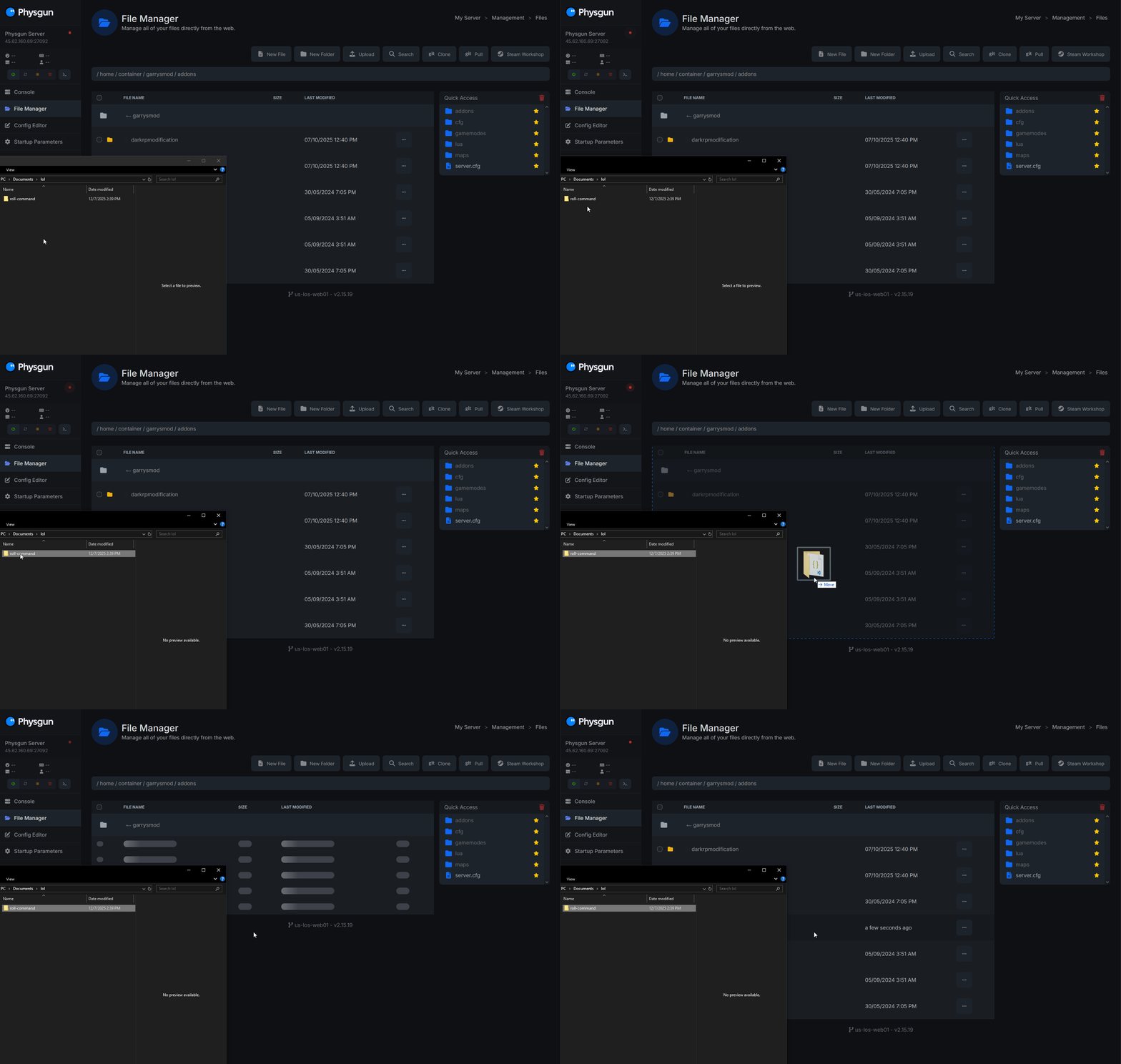
That’s it! gmpublisher makes it extremely easy to install addons manually. However if you are looking for a different method we do also have instructions for crowbar below. But for the majority of users we recommend using gmpublisher.
Crowbar
Crowbar is a useful tool that lets you basically download workshop addons and extract .gma files with ease.
Crowbar is a bit more manual than gmpublisher.
- Visit the Crowbar Wiki
- On the right, click
Downloadto get redirected to the download page - Scroll down to Assets and download Crowbar_2023-02-16_0.74.7z (You will need 7-Zip to decompress this)
- Once downloaded, extract it and launch the
Crowbarapplication. Then head to theDownloadtab on the top - Start your server and watch your console for failed downloads. Document the IDs of all your addons that failed
- Head to Crowbar, paste the ID of a failed addon onto the
Item ID or linkinput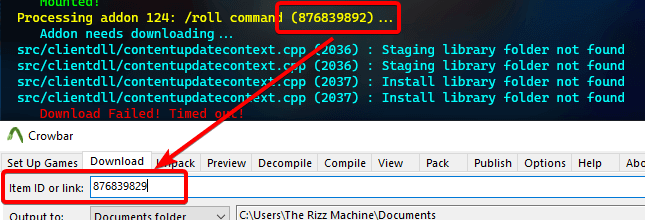
- Click
Downloadthen once finished, clickUse in Unpackin the bottom right - On
Output toselectSubfolder (of Package)so it unpacks into a folder, (rename unpacked … to whatever the addon is, this will be the root folder) - Click
Unpack, once finished clickGotoin the bottom right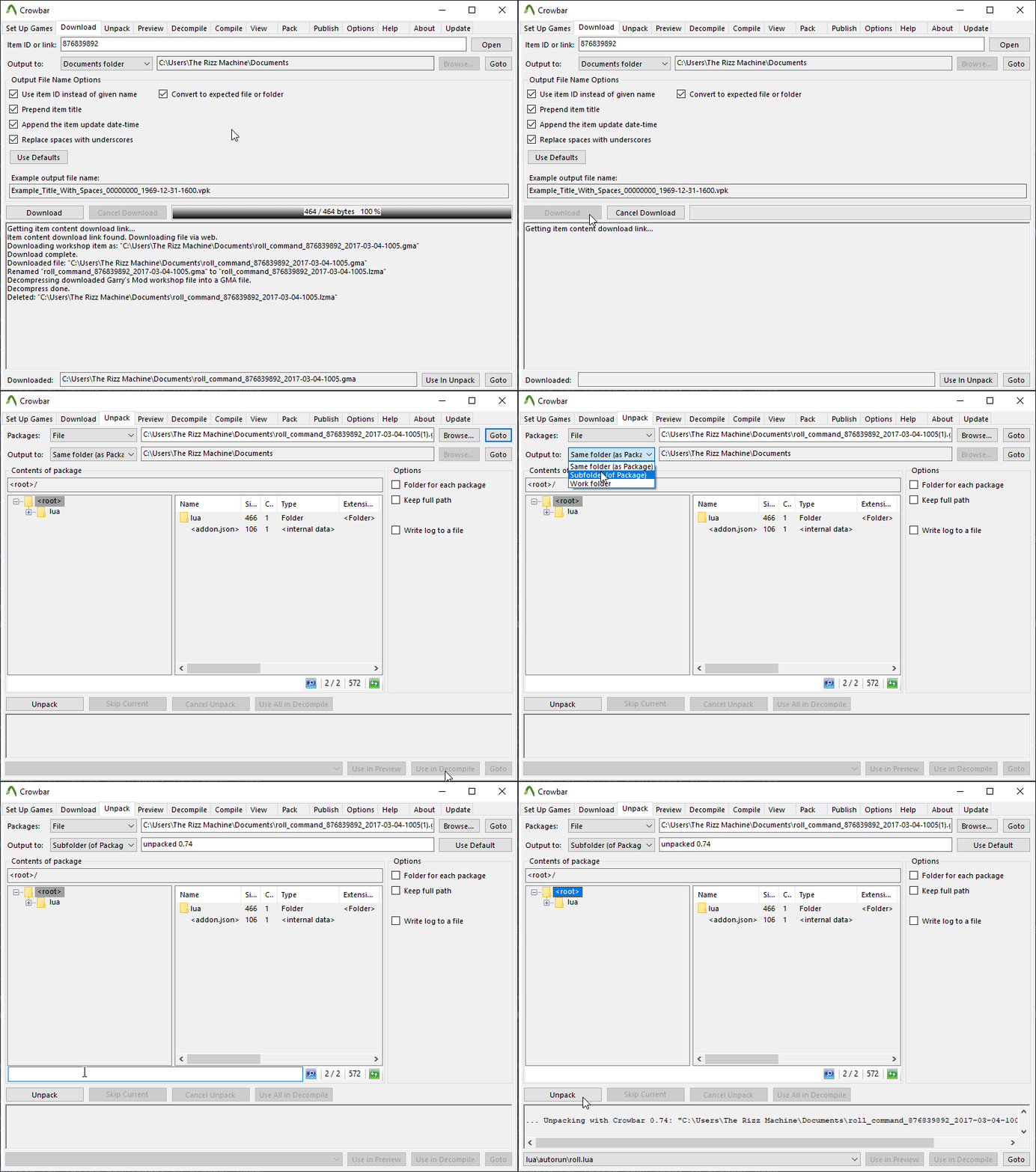
- Head to your Physgun Gamepanel then to the
File Manager - Drag and drop the addon folder onto your
addons/, then you’re done! - You’re done! Repeat this for the rest of your addons that are not downloading properly.
This process should also work for other games if you are experiencing the same issue since this is not just isolated to Garry’s Mod.
Footnote: Unfortunately there is no telling when this issue will be fixed, or if it will ever be fixed. Our monitoring here at Physgun watches the Steam CDN trends and we did notice a ton of loss and connectivity issues, however once things went stable (around ~Dec 3-4) these issues appeared. So it is likely an unfortunate side effect of DDoS protection on Steam’s end.