

Joining an S&Box server is quick once you know where to look inside the game. Many new players assume joining servers require complicated setup, but the process usually takes less than a minute. This guide explains how to join a S&Box server, find active communities, and connect without running into common errors. You will also learn where to discover popular servers and how to join friends already playing.
Key things you will learn:
- how the server browser works
- steps to join a public server
- how to connect using an IP address
- tips if a server fails to appear in the list
Joining A S&box Server Via IP And Port
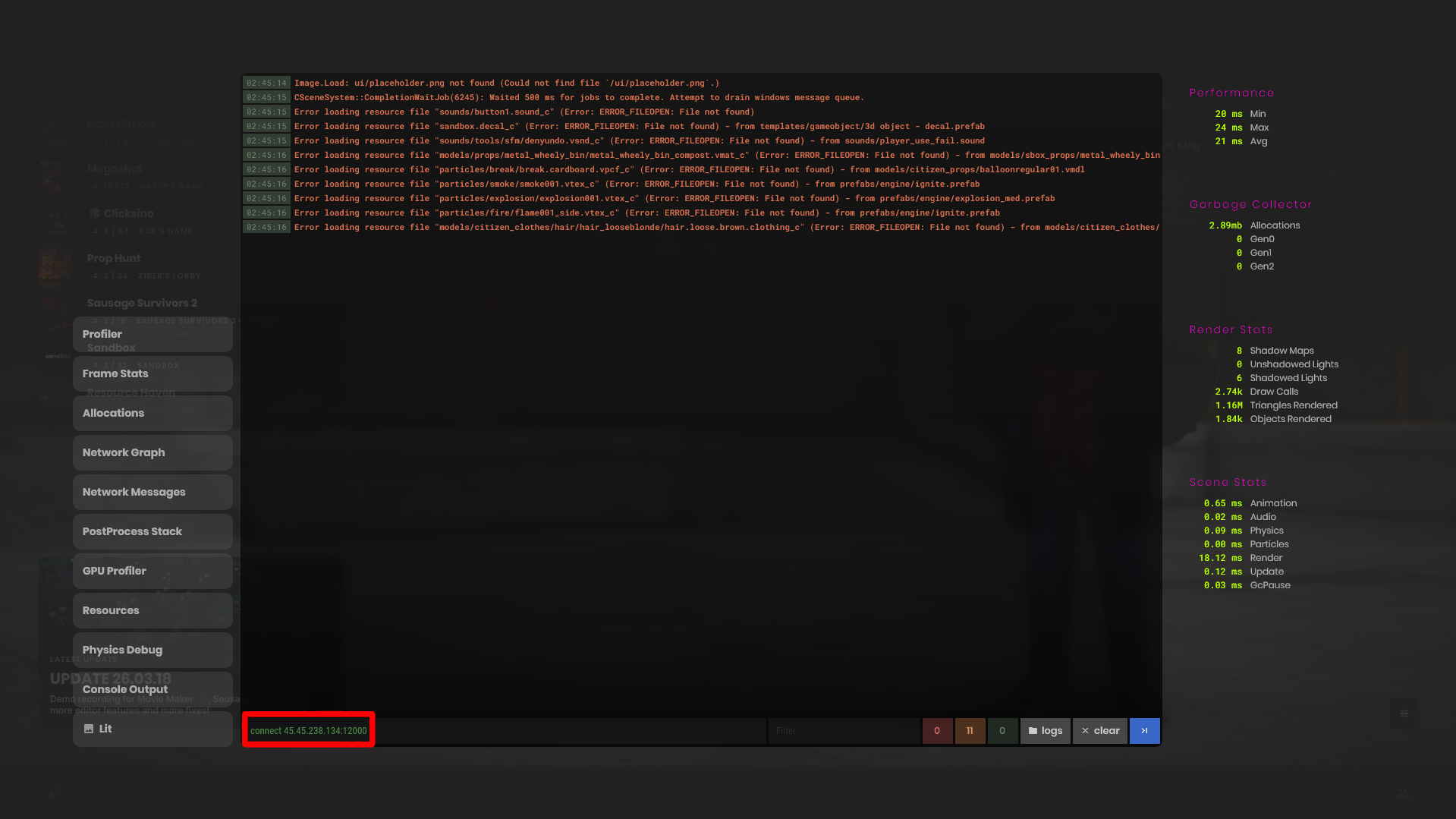
Joining a S&Box server with its IP and Port is the fastest way to get connected to a server.
To join a S&Box server with its IP and Port:
- Open the S&Box game. Once you are at the Main Menu, press the ~ key on your keyboard
- In the console popup, enter in the command
connect server_ip:portwhereserver_ipis the server’s IP address, andportis the port the server is hosted on. - Press enter on your keyboard. You are now joining the server!
- Press the ~ key again to make the console popup go away.
Joining A S&Box Server Through The Server browser
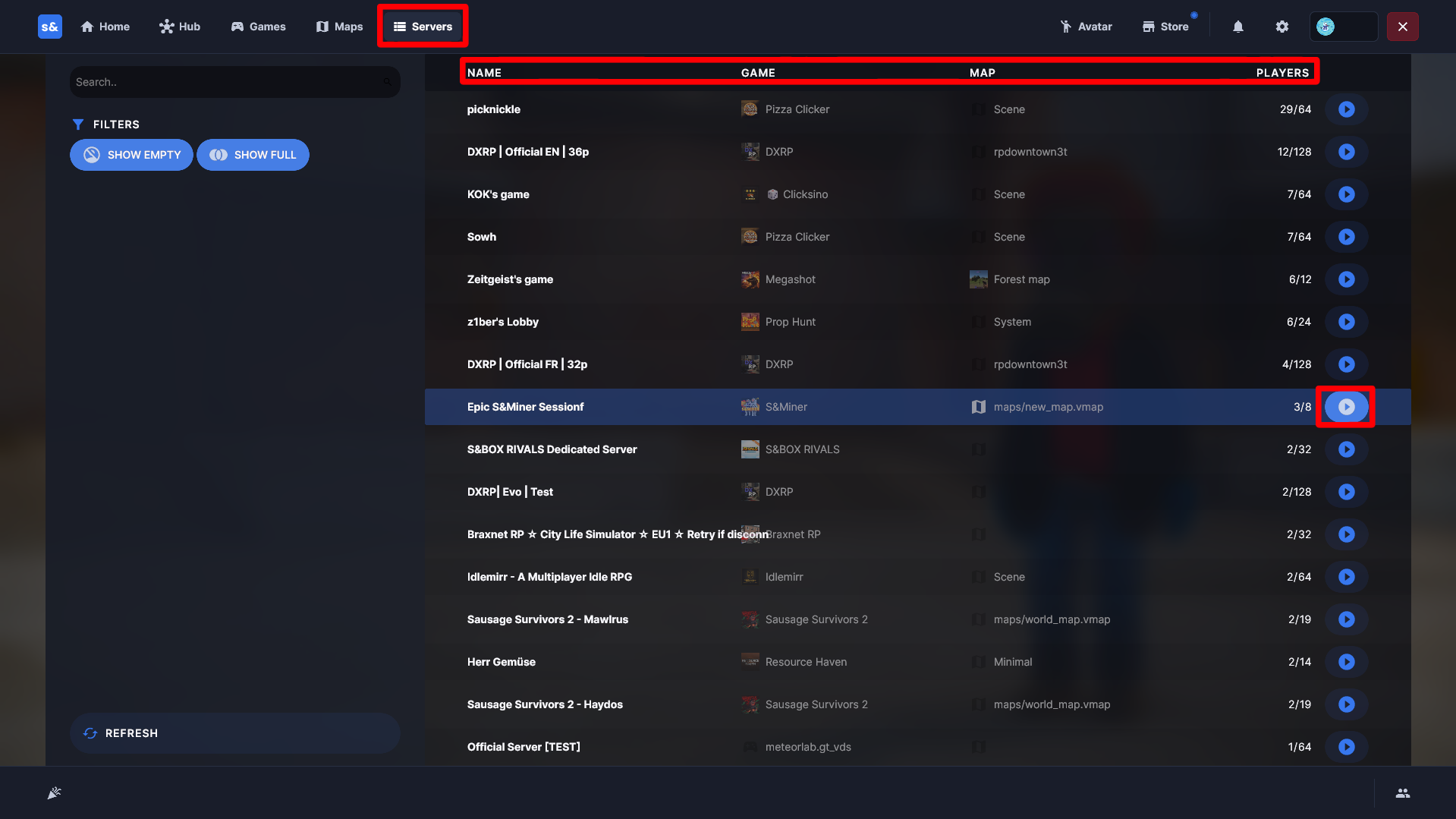
Joining a S&Box server through the server browser allows you to find new experiences in every gamemode.
To Join a S&Box server through the server browser:
- Open the S&Box game and navigate to the Servers tab.
- From here, you can sort by Game, Map, Player Count, and Server Name.
- Scroll until you find the server/game you’d like to join. Click on the round play button on the right side of the server list entry.
- You are now connecting to your chosen S&Box server!
Troubleshooting
Can’t connect to a S&Box server? Can’t find a S&Box server in the server browser? Be sure to check the following:
- Make sure the server is running and online
- If connecting via the console, make sure you are inputting the full command, as well as IP and Port correctly.
- If you can’t find your S&Box server through the server browser, make sure that it is online and available before trying to connect.
- Need more help? Check out our S&Box Help Center for more guides and tips
Now you know how to join a S&box server!