

Knowing how to wipe a Rust server is essential for any server admin managing long term gameplay balance. A server wipe resets critical data like the map, player inventories, buildings, and sometimes learned blueprints, giving everyone a clean slate and preventing veteran players from gaining an unfair advantage.
Whether you are performing a map wipe, a blueprint wipe, or a full Rust server wipe, the process involves deleting specific map files, save files, or player data so the server can generate a brand new world on restart.
In this guide, you will learn how to wipe a Rust server correctly, understand the different types of wipes, follow proper wipe schedules including forced wipes on the first Thursday of every month, and ensure your Rust server resets smoothly without errors or data issues.
When Is Rust Server Wipe? (Rust Wipe Schedule)
Rust server wipes follow predictable schedules, but the exact timing depends on the type of server you play on. Official Rust servers force wipe on the first Thursday of every month, a schedule set by Facepunch to align with major game updates.
Community and modded Rust servers do not follow a single universal wipe schedule. Instead, server admins choose how often to wipe based on their server’s goals and player base. Many servers wipe weekly or bi-weekly to keep gameplay fast paced, while others wipe monthly to allow longer progression.
Types Of Wipes
Map Wipe
Resets the map and removes all player-built structures and deployed items while keeping learned blueprints intact. This is the most common wipe type and is often done weekly, biweekly, or monthly.
Blueprint Wipe (Player Data Wipe)
Resets all learned blueprints so players must re learn crafting recipes from scratch. Blueprint wipes are usually less frequent and often happen during major updates.
Full Wipe
Completely resets the server, including the map, player inventories, buildings, and blueprints. A full wipe gives everyone a true fresh start.
Map Wiping A Rust Server
To map wipe a Rust server:
-
Stop your Rust server.
-
Access your server files through SFTP, FTP, or direct file access.
-
Navigate to the
server/[identity]/folder. ([identity]is usually ‘Rust’) -
Locate and delete the following map files:
proceduralmap.*.map proceduralmap.*.sav -
Start your Rust server.
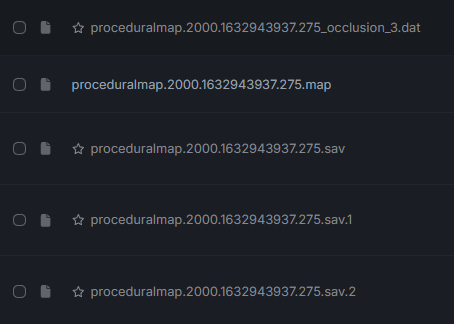
The Rust server will now generate a new map using the same seed and world size.
Blueprint Wiping A Rust Server
To blueprint wipe a Rust server:
-
Stop your Rust server.
-
Access your server files through SFTP, FTP, or direct file access.
-
Navigate to the server/[identity]/ folder. ([identity] is usually ‘Rust’)
-
Locate and delete the following blueprint files:
player.blueprints.db player.tokens.db -
Start your Rust server.
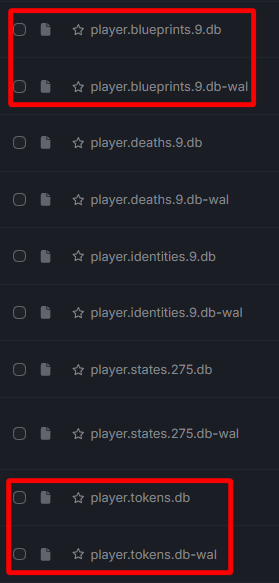
After doing this, players will lose all learned blueprints and must progress again.
Full Wiping A Rust Server
To full wipe a Rust server:
-
Stop your Rust server.
-
Access your server files through SFTP, FTP, or direct file access.
-
Navigate to the server/[identity]/ folder. ([identity] is usually ‘Rust’)
-
Delete all wipe-related files:
-
Map files (.map)
-
Save files (.sav, .sav.1, .sav.2, etc.)
-
Player data DB files (player.blueprints.db, player.tokens.db, etc.)
-
-
Restart your rust server.
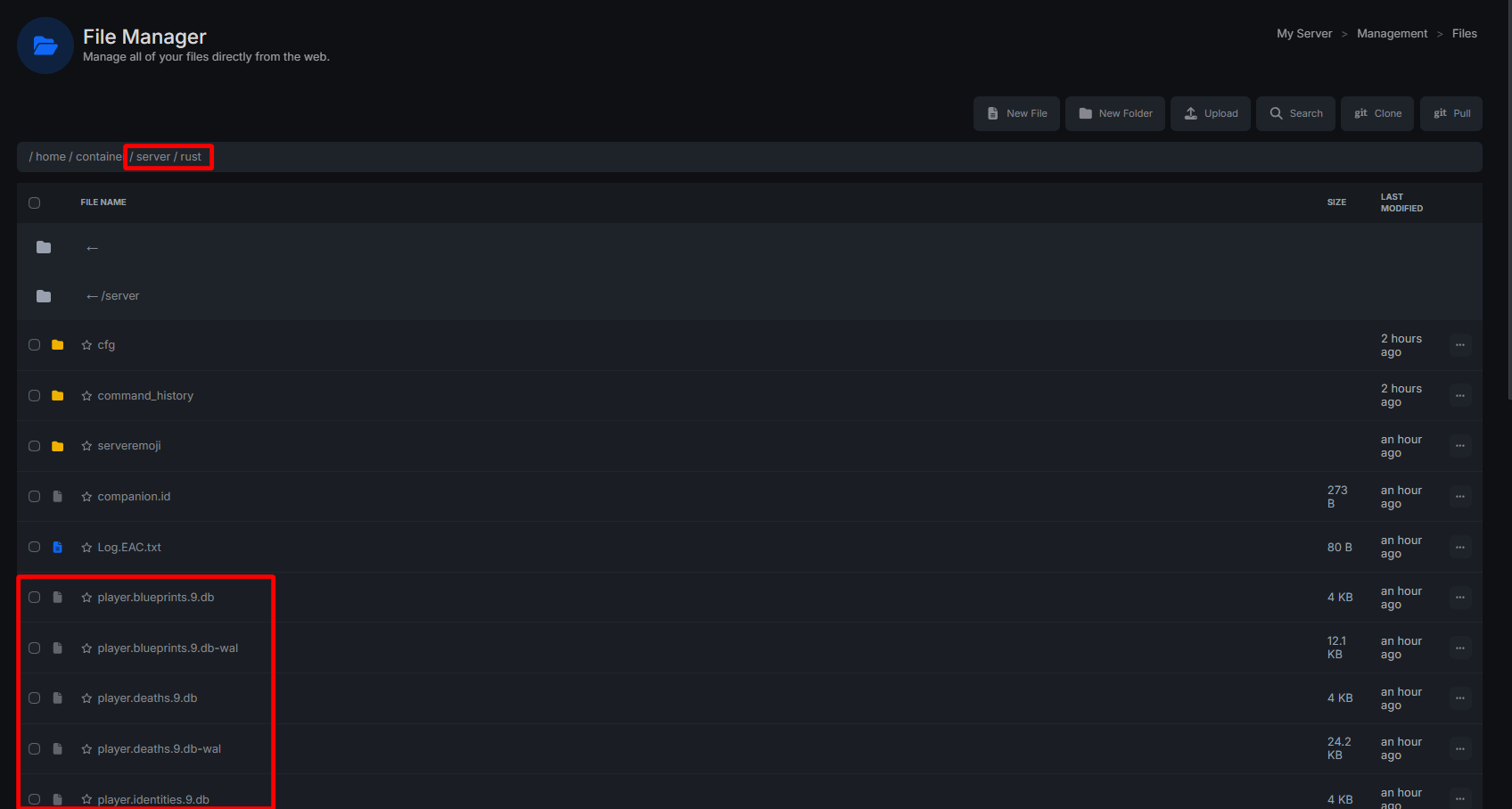
Following these steps will perform a full server wipe and reset all progress for all players.
Important Notes Before Wiping
-
Always stop the server before deleting files.
-
Wiping while the server is running can corrupt data.
-
Plugins may store extra data in their own folders.