

Loading Harmony mods on a Rust server allows you to run advanced mods that go beyond standard Oxide plugins. Harmony is a patching framework that lets mods modify Rust’s game code directly at runtime, enabling deeper customization, performance changes, and features that traditional plugins cannot provide. Because of this, Harmony mods are commonly used alongside Carbon or other modern Rust mod loaders.
In this guide, you’ll learn how to install Harmony mods on your Rust server, where to upload Harmony DLL files, how the HarmonyMods folder works, and how to properly load and verify mods using the server console and logs. We’ll also cover common mistakes, such as incorrect folder paths or missing restarts, that can prevent Harmony mods from loading correctly.
Installing Harmony Mods
By default, the Harmony mod API is prebuilt into every Rust server. This means that to install Harmony mods, all you need to do is upload the correct .dll file to the proper folder and load the mod using the correct command. These steps are generally the same whether you have a dedicated server or are going through game server hosting like Physgun.
To install Harmony mods on a Rust server:
-
Find and download the Harmony plugin/mod you would like to add to your Rust server.
-
Harmony mod files will usually be a .dll file.
-
You can find some of these mods on Github, Codefling, or Lone Design.
-
-
Locate the /HarmonyMods/ folder in the root of your game server’s files. Upload your downloaded .dll file there.
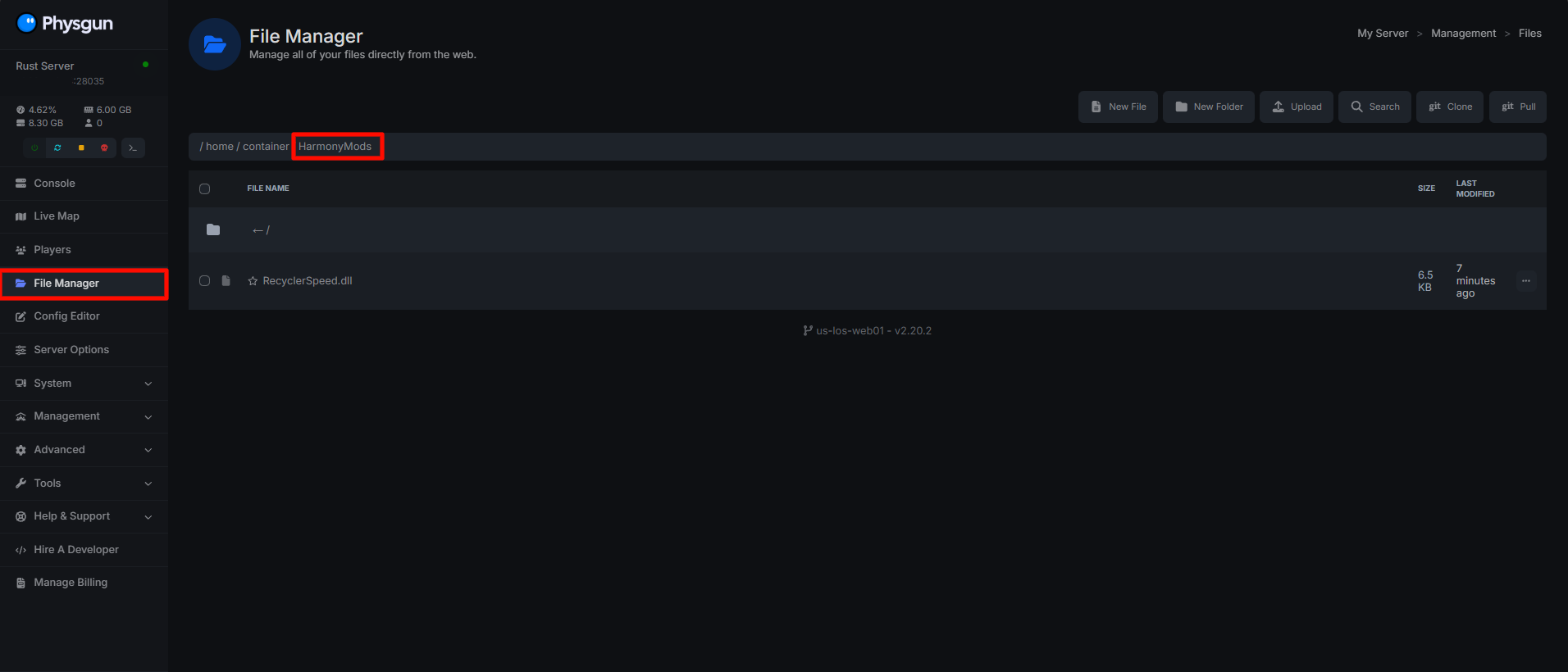
-
You can now load the mod using the command harmony.load ‘your_mod_name’ in the game server console command line. Replace ‘your_mod_name’ with the name of the mod you uploaded to the /HarmonyMods/ folder.
-
That’s it! Upon restarting your server, you should see references to Harmony. If your server crashes or errors, the mod you are using may not be compatible with your server.
You can unload the mod you previously loaded by running the command harmony.unload ‘your_mod_name’ in the game server console.

Configuring Harmony Mods
Most harmony mods will create a config file in the folder /HarmonyConfig/ where you can change different config options for your installed mods. To configure Harmony mods on a Rust server:
-
Navigate to the /HarmonyConfig/ folder in your game server files root.
-
Find the file generated by your Harmony mod you installed and loaded.
- This file will usually be a .json file and have the same title as the mod name.
-
Open the file and edit the configuration setup.
-
Restart or reload your Rust server to apply the configuration changes