

If you have ever hit a stack limit mid-raid or filled your inventory after one resource run, you already know how quickly small stack sizes can slow the pace of a Rust server. Increasing item stack size is one of the most popular tweaks admins explore when shaping the overall game experience. It can make gathering feel smoother, cut down on storage clutter, and change how players manage resources across your world.
Here’s the good news: with Oxide and the right plugin, you can crank up stack sizes, set multipliers, or tweak specific items so your server feels just how you want it.
Let’s walk through exactly how to install the plugin, change the settings, and make those new stack sizes stick.
Requirements
Before we change stack values on your Rust server, make sure you have:
-
A working Rust Dedicated Server, either self-hosted or through a managed host like Physgun.
-
Oxide installed (required for all plugins).
-
FTP or panel file access
-
Admin access to the server console or RCON
Stack size changes will not work on vanilla servers without Oxide because the limits are hardcoded.
Installing the Stack Size Plugin On Your Rust Server
For changing the stack sizes on your Rust server, you will use the Stack Size Controller plugin.
To install the Stack Size Controller plugin on your Rust server:
-
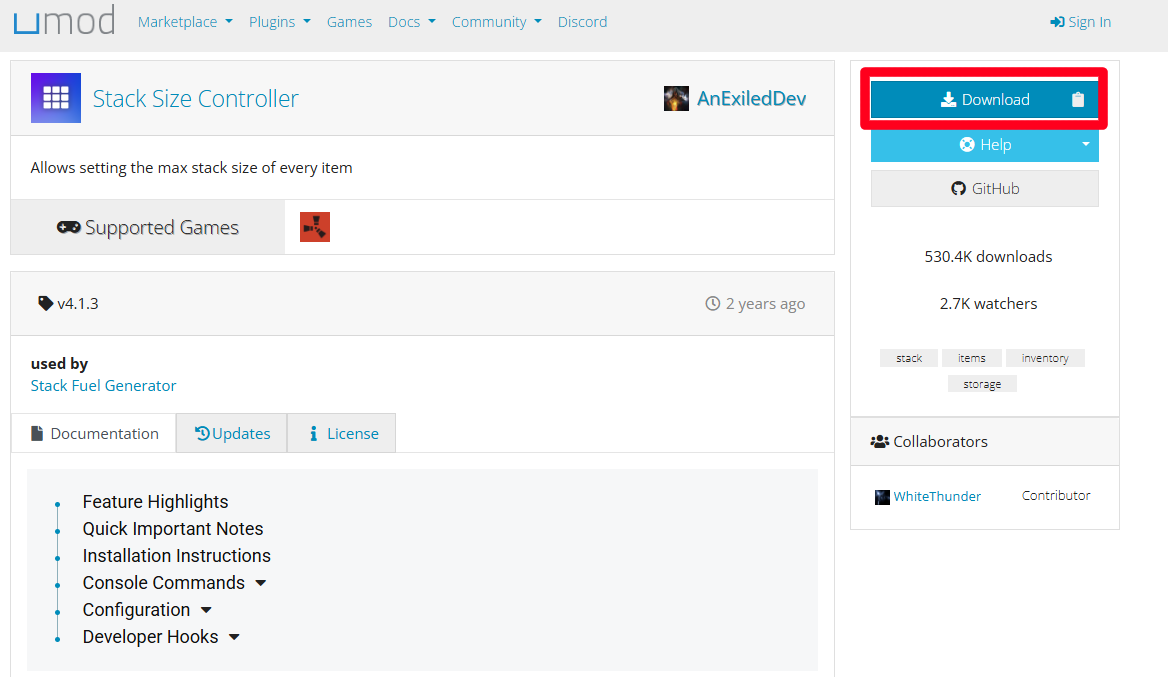
Download the .cs plugin from uMod and extract it to a safe location.
-
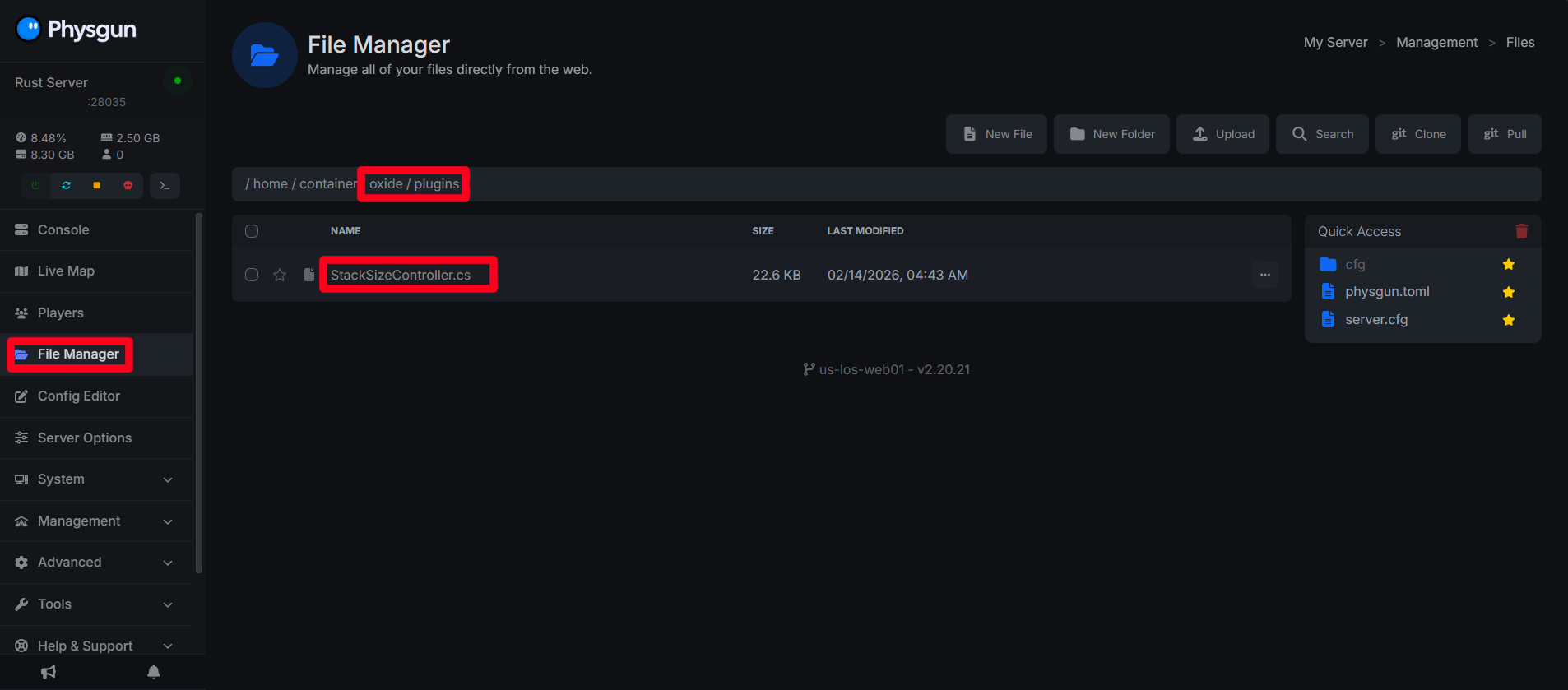
Open your server’s file directory (use your host’s panel or FTP/SFTP).
-
Drop the plugin file into /oxide/plugins/.
-
Start (or restart) your Rust server.
-
Once the plugin loads, it’ll create a new config file with every stackable item and its default stack size.
On first launch, the plugin will automatically create a config file with every stackable item and its default value.
Configuring The Stack Size Controller Plugin On Your Rust Server
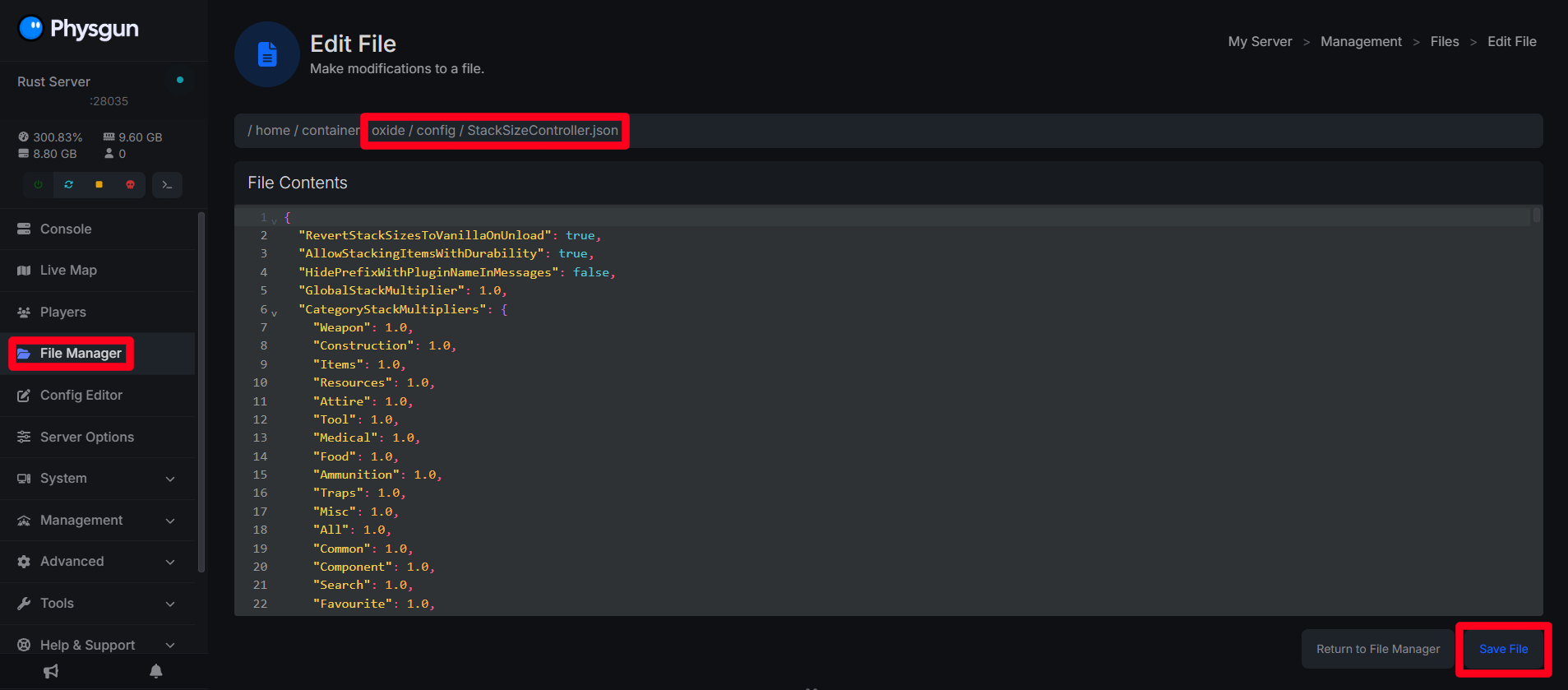
Once your server boots with the plugin installed, navigate to /oxide/config/StackSizeController.json
This is the only file you actually want to edit. Don’t mess with the files in /oxide/data/ for stack sizes; it won’t do anything.
This file contains:
-
Global stack multipliers.
-
Category multipliers.
-
Individual item stack values.
Do not edit files in /oxide/data/ for stack sizes.
Setting Global Stack Multipliers On Rust Server
To increase all stack sizes at once, edit the global multiplier in the config:
"StackMultiplier": {
  "global": 2.0
}
1.0 keeps things normal, 2.0 doubles everything, 5.0 gives you five times the stacks, and so on. Set it as high as you want, within reason.
Setting Individual Item Stack Sizes
For full control, edit the per-item section using the item short names:
"IndividualItemStackSize": {
  "wood": 100000,
  "stones": 100000,
  "metal.fragments": 50000,
  "sulfur": 50000
}
This list is auto generated once the server first starts with the plugin installed.
Applying Stack Size Changes Without Restarting
After saving your config, reload the plugin:
oxide.reload StackSizeControllerThis will immediately apply the new stack sizes.
What Is The Maximum Stack Size Limit In Rust?
Rust uses a 32-bit integer, so the highest stack size is:
2,147,483,647Going above this will cause errors and prevent the plugin from loading or cause critical errors on your server.
For stability, avoid extremely large values that can:
-
Break UI displays
-
Overflow inventories
-
Increase memory usage
Optional: Match Gather Rates To Stack Sizes In Rust
If you raise stack limits, you should generally also adjust gather rates, so players fill inventories at a normal pace.
We can use a plugin like Gather Manager on uMod to accomplish this.
Testing Your New Stack Sizes
To test if your stack sizes have changed on your server:
-
Join your server as an admin.
-
Spawn an item (example: wood).
-
Verify the new max stack value in your inventory.
Common Issues
My Stack Sizes Are Not Changing
-
Edited the wrong file (must be /oxide/config/)
-
Plugin not reloaded
My Stack Changes Are Resetting After Restart
-
Config was not saved
-
Plugin failed to load on boot
Some Items Refuse To Stack
Items with durability or unique data often should not be stacked for stability.