Knowing how to check who’s on a Rust server is essential for admins and moderators who want visibility into player activity, moderation, and server health. Whether you are logged into the game, using the in game console, or managing your Rust server from a control panel, there are several reliable methods to view connected players.
In this guide, you will learn how to use commands like the players or status command, how to view currently connected players as an admin, and how player lists are displayed through different tools. We will also cover how to check online users through the console, Steam overlay, and server management panels so you always know who is playing at any given moment.
Don’t want to use any of these methods? Physgun client? Use Physgun’s custom Rust God Tools to get a full list view of your players 24/7 with zero headaches.
Method 1: Using The In-Game Console (Rust Player List Command)
Players Command
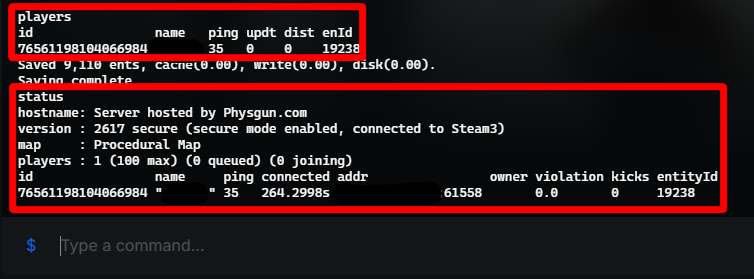
The command to view players on your rust server is:
playersHow to use it:
-
Navigate to your Rust servers game console.
-
In the game server console, enter the players command and press Enter.
This command displays real-time information and is the most reliable method for admins to check online users.
Status Command
Another command you can run in the console is:
statusThe status command shows the server name, a list of connected players, player IDs, and more.
These commands can only be run in the console by the server administrators.
Method 2: Using The Steam Server Browser
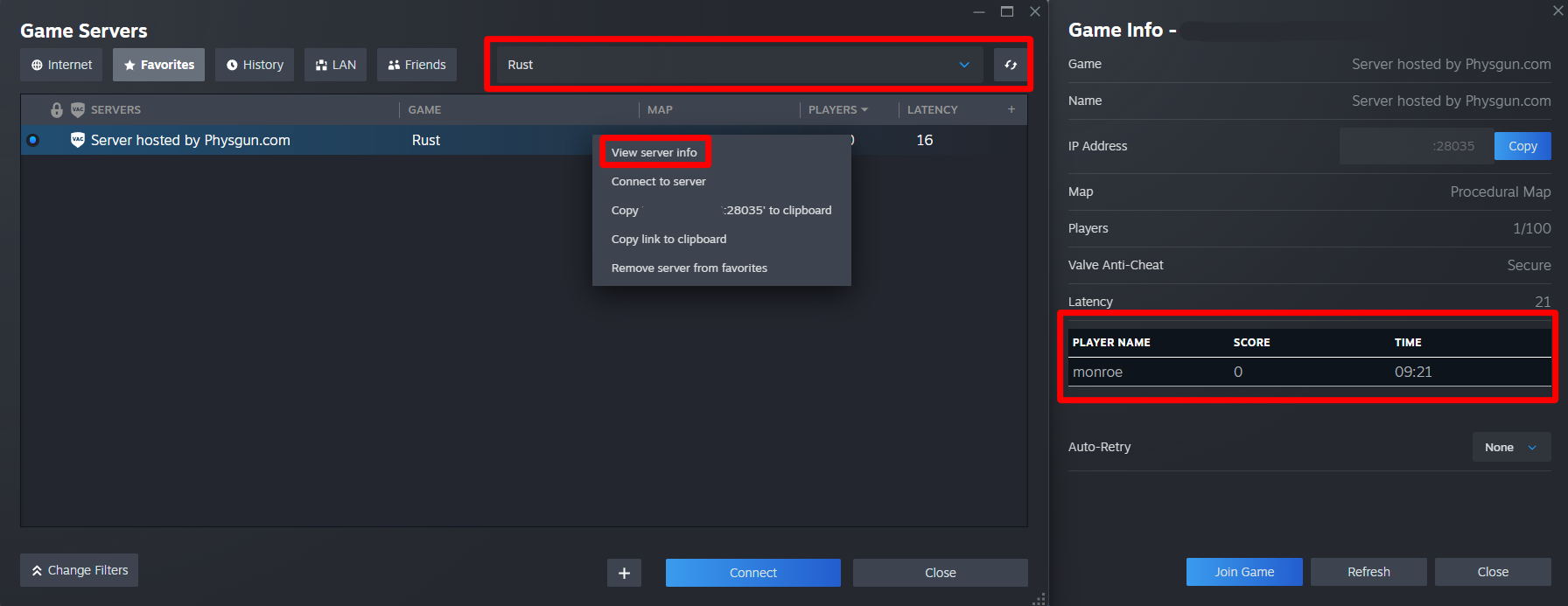
To check who is on a Rust server using Steam:
-
Open Steam.
-
Click View -> Game Servers.
-
Select Rust from the game list.
-
Use the filter or search bar to find the server by name or address.
-
Right click on the server you want to view and select the View Server Info option.
This will display connected players, server capacity, ping, and other server information.
Note: The Steam Server Browser may fail to display a complete player list on high-population servers. Players who have set their privacy settings to display themselves as offline may also not show up in this list.
Method 3: Using BattleMetrics
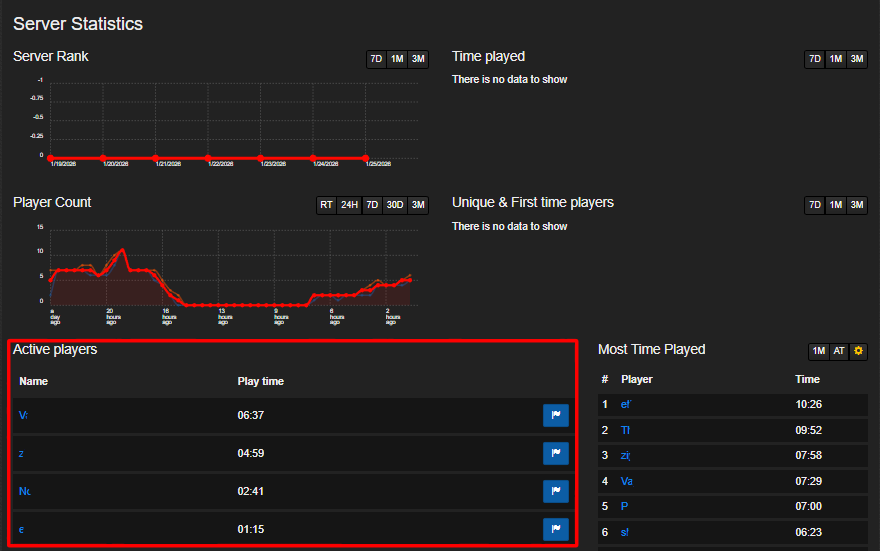
BattleMetrics is an RCON based tool used by many server owners to manage their players.
To check who is on a Rust server using BattleMetrics:
-
Open the BattleMetrics website here.
-
Use the search bar to find the Rust server by name or IP address.
-
Click the server to open its page.
-
View the current list of connected players under the Active Players section.
BattleMetrics can show you currently connected players, player history, server status, and more. This is ideal if you are not in the game and need accurate, up-to-date information through your browser.