

Adding zombies to a Rust server is a great way to change gameplay, increase difficulty, and create more intense survival experiences for players.
There are multiple zombie plugins available for Rust (ZombieHorde, The Walking Dead, Murderer-based mods, etc.), but this tutorial will specifically cover the Night Zombies plugin from uMod, which focuses on spawning zombies at night using Rust’s NPC systems. NightZombies is lightweight, easy to configure, and perfect for most servers.
Whether you want small zombie spawns, massive hordes at night, NPC zombies that spawn near players, this guide will show you how to set it up step by step. You’ll learn how to install a zombie plugin, use population commands, configure spawns, control how many zombies appear, and customize behavior like despawn time, weapons, speed, and location.
Adding The Zombies Plugin To Your Rust Server
First, you will need to download and add the zombies plugin to your Rust server:
-
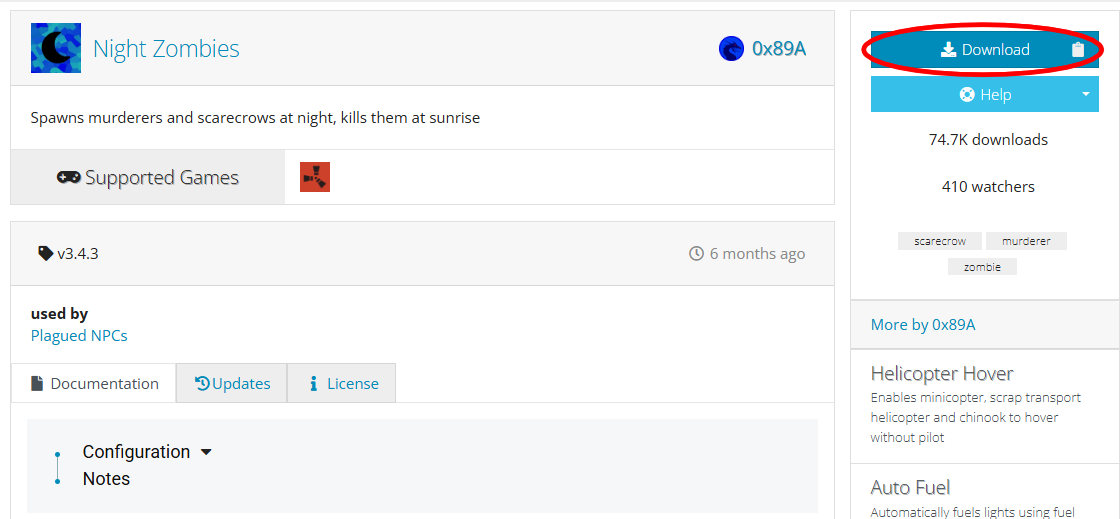
Download the plugin from uMod here: https://umod.org/plugins/night-zombies
-
Click Download
-
You should then receive a file named NightZombies.cs
-
Upload NightZombies.cs to the following folder on your Rust server:
/oxide/plugins/- This is where Oxide will look for plugins, so placing the file here will allow the server to detect and load it automatically.
-
Restart your Rust server, or reload the plugin from the server console with the following command:
oxide.reload NightZombies -
To verify the plugin has successfully installed, check the server console on startup and look for NightZombies was compiled successfully.
Configuring The Zombies Plugin
After you’ve downloaded and added the NightZombies plugin on your Rust server:
-
Once your server has started with the NightZombies plugin installed once, it will generate a config file that lets you control things like what the zombie’s names will be, how many zombies will spawn, their health, and more. This file lives at:
/oxide/config/NightZombies.json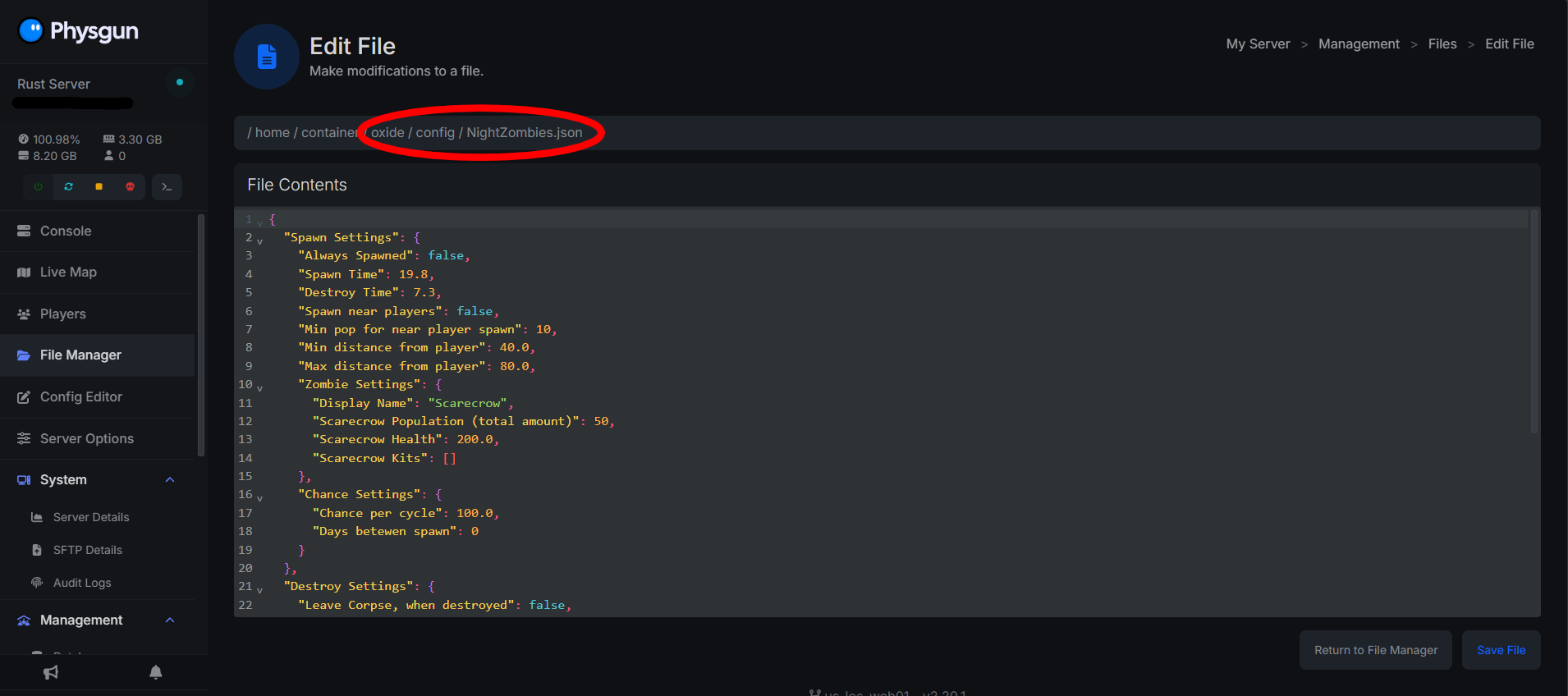
-
From this file, you can edit different variables, such as if zombies spawn near players or randomly, chances for how often zombies will spawn, corpse settings, and more! For a full rundown of each config entry, refer back to the mod’s uMod page here: uMod - Night Zombies by 0x89A
- The default config settings for the NightZombies plugin are a good starting point! Play around with it in game and tweak it to your exact liking.
-
Once you are done tweaking this config file to your liking, restart the server or run the command to reload the plugin!
oxide.reload NightZombies
How To Spawn Zombies In Rust
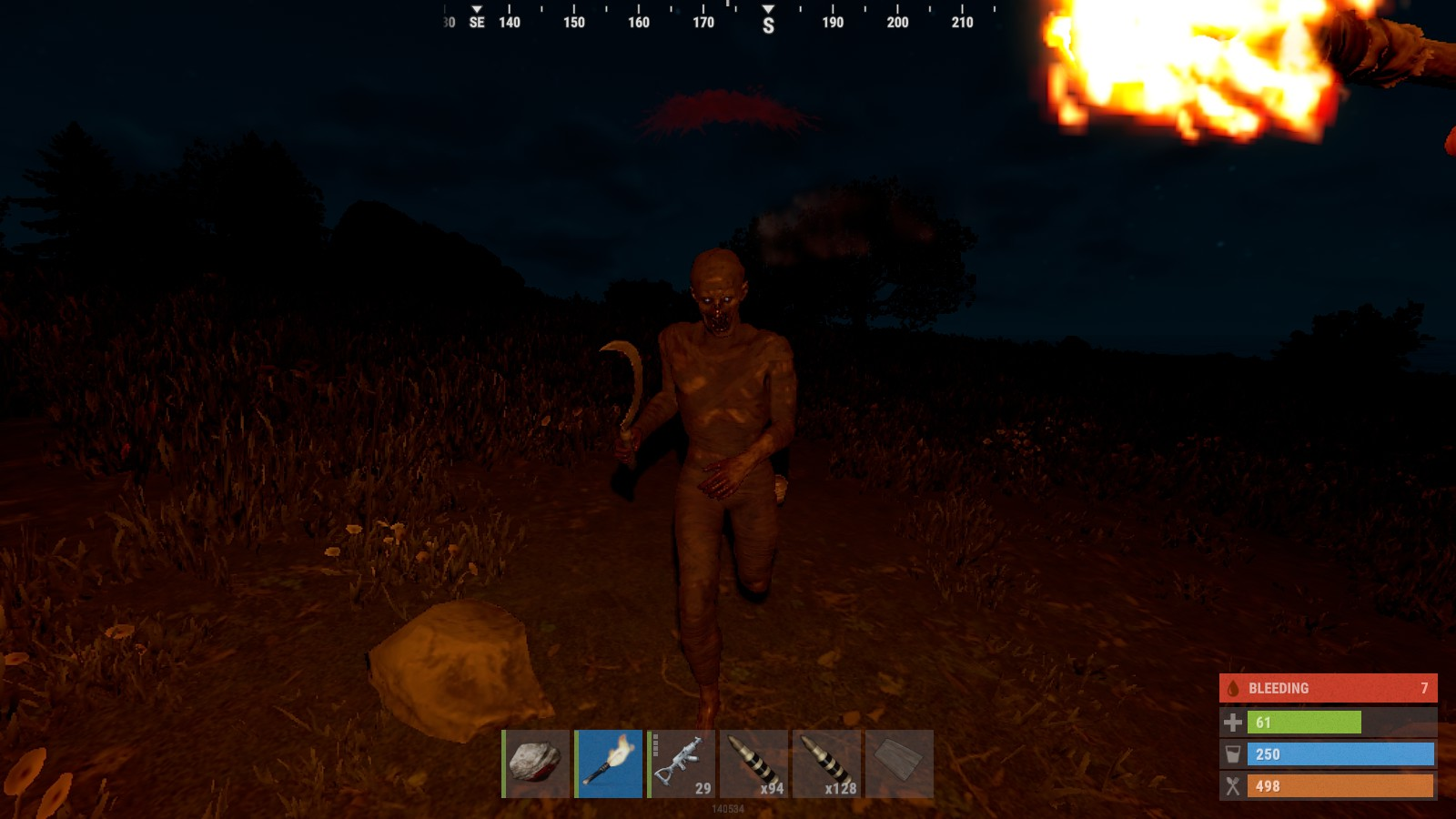
Once you have installed the NightZombies plugin on your Rust server, zombies will automatically spawn around active players or randomly around the map depending on how you have setup your config file.
Zombie spawning happens during the nighttime be default, and they will despawn once it becomes daytime. While zombies are spawned, they will act like hosting NPCS (similar to murderers or scarecrows)
How Many Zombies Can You Spawn In At Once?
The number of zombies you can expect have spawned at once is entirely dependent on your configuration and server performance. Higher numbers will create larger hordes, but they will also increase CPU and RAM usage due to NPC AI processing.
You can change the number of zombies that will spawn at nighttime in the config. Just look for the Scarecrow Population entry and change the number there (Default: 50).
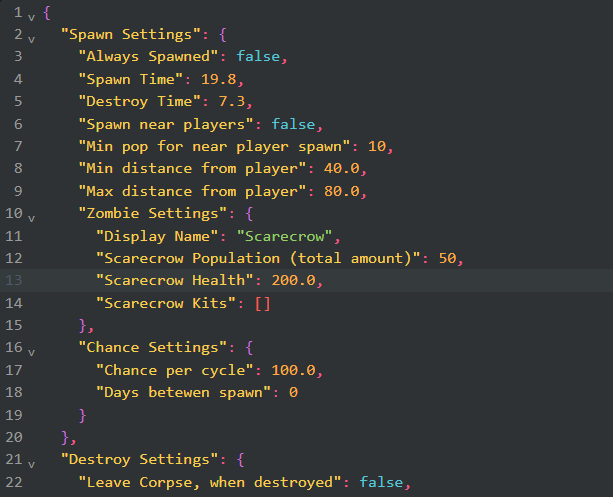
If you are running a small server (1-10 players), it is recommended to set the config value to somewhere around 20-30 depending on map size.
If you are running a larger server, it is recommended to set the config value somewhere around 60-80.
Test these numbers out on your own, as most server owners’ experiences will differ. Start lower, test the performance, then increase gradually.