

How To Connect To Hytale Server
Ready to play Hytale with other people? This guide explains you through the process of how to join a Hytale server, where to find server addresses, and what to check if you run into connection issues so you can get in and start playing.
Connecting To A Dedicated Hytale Server
Getting your own dedicated Hytale server up and running is exciting, but the next step is actually connecting to it. Whether you’re using the server’s IP address, default port, or your hosting provider’s setup tools, this section will walk you through the process so you can join your world quickly and start playing.
Getting The IP For Your Hytale Server
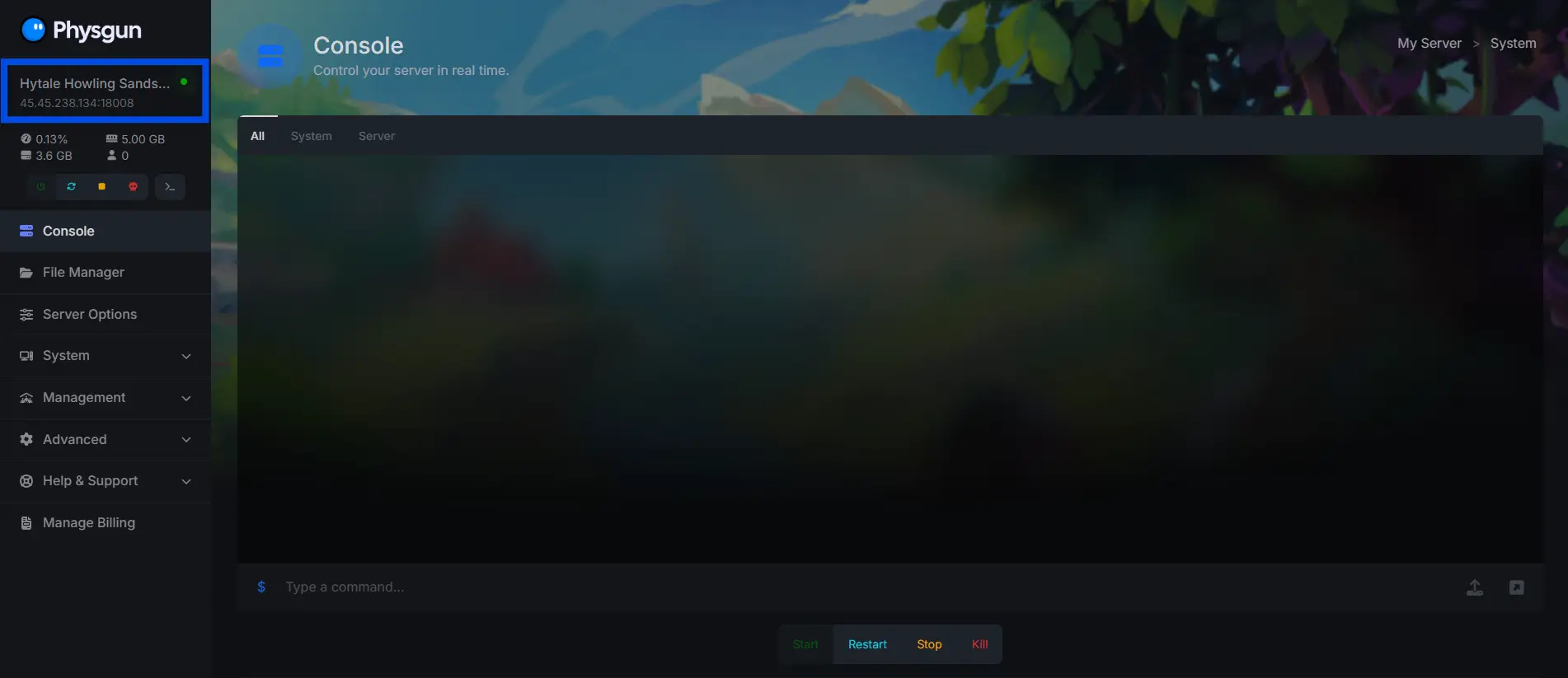
If you are a Physgun client, you can find your IP address by left clicking on the server IP in the top left of the control panel.
Adding A Server In Game
Once you have the IP address for the server you want to connect to:
-
Open the Hytale game client.
-
Click the “Servers” tab
-
Click “Direct Connect” in the bottom right.
-
Paste the IP address of the server you want to join.
Hosting A Peer To Peer Hytale Server
To play with your friends on a peer to peer Hytale server:
-
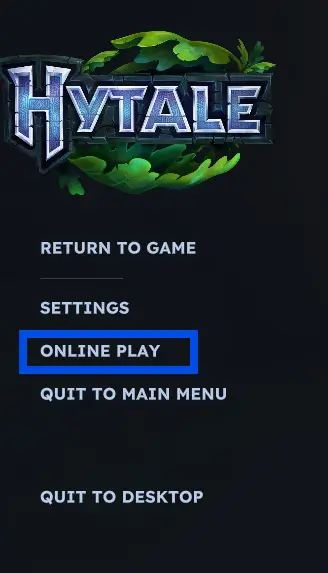
Navigate to the pause menu while you are inside of your server and click “Online Play”
-
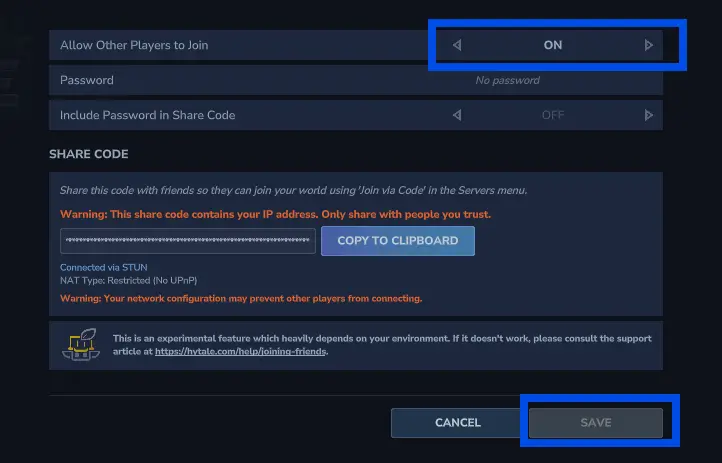
Toggle “Allow other players to join” to “Enabled”, click the “Save Button”
-
Copy the “Share Code” to your clipboard and send it to the players you’d like to connect to your server. Do not share this code with anyone that you do not trust, it contains your IP address.
Connecting To A Peer To Peer Hytale Server
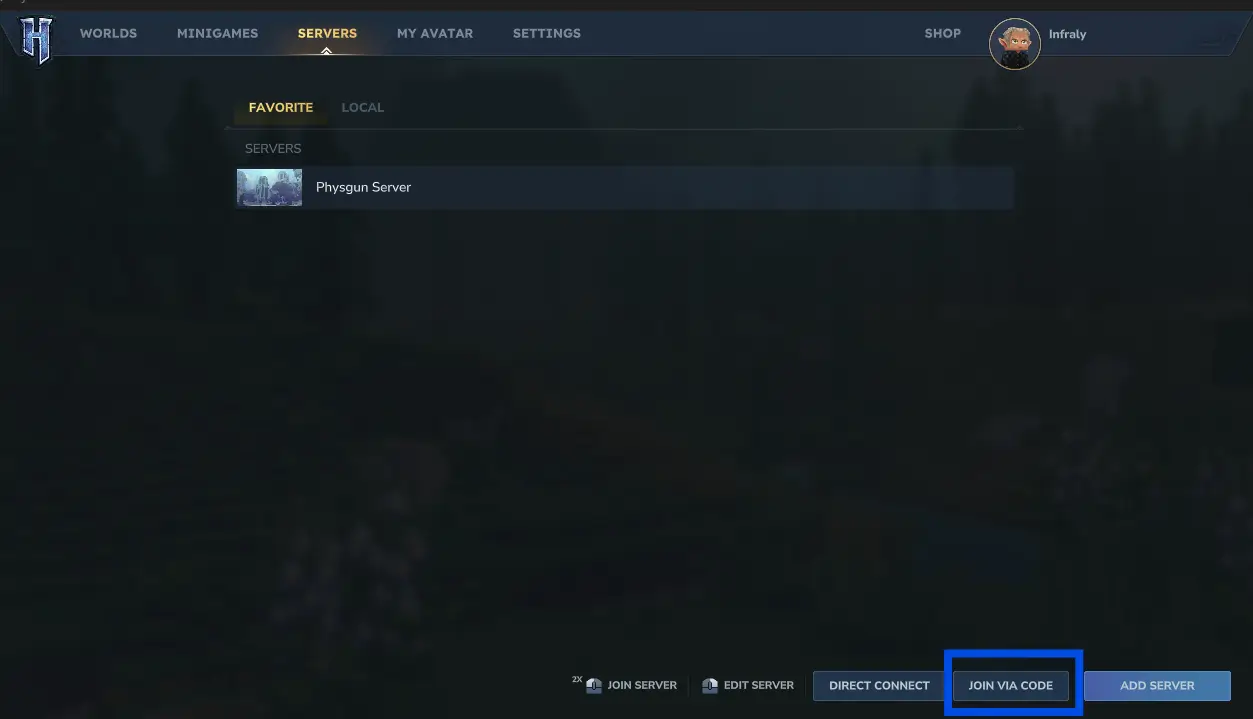
To connect to a Hytale server using a share code, open the Hytale game client, click “Servers”, and click “Join via. code”. Inside of this menu, paste the share code that was given to you by the server owner.
Need More Help Connecting To A Hytale Server?
Contact our support team for 24/7 assistance!