

Running a Hytale server comes with a lot of choices, and one of the biggest is how you handle death in the game. Do players lose everything, keep some items, or face no penalty at all?
Changing the death penalty settings can completely reshape how your server feels. Whether you want it hardcore, casual, or somewhere in between. In this guide, we’ll walk you through exactly how to adjust the death penalty on your Hytale server for a balanced experience in exploration mode so you can create the experience that’s just right for your players.
Hytale’s Different Death Penalty Settings Explained
Before editing your server’s config files, it helps to know what each option does. The config.json lets you customize how death affects players, from dropping everything to keeping items, and even setting exact percentages for item and durability loss.
-
ItemsLossMode – Sets the general behavior on death for you and other players. Options:
-
None → Keep all items
-
All → Drop everything, total item loss
-
Configured → Use custom percentage settings
-
-
ItemsAmountLossPercentage – When Configured is selected for ItemsLossMode, this can be used to fine tune the percentage of how many items a player loses (e.g., 50.0 = half).
-
ItemsDurabilityLossPercentage – Determines what percentage item durability an item loses when a player dies.
Changing The Death Penalty On A Hytale Server
To change the death penalty on a Hytale server:
-
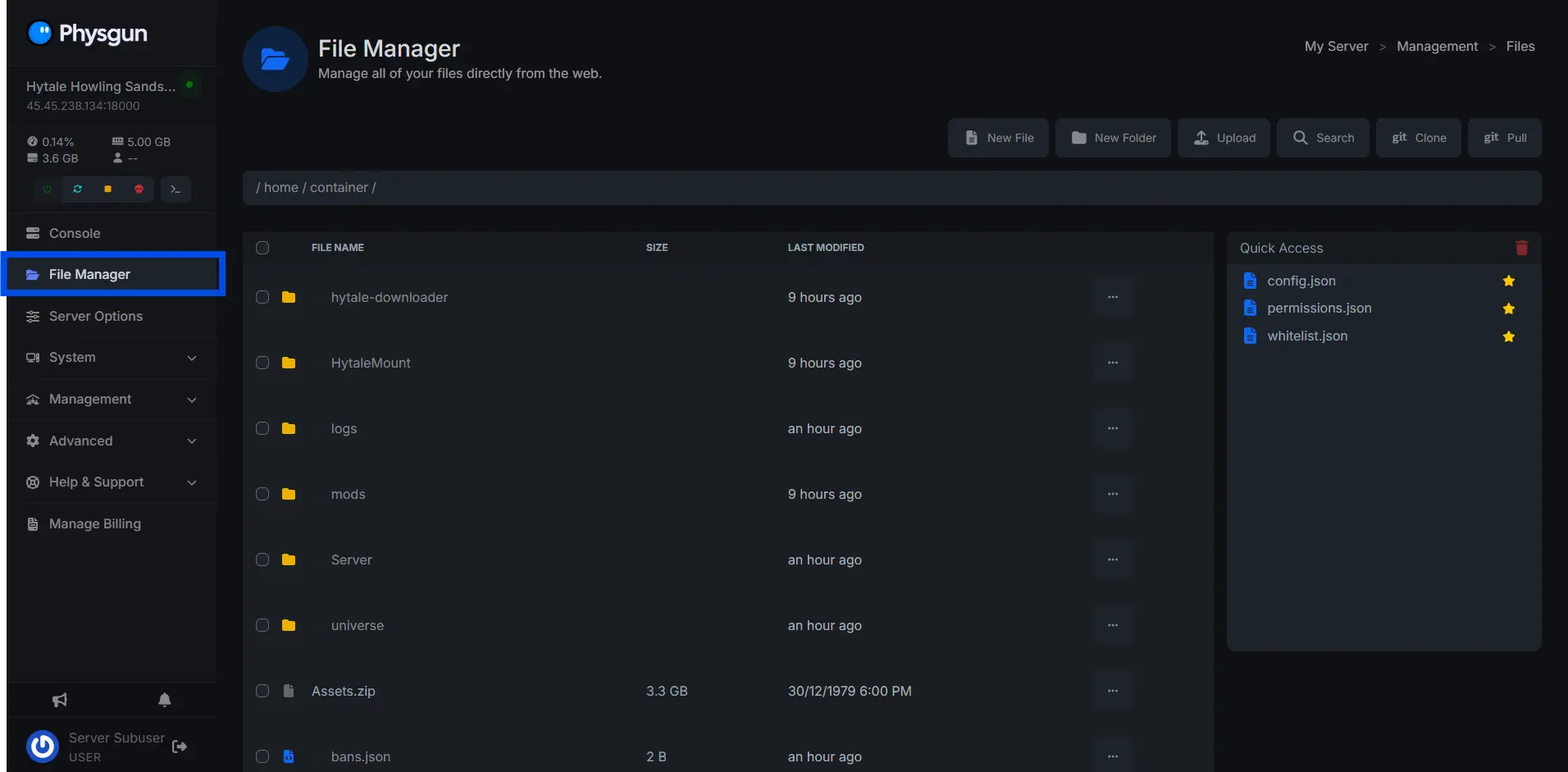
Navigate to the “File Manager”
-
Open the /universe/worlds/default/config.json file
-
Click “universe”
-
Click “worlds”
-
Click “default”
-
Click “config.json”
/universe/worlds/default/config.json -
-
Inside of the file, use Ctrl + F and find:
"GameplayConfig": "Default" -
At the end of the line that contains GameplayConfig, press Enter to start a new line.
-
Paste the following code block into the empty space:
"Death": {
   "RespawnController": {
     "Type": "HomeOrSpawnPoint"
   },
   "ItemsLossMode": "Configured",
   "ItemsAmountLossPercentage": 50.0,
   "ItemsDurabilityLossPercentage": 10.0
 },
Once complete, the final result should look like this:
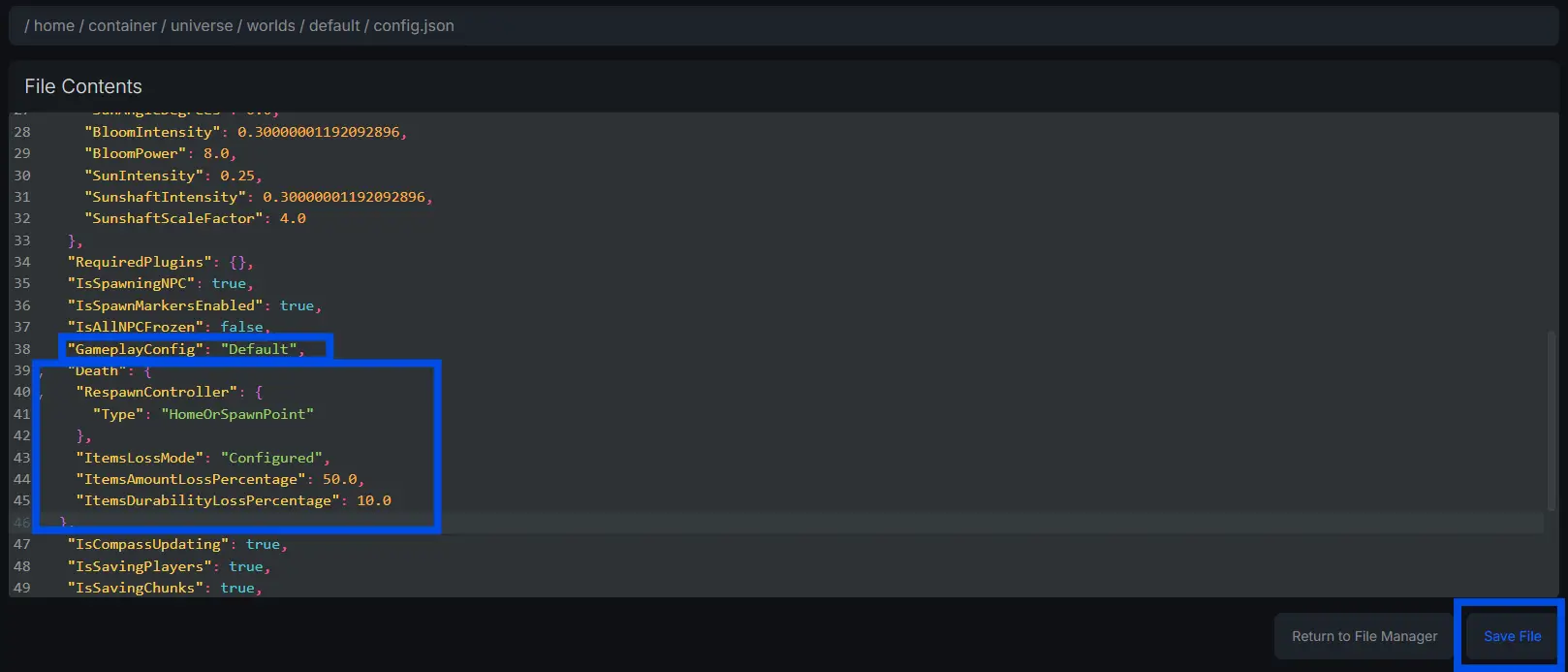
Once complete, save and restart your Hytale server!
Still Need Help Changing The Death Penalty On Your Hytale Server?
Contact our support team for 24/7 assistance!