

Changing the name of your Hytale server is a small tweak that makes a big difference. Whether you’re rebranding your server, making it easier for players to recognize, or just fixing a typo, updating your server name helps your world feel more polished and intentional.
In this guide, we’ll walk through how to change your Hytale server name and MOTD (message of the day) step by step, explain where the name is set, and cover what to check if the new name doesn’t show up right away.
Changing the Name of a Hytale Server
-
Navigate to the File Manager.
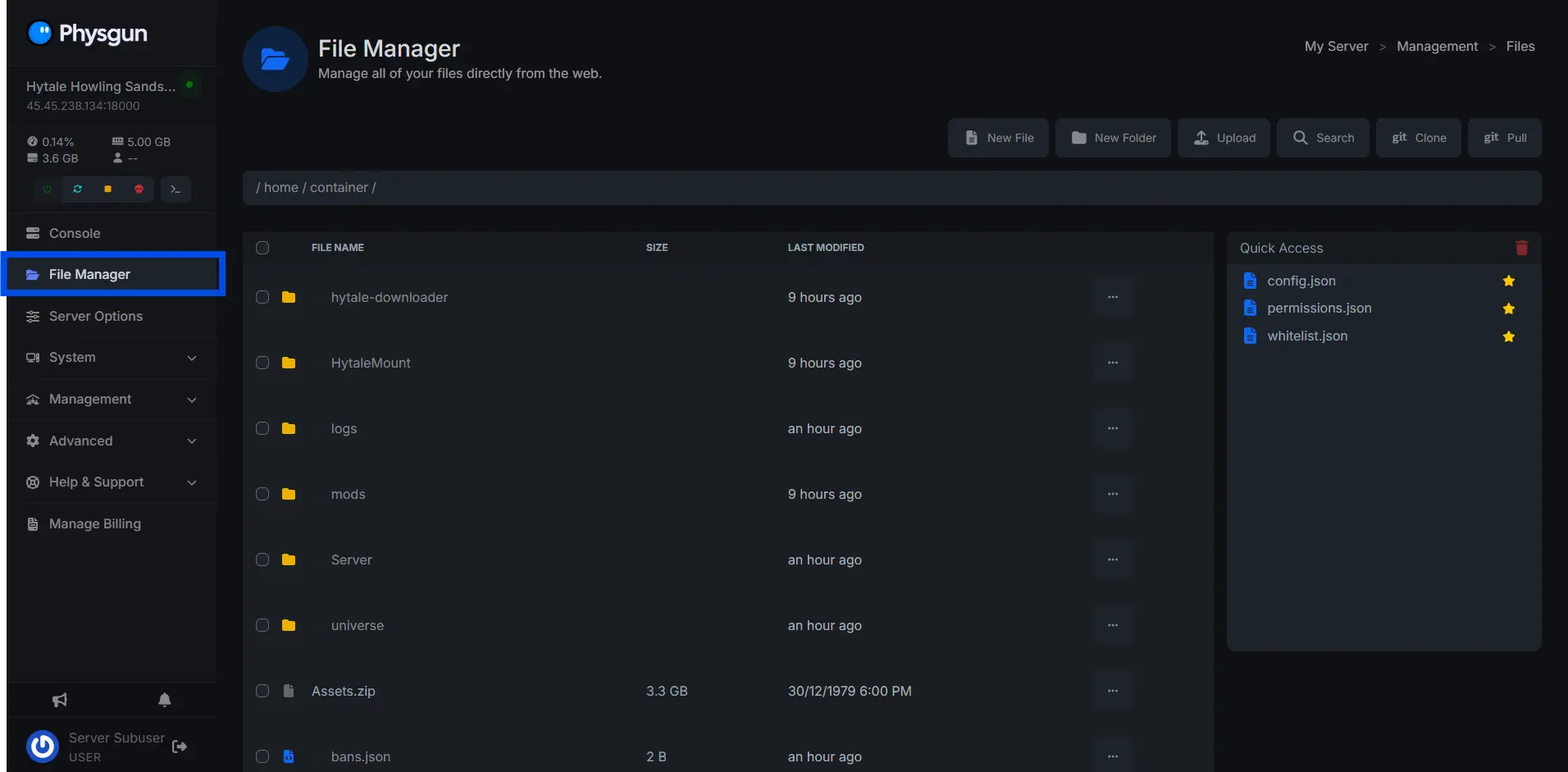
-
Open the config.json file (this is where all default settings are changed).
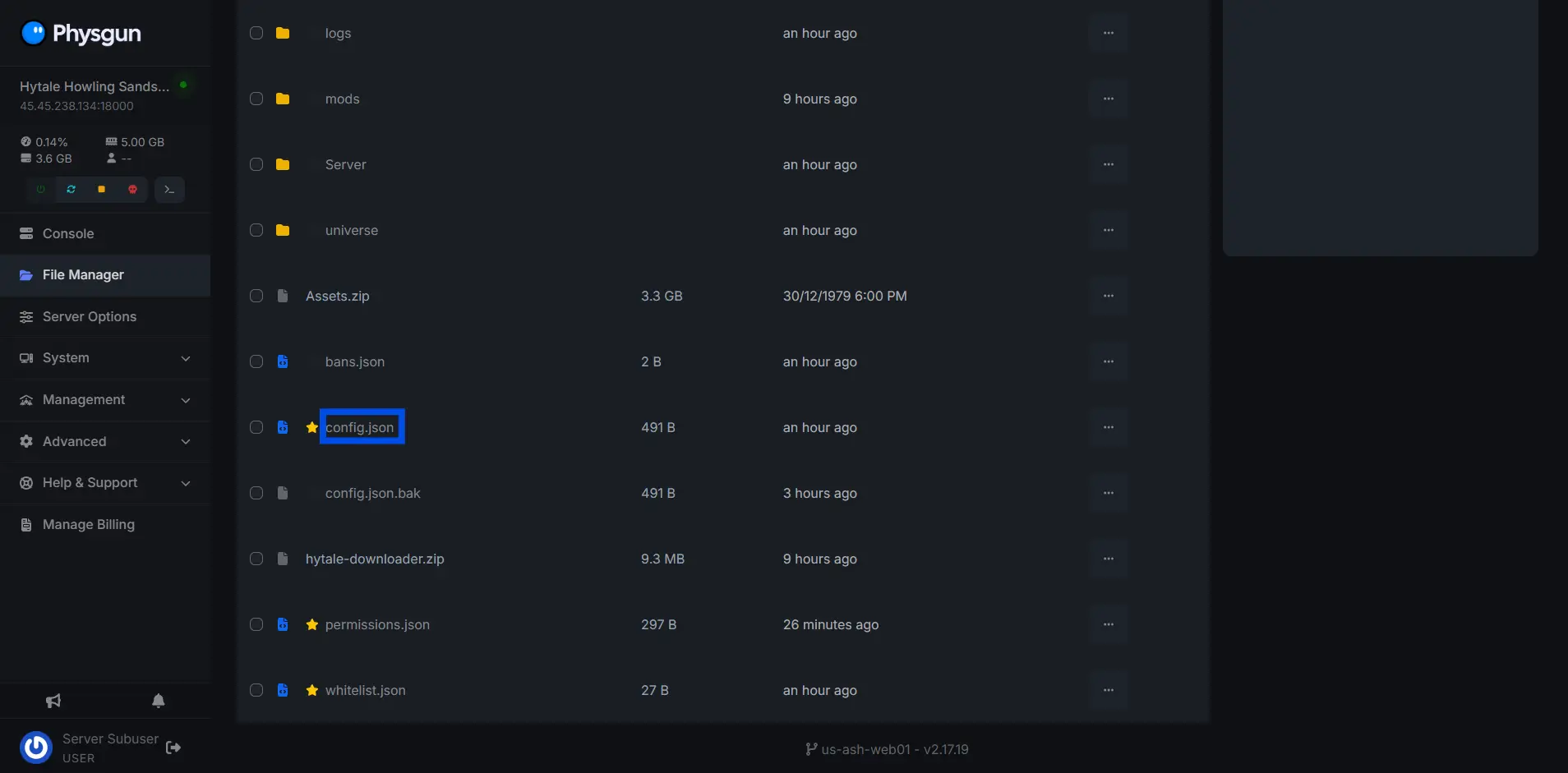
-
Change the “ServerName” variable to the name of your new Hytale server.
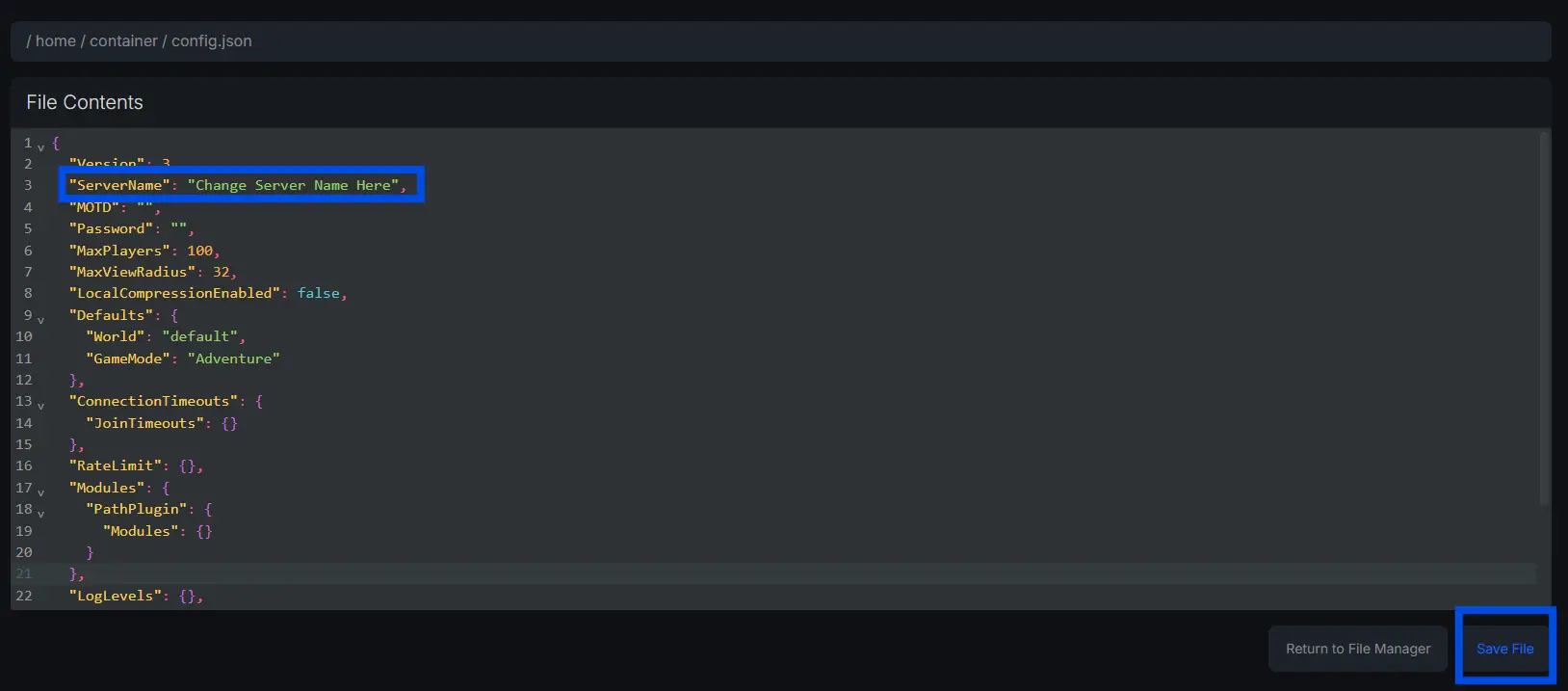
How to Change the MOTD of Hytale Server
-
Navigate to the File Manager.
-
Open the config.json file (this is where all default settings are changed).
-
Change the “MOTD” variable to your message of the day.
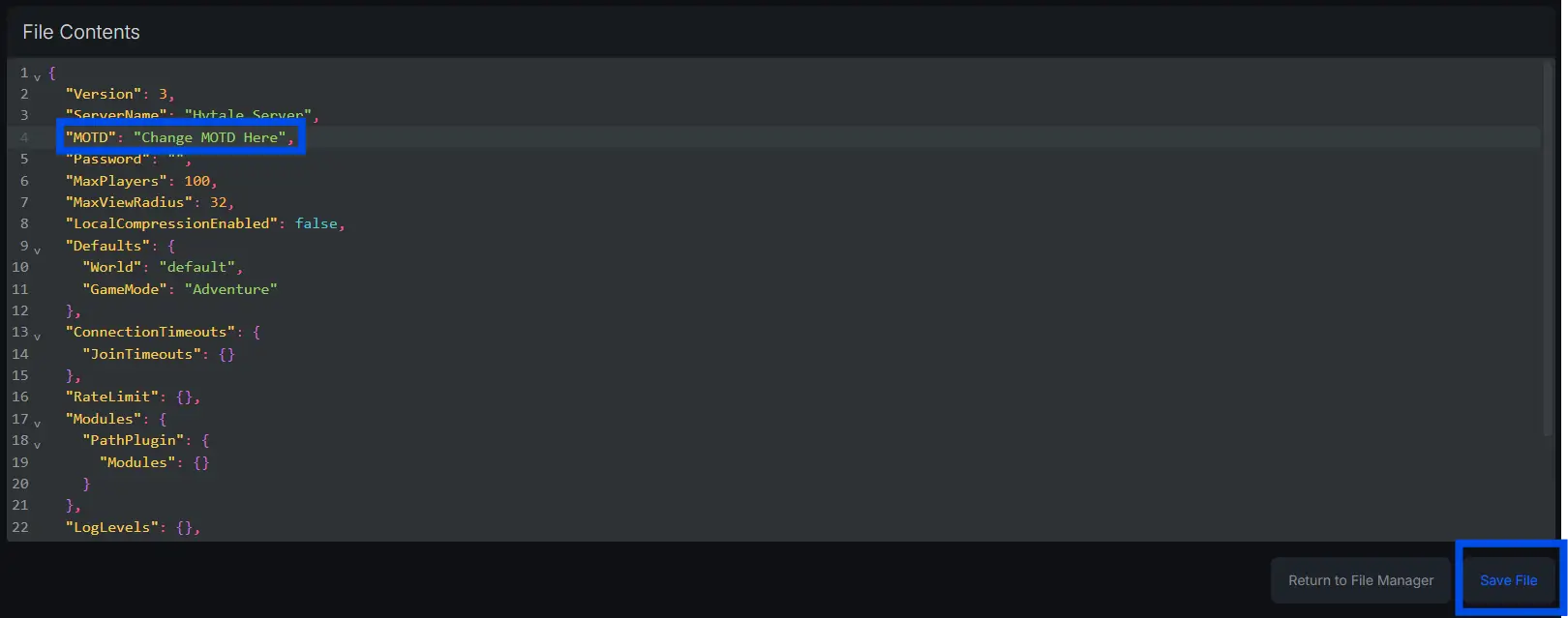
Need Help Changing the Name or MOTD of Your Hytale server?
Contact our support team for 24/7 assistance!