

How to Buy a Hytale Server
So, you’re ready to dive into Hytale and want your own game server? Awesome! Running your own server is the best way to play exactly how you want, whether that’s with a tight group of friends or a whole community.
But here’s the thing, buying a Hytale server can feel a little confusing at first. There are different hosting providers, plans, and specs to think about. But don’t worry. In this guide, we’ll walk you through everything you need to know to pick the right Hytale server, get it set up, and start playing without headaches. By the end, you’ll be ready to jump into your Hytale world with your server humming perfectly in the background.
Decide Which Type of Hytale Hosting Plan You Want
Before you click buy, it helps to get clear on what kind of Hytale server hosting fits your needs. Are you aiming for full control over every setting, or something that “just works” with minimal setup? Server hosting comes in a few flavors: from shared hosting that’s budget‑friendly and easy to manage, to dedicated server plans that give you maximum performance and flexibility.
Hytale Server Hosting
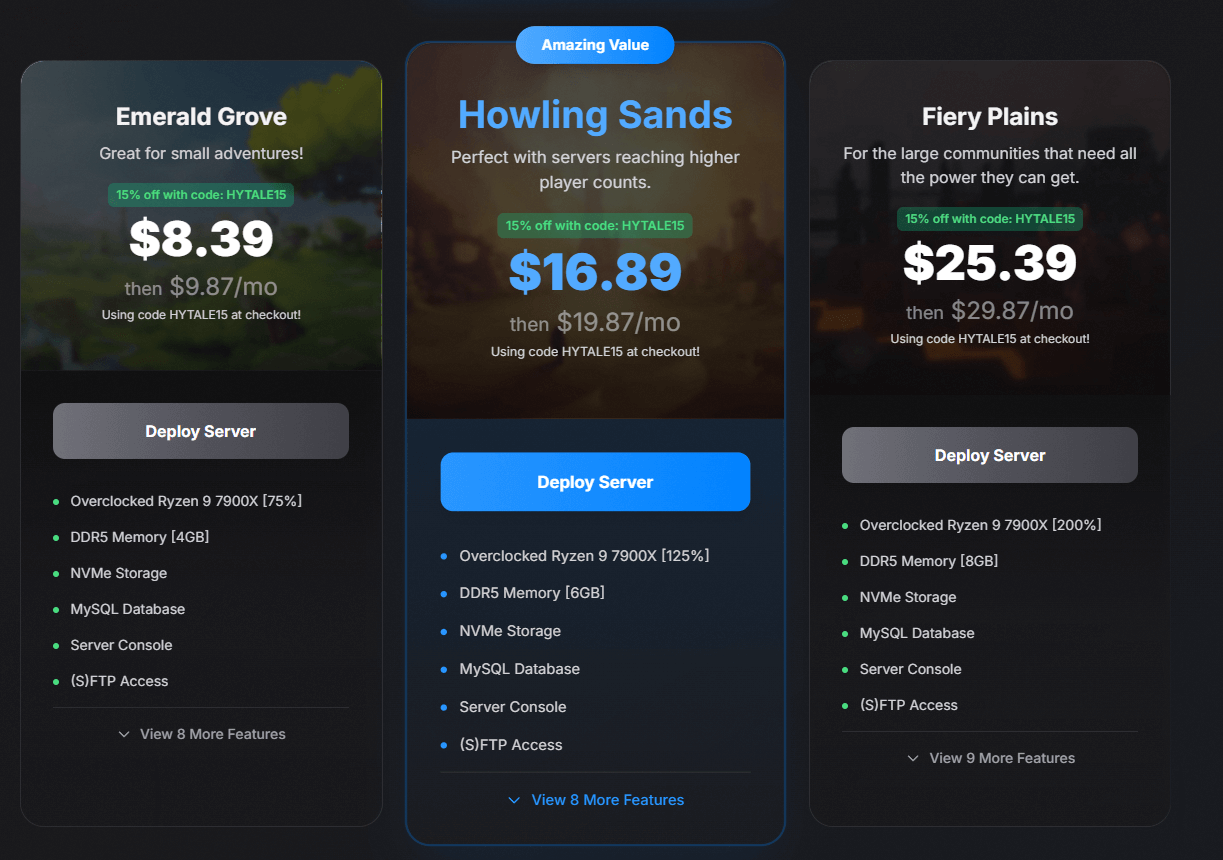
Hytale server hosting is the easiest and most affordable way to get your server online for players to connect anytime. Instead of dealing with technical setup, software installation, or running the game from your own computer (which can lag or go offline), a hosting provider handles everything for you on reliable hardware with fast internet and professional maintenance.
At Physgun, your server is ready to play within minutes. Our control panel lets you start and stop your server, install mods, manage files, configure world settings, and monitor performance — all from a simple web interface. No command line, no complicated setup, no technical knowledge required. Just log in and play.
You get everything you need to run a successful server right out of the box: DDoS protection to keep your server safe from attacks, automatic backups so you never lose progress, 24/7 support whenever you need help, and 99.9% uptime so your world stays online around the clock. Our servers run on high-performance hardware optimized specifically for game hosting, meaning you get smooth gameplay without paying for resources you don’t need.
You also get full control over your server files, mods, world configuration, and player management — without paying extra for individual player slots. You only pay for the resources your server actually uses, making it the most cost-effective option for most server owners.
Whether you’re playing with a few friends or building a growing community, Hytale server hosting gives you the performance, features, and support you need without the complexity. It’s the smart choice for anyone who wants to focus on playing and building rather than managing infrastructure.
Hytale VPS Hosting
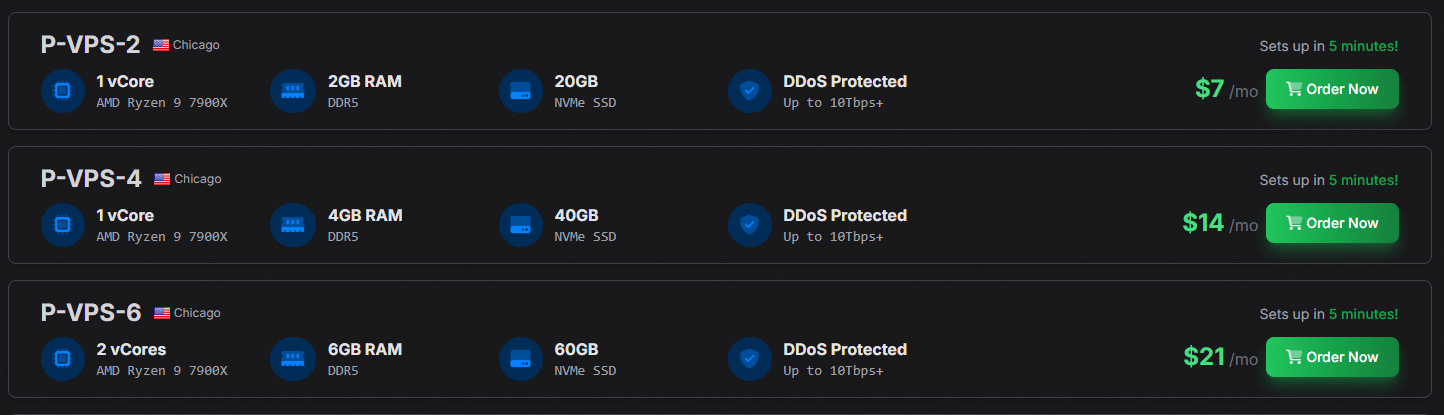
VPS hosting is designed for server owners who want full control over their entire environment — not just Hytale. With a Virtual Private Server, you get direct access to your own operating system, so you can run multiple game servers, host a website, set up a Discord bot, or configure anything else alongside your Hytale server on the same machine.
You can install a control panel like WISP to make management easier, giving you a user-friendly interface for handling files, mods, backups, and settings. Or if you prefer, you can manage everything directly through the command line, but keep in mind this requires some technical experience.
A VPS gives you more flexibility and power than standard game hosting, with allocated resources that aren’t affected by other customers. You still get DDoS protection and reliable uptime, but with the freedom to build your setup exactly how you want. It’s the best choice for technical users who need more than just a game server.
Dedicated Hytale Server
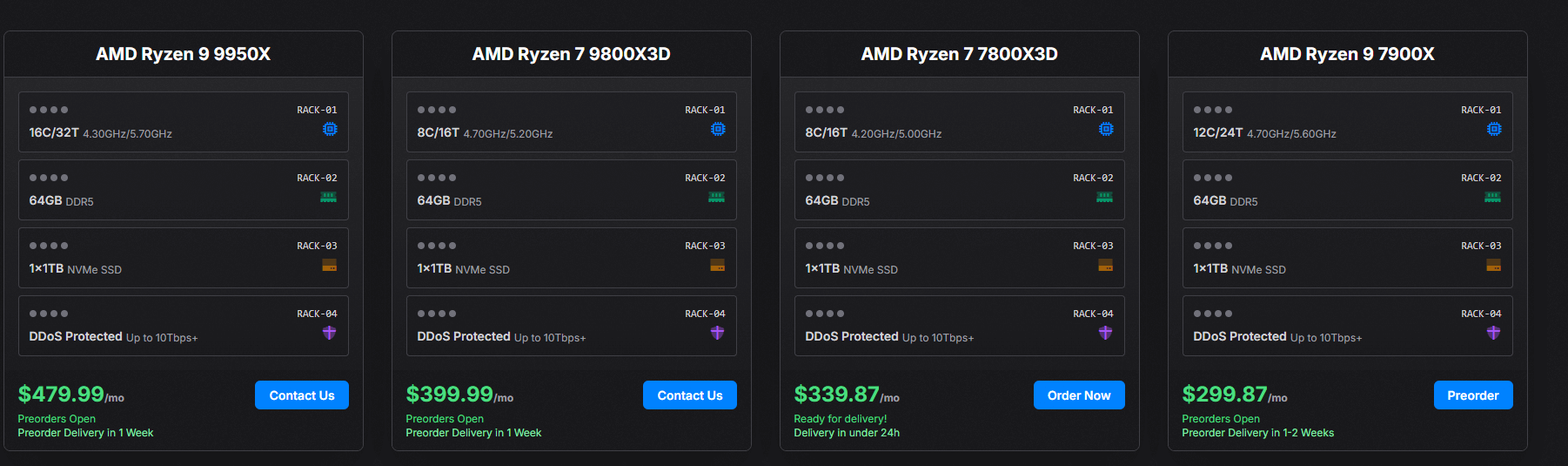
A dedicated server gives you an entire physical machine to yourself. All the CPU, RAM, and storage belong exclusively to you, delivering maximum performance for large communities, heavy mod usage, or anyone who simply wants the best possible experience.
Unlike shared or VPS hosting, there’s no resource sharing with other customers. Your server runs on hardware that’s fully dedicated to your needs, which means consistent performance no matter how demanding your setup becomes.
At Physgun, we offer a managed control panel with our dedicated servers, so you get the same easy-to-use interface as our standard hosting — just with significantly more power behind it. Start and stop your server, manage files, install mods, and configure settings without needing to touch the command line.
If you’re running a large community, hosting multiple worlds, or want guaranteed top-tier performance, a dedicated Hytale server is the ultimate option.
Buying A Hytale Server
Depending on the type of Hytale server you purchase, there are different steps to buying the plans. Don’t know how much RAM or hardware you need for your Hytale server? Check out our Hytale Server RAM calculator.
Buying A Hytale Server Hosting Plan
To buy a Hytale server hosting plan with Physgun:
-
Choose your Hytale server hosting plan
-
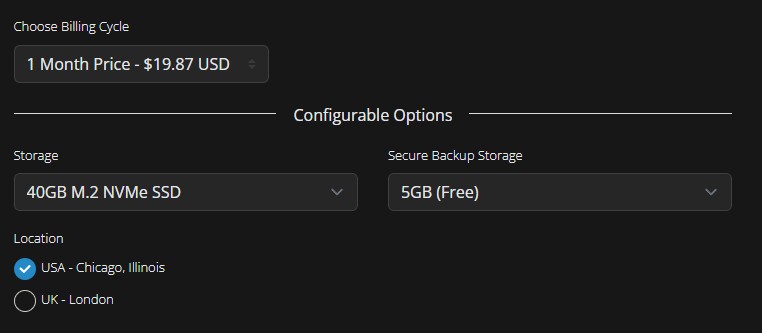
Configure your Hytale server location, storage, and backups
-
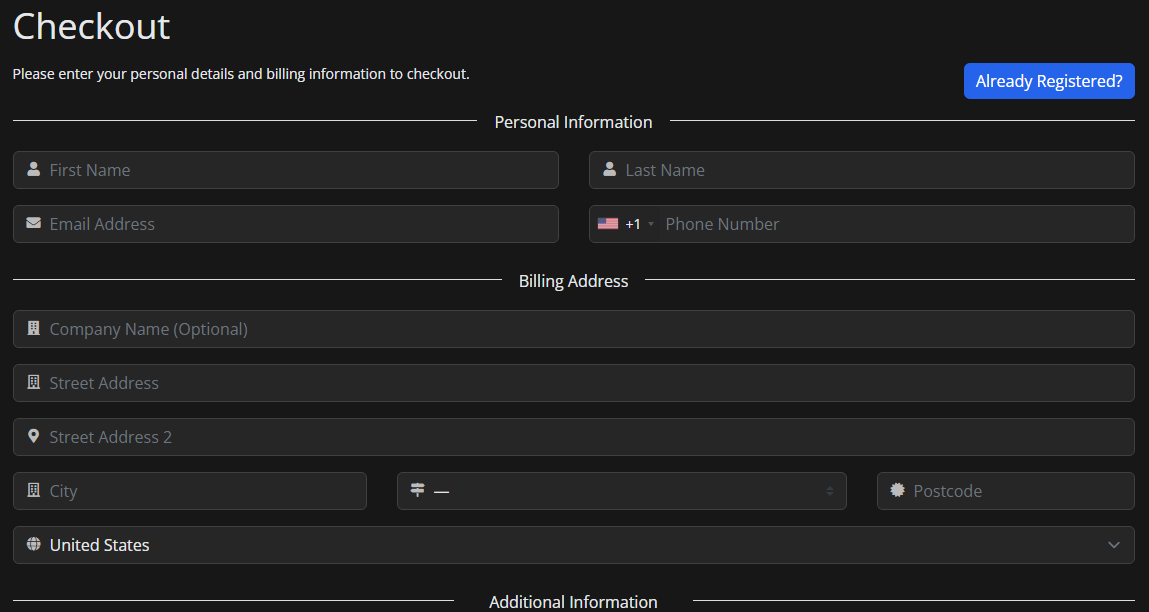
Complete checkout and payment
Buying A Hytale VPS
To buy a Hytale VPS:
-
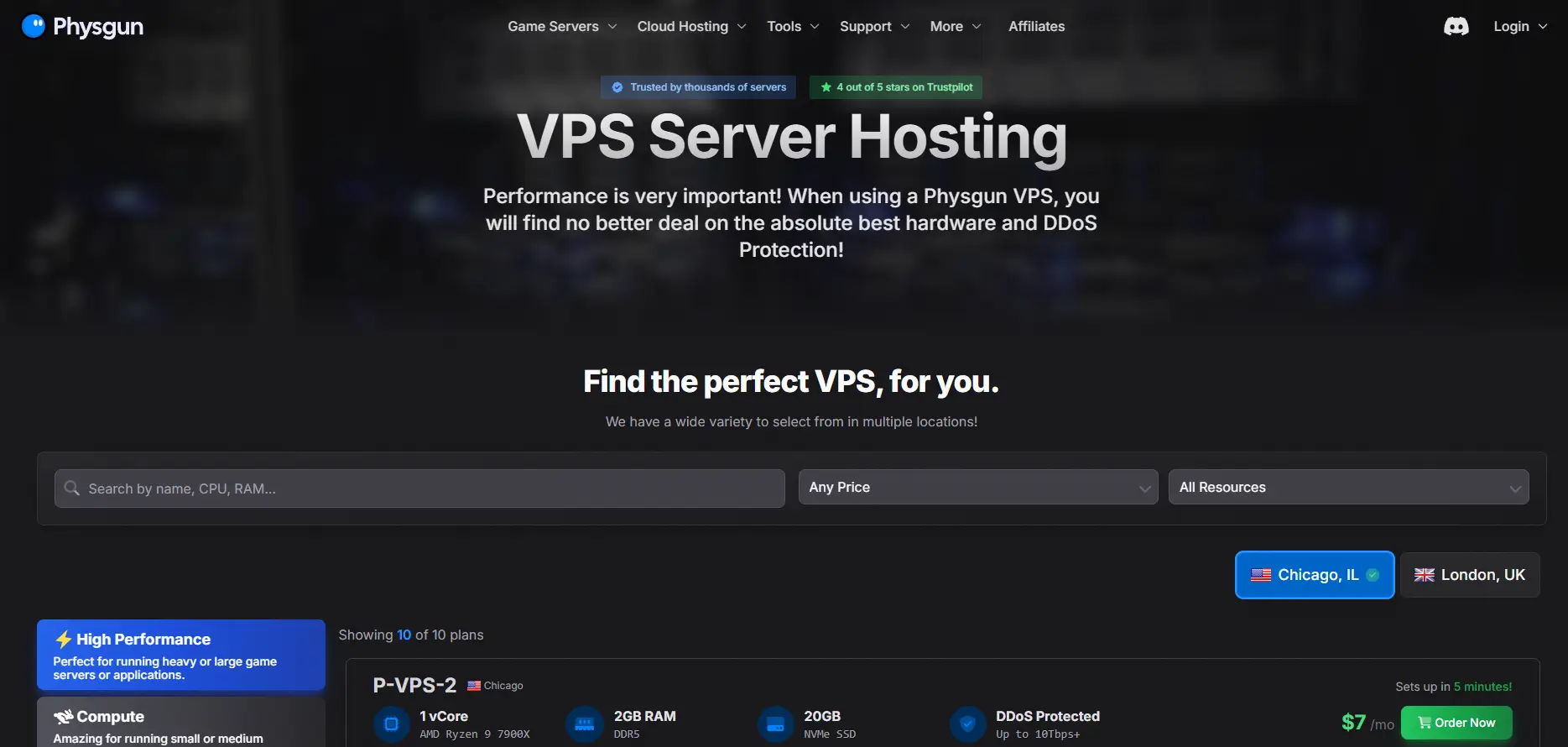
Choose your Hytale VPS hosting plan
-
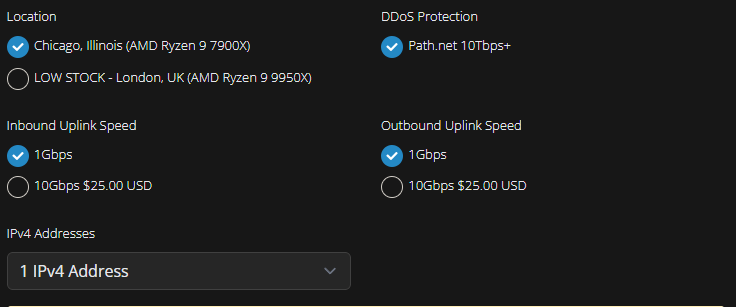
Configure your location, DDOS protection, uplink speed, and IPv4 addresses
-
Complete checkout and payment
Buying A Dedicated Hytale Server
To buy a Hytale dedicated server:
-
Choose your Hytale Dedicated Server plan
-
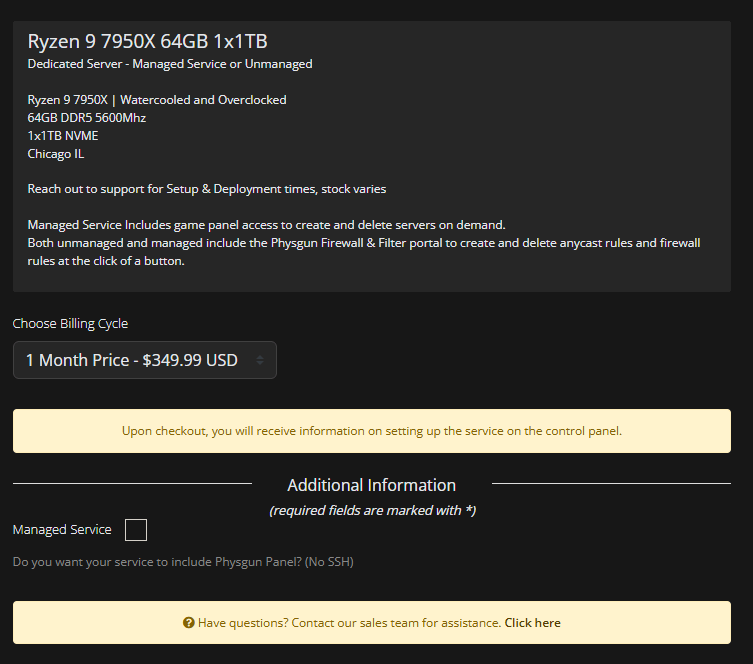
Configure your Hytale server (choose “Managed Service” if you want the Physgun control panel)
-
Complete checkout and payment
Getting Your Hytale Server Login Details
Depending on the service you bought, getting your login details for your Hytale server may be different. Check the email you entered at checkout, you will receive a link to the control panel with login credentials.
Setting Up Your Hytale Server
For more information on how to setup your Hytale server, read our Hytale knowledgebase guides at https://physgun.com/help/game-hosting/hytale/.