

Making yourself admin on a Hytale server gives you full control over how your world runs. From managing players and using commands to customizing the world and server settings, admin permissions unlock everything you need to run your server smoothly.
In this guide, we’ll show you exactly how to make yourself admin on a Hytale server, explain what admin access does, and cover what to check if it doesn’t work the first time.
What Can Admins Do On A Hytale Server?
Admins on a Hytale server have access to powerful tools that let them manage players, customize the world, and keep the server running smoothly. Once you give yourself or another user admin access (also known as operator or op permissions), you unlock a full set of commands that go far beyond normal gameplay.
With admin privileges, you can:
-
Manage players: Use commands to ban, unban, or kick players, assign admin roles, and change how users interact with the server.
-
Control the world: Adjust time and weather, teleport anywhere, and control how the world behaves while players are online.
-
Moderate server access: Enable whitelists to control who can join your server, which is especially useful for private servers or small communities.
-
Build and customize faster: Admin and builder commands let you copy, paste, replace, and undo structures, making creative projects much easier to manage.
-
Configure server settings: Access important settings, manage permissions, and run commands directly through the server console or in game.
Adding Admins On A Hytale Server
To add an admin to a Hytale server:
-
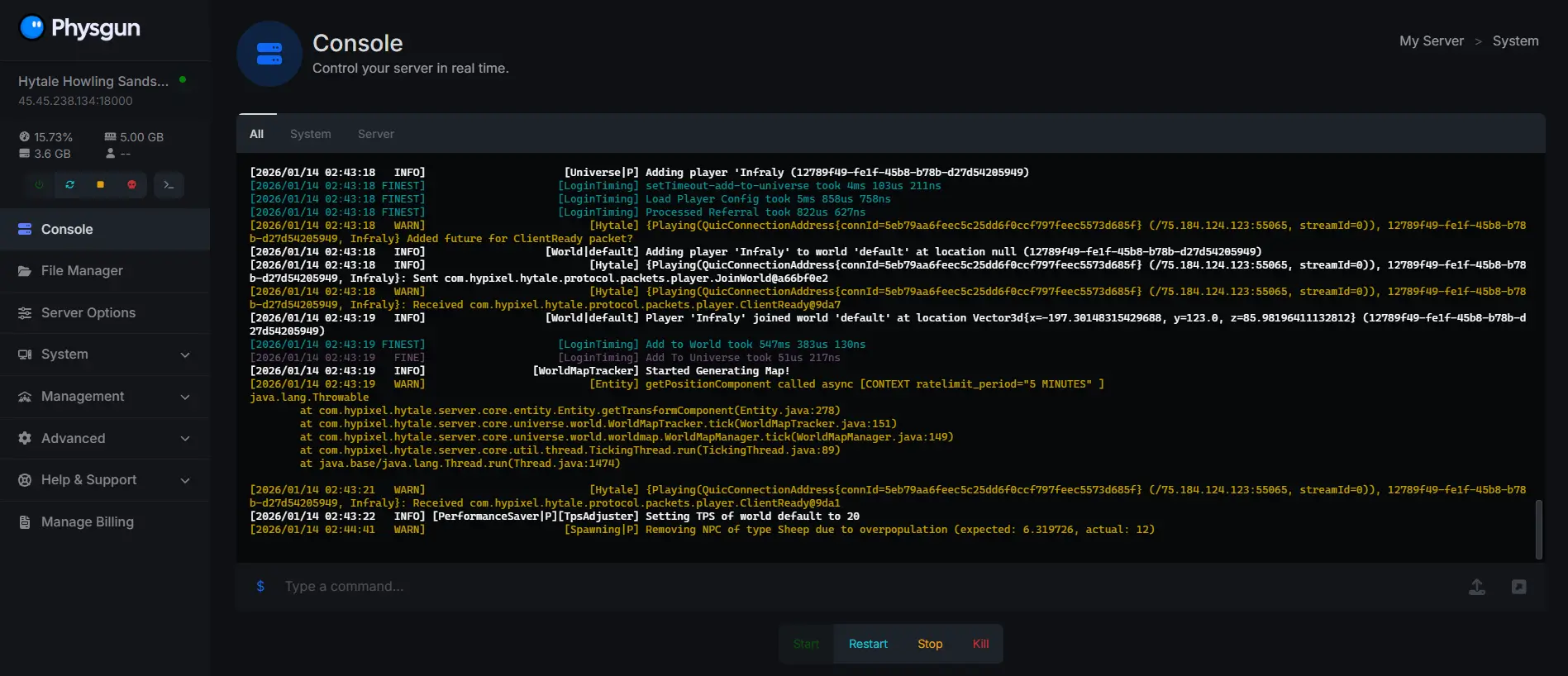
Navigate to your server console
-
Type the command /op add (Player Name), replace (Player Name) with the name of the player you want to give admin permissions to.
Congratulations, you have successfully added an admin to your Hytale server!
Removing Admins On A Hytale Server
To remove an admin from a Hytale server:
-
Navigate to your server console
-
Type the command /op remove (Player Name), replace (Player Name) with the name of the player you want to give admin permissions to.
Hytale Admin Commands Explained
| Command | Description |
|---|---|
| /op add (username) | Gives a player admin (operator) permissions |
| /op remove (username) | Removes admin permissions from a player |
| /ban (username) | Bans a player from the server |
| /unban (username) | Removes a ban and allows the player to rejoin |
| /kick (username) | Kicks a player from the server without banning |
| /gamemode (mode) (username) | Changes a player’s game mode |
| /tp (username) | Teleports you to another player |
| /tp (username1) (username2) | Teleports one player to another |
| /time set day | night |
| /weather clear | rain |
| /whitelist on | Enables whitelist-only server access |
| /whitelist off | Disables the whitelist |
| /whitelist add (username) | Adds a player to the whitelist |
| /whitelist remove (username) | Removes a player from the whitelist |
| /give (username) (item) [amount] | Gives items to a player |
| /spawnpoint (username) | Sets a player’s spawn location |
| /setspawn | Sets the server’s global spawn point |
| /difficulty (value) | Changes the server difficulty |
| /stop | Safely shuts down the server |
| /save | Saves all world data immediately |
| /reload | Reloads server configuration and permissions |
Need help with configuring admin privileges on your Hytale server?
Contact our support team for 24/7 assistance!