

Inviting friends to a GMod server is simple once your Garry’s Mod server is running and accessible. Whether you are hosting a private sandbox server or a public multiplayer game, friends can join using the server address, Steam’s built-in features, or the community server list.
In this guide, you will learn how to invite friends to a GMod server, where to find your server IP, and how to connect through the Steam client or in-game menus. By the end of this guide, you will know the fastest and easiest ways to invite friends so everyone can join your GMod server and start playing together.
Join Using The Server Address IP
Using the server’s IP address is the most direct and reliable method to connect to a GMod server.
To join using the server’s IP address:
- Make sure the server is running and the correct game mode is set.
- Find your server’s IP Address and Port.
- If your server is hosted through Physgun, this is found at the top left of your server console.
- If your server is hosted through a VPS, this is usually found on your VPS panel. It is the public IP you connect to your VPS through.
- Open Garry’s Mod from the Steam client.
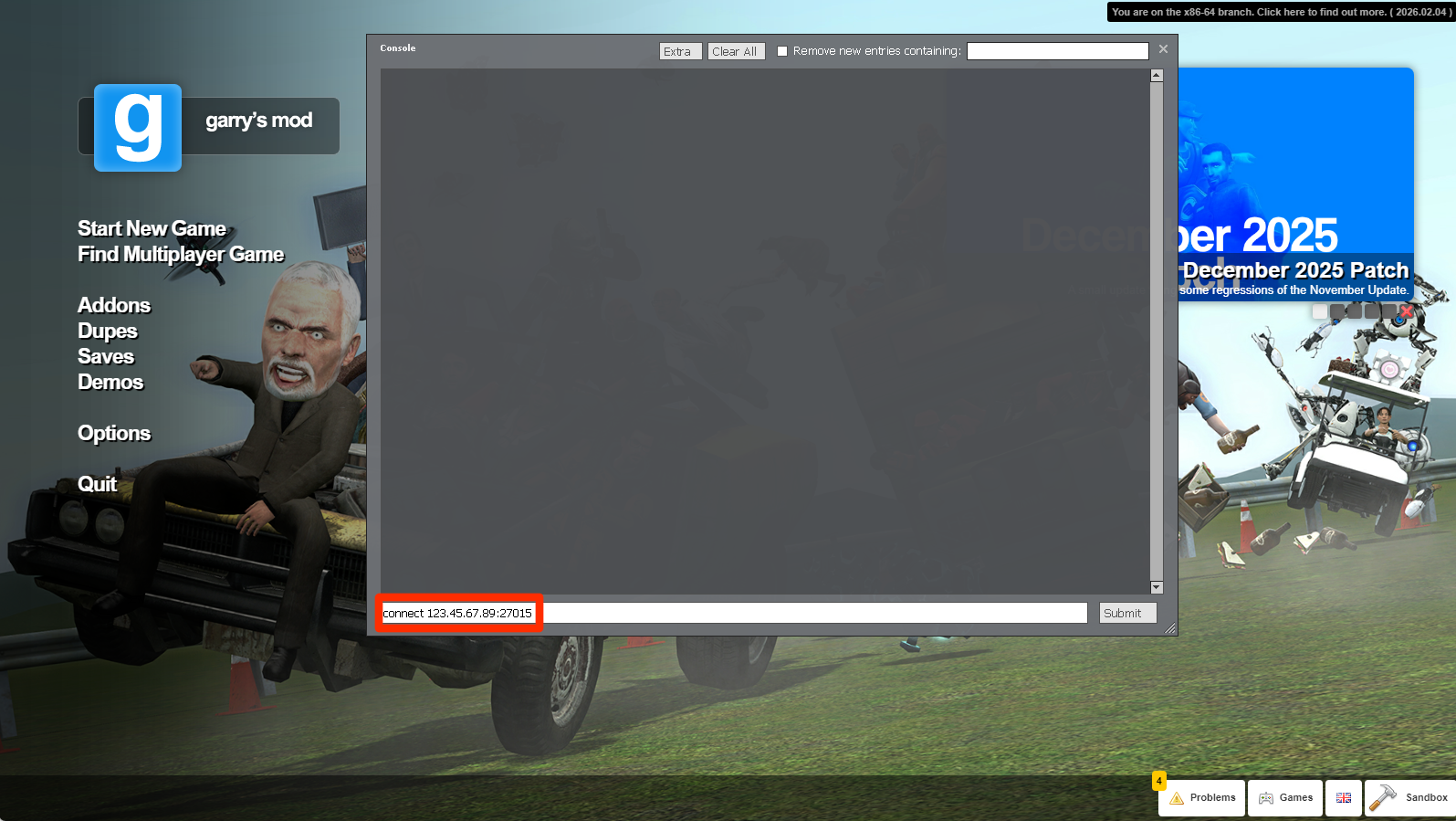
- Open the in-game console by pressing the tilde ~ key on your keyboard.
- Type the command connect ip_address:port, where ip_address is the server’s IP and port is the server’s port.
- This should look something like connect 123.45.67.89:27015
- Press Enter on your keyboard to start connecting to the server.
Using The In-Game Server Browser
Friends can also join by searching for your server in-game.
To connect to a server using the in-game server browser:
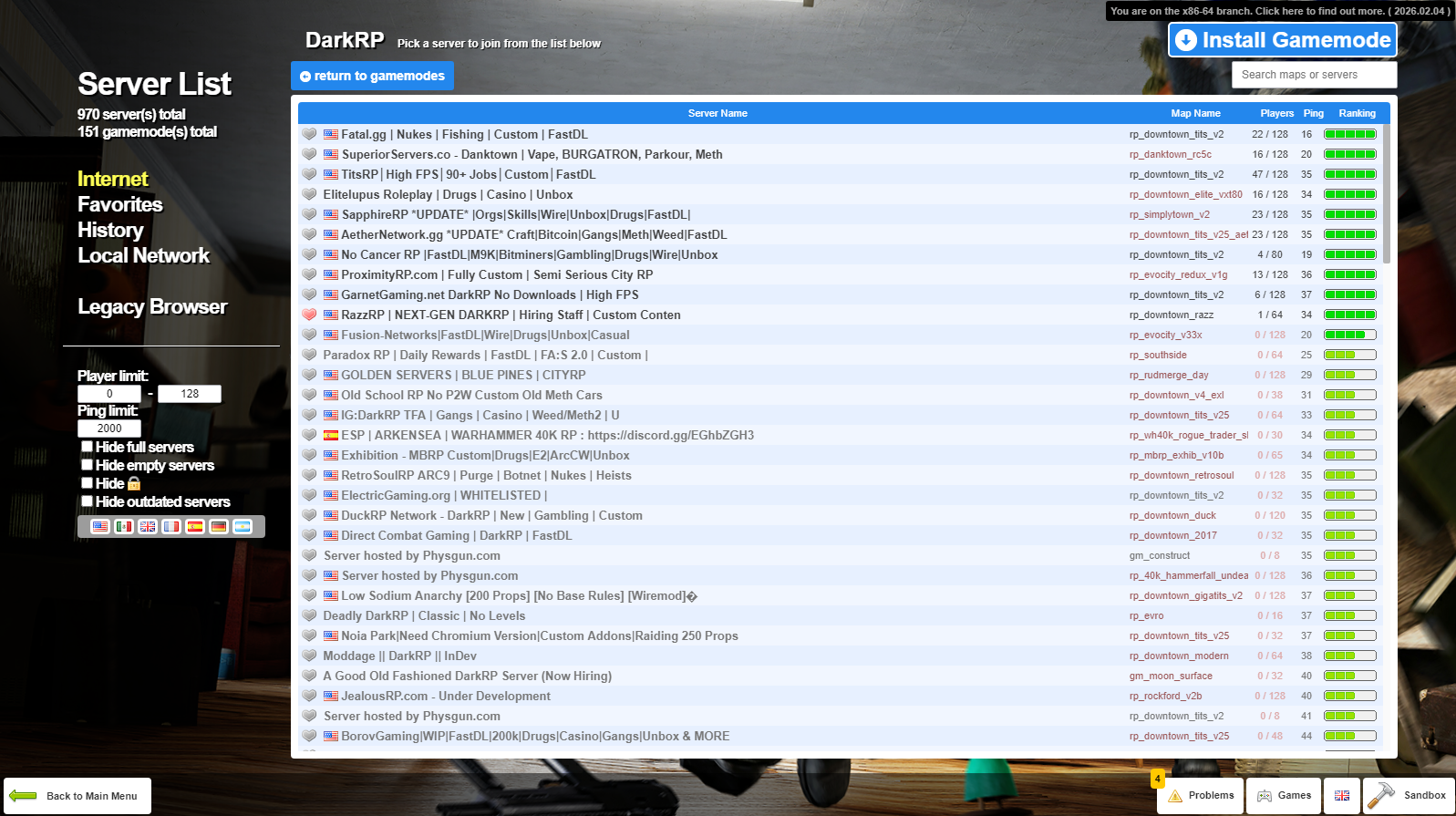
- Open Garry’s Mod and click Find Multiplayer Game.
- Choose the game mode you would like to play such as DarkRP, Prop Hunt, or TTT.
- Scroll through the server list until you find the server you would like to play on.
- You can also use the search bar to find a specific server.
Common Issues And Things To Check
- Make sure the server is fully running before trying to connect.
- Confirm the correct IP address and port are set.
- Make sure you are subscribed to the required addons.
- Check that the server is not set to private by mistake.
- Restart the game or server if connection issues persist.