

Changing the map on a GMod server is a core part of managing a custom Garry’s Mod server, whether you are rotating maps, testing new content, or setting a default map players join on startup. You can change the map using server settings, the map field in your control panel, or by uploading a BSP file directly through the file manager.
In this guide, we will show how to change map on a GMod server, where maps belong inside the maps folder, how Steam Workshop maps work, and what to do if your server throws a map error. By the end, you will know how to upload maps, select the correct map name, restart the server properly, and ensure the new map loads when players join your GMod server.
Find Your Map On The Steam Workshop And Add It To Your Server
First, you will need to find the map you want to add to your Garry’s Mod server.
To find a map for your Garry’s Mod server:
-
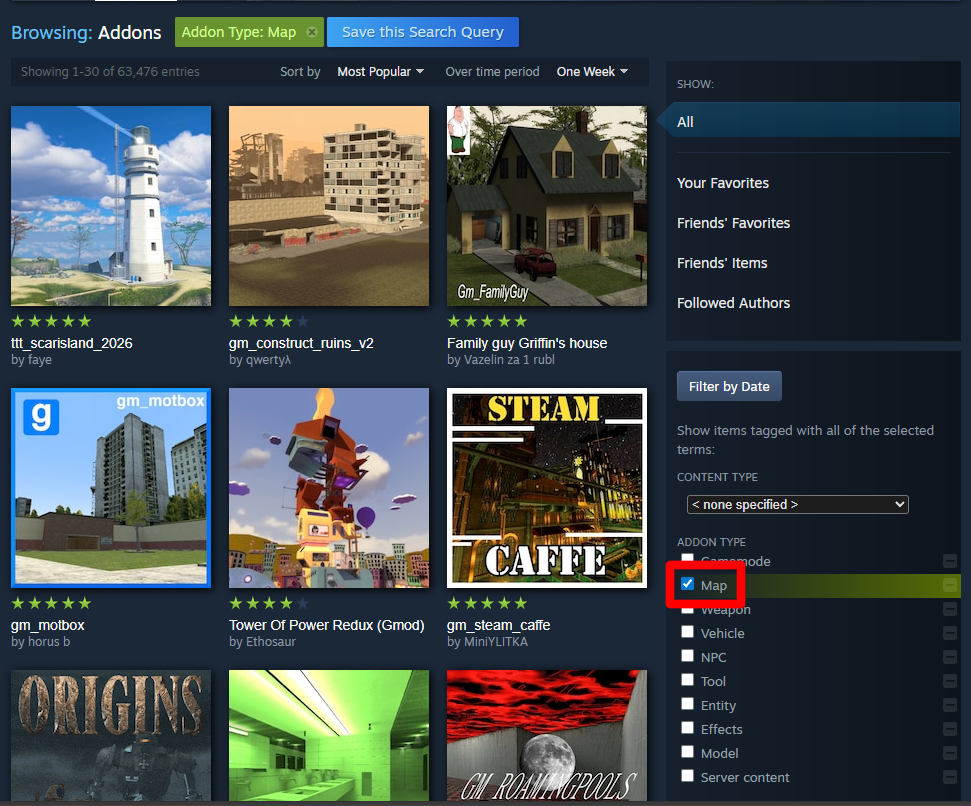
Visit the Steam Workshop for Garry’s Mod and look for a map you would like to add to your server.
-
You can filter in the Steam Workshop for Garry’s Mod by Map to make it easier to find new maps.
-
-
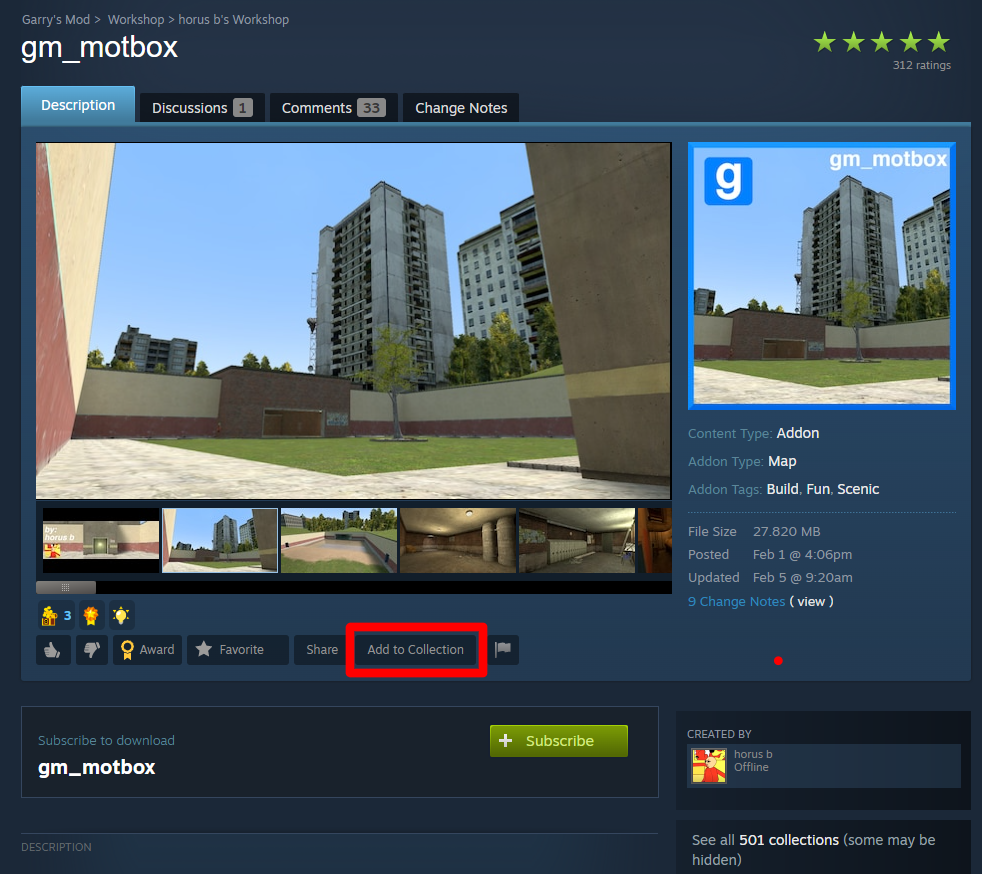
Once you find the map you’d like to use, add it to your server’s workshop collection.
Changing The Map On Your Garry’s Mod Server
Through The Physgun Gamepanel
To change the map on your Garry’s Mod server when it is hosted through Physgun:
-
Navigate to the Physgun Gamepanel and select your Garry’s Mod server.
-
Click on the Server Options choice in the left side nav bar.
-
Find the field titled Map. Here, you can change the map name to the map you have in your workshop collection.
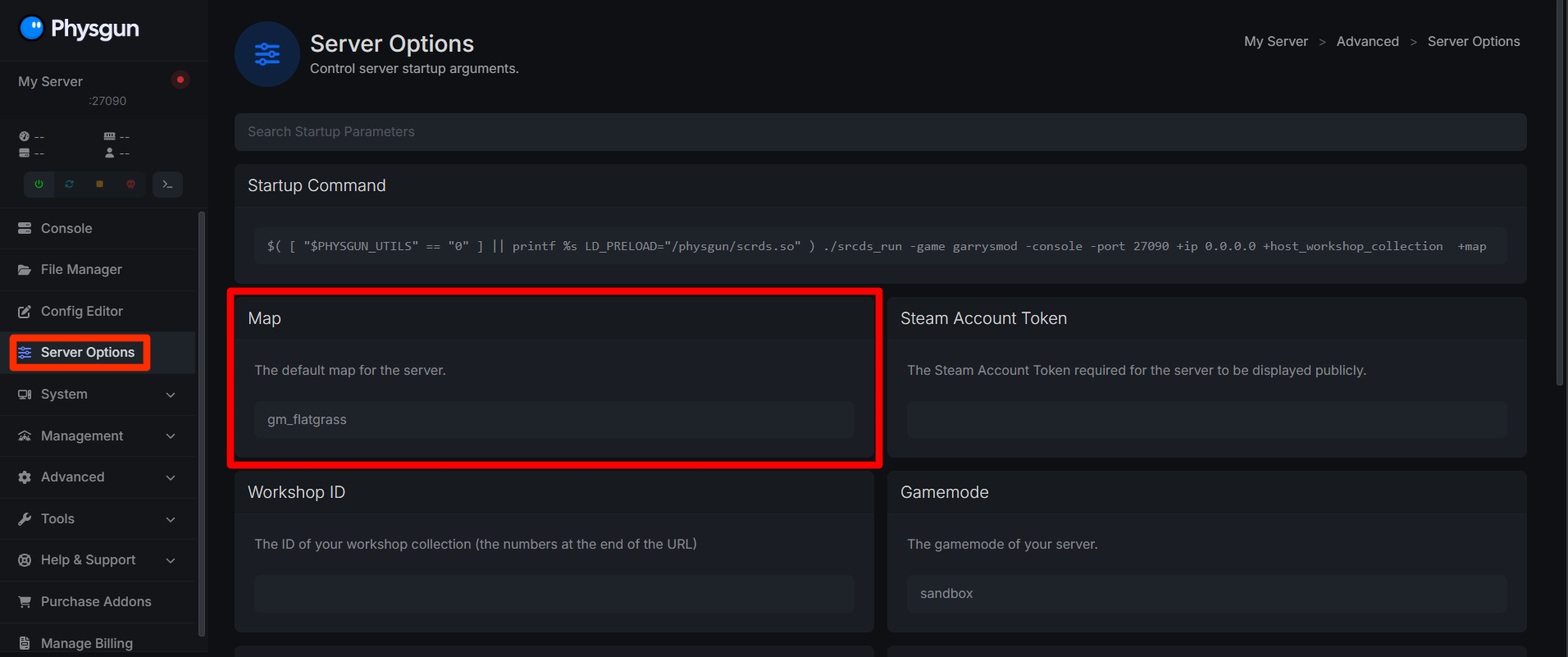
After that, just restart your server and you are good to go!
Through a VPS or Self-Hosted Server
To change the map on your Garry’s Mod server when it is self-hosted or through a VPS:
-
Modify Your Startup Command: Whether you start your server manually through the command line, or have a startup script, you will need to modify what you start your server with. For example, if you start your server with this startup script:
./srcds_run -game garrysmod \
+map gm_construct \
+maxplayers 32 \
+sv_setsteamaccount YOUR_GSLT_HERE \
+host_workshop_collection 123456789 \
-port 27015
You will need to change the +map line to the name of the map you have downloaded.
-
Once your startup command has been changed, you can now restart/start your server and it should load the new map!
Note: If you cannot find the name of your map, start your server once after adding it to the workshop collection. Then, navigate to garrysmod/maps and you should find the filename of your map there (e.g. if your map file is named gm_construct.bsp, your map field in the startup command should just be gm_construct).