
Getting a “premium Rust account” sounds simple, but the term means different things across the community. There is no official premium edition of Rust, yet certain accounts unlock access to premium servers, exclusive skins, and added status inside the game. Understanding what actually qualifies your account for these perks is the key to avoiding scams and wasted money.
In this guide, you’ll learn:
What players really mean by premium status
How Rust Steam ownership impacts access
How skins, DLC, and inventory value play a role
Why some premium servers require authorization
If you want a better experience long term when you're playing Rust, it starts with the right setup.
What Is A Rust Premium Account?
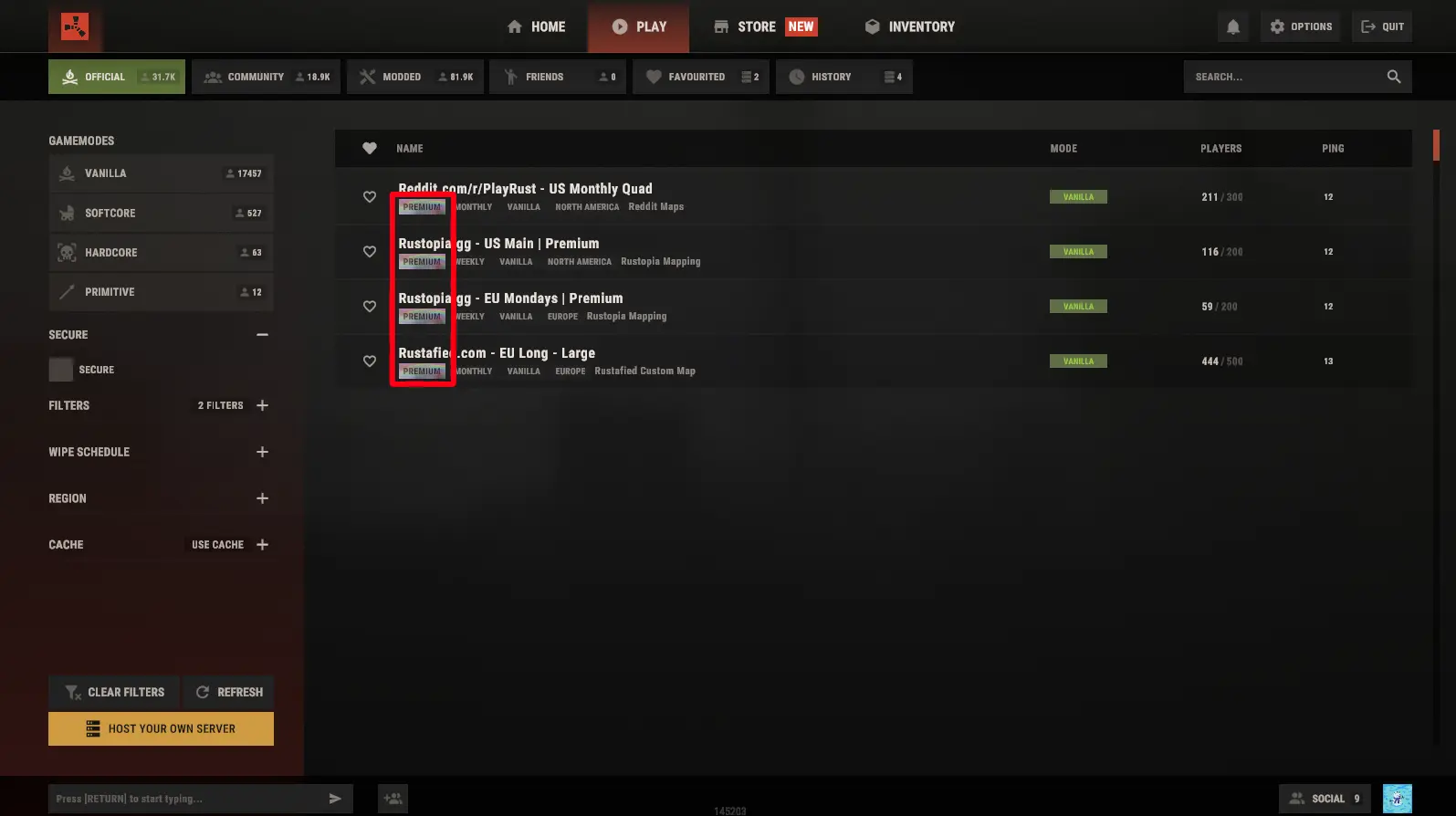
A “Premium Rust account” is not an official product, but rather a term players use for accounts that can access Rust’s Premium Servers and perks. In practice, premium status means your Steam account meets certain criteria defined by Facepunch. The main requirement is that your Rust inventory (tradable item value) is at least $15.
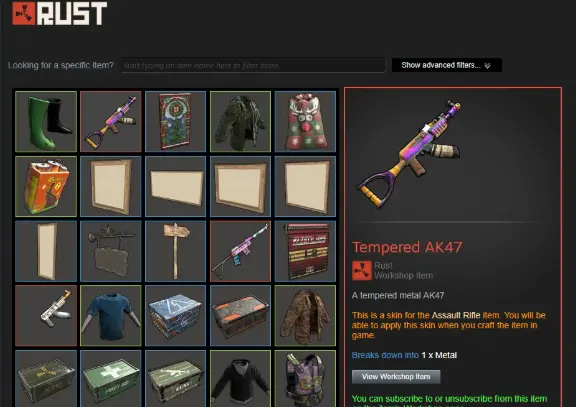
That $15 includes Rust Permanent Store items: building skins, décor packs, hazmat suits, weapon skins, etc. Non-Rust DLC (like Instruments, Sunburn, Voice Props) do not count currently.
In short, only accounts with $15+ worth of Rust items in Steam inventory are considered “premium.” Server owners may also require your account to have a premium server tag.
Rust Steam Ownership and Inventory Value
Your Steam account’s Rust ownership must be a full copy of the game (not just a bonus code or gift). However, simply owning Rust is not enough for premium servers; you need the inventory value. Facepunch’s official rule is: “To access Premium Servers, your Rust Steam inventory must be valued at $15 or more.”. This means any tradable Rust items with market value contribute, especially those from the in-game shop (Permanent Store) like building skin packs, décor bundles, hazmat suit skins, and weapon skins. These are permanently attached to your account and raise your inventory worth.
Standalone DLC items (Instruments, Sunburn, Voice Props) are excluded from the calculation. Also, items like simple crouch music packs or free items don’t count unless they have a market price.
How Premium Server Authorization Works
If your account meets the $15 inventory threshold, Premium Servers will appear in your server list. In-game, a “Premium” tag will become visible and clickable. Clicking it shows your eligibility status. You can manually refresh your status (there’s a refresh icon in the menu) if you’ve just made new purchases or trades. Keep in mind Steam can be slow: new item transactions may take up to 20 minutes to register, so wait or use the refresh button before assuming it hasn’t counted. Once you have premium status, the game even displays an indicator on your player avatar.
Some community or hosted servers may enforce premium status by requiring server.premium 1 on the server console. If a server has this flag, only qualified accounts can join. Facepunch’s official servers (labeled EU Premium, US Premium, etc.) all use this system, and many community-run servers do too. If you see a server you’re interested in marked “Premium,” ensure your account value qualifies. This is meant to filter out disposable cheat accounts. Facepunch logs all skin trades and will ban any abuse.
Build Your Inventory Value
To “get” a premium account, focus on adding legitimate Rust items to your Steam inventory. Buying Permanent Store skins (especially bundle packs like building textures or unique Hazmat skins) is the quickest path. Trading for higher-value skins on the Steam Market also works, but beware of scams and trade cooldowns. Avoid shady methods or gray-market keys that might lead to bans. As Facepunch notes, they monitor this feature closely: any abuse or exploitation will get accounts banned.

Once your inventory is over $15, refresh your premium status in Rust (or simply wait 20+ minutes), and you should see the Premium tag. You’ll then have access to the official premium servers (and any community servers requiring premium status). This “premium” status is dynamic: if you remove items and drop below $15, you lose access. Treat it like a membership that depends on your inventory, not a one-time purchase.
Additional Tips: Setting up Steam Guard (mobile authenticator) is recommended for account security and faster market access. Also, connecting your account to Rust’s companion app or Rust:IO can help manage and trade skins. Always double-check trades and purchases to ensure only valid, Rust-related items are boosting your account’s value.